
For Nintendo fans who live in handheld mode, choosing between the Switch OLED and Switch Lite isn’t just about price—it’s about value. Both consoles deliver portable gameplay, but they serve different needs. The Switch Lite was built from the ground up as a dedicated handheld, while the Switch OLED evolved from the original hybrid model with a focus on premium portability. If you never dock your console and only play on the go, does upgrading to the larger, pricier OLED make sense? Or is the compact, affordable Lite still the smarter pick?
The answer depends on how you use your device, what games you play, and what kind of experience you prioritize. Let’s break down the real-world differences—not just specs—and see whether that 7-inch OLED screen truly enhances handheld gaming enough to justify the cost.
Screen Quality and Visual Experience
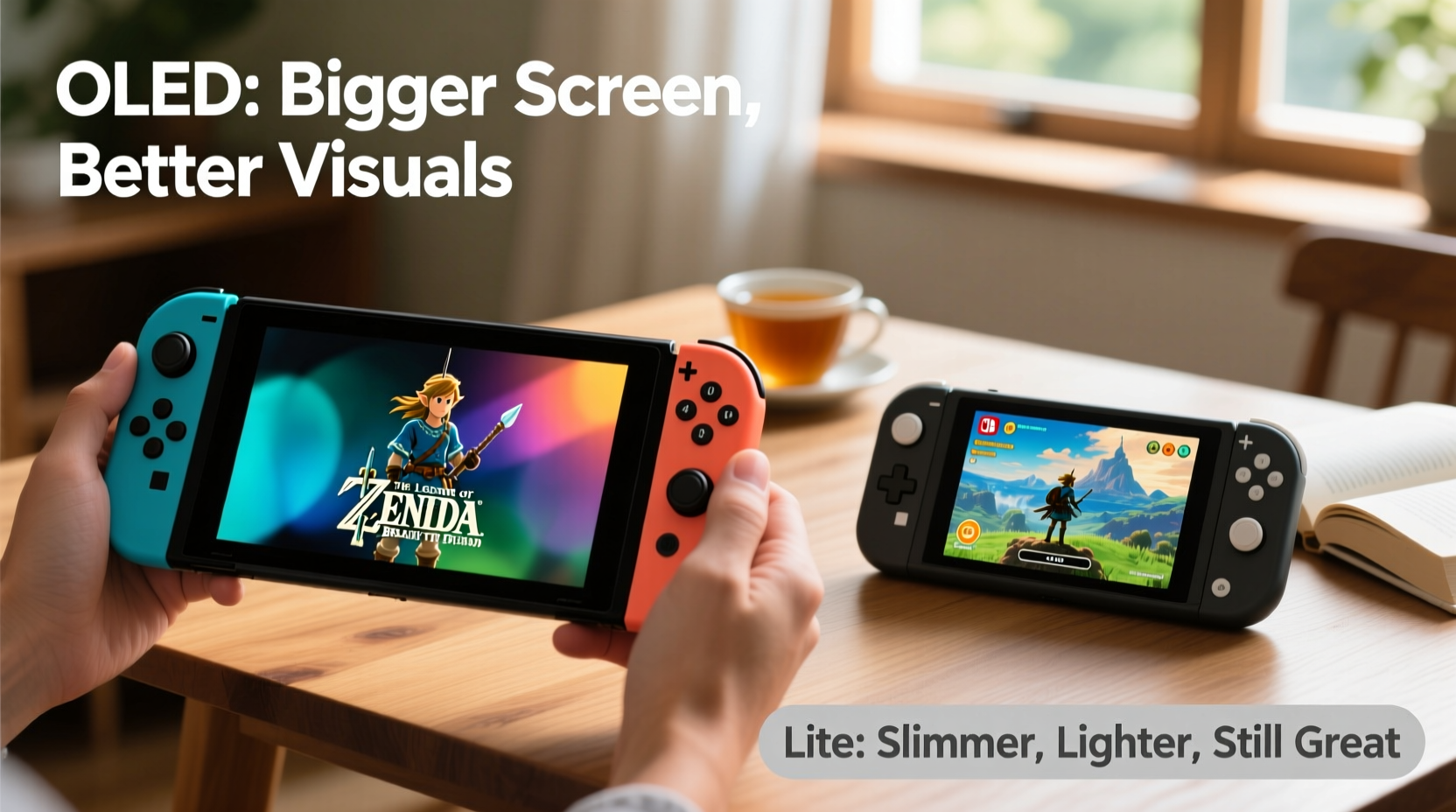
The most obvious difference between the two models is the display. The Switch Lite features a 5.5-inch LCD screen with a resolution of 720p when undocked—standard for mobile gaming. It's bright enough for indoor use and tolerable in daylight, but colors lack vibrancy and blacks appear grayish due to the limitations of LCD technology.
In contrast, the Switch OLED boasts a 7-inch organic light-emitting diode (OLED) panel. This means deeper blacks, higher contrast ratios, and more saturated colors. Individual pixels emit their own light, so when a pixel is off, it’s truly black. This makes games like The Legend of Zelda: Breath of the Wild or Hollow Knight: Silksong look dramatically better—especially in darker scenes or shadow-heavy environments.
Beyond color and contrast, the larger screen offers a more immersive feel. With nearly 30% more viewing area, UI elements aren’t as cramped, text is easier to read, and maps or inventory screens are less cluttered. For RPGs, adventure titles, or any game requiring frequent menu navigation, this can reduce eye strain during long sessions.
Ergonomics and Portability
Portability is where the Switch Lite shines—literally. At 275 grams, it’s significantly lighter than the OLED model (320 grams), making it ideal for travel, commuting, or extended handheld sessions. Its smaller footprint fits comfortably in tighter spaces, like airplane tray tables or crowded subway cars.
However, the trade-off is fixed controls. The Joy-Con are integrated into the body, which means no detachable controllers, no HD rumble, and no IR camera functionality. Some games, like Ring Fit Adventure or 1-2-Switch, are either unplayable or require separate Joy-Con purchases.
The Switch OLED retains full Joy-Con integration with all associated features. You can detach them for multiplayer, use them with the kickstand, or connect external controllers via Bluetooth. Even when playing handheld, the ability to remove the Joy-Con gives flexibility—for example, attaching a third-party grip for better ergonomics during marathon sessions.
Another ergonomic advantage: the OLED model has an improved kickstand. Unlike the flimsy one on the original Switch or the nonexistent stand on the Lite, the OLED’s wide-angle adjustable stand allows stable tabletop play—a useful feature even for handheld-focused users who occasionally want to prop up the system.
“While the Lite excels in pure portability, the OLED offers a more adaptable form factor without sacrificing much in weight.” — Jordan Lee, Gaming Hardware Analyst at Portable Tech Review
Battery Life and Performance
Both devices run on the same NVIDIA Tegra X1+ chipset, meaning identical performance across first-party and most third-party titles. Frame rates, load times, and graphical fidelity are indistinguishable when playing the same game in handheld mode.
Battery life tells a slightly different story. The Switch Lite ranges from 3 to 7 hours depending on brightness and game intensity. The OLED model improves upon this with 4.5 to 9 hours of runtime—thanks to a larger internal battery and more efficient power management. In practical terms, this means longer trips without needing a charger, especially beneficial for travelers or students.
One often-overlooked benefit of the OLED is its superior audio. The speakers are louder, clearer, and offer better stereo separation. When playing without headphones—on a bus, in a park, or during casual downtime—the sound quality adds immersion that the Lite struggles to match.
Total Cost of Ownership
At launch, the Switch Lite retails for $199, while the Switch OLED comes in at $349—a $150 difference. On paper, that’s a significant gap. But consider what you gain beyond the screen:
- More storage: OLED has 64GB vs. Lite’s 32GB (expandable via microSD on both)
- Wired LAN port on the dock (relevant if you ever change your mind about docking)
- Enhanced speakers and kickstand
- Future compatibility with new accessories and hybrid-capable software
If you’re certain you’ll never dock your console, some of these features may seem redundant. However, tastes change. Many users start as handheld-only players but later invest in a TV setup for multiplayer nights or co-op gaming. The OLED keeps that door open; the Lite locks it shut.
Additionally, resale value favors the OLED. After two years, used Switch OLED units retain around 60–70% of their value, compared to 40–50% for the Lite, according to market data from Glyde and Swappa. That difference could cover the cost of several digital games or accessories over time.
Game Compatibility and Play Style
Not all Switch games are designed equally for handheld play. Titles relying on motion controls, dual analog sticks, or specific Joy-Con features may not work on the Lite—or require workarounds.
For example:
- Pikmin Bloom: Requires AR camera, impossible on Lite without external phone
- Just Dance: Needs individual Joy-Con for scoring, so additional controllers must be purchased
- Super Mario Party: Built around mini-games using IR sensors and HD Rumble—missing entirely on Lite
Meanwhile, the OLED supports every title natively. Even if you don’t plan to use these games now, limiting your library today might restrict options tomorrow.
Conversely, if your core library consists of single-player adventures—Fire Emblem: Engage, Animal Crossing: New Horizons, Stardew Valley—the Lite handles them perfectly. And because those games are less demanding, battery life remains strong across both systems.
Real-World Example: Commuter Gamer Dilemma
Take Sarah, a 28-year-old graphic designer who plays 4–5 hours weekly during her train commute and weekend downtime. She initially bought a Switch Lite for its size and lower price. Over time, though, she found herself frustrated by dim visuals on rainy days, struggling to read dialogue boxes, and wishing she could play Luigi’s Mansion 3 with local co-op friends.
After six months, she traded up to a Switch OLED. Though heavier, she appreciated the brighter screen, louder speakers, and ability to detach Joy-Con for couch play at home. The extra storage eliminated constant file juggling, and the sturdier build gave her peace of mind carrying it in her bag.
Her verdict? “I thought I didn’t need the OLED, but once I used it daily, I realized how much smoother the overall experience was—even within my original ‘handheld-only’ lifestyle.”
Comparison Table: Key Differences at a Glance
| Feature | Switch OLED | Switch Lite |
|---|---|---|
| Screen Size & Type | 7-inch OLED | 5.5-inch LCD |
| Resolution | 720p (handheld) | 720p (handheld) |
| Weight | 320g | 275g |
| Battery Life | 4.5 – 9 hours | 3 – 7 hours |
| Internal Storage | 64GB | 32GB |
| Dock Support | Yes | No |
| Detachable Joy-Con | Yes | No |
| Kickstand | Wide-angle adjustable | None |
| Price (MSRP) | $349 | $199 |
| Best For | Hybrid users, visual fidelity, future-proofing | Dedicated handheld gamers, budget buyers |
Frequently Asked Questions
Can I use Pro Controllers with the Switch Lite?
Yes. While the Lite lacks detachable Joy-Con, it fully supports Bluetooth controllers like the Nintendo Switch Pro Controller, GameCube controllers (with adapter), and third-party options. This allows for more comfortable long-term play, though it adds to the overall cost.
Does the OLED screen drain the battery faster?
Despite being a higher-quality display, the OLED model generally lasts longer due to a larger battery and optimized power delivery. However, extremely bright scenes with lots of white or light-colored graphics can consume more energy than dark ones, since each pixel emits its own light.
Is the screen really that much better for handheld play?
It depends on your sensitivity to image quality. Casual players may not notice a dramatic shift, but those who value immersion, clarity, and reduced eye fatigue will appreciate the richer colors, deeper blacks, and increased screen real estate—especially during multi-hour sessions.
Action Checklist Before You Buy
- Assess your play habits: Do you play mostly solo, or do you host local multiplayer sessions?
- Review your game library: Are there titles you want that require Joy-Con features?
- Test screen visibility: Try both models in natural light to judge readability.
- Consider future use: Might you want to connect to a TV someday?
- Calculate total cost: Factor in potential need for extra controllers or accessories.
- Check storage needs: If you download many large games, 32GB may fill up quickly.
Final Verdict: Is the Bigger Screen Worth It?
If you're a casual player who values affordability and ultra-portability, the Switch Lite remains a solid choice. It’s lightweight, inexpensive, and perfectly capable for many of Nintendo’s best handheld experiences.
But if you play regularly, care about visual quality, or want room to grow into new types of gameplay, the Switch OLED delivers meaningful upgrades that enhance everyday use. The larger, vibrant screen reduces eye strain. The longer battery life supports extended sessions. The expanded storage and accessory flexibility future-proof your investment.
The $150 premium isn’t just for a bigger display—it’s for a more complete, refined handheld experience. And for dedicated mobile gamers, that upgrade often pays for itself in comfort, convenience, and enjoyment over time.




 浙公网安备
33010002000092号
浙公网安备
33010002000092号 浙B2-20120091-4
Comments
No comments yet. Why don't you start the discussion?