
Moving from one gaming console to another isn’t just about swapping hardware—it’s a shift in ecosystem, habits, and expectations. For years, PlayStation has dominated with its exclusive storytelling and cinematic experiences, while Xbox has built a reputation on value, cloud integration, and seamless cross-platform play. If you're considering leaving your PS5 behind for an Xbox Series X, the decision goes beyond specs or controller preference. It's about whether Microsoft’s vision aligns better with how you play now—and how you want to play in the future.
This transition comes with tangible benefits and notable compromises. From Game Pass to backward compatibility, from interface design to social features, every aspect of the Xbox ecosystem differs meaningfully from Sony’s approach. But is the switch truly worth the effort, cost, and emotional detachment from a platform you may have spent years investing in?
The Core Differences Between PS5 and Xbox Series X Ecosystems
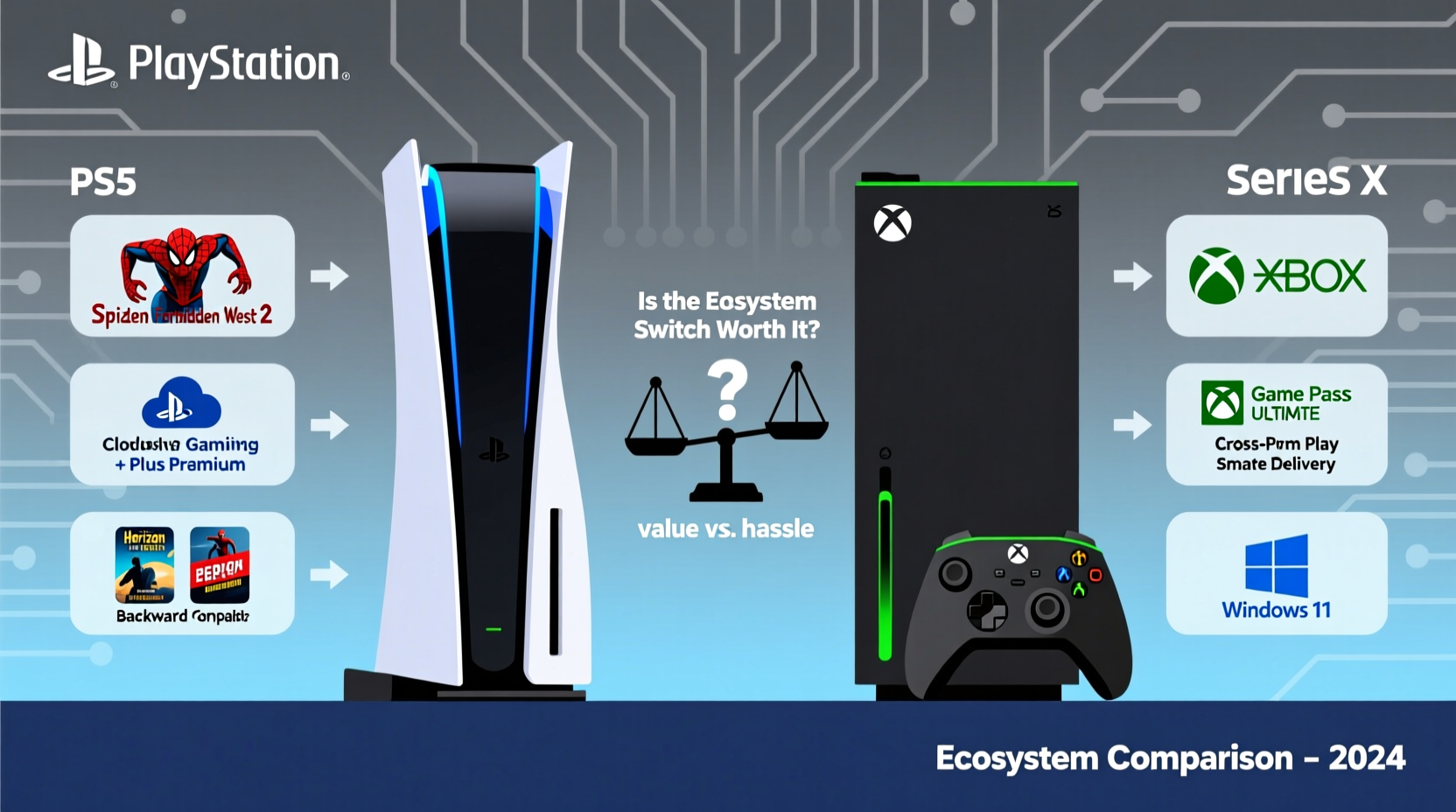
At their core, both consoles deliver near-identical performance: 4K gaming, fast SSDs, ray tracing, and high frame rates. The divergence lies not in hardware but in philosophy. PlayStation emphasizes curated exclusives and premium single-player experiences. Xbox focuses on accessibility, flexibility, and long-term ownership through services like Game Pass and Smart Delivery.
Xbox’s ecosystem is designed around continuity. You can start a game on your console, pause it, and resume on your PC or mobile device via cloud streaming. Your friends list, achievements, and saved games sync across devices. Meanwhile, PlayStation offers strong local multiplayer and stunning first-party titles, but its online infrastructure—PlayStation Network—is less integrated and more fragmented across platforms.
Another key difference is backward compatibility. Xbox Series X supports thousands of games from Xbox One, Xbox 360, and even the original Xbox, many enhanced with faster load times and improved resolution. PS5 supports most PS4 titles, but there’s no support for PS3 or earlier generations without resorting to streaming via PlayStation Plus Premium—a limited and often unreliable service.
“Xbox’s ecosystem rewards loyalty across time and devices. If you value access over exclusivity, it’s hard to beat.” — Marcus Tran, Console Strategy Analyst at GameTech Insights
Game Libraries and Exclusives: What Are You Giving Up?
No discussion about switching ecosystems is complete without addressing exclusives—the crown jewels of any console brand. PlayStation’s lineup includes critically acclaimed franchises such as God of War, The Last of Us, Horizon Zero Dawn, and Spider-Man. These are narrative-driven masterpieces that define the PS5 experience.
Xbox, by contrast, has historically lagged in first-party exclusives. However, this is changing rapidly. With acquisitions of Bethesda, Activision Blizzard, and Obsidian, Microsoft now owns major IPs like Doom, Fallout, Starfield, Call of Duty, and Forza. While these aren’t all console-exclusive forever (Microsoft has stated many will come to PlayStation eventually), they do enrich the immediate Xbox library.
But quantity doesn’t always equal quality. Many of Xbox’s new exclusives, like Starfield, received mixed reviews upon launch. And unlike Sony’s tightly controlled development model, Microsoft allows its studios more creative freedom—which can lead to inconsistency in polish and presentation.
If your primary motivation for gaming is immersive storytelling and artistic direction, staying on PS5 may still be the better choice. But if you prioritize variety, replayability, and genre diversity—especially in RPGs, shooters, and racing games—Xbox’s growing catalog becomes increasingly compelling.
Cost Analysis: Breaking Down the Financial Impact
Switching consoles involves more than just buying a new machine. There’s the cost of the Xbox Series X itself (~$499), accessories, potential subscription upgrades, and re-purchasing games you already own on PSN.
However, Xbox counters this with Game Pass Ultimate—a $17/month subscription that includes hundreds of games, online multiplayer, EA Play, and cloud gaming. Over two years, that’s roughly $408. Compare that to buying four full-priced AAA titles ($60 each = $240), and Game Pass starts looking like a financial advantage—especially if you’re someone who plays multiple games per month.
Additionally, Smart Delivery ensures you never buy the same game twice when upgrading between Xbox consoles. If you purchase a title on Xbox One, you automatically get the optimized Series X version at no extra cost. No equivalent system exists on PlayStation, where some next-gen upgrades are free, but others require a paid upgrade path.
| Factor | PS5 | Xbox Series X |
|---|---|---|
| Backward Compatibility | PS4 titles only | Xbox One, 360, original Xbox (select titles) |
| Subscription Value | PlayStation Plus: $80/year (Essential to Premium) | Game Pass Ultimate: $100/year (includes cloud & PC) |
| Next-Gen Upgrade Policy | Inconsistent (free or paid) | Smart Delivery (always free) |
| Digital Resale/Loan | Not allowed | Disc-based games can be resold; digital cannot |
| Cloud Gaming Quality | Limited (PS Plus Premium) | Robust (xCloud with low latency) |
Practical Steps to Transition Smoothly
Switching ecosystems doesn’t have to be disruptive. With planning, you can minimize downtime and protect your investment. Follow this step-by-step guide to ensure a smooth migration:
- Inventory your current library: List all digital games, DLC, and subscriptions tied to your PSN account. Note which ones have Xbox equivalents or are available via Game Pass.
- Extract your data: Back up save files using PS Plus cloud storage or external USB drive. Some games support cross-save (e.g., Destiny 2, Minecraft), so check before deleting.
- Set up your Xbox profile: Create a new Microsoft account or use an existing one. Link it to your preferred email and enable two-factor authentication.
- Transfer friend networks: Reconnect with friends by searching gamertags or linking social media accounts. Encourage them to join Game Pass Ultimate for shared benefits.
- Optimize storage: Install the Xbox app on your PC to manage downloads remotely. Consider adding an expansion card (Seagate 1TB ~$220) for additional space.
- Explore Game Pass: Spend the first week browsing and downloading titles. Use filters like “Included with Ultimate” and “Console” to find relevant games.
- Sell or store your PS5: Once confirmed you’ve migrated everything important, decide whether to keep it as a secondary device or sell it via trusted platforms like eBay or GameStop.
Checklist: Before You Switch
- ✅ Back up all PS5 save data
- ✅ Cancel recurring PSN subscriptions (unless keeping for cloud access)
- ✅ Research Xbox alternatives for favorite PS5 games
- ✅ Subscribe to Game Pass Ultimate (start with trial if available)
- ✅ Transfer payment methods to Microsoft account
- ✅ Update contact info and privacy settings on Xbox Live
A Real-World Example: Why Sarah Made the Switch
Sarah, a 32-year-old teacher and longtime PlayStation user, owned a PS4 Pro and upgraded to a PS5 at launch. She loved games like Ghost of Tsushima and Returnal, but found herself playing less due to high prices and lack of variety. After borrowing a friend’s Xbox Series X, she was struck by how quickly she could jump into new games via Game Pass.
She started with Forza Horizon 5, then moved to Grounded, and later played Starfield without paying full price. The ability to stream games to her tablet during travel sealed the deal. Within three months, she sold her PS5, canceled her PS Plus, and fully transitioned to Xbox.
“I missed The Last of Us Part II, yes,” she admitted. “But I’ve played more hours of enjoyable content in the past six months than I did in the previous two years on PlayStation. For me, convenience and value won.”
Common Challenges and How to Overcome Them
Despite its strengths, the Xbox ecosystem isn’t perfect. New users often report frustration with the dashboard interface, which feels cluttered compared to PS5’s minimalist design. Others miss the haptic feedback and adaptive triggers of the DualSense controller.
To overcome these hurdles:
- Customize your home screen: Pin frequently used apps and hide unused tiles to reduce visual noise.
- Invest in a second controller: Especially if sharing the console or using split-screen multiplayer.
- Use the Xbox Accessories app: To update firmware and remap buttons for better ergonomics.
- Enable Auto HDR and FPS Boost: Found under Settings > General > TV & Display Options, these enhance older games automatically.
Also, understand that community dynamics differ. Xbox Live has fewer active users globally than PSN, particularly in regions like Japan and parts of Europe. However, in North America and among PC gamers, Xbox’s network effect is strong, especially in multiplayer shooters and MMOs.
Frequently Asked Questions
Can I still play my favorite PS5 exclusives after switching?
Not natively. Games like Marvel’s Spider-Man 2 or Helldivers 2 are not available on Xbox. However, some developers release cross-platform titles later (e.g., Ghost of Tsushima Director’s Cut came to PC). If those games are essential to you, consider keeping your PS5 as a secondary device.
Will my progress carry over if a game moves to Xbox?
Only if the developer supports cross-save functionality. Titles like Death Stranding and Baldur’s Gate 3 allow this, but it’s not guaranteed. Always check before assuming continuity.
Is Game Pass really worth it?
For players who finish multiple games per year, absolutely. At $17/month, it costs less than two AAA releases. Even if you only play one game a month, the inclusion of online multiplayer, EA Play, and cloud gaming adds significant value. Just remember that games rotate out periodically, so download what you want ahead of time.
Final Verdict: Is the Switch Worth the Hassle?
The answer depends entirely on your priorities. If you’re deeply invested in PlayStation’s narrative-driven exclusives and own a large PS4/PS5 library, switching may feel like a step back. Letting go of upcoming titles like Wolverine or Horizon Forbidden West: Burning Shores isn’t trivial.
But if you value flexibility, affordability, and future-proofing your gaming habits, Xbox Series X presents a powerful alternative. Its ecosystem is built for the modern era—where games live in the cloud, progress follows you across screens, and discovery is prioritized over ownership. Backward compatibility spanning nearly two decades gives you unprecedented access to gaming history. And Game Pass continues to redefine what a subscription can offer.
The initial hassle of migrating accounts, re-downloading games, and relearning menus fades within weeks. What remains is a platform that adapts to your lifestyle rather than locking you into a single living room setup.




 浙公网安备
33010002000092号
浙公网安备
33010002000092号 浙B2-20120091-4
Comments
No comments yet. Why don't you start the discussion?