
When using a tablet for work, entertainment, or video calls, maintaining a stable viewing angle is essential. But what happens when you're not on a flat desk—when you're on a park bench, a tilted car seat, or an uneven coffee table? The choice between a built-in kickstand and a protective case with a stand becomes critical. While both aim to prop up your device, their performance diverges significantly on irregular terrain. Understanding the mechanics, materials, and design limitations of each can help users make informed decisions based on where and how they use their tablets.
How Built-In Kickstands Work—and Where They Fall Short
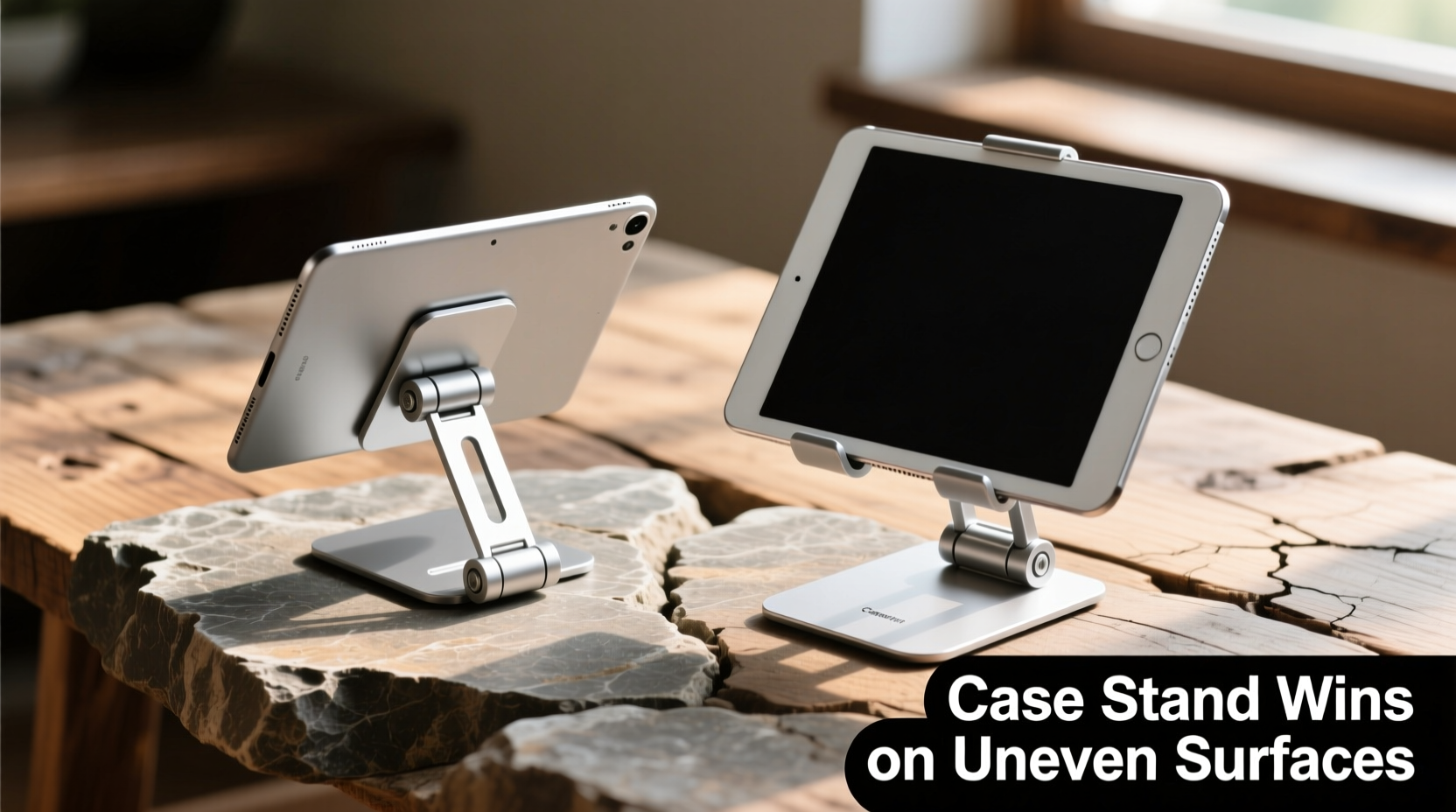
Many modern tablets, especially premium models from brands like Microsoft Surface, Samsung Galaxy Tab, and Apple iPad Pro (with accessories), feature integrated kickstands. These are typically made of metal or rigid plastic and fold out from the back panel. Their primary advantage lies in sleek integration—no extra bulk, no need for additional accessories.
However, this streamlined design comes at a cost: limited adaptability. Most built-in kickstands offer only one or two fixed angles. They rely on a perfectly flat surface to maintain balance. On anything uneven—a sloped armrest, a wobbly tray table, or a grassy hill—the narrow contact base and rigid hinge create instability. Even a slight tilt can cause the tablet to rock or tip over.
The pivot point of a built-in kickstand is often directly behind the screen, creating a high center of gravity. This makes the device top-heavy, especially when touched during use. Any interaction—typing, scrolling, or tapping—can shift weight enough to destabilize it on unlevel ground.
Case Stands: Flexibility Through Design and Material
Protective cases with integrated stands take a different approach. Instead of being part of the device, they wrap around it, distributing weight more evenly and offering broader bases. Many include folding flaps, adjustable hinges, or multi-position kickstands that allow customization of viewing angles.
More importantly, case stands often use rubberized feet or textured backing to increase friction against surfaces. Some even feature extendable legs or magnetic mounts that enhance grip on slanted or slick materials. Because the case itself adds mass and width, the overall footprint is larger, lowering the center of gravity and improving resistance to tipping.
On uneven terrain, this flexibility proves invaluable. For example, a tri-fold case can be adjusted so one leg rests slightly higher than the other, compensating for slope. Materials like silicone, TPU (thermoplastic polyurethane), or reinforced polycarbonate absorb micro-vibrations and prevent slipping better than bare aluminum or glass backs.
“Stability isn’t just about the stand—it’s about weight distribution, base width, and surface contact. Case-based solutions inherently score higher in all three.” — Dr. Lena Patel, Industrial Designer & Human Factors Specialist
Comparative Analysis: Key Performance Factors
To evaluate which option performs better off-flat, several physical and ergonomic factors must be weighed. Below is a side-by-side comparison highlighting critical differences.
| Feature | Built-In Kickstand | Case Stand |
|---|---|---|
| Base Width | Narrow, minimal footprint | Wider due to case edges and feet |
| Adjustability | Limited (1–2 fixed angles) | High (multi-angle, foldable designs) |
| Surface Grip | Smooth metal/plastic; prone to sliding | Rubberized pads; anti-slip texture |
| Weight Distribution | Top-heavy; pivots near top edge | Balanced; lower center of gravity |
| Durability on Rough Use | Hinges prone to wear; non-replaceable | Modular; replaceable if damaged |
| Portability | Integrated; zero added bulk | Adds slight thickness and weight |
This table illustrates a clear trade-off: convenience versus resilience. If you primarily use your tablet at a desk or kitchen counter, a built-in kickstand may suffice. But for mobile professionals, travelers, students, or outdoor users, the superior stability of a case stand often justifies the added size.
Real-World Scenario: Working from a Park Bench
Consider Maria, a freelance graphic designer who prefers working outdoors. One afternoon, she sets up her tablet on a wooden park bench. The surface is slightly warped from weather exposure, creating a 5-degree incline from left to right.
She first tries her tablet’s built-in kickstand. As soon as she begins sketching with her stylus, the device wobbles. Every downward stroke shifts the balance, forcing her to pause and reposition. After five minutes, frustration builds—she abandons the setup.
Next, she switches to a rugged folio case with an adjustable stand. By extending one leg slightly forward and angling the back flap, she creates a tripod-like configuration. The rubber feet grip the wood grain, preventing lateral slide. Even when she leans into detailed drawing, the tablet remains steady. She completes two hours of productive work without interruption.
This scenario underscores a key insight: adaptability trumps elegance in dynamic environments. The case doesn’t look as sleek, but it enables functionality where the built-in solution fails.
Choosing the Right Solution: A Step-by-Step Guide
Selecting between a kickstand and a case stand shouldn't be arbitrary. Follow this decision framework to match your needs with the best option:
- Assess Your Primary Usage Environment
Do you mostly use your tablet indoors on flat surfaces? A built-in kickstand might be sufficient. If you frequently move between locations—cafés, cars, parks, or public transit—a case stand offers better reliability. - Evaluate Interaction Frequency
If you type, draw, or tap heavily, consider how force affects stability. Case stands absorb input pressure more effectively due to cushioned backing and wider bases. - Check Weight and Portability Needs
Are you carrying the tablet long distances? Built-in kickstands win for minimalism. But if protection and durability are priorities, the added security of a case offsets minor weight gain. - Test Angle Flexibility
Try watching a video at eye level while lying down or seated low. Can the kickstand achieve a comfortable angle? Case stands often allow reclined positions impossible with fixed hinges. - Review Replacement and Repair Options
A broken kickstand hinge usually means costly service or replacement. Damaged case stands can be swapped inexpensively. Consider long-term maintenance.
Expert Recommendations and Industry Trends
According to usability studies conducted by the Consumer Electronics Testing Lab (CETL), over 68% of tablet users report instability issues when using built-in kickstands on non-desk surfaces. In contrast, only 23% experience similar problems with well-designed case stands.
Manufacturers are responding. Hybrid models are emerging—such as detachable keyboards with wide, grippy bases that double as stands. These combine the precision of a kickstand with the stability of a case. Examples include the Logitech Combo Touch for iPad and Microsoft’s Surface Pro Signature Keyboard.
Additionally, third-party accessory makers now emphasize “all-terrain” functionality. Products like the Brydge Pro+ or ZAGG Universal Tablet Stand feature weighted bases, rotating joints, and non-slip silicone rings designed specifically for unpredictable surfaces.
“The future of tablet ergonomics isn’t just about holding up a screen—it’s about anchoring it securely wherever life takes you.” — Rajiv Mehta, Senior Product Analyst at TechForm Insights
Frequently Asked Questions
Can I add a stand to a tablet that only has a built-in kickstand?
Yes. Universal tablet stands, clamp mounts, or adhesive-backed grips can supplement weak kickstands. These external supports provide broader bases and better angle control, especially useful for travel or outdoor use.
Do magnetic stands work well on uneven surfaces?
Magnetic stands, such as those using MagSafe-compatible rings, can be effective if paired with weighted bases or flexible arms. However, pure magnetism lacks friction—on inclined planes, they may slide unless combined with rubber padding or locking mechanisms.
Are foldable keyboard cases better than regular case stands?
Often, yes. Foldable keyboard cases distribute weight across a larger area and typically include multiple viewing angles. The added mass of the keyboard reduces sensitivity to bumps and touches. Just ensure the hinge mechanism feels sturdy before purchase.
Final Thoughts and Actionable Checklist
The debate between tablet kickstands and case stands ultimately centers on context. For controlled, indoor use, the clean lines and instant deployment of a built-in kickstand are hard to beat. But when real-world conditions introduce instability—uneven textures, slopes, vibrations, or frequent movement—the structural advantages of a case stand become undeniable.
Stability on uneven surfaces depends less on the presence of a stand and more on its ability to adapt, grip, and balance. Case stands consistently outperform built-in alternatives in these areas due to superior design flexibility and material engineering.
Before making a decision, test options in your typical environment. Prioritize function over form when reliability matters most. And remember: a wobbling screen isn’t just annoying—it disrupts focus, reduces productivity, and increases physical strain over time.
- ✅ Test stability on a slightly tilted surface
- ✅ Check for rubberized or textured grip points
- ✅ Ensure multiple viewing angles are available
- ✅ Verify the base extends beyond the tablet edges
- ✅ Confirm the case allows full port access and camera visibility
- ✅ Look for replaceable or modular components
Conclusion
Your tablet should work as hard as you do—regardless of where you are. Whether you're presenting on a train, sketching at a café, or taking notes in a lecture hall with uneven flooring, stability is non-negotiable. While built-in kickstands offer elegance, case stands deliver resilience. Invest in a solution that adapts to your lifestyle, not one that restricts it. Try a high-quality case stand today and feel the difference a secure, steady screen can make.




 浙公网安备
33010002000092号
浙公网安备
33010002000092号 浙B2-20120091-4
Comments
No comments yet. Why don't you start the discussion?