
Reading before bed is a cherished ritual for many—offering mental escape, relaxation, and a wind-down from the day’s stress. But as digital devices have replaced print books for countless readers, a critical question has emerged: Is it better to use a tablet or an e-reader when reading at night? The answer hinges not just on convenience, but on eye health, sleep quality, and long-term visual comfort. With growing concerns about blue light exposure, screen glare, and digital eye strain, understanding the differences between tablets and e-readers is essential for making a healthy choice.
The Core Difference: Screen Technology
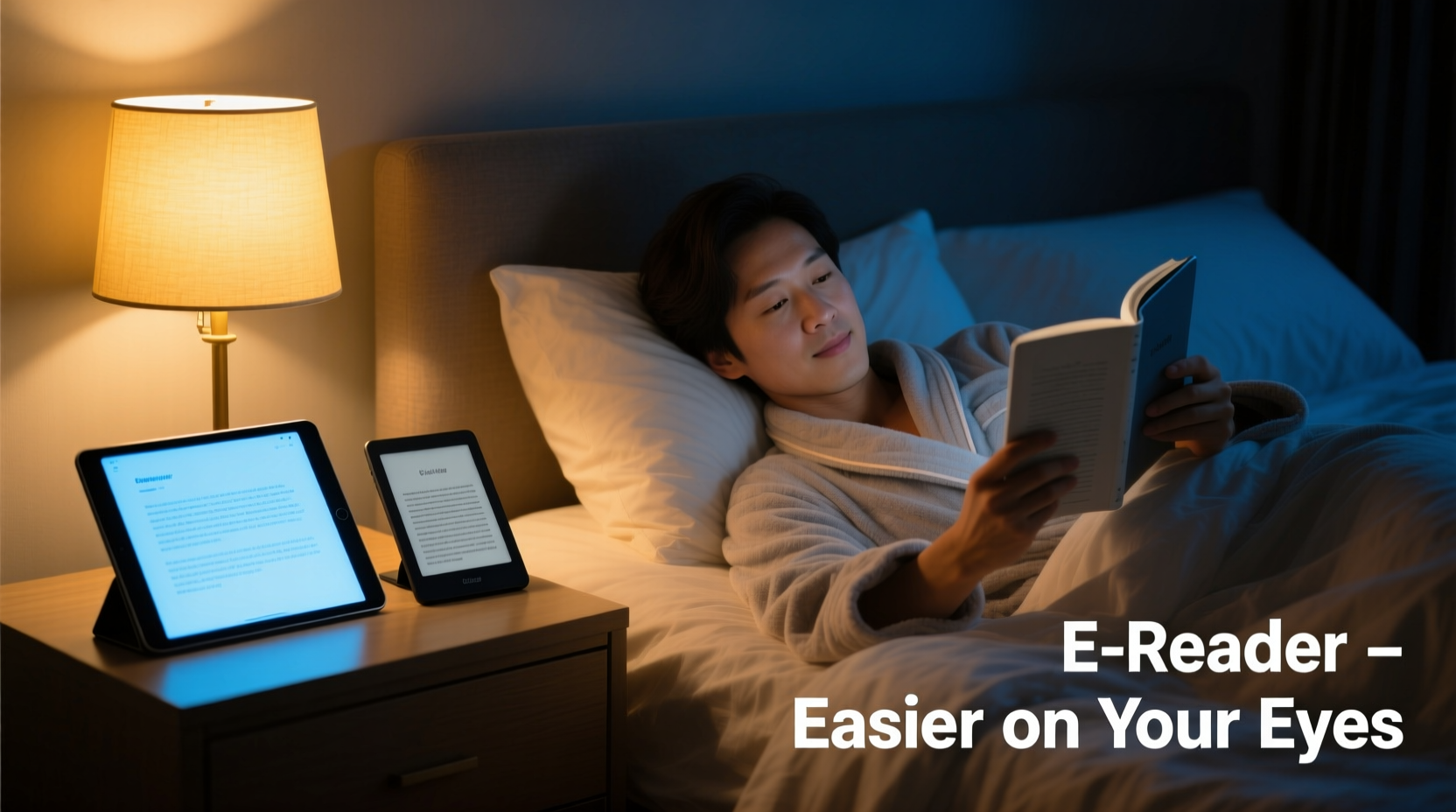
The most fundamental distinction between tablets and e-readers lies in their display technology. This difference shapes everything from readability in various lighting to how fatigued your eyes become after 30 minutes of use.
Most tablets—including iPads, Android tablets, and hybrids—use LED-backlit LCD or OLED screens. These are designed for vibrant color, fast refresh rates, and multimedia performance. While excellent for video, web browsing, and apps, they emit significant levels of blue light and produce a constant backlight that shines directly into the user’s eyes.
In contrast, dedicated e-readers like the Amazon Kindle, Kobo, or Nook typically use E Ink (electronic ink) displays. E Ink mimics the appearance of printed paper by reflecting ambient light rather than emitting its own. There’s no backlight in traditional models, though many now include front lighting systems that shine *from the edges* of the screen toward the surface—minimizing direct eye exposure.
Blue Light and Sleep Disruption
One of the biggest concerns with nighttime screen use is blue light emission. Blue light, part of the visible light spectrum, has short wavelengths and high energy. During daytime, it helps regulate alertness and mood. But at night, it interferes with melatonin production—the hormone responsible for signaling sleep.
A landmark study published in Proceedings of the National Academy of Sciences found that participants who read from a backlit tablet before bed took longer to fall asleep, had reduced REM sleep, and felt less alert the next morning compared to those reading from printed books.
While modern tablets come with \"night mode\" features—such as Apple’s Night Shift or Android’s Blue Light Filter—these only partially mitigate the issue. They shift colors toward warmer tones but don’t eliminate the underlying problem: the screen remains a bright, emissive source close to your face.
E-readers with E Ink displays, especially those without backlights or with warm front lights, emit negligible blue light. Even when equipped with adjustable lighting, the amount of emitted blue light is orders of magnitude lower than on tablets.
“Even with filters, tablets expose users to significantly more blue light than e-readers. For bedtime reading, E Ink remains the gold standard for minimizing circadian disruption.” — Dr. Lena Patel, Vision Scientist and Sleep Researcher at Stanford Medicine
Eye Strain and Visual Fatigue
Digital eye strain—also known as computer vision syndrome—affects millions who spend extended time looking at screens. Symptoms include dry eyes, blurred vision, headaches, and difficulty focusing. When reading in bed, often in dim conditions and at awkward angles, these symptoms can worsen.
Tablets contribute to eye strain in several ways:
- Glare: Reflective glass surfaces can create glare under overhead or bedside lamps.
- High Contrast & Brightness: Auto-brightness settings may keep screens too bright for a dark room.
- Flicker: Some LED backlights flicker imperceptibly, contributing to visual fatigue over time.
- Text Rendering: While high-resolution, tablet text can appear “floaty” or lack the crispness of print due to sub-pixel rendering.
E-readers address these issues effectively. E Ink screens are matte-finished, reducing glare. Text appears sharp and static—no flickering during page turns. Because they reflect ambient light like paper, they integrate naturally into a bedroom environment, especially when paired with a soft reading lamp.
Additionally, E Ink doesn’t require constant refocusing. Unlike tablets, where your eyes work harder to process changing brightness and motion, e-readers provide a stable visual field, allowing for prolonged reading with less fatigue.
Comparison Table: Tablet vs E-Reader for Bedtime Reading
| Feature | Tablet | E-Reader |
|---|---|---|
| Screen Type | LED-backlit LCD/OLED | E Ink (reflective) |
| Blue Light Emission | High (even with filters) | Very Low (especially with warm light off) |
| Glare in Low Light | Common (glass screen) | Minimal (matte finish) |
| Eye Strain Risk | Moderate to High | Low |
| Battery Life | 8–12 hours | Weeks on a single charge |
| Sleep Impact | Potential melatonin suppression | Minimal circadian disruption |
| Portability & Weight | Heavier, bulkier | Lightweight, one-handed use |
| Multimedia Use | Yes (video, audio, apps) | Limited (text-focused) |
Real-Life Example: Sarah’s Transition to an E-Reader
Sarah, a 38-year-old marketing executive, used her iPad for bedtime reading for years. She enjoyed the convenience of downloading bestsellers instantly and appreciated the large screen. However, she began noticing recurring headaches and trouble falling asleep—even after turning on Night Shift and lowering brightness.
After consulting her optometrist, she learned that her nightly routine was likely disrupting her sleep cycle. She switched to a Kindle Paperwhite with adjustable warm front lighting. Within two weeks, she reported deeper sleep, fewer eye discomfort episodes, and a greater sense of relaxation before bed.
“It’s not just about the light,” she said. “The e-reader feels lighter in my hands, there are no notifications popping up, and I’m not tempted to check email. It’s become a true reading device—not a distraction machine.”
Choosing the Right Device: A Step-by-Step Guide
Selecting the best tool for bedtime reading shouldn’t be arbitrary. Follow this decision-making process to ensure you prioritize eye health and sleep quality:
- Assess Your Reading Environment: Do you read in complete darkness, or with a bedside lamp? If using ambient light, an E Ink reader will perform better.
- Consider Your Sensitivity to Light: If you experience eye strain, migraines, or sleep onset issues, prioritize low-blue-light options.
- Evaluate Your Content Needs: Are you reading novels, magazines, comics, or textbooks? E-readers excel with plain text; tablets handle complex layouts better.
- Test Devices In-Person if Possible: Visit a bookstore or electronics retailer to compare screen feel, weight, and lighting.
- Check Lighting Features: Look for e-readers with warm front lighting (e.g., Kindle Paperwhite Signature Edition, Kobo Libra 2), which allow you to reduce blue tones entirely.
- Set Usage Boundaries: Even with an e-reader, avoid using it right up to sleep. Aim to finish reading at least 20–30 minutes before lights out.
When a Tablet Might Still Be the Better Choice
While e-readers win in terms of eye comfort and sleep hygiene, tablets have legitimate advantages in certain scenarios:
- Reading Illustrated Books: Cookbooks, graphic novels, children’s books, and art books benefit from color and high resolution.
- Accessibility Needs: Some users rely on text-to-speech, screen magnification, or voice control features more robustly supported on tablets.
- Multitasking Readers: If you annotate academic texts, cross-reference sources, or listen to audiobooks while reading, a tablet offers greater functionality.
In such cases, mitigation strategies can help reduce harm:
- Use airplane mode to disable notifications.
- Enable full-screen reading mode in apps like Kindle or Apple Books.
- Lower brightness manually and set warm color filters 1–2 hours before bed.
- Limit session length to 20–30 minutes maximum.
Frequently Asked Questions
Can I use a tablet for bedtime reading if I enable night mode?
Night mode helps by reducing blue light and warming screen tones, but it doesn’t eliminate the core issue: emissive backlighting. While better than nothing, it still exposes your eyes to more artificial light than an e-reader. For optimal eye comfort and sleep, an E Ink device is superior.
Do all e-readers have front lighting?
Most modern e-readers do include front lighting, but not all offer adjustable warmth. Basic models may only have white lighting. For bedtime reading, choose a model with both brightness and color temperature controls to minimize blue light exposure.
Is E Ink easier to read than paper?
While not quite identical, high-resolution E Ink screens (like Carta 1200 or 300 ppi+) come remarkably close to printed text. They lack ink bleed and smudging, and their matte finish reduces glare. Many users report reading longer sessions on E Ink due to reduced visual fatigue.
Final Recommendations and Checklist
For the vast majority of people using digital devices to read before sleep, an e-reader is the healthier, more sustainable choice. It supports natural reading rhythms, minimizes visual stress, and aligns with circadian biology. That said, personal needs vary—and awareness is the first step toward better habits.
Use this checklist to make an informed decision:
- ☐ I primarily read novels, nonfiction, or articles (favor e-reader)
- ☐ I read in low-light or dark environments (favor e-reader)
- ☐ I experience eye strain or insomnia (strongly favor e-reader)
- ☐ I need color, multimedia, or interactive content (favor tablet with precautions)
- ☐ I want a distraction-free reading experience (favor e-reader)
- ☐ I already own a tablet and don’t want another device (optimize tablet settings and limit use)
Conclusion: Prioritize Eye Health Without Sacrificing Joy
Bedtime reading should be a soothing ritual, not a source of physical discomfort or sleep disruption. While tablets offer versatility, they come at a cost to ocular and circadian health—costs that accumulate over time. E-readers, built around reflective E Ink technology, provide a gentler, more natural reading experience that aligns with how our eyes evolved to process text.
Whether you choose a dedicated e-reader or adapt your tablet usage, the key is intentionality. Adjust settings mindfully, limit screen brightness, and respect your body’s need for darkness before sleep. Small changes today can lead to better vision, deeper rest, and a more sustainable reading habit for years to come.




 浙公网安备
33010002000092号
浙公网安备
33010002000092号 浙B2-20120091-4
Comments
No comments yet. Why don't you start the discussion?