
Reading before bed is a cherished ritual for many—a quiet moment to unwind, reflect, or escape into another world. But with digital devices now central to our daily lives, the question arises: should you use a tablet or an e-reader for nighttime reading? Both have strengths, but when it comes to sleep quality, eye comfort, and long-term usability, the differences matter more than most realize.
While tablets offer versatility and vibrant displays, e-readers are purpose-built for reading in low light and minimizing disruption to your circadian rhythm. Understanding these distinctions can help you choose the device that supports both your reading habits and your health.
Display Technology: The Core Difference
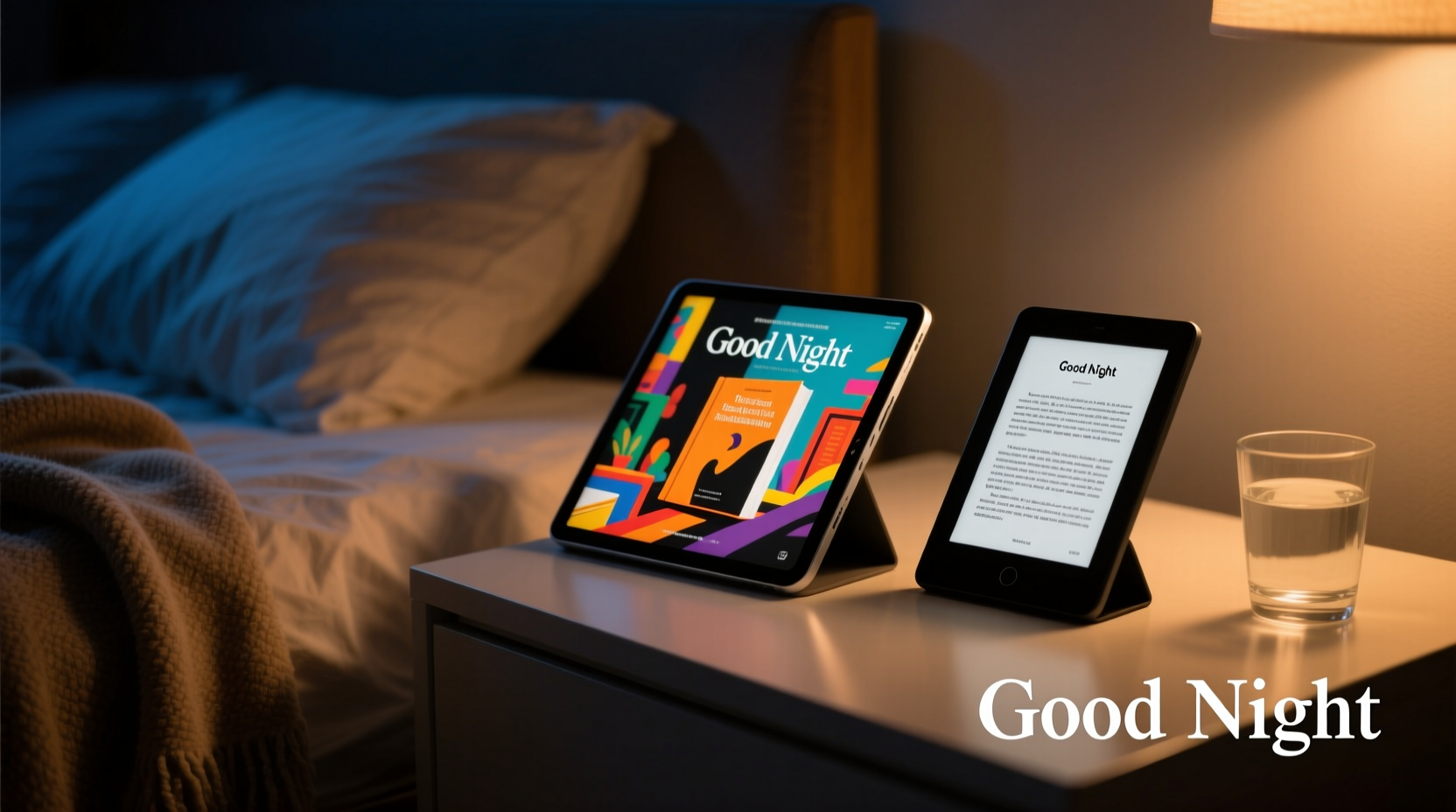
The most significant distinction between tablets and e-readers lies in their screen technology. This difference affects everything from readability in sunlight to how your eyes respond during prolonged reading sessions—especially at night.
Most tablets use LCD or OLED screens, which emit their own light. These displays are bright, colorful, and excellent for video, web browsing, and interactive apps. However, they also emit blue light—a spectrum of visible light known to suppress melatonin, the hormone responsible for regulating sleep.
In contrast, e-readers typically use E Ink technology. Unlike traditional screens, E Ink mimics the appearance of printed paper by reflecting ambient light rather than emitting it. It’s glare-free, readable in direct sunlight, and easy on the eyes over extended periods. Many modern e-readers include front lighting, but the illumination is diffused and designed to feel like a soft reading lamp, not a glowing screen.
Impact on Sleep Quality
Numerous studies have shown that exposure to blue light before bedtime can delay sleep onset, reduce REM sleep, and disrupt overall sleep architecture. A landmark study published in Proceedings of the National Academy of Sciences found that participants who read from light-emitting devices took longer to fall asleep, felt less alert in the morning, and had reduced melatonin levels compared to those reading printed books or using e-readers with non-emissive displays.
“Even short exposures to tablet screens at night can shift circadian timing and impair next-day alertness.” — Dr. Anne-Marie Chang, Sleep Researcher, Harvard Medical School
E-readers with E Ink displays, especially when used with warm front lighting, pose significantly less risk to sleep health. Because they don’t emit blue light directly into the eyes, they allow for a smoother transition into restful sleep. For anyone struggling with insomnia or irregular sleep patterns, switching from a tablet to an e-reader for bedtime reading may be one of the simplest yet most effective changes.
Comfort and Usability Over Time
Physical comfort plays a major role in nighttime reading. How a device feels in your hands, how long its battery lasts, and whether it distracts you from relaxation all contribute to the overall experience.
Tablets tend to be heavier and bulkier than e-readers. Holding one above your chest while lying in bed can lead to neck strain or arm fatigue after just 20–30 minutes. Most tablets also require charging every day or two with regular use, which means frequent recharging if used nightly.
E-readers, on the other hand, are lightweight—often under 200 grams—and ergonomically designed for one-handed use. Battery life is exceptional; many models last weeks on a single charge, even with daily reading sessions. Their minimalist interface eliminates notifications, emails, and social media alerts, reducing mental clutter and helping you stay focused on the story.
| Feature | Tablet | E-Reader |
|---|---|---|
| Screen Type | LCD/OLED (emissive) | E Ink (reflective) |
| Blue Light Emission | High (without filters) | Negligible |
| Battery Life | 8–12 hours | Several weeks |
| Weight | 300–500g | 150–200g |
| Distracting Notifications | Common | Rare or disabled |
| Sunlight Readability | Poor (glare) | Excellent |
| Cost (Entry-Level) | $200+ | $100–$150 |
Real-World Example: Sarah’s Switch to Better Sleep
Sarah, a 34-year-old graphic designer, used her tablet to read novels before bed for years. She enjoyed having access to her entire library and liked the ability to adjust font sizes and look up words instantly. But she began noticing she wasn’t falling asleep as quickly and often woke up feeling groggy.
After consulting a sleep specialist, she learned that her pre-sleep tablet use was likely disrupting her melatonin production. On the specialist’s recommendation, she switched to a basic e-reader with adjustable warm lighting. Within two weeks, she reported falling asleep 20 minutes faster on average and waking up more refreshed.
“I didn’t think the screen made that much difference,” she said. “But once I made the switch, I realized how much my tablet was keeping my brain active—not just from the light, but from the constant temptation to check email or browse.”
When a Tablet Might Still Be the Right Choice
Despite the advantages of e-readers, tablets aren’t without merit for bedtime reading—especially in certain situations.
If you primarily read illustrated books, comics, textbooks, or magazines, a tablet’s high-resolution color display offers a far superior experience. Similarly, if you rely on audiobook integration, text-to-speech features, or accessibility tools like screen readers, tablets provide more robust support.
Some users also appreciate the convenience of having all their media in one place. A tablet can store e-books, podcasts, and calming music playlists, making it a versatile companion for a full wind-down routine. With proper settings—such as enabling dark mode, reducing brightness, and scheduling screen time limits—a tablet can still be used responsibly at night.
Step-by-Step Guide: Optimizing Your Device for Bedtime Reading
Whether you choose a tablet or an e-reader, following these steps will enhance comfort and minimize sleep disruption:
- Adjust brightness manually: Set screen brightness to match ambient room light. Avoid overly bright screens in dark rooms.
- Enable warm lighting: On e-readers, increase warmth (reduce blue tones). On tablets, activate Night Shift, Blue Light Filter, or similar features.
- Use dark or sepia themes: Black text on white background emits more light. Try dark mode or sepia to reduce visual strain.
- Disable notifications: Turn on Do Not Disturb or Airplane Mode to eliminate interruptions.
- Set a usage limit: Allocate 30–45 minutes for reading and avoid prolonged sessions that delay sleep.
- Charge outside the bedroom: Charge your device during the day to avoid overnight charging distractions.
- Position properly: Hold the device below eye level to reduce neck strain and glare.
Checklist: Choosing Between Tablet and E-Reader for Bedtime Reading
- ☐ Do you prioritize sleep quality and minimal eye strain? → E-reader
- ☐ Do you mainly read novels, nonfiction, or long-form text? → E-reader
- ☐ Do you frequently read color-rich content (comics, cookbooks)? → Tablet
- ☐ Are you sensitive to blue light or have trouble falling asleep? → E-reader
- ☐ Do you want one device for reading, videos, and apps? → Tablet
- ☐ Do you value long battery life and portability? → E-reader
- ☐ Can you commit to using screen filters and strict time limits? → Tablet (with caution)
Frequently Asked Questions
Can I use a tablet for bedtime reading if I wear blue light glasses?
Blue light-blocking glasses may reduce some negative effects, but they don’t eliminate the cognitive stimulation caused by interactive interfaces and bright screens. While they can help, they’re not a substitute for reducing screen time before bed or switching to an e-reader.
Are all e-readers the same in terms of eye comfort?
No. Higher-end models offer adjustable color temperature (warm to cool lighting), higher resolution screens (300 ppi), and anti-glare coatings. Devices like the Kindle Paperwhite Signature Edition or Kobo Libra 2 provide a superior reading experience compared to older or budget models.
Do tablets drain battery faster when reading e-books?
Yes. Even when idle, tablets consume more power due to active backlighting, background processes, and connectivity. An e-reader uses minimal energy because E Ink only draws power when turning pages, allowing weeks of use on a single charge.
Final Recommendation: Prioritize Purpose Over Features
The best device for bedtime reading isn’t the one with the most features—it’s the one that best serves the purpose of relaxation and preparation for sleep. If your goal is to read deeply, wind down effectively, and protect your sleep cycle, an e-reader is almost always the better choice.
That said, if your reading habits involve multimedia content or you already own a tablet you’re comfortable with, thoughtful adjustments can mitigate many downsides. The key is awareness: understanding how screen type, light emission, and digital distractions affect your body and mind.
For optimal results, consider owning both devices—one for immersive, distraction-free evening reading, and another for daytime multitasking. But if you must choose one, let your sleep health guide the decision.




 浙公网安备
33010002000092号
浙公网安备
33010002000092号 浙B2-20120091-4
Comments
No comments yet. Why don't you start the discussion?