
In an increasingly digital world, government services are moving online to improve accessibility and efficiency. One of the most important documents you may need—your identification card—can now be renewed or applied for entirely online in many jurisdictions. Whether you’ve lost your ID, it’s expired, or you’re applying for the first time, knowing how to navigate the online process correctly saves time, avoids rejection, and ensures your personal information remains secure.
This guide walks you through the entire online ID application process from start to finish, offering practical steps, expert-backed tips, and real-world insights to help you succeed on your first attempt.
Understanding Eligibility and Requirements
Before starting an online ID application, confirm whether you qualify. Not all individuals or situations allow for fully digital processing. Most state motor vehicle departments or national ID agencies require applicants to meet specific criteria:
- You are renewing an existing ID (not applying for the first time)
- Your previous ID was issued within the last 10 years
- You haven’t changed your name, address, or other key details since your last ID
- You have no outstanding warrants or suspensions
- You possess a valid Social Security number and proof of citizenship or legal residency
If you’ve recently moved, changed your name legally, or are applying for the first time, you may be required to visit a physical office. Always check your local Department of Motor Vehicles (DMV) or equivalent agency’s website for up-to-date eligibility rules.
Step-by-Step Online Application Process
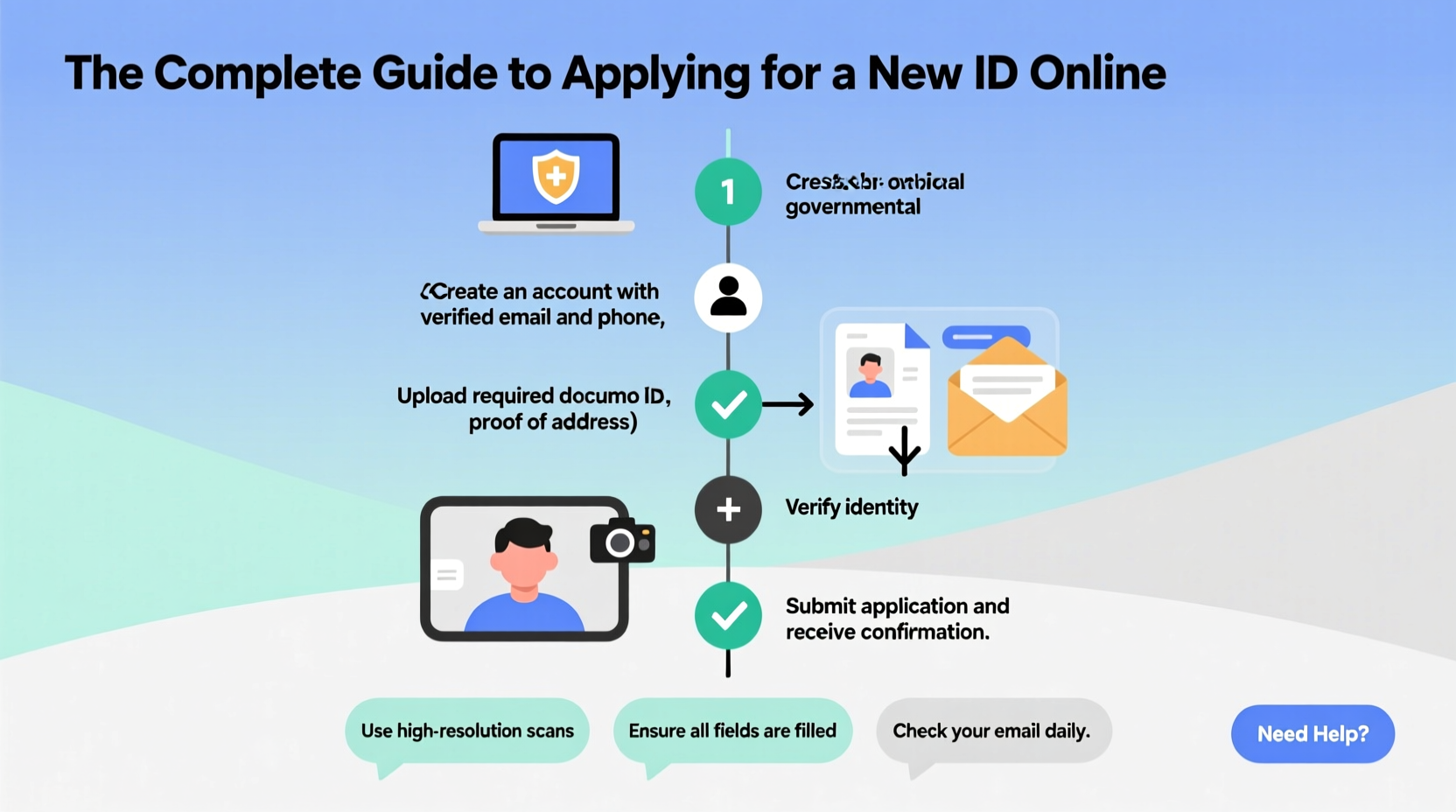
For eligible applicants, the online ID application is straightforward when approached methodically. Follow this timeline to ensure accuracy and speed.
- Visit the Official Government Website: Search for “[Your State] DMV” or “official state ID renewal” to find the correct portal. Never use unofficial links from search ads.
- Create or Log Into Your Account: Many systems require you to create a secure login with email, phone verification, and security questions.
- Verify Identity: You’ll be asked to provide your driver’s license or ID number, Social Security number, and date of birth. Some states use knowledge-based authentication (KBA) to confirm identity.
- Update Personal Information: Confirm or update your current mailing address. Name changes require documentation and often an in-person visit.
- Select ID Type and Features: Choose between standard, REAL ID-compliant, or enhanced IDs depending on your needs (e.g., domestic air travel, border crossing).
- Upload Required Documents: If needed, scan and upload proof of residency, legal name change, or immigration status. Ensure files are clear, unedited, and in accepted formats (PDF, JPG, PNG).
- Pay the Fee: Use a credit/debit card or electronic check. Fees vary by state but typically range from $20 to $50.
- Review and Submit: Double-check all entries before final submission. Mistakes can delay processing or result in rejection.
- Receive Confirmation: You’ll get an email confirmation with a tracking number. Processing usually takes 7–14 business days.
- Receive ID by Mail: Your new ID will be mailed to your verified address. Sign it immediately upon receipt.
“Over 60% of online ID applications are delayed due to incorrect address entry or blurry document uploads.” — Sarah Lin, Public Services Coordinator, California DMV
Essential Tips for a Successful Application
Avoid common pitfalls that lead to rejections or extended wait times. These actionable tips increase your chances of approval on the first try.
Checklist: What You Need Before Applying
- Valid email address and mobile phone for verification
- Last issued ID number
- Social Security number
- Proof of current address (utility bill, bank statement, lease agreement)
- Credit or debit card for payment
- Scanned copies of supporting documents (if applicable)
- Computer or mobile device with stable internet connection
Do’s and Don’ts: Common Mistakes to Avoid
| Do’s | Don’ts |
|---|---|
| Use the official government website ending in .gov | Use third-party sites that charge extra fees |
| Double-check spelling and numbers before submitting | Assume auto-fill data is correct |
| Save confirmation emails and reference numbers | Delete confirmation messages |
| Upload high-resolution, well-lit document scans | Submit dark, blurry, or cropped photos |
| Apply during weekday business hours if technical issues arise | Wait until the last minute to apply |
Real Example: Maria’s Smooth Online ID Renewal
Maria, a resident of Colorado, recently renewed her driver’s license online after relocating for work. Her old ID had expired six months prior, but she hadn’t updated her address. Initially, she attempted the online renewal but was denied due to mismatched address records.
She contacted the DMV via their live chat support, submitted a utility bill as proof of residence, and waited 48 hours for verification. Once her address was updated in the system, she reapplied successfully. Her new REAL ID arrived by mail in 10 business days.
Maria’s experience highlights the importance of ensuring your records are current before beginning the application. A small delay in verification saved her from multiple failed attempts or an unnecessary trip to the office.
Frequently Asked Questions
Can I apply for a REAL ID online?
In many states, yes—but only if you’ve previously held a compliant ID and have no unresolved documentation issues. First-time REAL ID applicants typically must appear in person to verify original documents like birth certificates and passports.
What if my online application is rejected?
You’ll receive an explanation via email or mail. Common reasons include mismatched personal information, unclear document uploads, or ineligibility. Correct the issue and reapply, or schedule an in-person appointment if required.
How long does it take to receive my ID after applying online?
Processing time averages 7–14 business days from approval. Delivery times may vary based on location and postal service efficiency. Expedited shipping is available in some states for an additional fee.
Final Steps and Security Reminders
Once your new ID arrives, inspect it for accuracy. If any information is incorrect, contact the issuing agency immediately. Store your old ID securely until you confirm the new one is valid, then destroy the old card by shredding or cutting through the photo and barcode.
Protect your digital footprint during the application. Avoid using public Wi-Fi when submitting sensitive data. Always log out of government portals after completing your session, and enable two-factor authentication if available.
Conclusion
Applying for a new ID online is faster and more convenient than ever—but only if you prepare thoroughly and follow the right steps. By understanding eligibility, gathering documents in advance, avoiding common errors, and using trusted resources, you can complete the process efficiently and securely.




 浙公网安备
33010002000092号
浙公网安备
33010002000092号 浙B2-20120091-4
Comments
No comments yet. Why don't you start the discussion?