
Upgrading your Apple Watch with a slim stainless steel band transforms both its look and feel. Sleek, durable, and timeless, these bands elevate the device from fitness tracker to luxury accessory. But even with premium materials, improper installation can lead to scratches, misalignment, or accidental damage. Whether you're replacing a worn band or customizing your style, knowing how to install a slim stainless steel band correctly ensures longevity and maintains your watch’s integrity.
This comprehensive guide walks through every step of the process with precision, offering practical advice, expert insights, and real-world considerations that go beyond basic instructions. From selecting compatible hardware to troubleshooting tricky connectors, this is everything you need to know for a smooth, scratch-free installation.
Understanding Your Apple Watch Band Mechanism
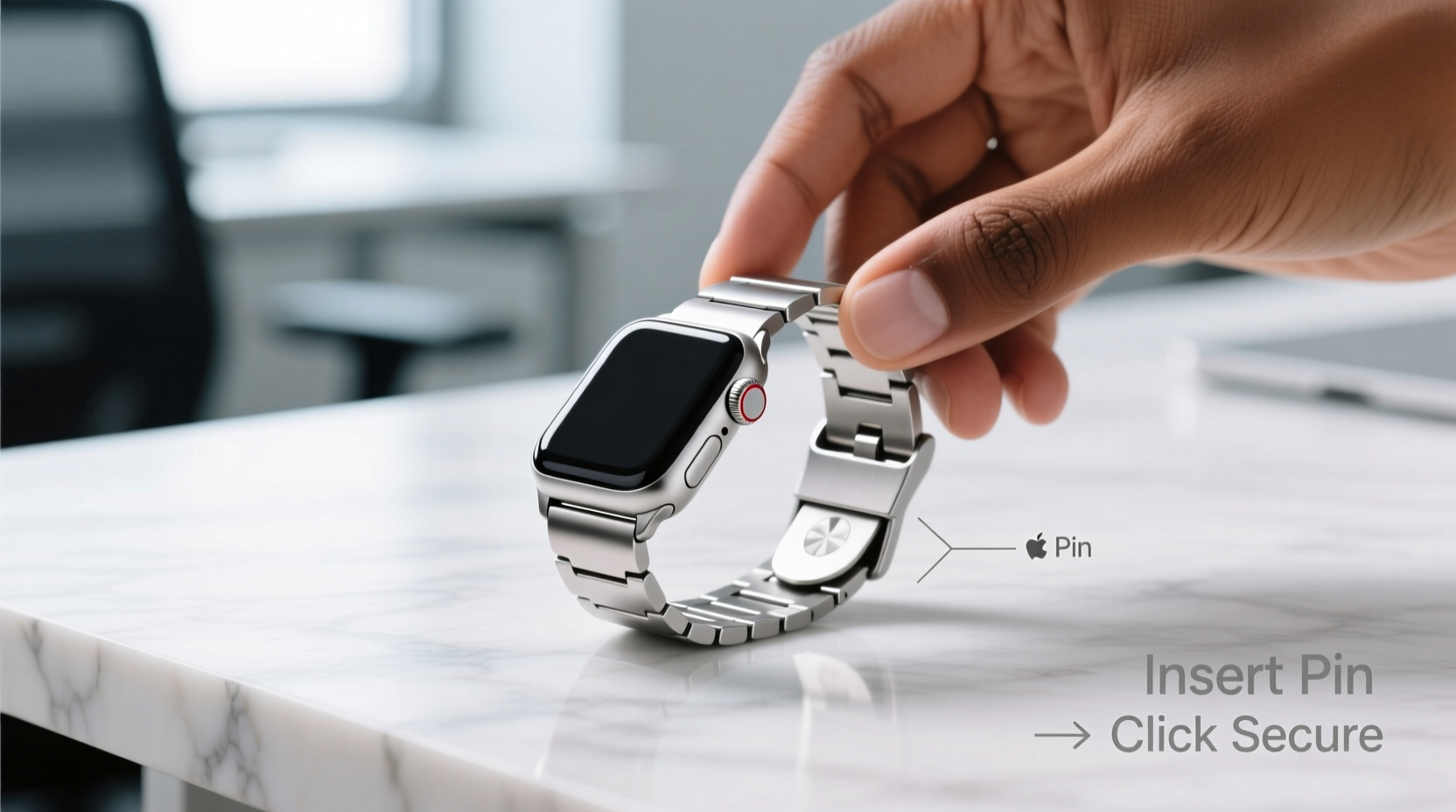
All Apple Watch models use a spring-loaded quick-release pin system to secure bands. This mechanism allows for tool-free changes but requires careful handling—especially with metal bands, which are heavier and less forgiving than silicone or nylon straps.
The slim stainless steel band typically includes two connectors: one on each end. Each connector houses a spring-loaded pin that slides into the watch case. When properly engaged, the pin clicks into place, locking the band securely. The “slim” design means tighter tolerances, so alignment is critical during installation.
“Precision matters most with metal bands. A slight misalignment can cause stress on the pins or housing, leading to long-term wear.” — Jordan Lee, Wearable Device Technician
Tools You’ll Need (And What to Avoid)
While Apple designed the system to be tool-free, having the right accessories makes installation safer and more controlled:
- Clean microfiber cloth – To protect the watch face and case during handling.
- Non-metallic pry tool or plastic spudger – Useful if the release mechanism sticks (never use metal).
- Magnifying glass or bright light – Helps verify full engagement of pins.
- Stable surface – Work on a flat, clutter-free area to prevent drops.
Step-by-Step Installation Process
Follow this sequence carefully to ensure a secure, damage-free fit:
- Prepare your workspace. Lay down a soft, lint-free cloth on a stable table. Ensure good lighting.
- Position the watch face-down. Gently place the Apple Watch on the microfiber cloth with the display protected.
- Locate the release button on the current band. On the side where the band meets the case, find the small oval-shaped release tab.
- Press and hold the release button. Use your fingertip to depress it fully. You should feel the band begin to disengage.
- Slide the band outward. While holding the release, pull the band straight away from the case. Do not twist or yank.
- Repeat for the second band connector. Remove both sides completely before proceeding.
- Align the new stainless steel band. Take the new band and match the connector shape to the slot on the watch case. Note: some slim bands have a designated top/bottom due to curvature.
- Insert one side first. Slide one connector into the case until you hear a distinct click. Apply firm, even pressure—do not force it.
- Engage the second side. Hold the band at a slight upward angle and insert the opposite pin. Press until it clicks into place.
- Test the connection. Gently tug on both ends to confirm they’re locked. There should be no wobbling or partial insertion.
Common Mistakes During Installation
Even experienced users make errors when rushing or working in poor light. Here's what to avoid:
| Mistake | Why It’s Problematic | Solution |
|---|---|---|
| Forcing the connector | Can bend pins or crack internal housing | Realign and apply steady pressure only when flush |
| Installing at an angle | Causes incomplete seating and premature wear | Hold band parallel to the case during insertion |
| Not verifying the click | Band may detach unexpectedly | Listen for the audible snap and visually inspect |
| Using metal tools | Scratches aluminum or stainless steel cases | Stick to plastic or nylon implements |
Compatibility and Fit Considerations
Not all slim stainless steel bands fit every Apple Watch model. Before purchasing, confirm compatibility based on:
- Case size: 38mm/40mm/41mm vs. 42mm/44mm/45mm/49mm.
- Material pairing: Aluminum, stainless steel, or titanium cases may affect clasp feel and weight balance.
- Lug width: The gap between the connectors varies slightly across generations.
For example, Series 1–3 used identical lug spacing, but starting with Series 4, Apple widened the case slightly. Most modern third-party bands account for this, but older or budget models may not align perfectly.
Mini Case Study: A Close Call with a Premium Band
Sophie, a graphic designer in Portland, bought a high-end slim stainless steel Milanese loop for her Apple Watch Ultra. Excited to install it, she skipped reading the instructions and tried attaching it while distracted. She inserted one side correctly but angled the second connector upward, forcing it into place.
The band seemed secure at first, but within hours, she noticed a faint rattle. Upon inspection, the pin wasn’t fully seated. Attempting removal, she accidentally scratched the titanium case with her fingernail. After consulting an Apple technician, she learned that proper alignment would have prevented the issue entirely.
Now, Sophie always removes her watch, powers it down, and uses a magnifier to check connections. Her routine takes longer, but her bands last longer and her watch stays pristine.
Post-Installation Care and Maintenance
Once installed, maintain your slim stainless steel band to preserve both appearance and function:
- Clean weekly with a soft cloth dampened with water and mild soap. Dry thoroughly.
- Avoid exposure to chlorine or saltwater, which can corrode metal over time.
- Inspect pins monthly for debris or resistance when removing.
- Store separately when not in use to prevent scratching other items.
“The best accessory is one that lasts. Regular maintenance prevents buildup that can interfere with the release mechanism.” — Lena Park, Authorized Apple Service Provider
Quick Installation Checklist
Use this checklist before every band change:
- ✅ Power off the Apple Watch
- ✅ Clean hands and workspace
- ✅ Identify correct band size and orientation
- ✅ Verify release buttons move freely
- ✅ Align connectors flush before inserting
- ✅ Confirm audible click on both sides
- ✅ Test stability with gentle pull
Frequently Asked Questions
Can I install a stainless steel band on any Apple Watch model?
Yes, as long as the band is designed for your specific case size and generation. Double-check product specifications before purchase, especially for older or newer models.
Why won’t my band click into place?
This usually indicates misalignment or debris in the connector slot. Turn off the watch, inspect the port with a bright light, and clean gently with compressed air if needed. Try reinserting slowly and straight.
Is it safe to wear the stainless steel band while swimming?
While the band itself is corrosion-resistant, prolonged exposure to chlorinated or salt water may degrade finish over time. Rinse with fresh water afterward and dry completely.
Final Thoughts: Elevate Your Experience with Confidence
Switching to a slim stainless steel Apple Watch band isn’t just about aesthetics—it’s a statement of quality and attention to detail. With the right approach, installation becomes a seamless ritual rather than a risk-laden task. By respecting the engineering behind the quick-release system and taking a few extra moments to align, engage, and verify, you protect your investment and enhance daily wearability.
Whether you're upgrading for comfort, style, or durability, mastering this simple process empowers you to personalize your device safely and confidently. Make it a habit to handle your watch with care, and it will serve you reliably for years to come.




 浙公网安备
33010002000092号
浙公网安备
33010002000092号 浙B2-20120091-4
Comments
No comments yet. Why don't you start the discussion?