
Television entertainment has evolved dramatically over the past decade. While traditional cable once dominated living rooms, today’s viewers have more options than ever: digital antennas, fiber-optic cable services, and a growing ecosystem of streaming platforms. The goal remains the same—accessing all the channels you want without paying more than necessary. Whether you're cutting the cord, upgrading your setup, or starting fresh, this guide delivers practical strategies to maximize channel availability across every platform.
Understanding Your Viewing Options
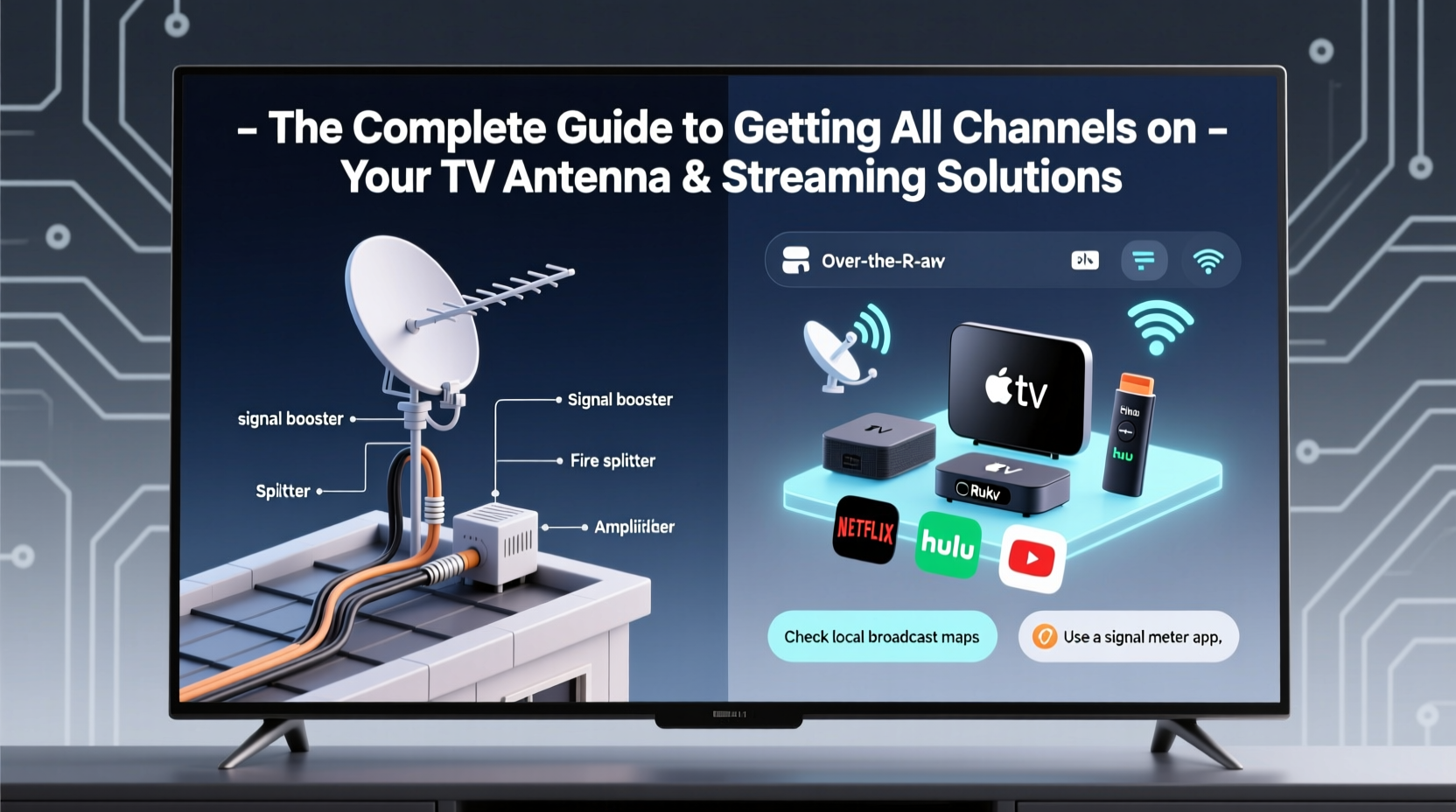
Before investing in equipment or subscriptions, it's essential to understand the three primary ways to receive television content: over-the-air (OTA) via antenna, traditional cable delivery, and internet-based streaming. Each has distinct advantages and limitations.
- Antenna (OTA): Free access to local broadcast networks like ABC, CBS, NBC, FOX, PBS, and independent stations. Picture quality is often superior due to uncompressed HD signals.
- Cable: Delivers hundreds of channels through a physical coaxial connection. Offers reliability and bundled internet packages but comes with higher monthly costs.
- Streaming: Flexible, subscription-based access via apps such as YouTube TV, Hulu + Live TV, or Sling TV. Requires stable broadband but allows for customization and multi-device viewing.
The smartest approach combines multiple methods. For example, use an antenna for local news and sports in full HD, while relying on a lean streaming package for niche networks.
Maximizing Antenna Channel Reception
A well-placed indoor or outdoor antenna can deliver up to 50+ free HD channels depending on location. Signal strength depends on proximity to broadcast towers, obstructions (like hills or buildings), and antenna type.
- Determine your distance from local broadcast towers using tools like FCC DTV Maps.
- Choose the right antenna: Indoor flat models work well within 25 miles; outdoor directional antennas are better for rural areas.
- Position the antenna near a window or attic, ideally facing the direction of transmission towers.
- Use a signal amplifier if splitting the line to multiple TVs.
- Rescan channels monthly to capture newly launched subchannels (e.g., Comet, MeTV, Court TV).
Many viewers overlook low-power and secondary digital subchannels. These often include retro programming, foreign language content, classic movies, and weather radar feeds—all completely free.
“Over-the-air TV isn’t outdated—it’s one of the highest-quality video sources available today.” — David Johnson, Broadcast Engineer at NAB
Choosing the Right Cable Package
Cable providers like Xfinity, Spectrum, and Cox still offer extensive channel lineups, including premium tiers and regional sports networks. However, prices have risen steadily, averaging $80–$120/month.
To avoid overpaying:
- Review your current plan—eliminate unused add-ons like movie packs or international bundles.
- Negotiate with customer retention departments for promotional rates.
- Consider leasing your own compatible modem to save $10–$15/month.
| Service Type | Channel Range | Monthly Cost | Internet Required? |
|---|---|---|---|
| Indoor Antenna | 5–50 (local & subchannels) | $0 ongoing | No |
| Cable (Standard) | 100–300+ | $60–$100 | No |
| Streaming (Live TV) | 70–100+ | $40–$80 | Yes (min. 25 Mbps) |
| Outdoor Antenna + Streaming | 50+ free + 100+ paid | $40–$60 | Yes (for streaming only) |
Optimizing Streaming for Maximum Channel Access
Streaming services now replicate—and sometimes surpass—cable offerings. Platforms like YouTube TV ($72.99/month) and Hulu + Live TV ($76.99/month) include cloud DVR, simultaneous streams, and mobile access.
To build a cost-effective streaming stack:
- Identify must-have channels (e.g., ESPN, CNN, Discovery).
- Compare which service carries them—some channels appear exclusively on one platform.
- Combine live TV subscriptions with on-demand services like Netflix or Max for full coverage.
- Use a universal remote app (like TiVo or Play-Fi) to switch between inputs seamlessly.
For sports fans, consider standalone network apps like NFL+, Paramount+ (for CBS games), or FuboTV, which includes more international leagues than competitors.
Mini Case Study: The Cord-Cutting Family in Austin
The Ramirez family in Austin, Texas, was paying $140/month for cable, internet, and phone. After analyzing their viewing habits, they switched to a hybrid model: a rooftop antenna for local news and ABC affiliates, plus YouTube TV for national channels. They kept their existing internet provider but canceled the bundle. Their new total? $75/month—with higher picture quality and no contracts.
They also discovered MeTV on their antenna, where they now enjoy classic episodes of *Star Trek* and *The Mary Tyler Moore Show* in crisp 1080i—free of ads and subscription fees.
Essential Setup Checklist
Follow these steps to ensure you’re receiving all possible channels:
- ✅ Confirm your TV has a built-in ATSC tuner (required for digital antennas).
- ✅ Run a channel scan after installing any new device.
- ✅ Test antenna placement in multiple locations (attic, near windows).
- ✅ Subscribe only to streaming services that carry your priority channels.
- ✅ Update firmware on streaming boxes and smart TVs regularly.
- ✅ Label inputs on your TV (e.g., “Antenna,” “Streaming Box”) for easier navigation.
Frequently Asked Questions
Can I get all cable channels with just an antenna?
No. Antennas only receive over-the-air broadcasts from major networks and their subchannels. You won’t get cable-exclusive content like HGTV, FX, or AMC without a subscription service.
Do I need internet to use a TV antenna?
No. An antenna connects directly to your TV via coaxial cable and works independently of your internet connection. However, smart TV features (like apps) do require Wi-Fi.
Why did I lose channels after rescanning?
Broadcasters occasionally change frequencies or shut down transmitters. Check RabbitEars.info to verify station status and adjust your antenna accordingly.
Final Thoughts: Build Your Ideal TV Ecosystem
Gone are the days when one-size-fits-all cable packages were the only way to watch TV. Today, combining a high-performing antenna with targeted streaming subscriptions gives you more control, better quality, and lower costs. Start by mapping out what you actually watch, then eliminate redundancy. Most households can reduce their monthly bill by 30–50% while gaining access to more content than ever before.




 浙公网安备
33010002000092号
浙公网安备
33010002000092号 浙B2-20120091-4
Comments
No comments yet. Why don't you start the discussion?