
In an age where smartphones are essential for communication, navigation, and productivity, keeping your iPhone safe from accidental drops is more important than ever. One of the most effective yet underused solutions is attaching a lanyard to your iPhone case. Whether you're commuting, traveling, working hands-free, or simply moving around the house, a lanyard offers both convenience and peace of mind. This guide walks you through everything you need to know—from choosing the right materials to installation techniques that ensure durability and comfort.
Why Use a Lanyard with Your iPhone?
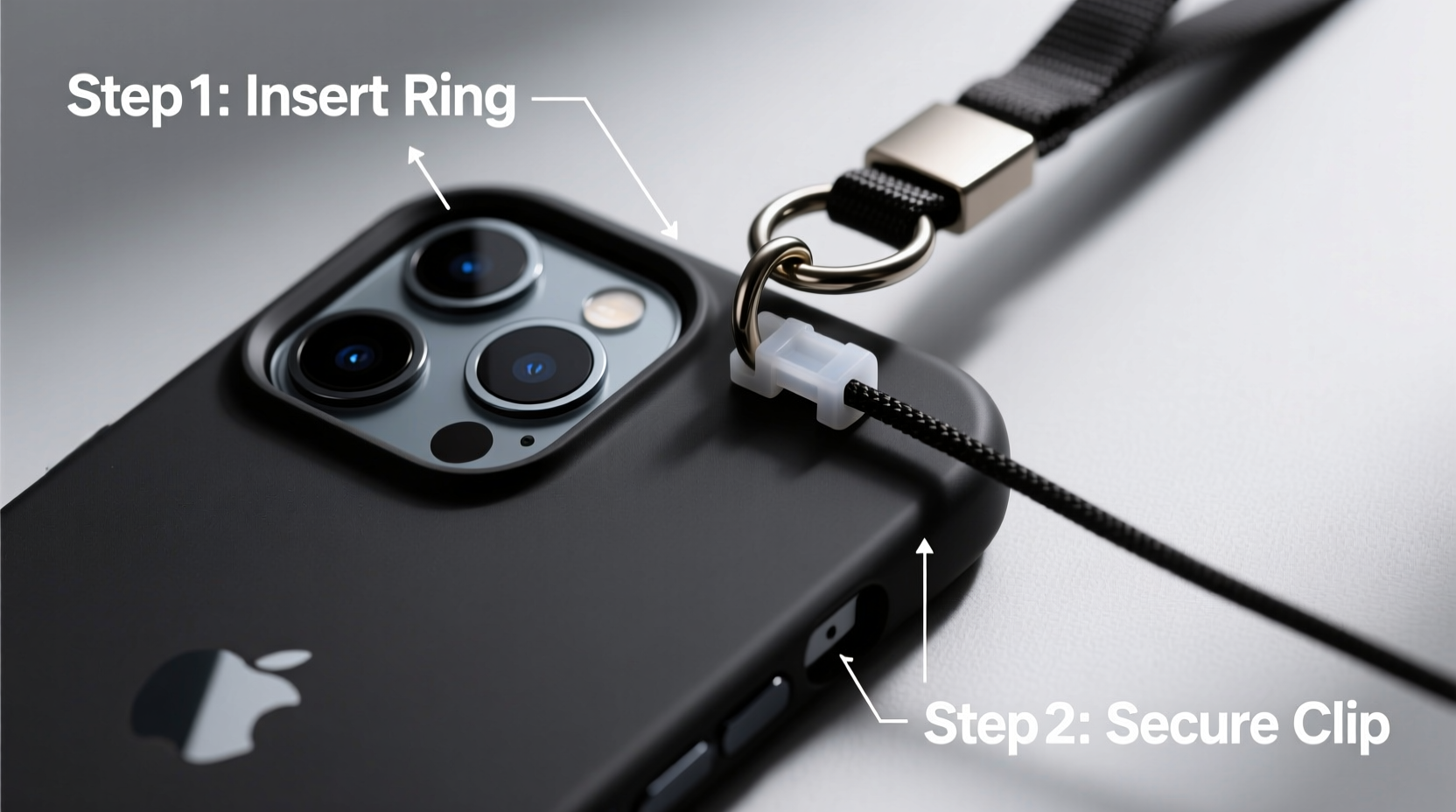
A lanyard transforms your iPhone into a wearable device, reducing the risk of slips and falls. It’s especially useful in dynamic environments—crowded streets, public transport, festivals, or even while cooking. Unlike bulky wrist straps or adhesive grips, a well-installed lanyard provides balanced support and remains unobtrusive during daily use.
Modern iPhones are expensive investments. A single drop can lead to cracked screens, internal damage, or costly repairs. By securing your phone with a lanyard, you’re not just adding a layer of physical protection—you’re also streamlining accessibility. No more fumbling in pockets or bags when you need quick access.
Choosing the Right iPhone Case for Lanyard Installation
Not all iPhone cases are created equal when it comes to lanyard compatibility. The ideal case should either come with built-in lanyard attachment points (such as reinforced loops or side ports) or be compatible with aftermarket modifications.
- Rugged cases: Brands like OtterBox, UAG, and Lifeproof often include metal rings or anchor points designed specifically for lanyards.
- Slim cases: Most standard silicone or plastic cases lack attachment features, but some third-party models now offer micro-perforations or integrated carabiner slots.
- Custom-modified cases: For maximum flexibility, consider cases with screw-in eyelets or modular accessories that allow lanyard integration.
If your current case doesn’t support lanyards, upgrading to one with structural reinforcement near the corners or sides can make a significant difference in safety and usability.
Step-by-Step Guide to Installing a Lanyard on Your iPhone Case
Follow this detailed process to securely attach a lanyard without compromising your phone’s integrity or voiding warranties unnecessarily.
- Gather your tools: You’ll need a lanyard (preferably 18–24 inches long), a small metal key ring or split ring (6–8mm), and optionally, a mini carabiner or swivel hook.
- Check for natural openings: Inspect your case for existing gaps near volume buttons, camera cutouts, or charging ports. Some users weave the lanyard through these areas.
- Use a secure loop method: If your case has no built-in anchors, thread the lanyard through the speaker grille or SIM tray slot using a thin wire leader or dental floss to guide it.
- Attach via key ring: Loop the end of the lanyard through the chosen opening and fasten it with a metal ring. Tie a double knot at the end before threading to prevent slippage.
- Test tension: Gently pull on the lanyard from multiple angles to ensure the connection holds under moderate stress.
- Adjust length: Wear the lanyard around your neck or wrist and trim excess length if needed, leaving enough slack to remove the phone comfortably.
Do’s and Don’ts of iPhone Lanyard Use
| Do’s | Don’ts |
|---|---|
| Use reinforced attachment points | Thread lanyards through fragile plastic tabs |
| Choose adjustable-length lanyards | Hang your phone by the lanyard for extended periods |
| Clean lanyard regularly to prevent grime buildup | Use elastic cords that stretch and weaken over time |
| Opt for breakaway clasps for safety | Ignore signs of fraying or wear |
“Proper lanyard installation isn’t just about convenience—it’s about creating a fail-safe system that protects your device in motion.” — Jordan Lee, Mobile Accessory Designer at GearForm Labs
Real-World Example: How a Teacher Uses a Lanyard Daily
Sophia M., a middle school educator in Portland, attaches her iPhone to a lanyard every morning before class. She moves between classrooms, carries books, manages student devices, and records attendance—all while keeping her phone within immediate reach.
“I used to set my phone down constantly and lose track of it,” she says. “Now, I clip it to a short lanyard looped through my belt. It hangs safely at my hip, and I never worry about dropping it when I’m writing on the board or helping students.”
She uses a hybrid case with a small metal D-ring on the back and a woven nylon strap with a quick-release clasp. “It feels professional, stays out of the way, and survived a fall from my desk last month,” she adds. “The phone didn’t even scratch.”
Alternative Attachment Methods and Accessories
If traditional lanyard threading feels unreliable, several modern accessories offer enhanced security:
- Lanyard-ready cases: Models like the Apple FineWoven case with MagSafe-compatible loop attachments provide seamless integration.
- Magnetic lanyard clips: These attach magnetically to MagSafe-compatible cases, allowing instant detachment when needed.
- Slide-on adapters: Small silicone sleeves with built-in loops fit over your existing case and serve as anchor points.
- Belt clips with tethers: Ideal for professionals who carry tools or wear work uniforms.
For frequent travelers, a retractable badge reel adapted for phones offers controlled extension and automatic retraction—perfect for airport security checks or ticket scanning.
Frequently Asked Questions
Can I install a lanyard without modifying my current iPhone case?
Yes, many users successfully thread lanyards through existing openings like speaker grilles or camera rings. Use a thin guide tool like a paperclip or floss needle to help maneuver the cord. Just ensure the material won’t degrade under repeated friction.
Is it safe to wear my iPhone on a lanyard around my neck?
When properly installed and worn correctly, yes. However, avoid long-term hanging around the neck due to strain risks. Opt for cross-body positioning or wrist carry for better weight distribution. Also, choose lanyards with breakaway clasps to prevent choking hazards.
Will a lanyard interfere with wireless charging or phone signals?
No. As long as the lanyard is attached externally and doesn’t cover the charging coil (typically centered on the back), wireless charging works normally. Fabric and nylon materials do not block Wi-Fi, Bluetooth, or cellular signals.
Final Checklist Before You Attach Your Lanyard
- ✅ Confirm your iPhone case allows secure anchoring
- ✅ Select a durable, non-stretch lanyard material
- ✅ Use metal connectors instead of relying solely on knots
- ✅ Test the setup with gentle pulls from different angles
- ✅ Adjust length for comfort and functionality
- ✅ Inspect monthly for wear, especially at stress points
Conclusion
Installing a lanyard on your iPhone case is a simple upgrade with outsized benefits. It enhances mobility, reduces the risk of damage, and keeps your device accessible in fast-paced situations. With the right tools and techniques, you can create a secure, comfortable carrying solution tailored to your lifestyle. Whether you're a busy parent, a healthcare worker, a traveler, or just someone who hates digging through bags, a lanyard brings practical elegance to everyday tech use.




 浙公网安备
33010002000092号
浙公网安备
33010002000092号 浙B2-20120091-4
Comments
No comments yet. Why don't you start the discussion?