
YouTube is a vast library of knowledge, entertainment, and creativity. Whether you're preparing for a long flight, studying offline, or archiving educational content, the ability to download videos can be incredibly useful. However, not all tools that offer this functionality are created equal—many pose serious risks to your privacy, device security, and legal standing. Choosing the right YouTube video downloader app requires more than just speed or ease of use; it demands awareness, caution, and informed decision-making.
This guide breaks down everything you need to know about downloading YouTube videos responsibly. From evaluating app safety to understanding copyright implications, we’ll walk through best practices, red flags, and tools that balance functionality with integrity.
Understanding the Risks and Legal Boundaries
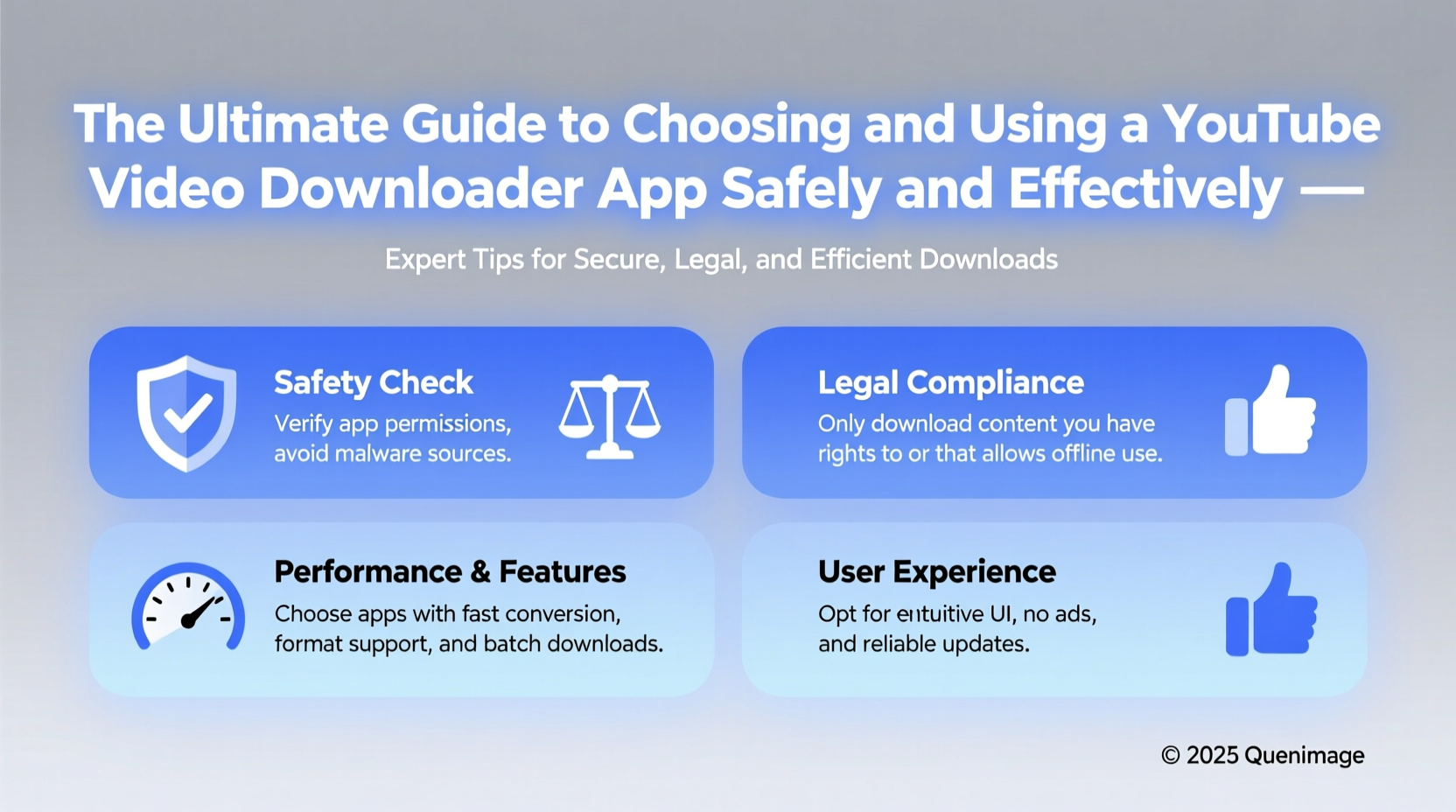
Before installing any third-party app, it’s essential to understand the legal and technical landscape. YouTube’s Terms of Service prohibit downloading videos unless an official download button is provided by the platform. While enforcement against individual users is rare, using unauthorized tools may still violate these terms and expose you to potential consequences.
Copyright law allows for “fair use” in certain cases—such as commentary, criticism, teaching, or research—but simply saving a full video for personal viewing typically doesn’t qualify. If you’re downloading copyrighted content without permission, especially for redistribution, you could face legal action.
“Downloading content beyond personal backup or fair use may infringe on intellectual property rights. Always consider the creator’s intent and licensing.” — Sarah Lin, Digital Rights Advocate
That said, many creators encourage offline access for educational or accessibility reasons. In such cases, tools that enable responsible downloading serve a legitimate purpose—provided they’re used ethically and securely.
How to Evaluate a Safe and Reliable Downloader App
With thousands of apps claiming to download YouTube videos, distinguishing trustworthy options from malware-laden traps is critical. Here’s what to look for:
- Transparent source code or developer reputation: Open-source projects with active GitHub repositories allow public scrutiny, reducing the risk of hidden malicious code.
- No intrusive permissions: A downloader shouldn’t request access to SMS, contacts, or location. Excessive permissions often indicate data harvesting.
- No bundled ads or spyware: Avoid apps that push aggressive pop-ups or install additional software without consent.
- Clear privacy policy: The app should state whether it collects user data and how it’s handled.
- Regular updates: Frequently updated apps are more likely to fix bugs and patch security flaws.
Step-by-Step: How to Download YouTube Videos Safely
If you’ve decided to proceed with downloading, follow this secure process:
- Choose a trusted application from a reputable developer. Install it directly from the official website or open-source repository.
- Avoid entering your Google credentials into any third-party tool. Legitimate downloaders do not require login access.
- Copy the YouTube video URL from your browser or app.
- Paste the link into the downloader interface and select your preferred format (MP4, audio-only, resolution).
- Download to a designated folder on your device, avoiding system directories.
- Scan the file with antivirus software before opening, especially if downloaded via web-based converters.
- Delete the file when no longer needed to minimize storage clutter and privacy exposure.
This method reduces reliance on sketchy websites and ensures greater control over what’s installed on your device.
Comparison: Top YouTube Downloader Apps (2024)
| App Name | Platform | Free/Paid | Security Level | Key Features |
|---|---|---|---|---|
| 4K Video Downloader | Windows, macOS, Linux | Freemium | High | Bulk downloads, subtitle support, clean UI |
| yt-dlp (CLI) | Cross-platform (via terminal) | Free | Very High | Open-source, scriptable, highly customizable |
| NewPipe | Android (F-Droid only) | Free | Very High | No tracking, ad-free, background playback |
| Snaptube | Android | Free | Low | Ease of use but known for bundled ads |
| y2mate (web) | Browser-based | Free | Very Low | Frequent redirects, pop-up ads, potential malware |
As shown, desktop and open-source solutions generally offer better security than mobile APKs or online converters. Prioritize tools that don’t rely on cloud processing, where your data passes through unknown servers.
Real-World Example: A Student’s Offline Learning Strategy
Lena, a graduate student in environmental science, frequently watches lecture series and documentaries on YouTube. With unreliable internet at her rural field site, she needed a way to access content offline without compromising her laptop’s security.
She researched safe methods and settled on yt-dlp, a command-line tool maintained by a global community of developers. After learning basic commands, she automated downloads of playlists from university-affiliated channels, ensuring the content was openly licensed or used under fair use for academic study. She stored files in encrypted folders and deleted them after exams. By avoiding random websites and sticking to open-source software, Lena preserved both performance and peace of mind.
Checklist: Safe YouTube Downloading Practices
Before downloading any video, run through this checklist:
- ✅ Confirm the content is not clearly copyrighted or monetized without permission
- ✅ Use only vetted, open-source, or well-reviewed applications
- ✅ Never enter your YouTube or Google account details into third-party tools
- ✅ Disable unnecessary app permissions during installation
- ✅ Scan downloaded files with antivirus software
- ✅ Store files locally—not in cloud services linked to your identity
- ✅ Delete downloaded videos once their purpose is fulfilled
Frequently Asked Questions
Is it illegal to download YouTube videos?
It depends on usage. Downloading for personal offline viewing exists in a gray area, but violates YouTube’s Terms of Service. It becomes illegal if the content is copyrighted and used beyond fair use—such as redistribution or commercial purposes.
Can I get viruses from YouTube downloader apps?
Yes. Many free apps, especially those from unofficial app stores or websites, bundle malware, adware, or keyloggers. Web-based converters are particularly risky due to forced redirects and hidden scripts.
Are there legal alternatives to downloading?
Yes. YouTube Premium offers offline playback for subscribed content within the app, fully compliant with terms of service. Similarly, some creators provide direct download links on Patreon or educational platforms.
Final Thoughts: Responsibility Meets Practicality
The convenience of offline video access shouldn’t come at the cost of your digital safety or ethical standards. The best YouTube downloader apps empower you without exploiting loopholes or endangering your device. By prioritizing transparency, minimal permissions, and open development, you can enjoy content on your terms—without inviting risk.
Technology evolves quickly, but vigilance remains timeless. Whether you're a traveler, student, or lifelong learner, make informed choices. Choose tools built on trust, respect creators’ rights, and protect your digital footprint.




 浙公网安备
33010002000092号
浙公网安备
33010002000092号 浙B2-20120091-4
Comments
No comments yet. Why don't you start the discussion?