
Download links are more than just gateways to files—they’re tools for user experience, branding, and security. Whether you're sharing a PDF report, distributing software, or offering digital products, a well-crafted download link can make all the difference. But generic URLs from cloud storage services lack control, consistency, and professionalism. This guide walks through how to create custom download links that work across any file type, enhance usability, and align with your site’s identity.
Why Custom Download Links Matter
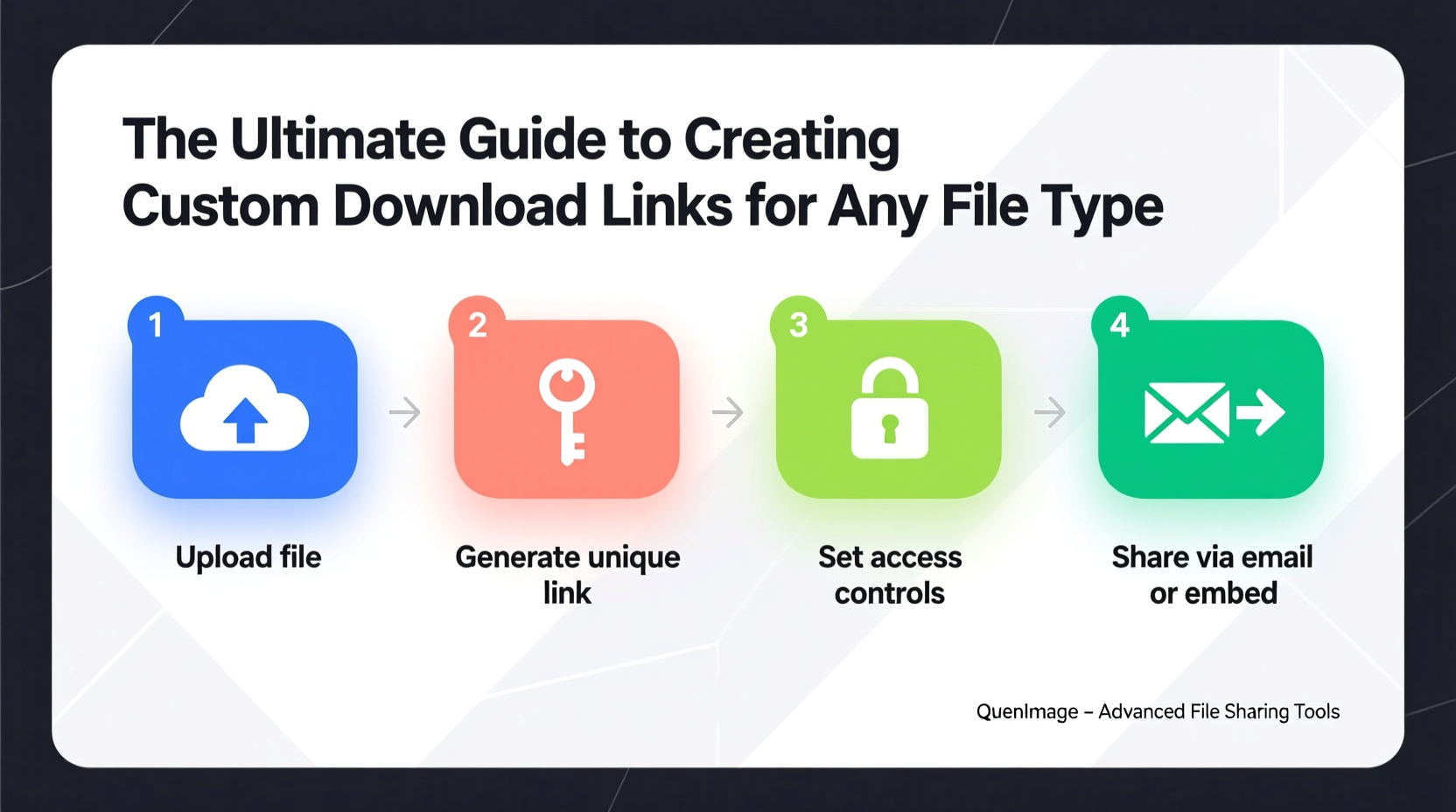
A standard file-sharing link like https://drive.google.com/file/d/abc123/view may get the job done, but it doesn’t reflect your brand, can't be easily tracked, and often raises trust concerns. Custom download links—such as yourdomain.com/download/ebook.pdf or yourdomain.com/get/software-installer.exe—offer clarity, credibility, and control.
They allow you to:
- Present clean, memorable URLs
- Track downloads without third-party tools
- Secure files behind authentication or rate limits
- Redirect users after download (e.g., to a thank-you page)
- Update file sources without changing the public link
“Custom download endpoints are essential for professional digital distribution. They turn file access into a branded experience.” — Lena Patel, Web Infrastructure Engineer at TechFlow Systems
How to Create a Custom Download Link: Step-by-Step
Creating a functional, secure download link involves server-side logic, proper headers, and URL routing. Follow this timeline to implement it correctly.
- Choose Your Hosting Environment: Use a web server like Apache, Nginx, or a Node.js/PHP backend where you can manage routing and file handling.
- Upload Your File Securely: Store the actual file outside the public directory (e.g., in
/private/files/) to prevent direct access. - Create a Route or Script: Set up a script (e.g.,
download.phpor an Express.js route) that handles the request. - Validate the Request: Check permissions, tokens, or referral sources if needed.
- Send Correct HTTP Headers: Force the browser to download the file instead of displaying it.
- Log the Event (Optional): Record IP, timestamp, or user ID for analytics.
- Trigger the File Transfer: Read the file and stream it to the user securely.
Implementation Examples by Platform
Different environments handle downloads differently. Below are practical implementations.
PHP Example
For shared hosting or traditional LAMP stacks:
<?php
$file = '/path/to/private/files/report.pdf';
$filename = 'annual-report-2024.pdf';

if (file_exists($file)) {
    header('Content-Type: application/pdf');
    header('Content-Disposition: attachment; filename=\"' . $filename . '\"');
    header('Content-Length: ' . filesize($file));
    readfile($file);
    exit;
} else {
    http_response_code(404);
    echo \"File not found.\";
}
?>
Node.js with Express
Modern JavaScript backend approach:
app.get('/download/guide', (req, res) => {
  const filePath = path.join(__dirname, 'files', 'user-guide.docx');
  const fileName = 'setup-guide.docx';

  res.download(filePath, fileName, (err) => {
    if (err) {
      console.log(\"Download failed:\", err.message);
      res.status(404).send(\"File not available\");
    }
  });
});
Using .htaccess (Apache Only)
If scripting isn't an option, use rewrite rules to map clean URLs:
RewriteRule ^download/manual$ /scripts/serve.php?file=manual [L]
Then let serve.php handle the secure delivery as shown above.
Best Practices and Common Pitfalls
Even with correct implementation, poor practices can undermine performance and security.
| Do | Don’t |
|---|---|
| Store files outside the web root | Expose direct file paths in URLs |
| Set correct MIME types | Use generic text/plain for binaries |
| Add cache-control headers for large files | Allow unlimited rapid requests |
| Sanitize user input in dynamic routes | Allow path traversal via ../ |
| Log downloads for analytics | Assume all traffic is legitimate |
Real Example: SaaS Onboarding Flow
A B2B software company offers a downloadable CLI tool. Instead of sharing a GitHub raw link, they use app.example.com/download/cli. When accessed:
- The endpoint checks if the user is logged in.
- Logs the download with their account ID.
- Serves the latest version from a private S3 bucket.
- Redirects to a setup tutorial afterward.
This creates a seamless, trackable, and secure experience—all while maintaining brand consistency.
Advanced Features You Can Add
Once basic functionality is working, consider enhancing your download system.
Token-Based Access
Generate time-limited URLs like /download?token=xyz789 to prevent unauthorized sharing.
Bandwidth Throttling
Limit download speed per IP to prevent abuse on high-demand files.
Referral Tracking
Append UTM-like parameters to identify marketing sources: /download/app?source=newsletter-june.
Post-Download Actions
After serving the file, redirect users to a confirmation page, upsell product features, or prompt a review.
FAQ
Can I create custom download links without coding?
Yes, using platforms like WordPress with plugins such as Download Monitor or Easy Digital Downloads. These let you upload files and assign slugs like yoursite.com/downloads/user-manual without touching code.
Will custom links affect SEO?
Not negatively. In fact, descriptive download URLs (e.g., /downloads/brochure-green-energy.pdf) can improve SEO when linked internally or externally. Just avoid indexing download pages in search results if they offer no unique content.
What about large files? Will this slow down my server?
Poorly implemented scripts can consume memory. Always stream large files in chunks rather than loading them entirely into RAM. For very large files (over 1GB), consider offloading delivery via signed URLs from AWS S3 or Cloudflare Stream.
Checklist: Building a Secure, Custom Download System
- ✅ Store original files outside public directories
- ✅ Choose a consistent URL pattern (e.g.,
/download/or/get/) - ✅ Implement proper Content-Type and Content-Disposition headers
- ✅ Validate access (login, token, IP, etc.) if needed
- ✅ Log download events for tracking
- ✅ Test across file types: PDF, ZIP, EXE, MP4, etc.
- ✅ Prevent hotlinking with referrer checks
- ✅ Handle errors gracefully (404, 403, timeouts)
Conclusion
Custom download links are a small feature with outsized impact. They transform anonymous file transfers into branded, measurable interactions. Whether you're running a personal blog or managing enterprise software distribution, taking control of your download experience pays dividends in trust, usability, and insight. With the right structure and attention to detail, you can deliver any file—securely and professionally—using a link that reflects your standards.




 浙公网安备
33010002000092号
浙公网安备
33010002000092号 浙B2-20120091-4
Comments
No comments yet. Why don't you start the discussion?