
Moving from one wireless provider to another doesn’t mean you have to give up your phone number. Whether you're chasing better rates, improved coverage, or a more flexible plan, keeping your existing number is not only possible—it's standard practice in most markets. However, the process can go wrong if you don’t prepare properly. A failed port can leave you without service for days, disrupt business communications, or even cause missed personal calls. This guide walks you through every step of the process with real-world advice, insider tips, and clear action items to ensure your number moves with you—without a hitch.
How Number Porting Works
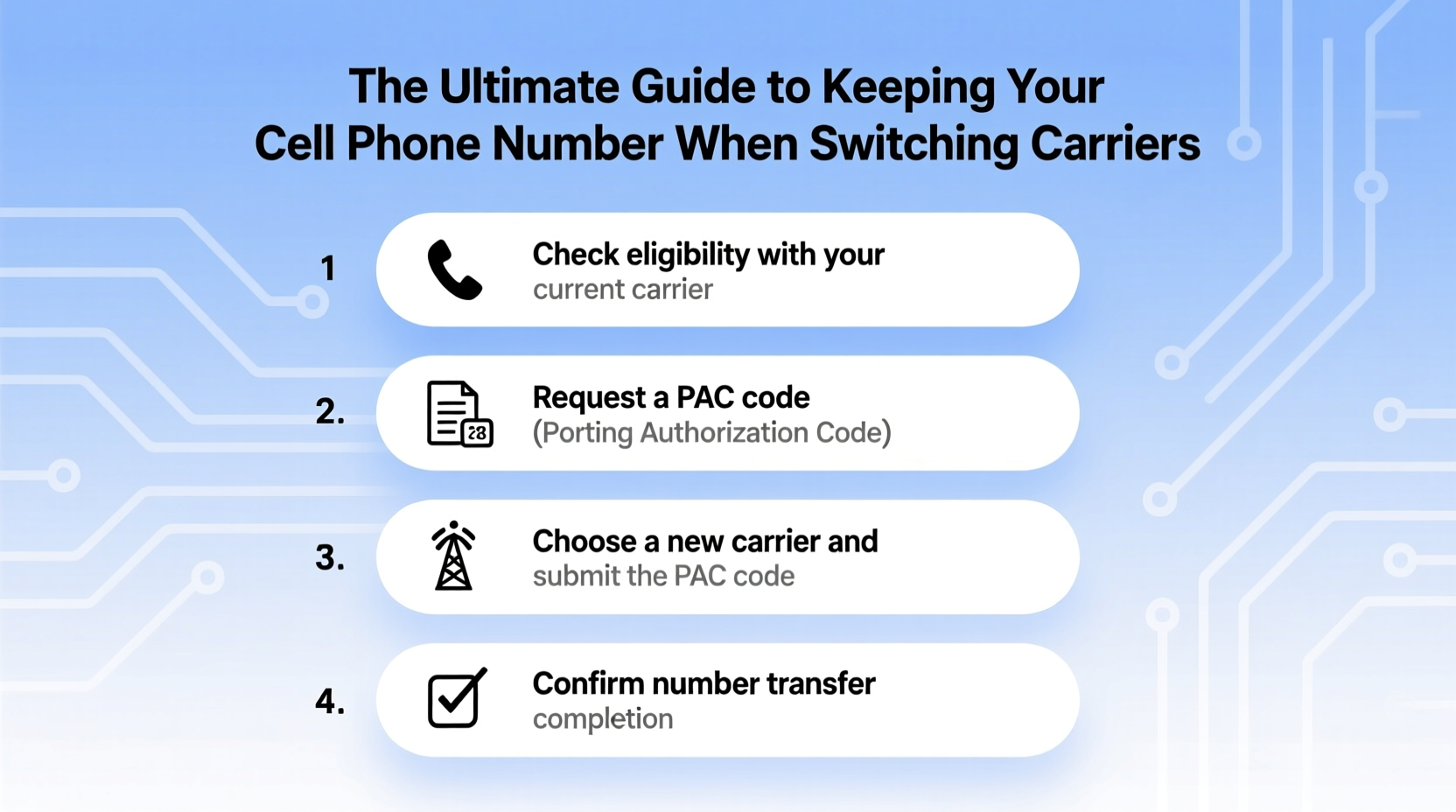
Number portability, officially known as Local Number Portability (LNP), allows consumers to retain their phone numbers when switching carriers. Established by regulatory bodies like the FCC in the U.S., this rule applies to both landlines and mobile numbers. When you initiate a transfer, your new carrier requests the number from your old carrier through a secure database system. Once approved, the number is deactivated on the old network and activated on the new one—usually within 24 hours.
The key to success lies in accuracy. Even a small error in account details or timing can delay or cancel the transfer. Carriers verify information such as your full name, address, account number, and sometimes the last bill amount. If any detail doesn't match what the losing carrier has on file, the request may be denied.
“Over 90% of number porting requests succeed, but most failures stem from incorrect customer data or premature cancellation of the old line.” — David Lin, Telecommunications Compliance Officer
Step-by-Step: Transferring Your Number Successfully
A smooth transition requires preparation, precision, and patience. Follow this timeline to minimize downtime and avoid common mistakes.
- Verify eligibility: Confirm your number is eligible to be ported. Most active wireless numbers can be transferred, but VoIP lines or certain regional services may have restrictions.
- Gather required information: Collect your account number, PIN or password, and billing address from your current carrier. This info must exactly match their records.
- Choose your new carrier and plan: Research plans and sign up directly through the new provider, indicating that you want to keep your current number.
- Initiate the port request: During signup, provide your number and account details. The new carrier will submit the porting request automatically.
- Keep your old phone active: Do not cancel your old service until the transfer completes. Premature cancellation is the leading cause of failed ports.
- Wait for confirmation: Most transfers complete within 24 hours for wireless numbers. You’ll receive a text or call when it’s done.
- Test your new device: Make a call, send a message, and check data to confirm everything works.
Common Pitfalls and How to Avoid Them
Even experienced users run into issues when transferring numbers. Here are the most frequent problems—and how to prevent them.
- Wrong account information: Double-check spelling, account numbers, and security codes. One typo can halt the entire process.
- Cancelling too soon: Wait for official confirmation from the new carrier before terminating your old plan.
- Using an inactive number: Numbers that have been disconnected or suspended are often non-portable.
- Contract obligations: While you can still port out, early termination fees may apply if you’re under contract.
- Carrier disputes: Some providers may delay ports if there are unpaid bills or fraud concerns. Resolve these before initiating the move.
Do’s and Don’ts of Number Porting
| Do | Don’t |
|---|---|
| Provide exact account details from your current carrier | Assume your name and address are updated with your old carrier |
| Start the process during regular business hours | Initiate a port over weekends or holidays (processing delays occur) |
| Use the same device temporarily after porting | Remove your SIM card before the transfer finishes |
| Contact customer support if the port stalls | Cancel your old service prematurely |
Real Example: A Business Owner’s Smooth Transition
Sarah Kim runs a boutique marketing agency in Portland. Her business number is listed on her website, social profiles, and client contracts. When her longtime carrier raised prices by 30%, she decided to switch—but only if she could keep her number.
She started by calling her current provider to confirm her account number and security PIN. Then, she compared three MVNOs (Mobile Virtual Network Operators) running on the same network and chose one with transparent pricing and strong customer reviews.
During signup, she entered her number and provided all requested details. She kept her old phone powered on throughout the process. The port completed in six hours—not the promised 24. Within minutes of activation, she tested calls and texts. Her clients never noticed a change.
“It took less time than setting up a new email,” Sarah said. “But I would’ve panicked if I’d canceled my old plan first.”
Checklist: Before You Switch Carriers
Use this checklist to ensure nothing is overlooked before initiating a number transfer.
- ✅ Confirm your number is active and in good standing
- ✅ Retrieve your account number and password/PIN from your current carrier
- ✅ Verify your personal information matches your carrier’s records
- ✅ Choose a new carrier and plan that meets your needs
- ✅ Initiate the port during weekday business hours
- ✅ Keep your old phone on and charged until the transfer completes
- ✅ Test voice, text, and data functions afterward
Frequently Asked Questions
Can I keep my number if I’m switching from a landline to a mobile plan?
Yes, in most cases. Many mobile carriers support porting landline numbers. However, some rural or legacy VoIP numbers may face limitations. Check with your new provider before initiating the transfer.
What happens if my number transfer fails?
If the port fails, your service remains active on the original carrier. Review the reason for failure—often incorrect info or unresolved account issues—correct it, and try again. You can attempt multiple ports, but repeated failures may trigger additional verification steps.
Will I lose service during the transfer?
There may be a brief interruption—typically under two hours—during the switchover. To minimize downtime, schedule the port for off-peak hours. Keep both devices powered on until the new one works reliably.
Final Tips for a Hassle-Free Experience
Porting your number should be straightforward, but complacency leads to complications. Always assume responsibility for accuracy—even if the new carrier collects your details. Call your current provider directly instead of relying on past bills or memory. And never underestimate the importance of timing: starting too late or cutting ties too early can derail the process.
Also, consider your device compatibility. Just because your number can move doesn’t mean your phone will work on the new network. Check whether your model supports the new carrier’s bands and technology (e.g., GSM vs. CDMA, 5G compatibility).
Take Control of Your Connectivity
Your phone number is more than digits—it’s part of your identity, your business presence, and your social network. Losing it unnecessarily creates friction and confusion. With the right preparation, switching carriers becomes a seamless upgrade rather than a risky gamble.
You don’t need technical expertise to keep your number. You just need attention to detail, a bit of planning, and confidence in the process. Now that you know how it works, go ahead and make the switch—on your terms, with your number intact.




 浙公网安备
33010002000092号
浙公网安备
33010002000092号 浙B2-20120091-4
Comments
No comments yet. Why don't you start the discussion?