
Access to knowledge should never come with a price tag. Yet, physical books and digital subscriptions can add up quickly. The good news is that a vast world of literature, nonfiction, classics, and even recent bestsellers is available to read for free online—if you know where to look. From public domain archives to library-powered lending systems, this guide reveals the most reliable, legal, and user-friendly platforms for accessing high-quality books at no cost.
Why Reading Books for Free Online Is More Than Just Saving Money
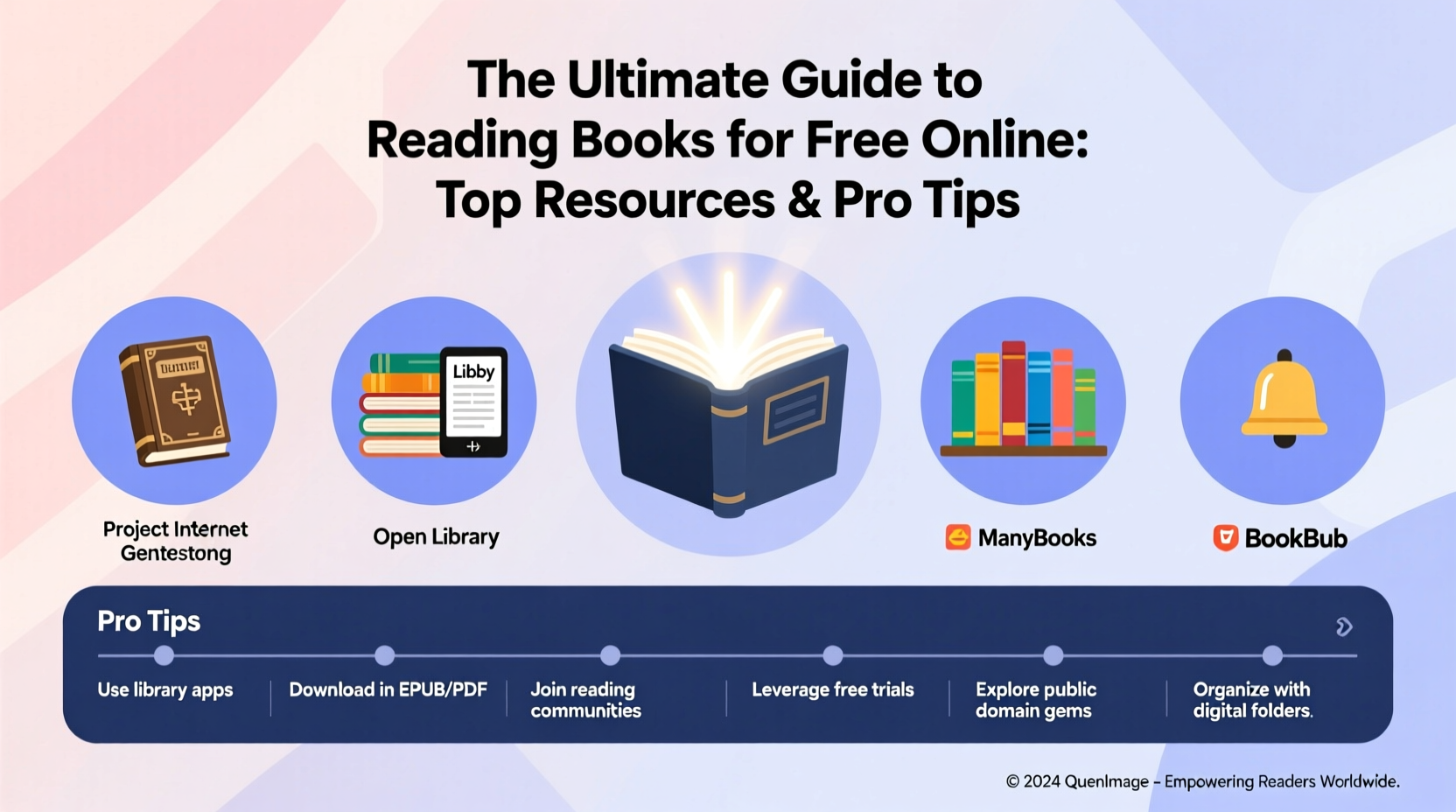
Free online reading isn’t just about cutting costs. It’s about accessibility, convenience, and democratizing knowledge. Whether you're a student researching for a paper, a lifelong learner exploring new topics, or someone who simply loves to read but can't afford a growing book collection, free digital books open doors. Many platforms also support multiple devices, allowing you to switch between phone, tablet, and laptop seamlessly.
The rise of e-readers, audiobooks, and mobile apps has made it easier than ever to carry an entire library in your pocket. With the right tools, you can build a personalized reading experience that fits your lifestyle—all without paying a cent.
Top Legitimate Resources for Free Online Books
Not all free book sites are created equal. Some host pirated content, which poses legal and security risks. The following platforms are completely legal, well-maintained, and offer extensive collections across genres and formats.
1. Project Gutenberg
Launched in 1971, Project Gutenberg is one of the oldest and most respected digital libraries. It hosts over 70,000 free eBooks, primarily classic literature whose copyrights have expired. You can download books in EPUB, Kindle, HTML, and plain text formats. Authors like Jane Austen, Mark Twain, and Leo Tolstoy are widely represented.
2. Open Library
A project by the Internet Archive, Open Library aims to create “one web page for every book ever published.” It offers over 3 million free eBook loans through its controlled digital lending system. You’ll need a free account to borrow titles, but the process is simple and mimics a traditional library experience.
3. Google Books
Google Books allows partial previews of millions of titles. While not all books are fully readable, many out-of-copyright works are available in full. Use the “Full View” filter to find complete books. It’s particularly useful for academic research and reference materials.
4. Libby and Hoopla (Library-Powered Apps)
If you have a public library card, these two apps are game-changers. Libby, powered by OverDrive, lets you borrow eBooks and audiobooks from your local library’s digital collection. Hoopla offers similar services with instant access—no waiting lists. Both are free, ad-free, and integrate seamlessly with library systems across the U.S., Canada, and beyond.
5. ManyBooks and BookBub
ManyBooks curates free eBooks from various sources, including public domain works and promotional titles offered by authors. BookBub, while known for discounted deals, regularly features completely free books across fiction and nonfiction genres. Signing up for their newsletters delivers curated free reads directly to your inbox.
“Digital libraries are transforming how people engage with literature. Free access doesn’t diminish value—it multiplies impact.” — Dr. Linda Perez, Digital Humanities Scholar
How to Maximize Your Free Reading Experience: A Step-by-Step Guide
Getting started with free online books is easy, but optimizing your experience takes a little planning. Follow this timeline to build a sustainable, enjoyable reading habit without spending money.
- Step 1: Get a Library Card – If you don’t already have one, sign up for a public library card. Most libraries offer instant digital registration. This unlocks access to Libby, Hoopla, and other subscription-based free services.
- Step 2: Install Key Apps – Download Libby, Hoopla, and the Internet Archive app. Also consider Kindle or Apple Books to manage your downloaded files.
- Step 3: Create a Reading List – Identify your interests: self-help, classic novels, science fiction, history. Use Goodreads or a simple spreadsheet to track what you want to read next.
- Step 4: Set Up Alerts – Subscribe to newsletters from BookBub, ManyBooks, and Feedbooks. They send weekly updates on free eBook promotions.
- Step 5: Schedule Reading Time – Dedicate 20–30 minutes daily. Use your lunch break, commute, or bedtime routine to read consistently.
- Step 6: Join Online Reading Communities – Platforms like Reddit’s r/FreeEBOOKS or LibraryThing let you discover hidden gems and exchange recommendations.
Do’s and Don’ts of Free Online Reading
| Do | Don’t |
|---|---|
| Use public library apps like Libby and Hoopla | Visit websites offering “free PDFs” of copyrighted bestsellers |
| Download books in EPUB format for better readability on e-readers | Share downloaded copies publicly or upload them to file-sharing sites |
| Check if your country has a national digital library (e.g., Canada’s PressReader) | Assume all free sites are legal—many distribute pirated content |
| Support authors by purchasing books you love after sampling free versions | Ignore terms of use when borrowing digital books |
Real Example: How Sarah Built a Zero-Cost Reading Habit
Sarah, a college student majoring in psychology, wanted to read more but couldn’t afford textbooks and leisure books. She started by getting a library card from her city’s public system. Within days, she had Libby set up on her phone and borrowed her first eBook: *The Power of Habit* by Charles Duhigg. She discovered BookBub’s free newsletter and began receiving tailored recommendations. Over six months, she read 27 books—everything from *Pride and Prejudice* on Project Gutenberg to a free promotional thriller on ManyBooks. Not only did she save over $300, but she also improved her focus and writing skills significantly.
Her secret? Consistency and using the right tools. “I used to think free books were low quality,” she said. “But I’ve found some incredible reads—some even better than what I’d buy.”
Essential Tips for Finding Hidden Gems
- Search by genre tags on Open Library or ManyBooks to uncover lesser-known titles that match your taste.
- Explore university digital collections. Institutions like MIT and Stanford offer free access to select scholarly books and course materials.
- Follow authors on social media. Many indie writers offer free first-in-series books to grow their audience.
- Use RSS feeds from sites like Feedbooks to get automatic updates on newly released public domain books.
- Try audiobooks on YouTube. Channels like “Audiobooks for Me” legally upload classic audiobooks with proper narration.
Frequently Asked Questions
Is it legal to read books for free online?
Yes, as long as the books are in the public domain, offered under creative commons licenses, or provided through authorized lending programs like Libby. Avoid sites that distribute copyrighted books without permission.
Can I read modern bestsellers for free?
Most current bestsellers are not available for free due to copyright. However, some authors offer free promotional periods, especially for debut novels. Platforms like BookBub and StoryOrigin list time-limited free downloads.
Do I need special software to read free eBooks?
No. Most eBooks can be read in your web browser or with free apps like Adobe Digital Editions, Kindle Reader, or Apple Books. EPUB is the most versatile format for reflowable text.
Start Reading Smarter Today
Reading should be accessible to everyone, regardless of income. With the resources and strategies outlined here, you can build a rich, diverse reading life without opening your wallet. From timeless classics to contemporary indie gems, the digital world offers endless opportunities to learn, escape, and grow.




 浙公网安备
33010002000092号
浙公网安备
33010002000092号 浙B2-20120091-4
Comments
No comments yet. Why don't you start the discussion?