
In an age where visual content dominates online spaces, the ability to trace an image back to its source or uncover related information has become essential. Whether you're verifying authenticity, identifying unknown objects, or tracking down high-resolution versions, reverse image search transforms pictures into powerful data points. Unlike traditional keyword-based searches, reverse image search uses visual data to deliver results—offering precision that text alone cannot match.
This guide walks through the most effective methods, tools, and strategies for conducting reverse image searches across devices and platforms. From basic browser techniques to advanced investigative workflows, you’ll gain practical skills to make the most of one of the internet’s most underutilized tools.
How Reverse Image Search Works
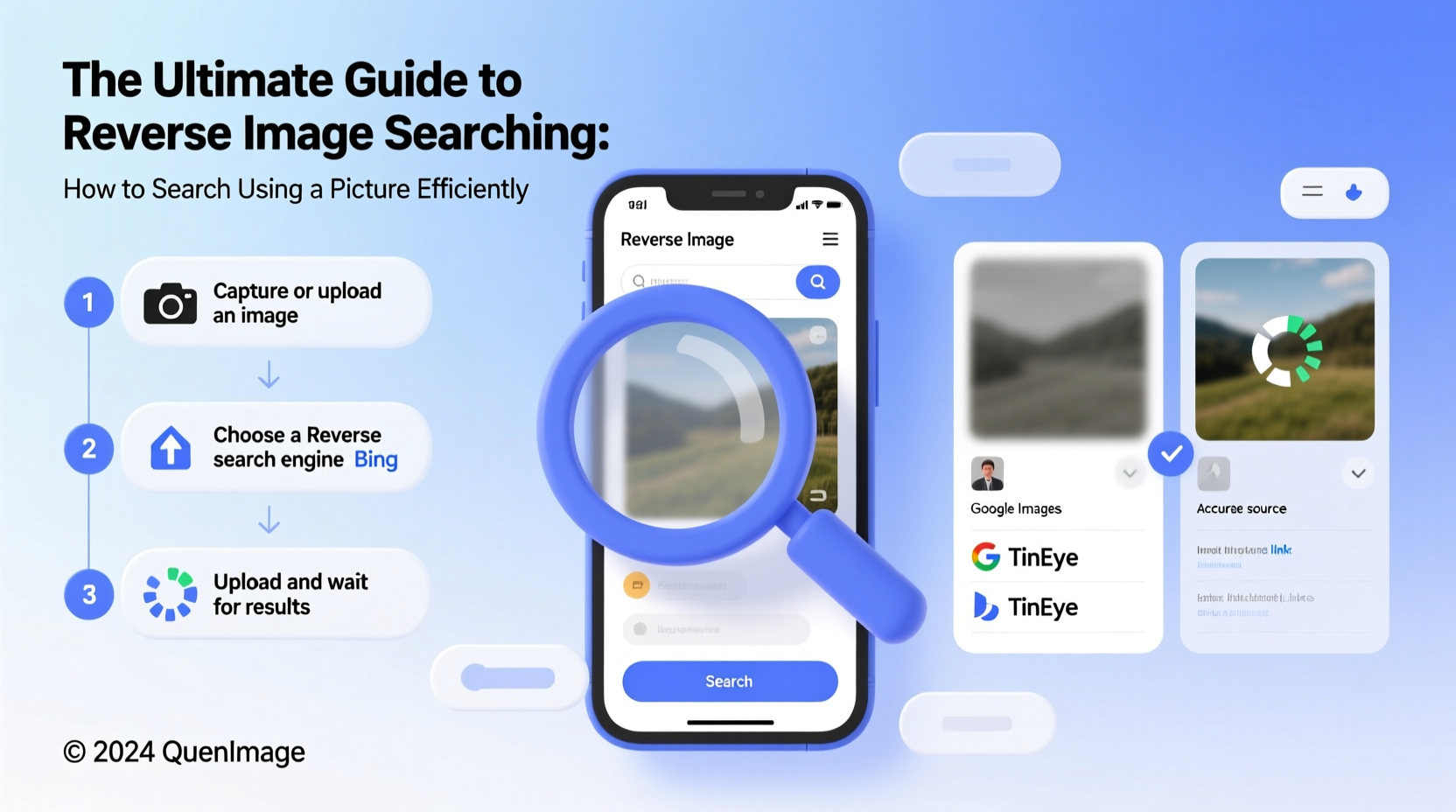
Reverse image search analyzes the digital fingerprint of an image—its color distribution, shape patterns, edges, and metadata—to locate visually similar or identical files across the web. Instead of typing keywords, you upload or paste an image, and algorithms compare it against indexed databases maintained by search engines and specialized services.
The technology relies on computer vision and machine learning models trained to recognize visual features even when images are cropped, resized, or slightly altered. While no tool is 100% accurate, modern systems like Google's AI-powered Vision API can detect context, such as whether an image contains a person, landmark, product, or artwork.
“Reverse image search has become a cornerstone of digital verification in journalism and cybersecurity.” — Dr. Lena Patel, Digital Forensics Researcher at MIT
Top Tools for Reverse Image Searching
Different tools offer unique strengths depending on your goal. Some prioritize speed, others focus on privacy or deep indexing. Here’s a comparison of the most reliable options:
| Tool | Best For | Key Feature | Limitation |
|---|---|---|---|
| Google Images / Lens | General searches, product identification | Vast index, mobile integration | Limited filtering options |
| TinEye | Finding original sources, copyright checks | Precise matching, tracks edits | Smaller database than Google |
| Bing Visual Search | Shopping, image alternatives | Strong e-commerce integration | Less accurate for obscure images |
| Yandex.Images | Finding uncropped versions, Russian/Eastern European content | Superior face recognition | Interface less intuitive for English users |
| Search by Image (Chrome Extension) | Quick right-click searches | One-click access from browser | Depends on external tools |
Step-by-Step Guide to Performing a Reverse Image Search
Conducting a reverse image search is straightforward once you know the correct workflow. Follow these steps for optimal results:
- Choose your image: Select a clear, high-resolution image. Blurry or heavily compressed files reduce accuracy.
- Copy the image URL: If the image is online, right-click and select “Copy image address” (or equivalent).
- Visit Google Images: Go to
images.google.com. - Click the camera icon: In the search bar, click the camera symbol to open the upload menu.
- Paste URL or upload file: Paste the image link or drag and drop the file from your device.
- Analyze results: Review the “Pages that include matching images” section. Look for earliest timestamps, original domains, and contextual links.
- Cross-check with other tools: Repeat the process on TinEye or Yandex for additional leads.
On mobile, use Google Lens via the app or within Google Assistant. Simply point your camera at a physical object or upload a photo to get instant visual results, including shopping links, text extraction, and location identification.
Real-World Applications and Case Study
Reverse image search isn’t just for curiosity—it solves real problems. Consider this scenario:
Case Study: Unmasking a Fake Profile
Sarah noticed a suspicious LinkedIn profile claiming to be a senior designer at her company. The profile picture looked professional but felt oddly familiar. She saved the image and ran a reverse search using Google and TinEye. Within minutes, she found the same photo linked to a stock photography site and used in dozens of fake profiles across dating apps and freelance platforms. Armed with evidence, Sarah reported the impersonation to IT security, preventing a potential phishing attack.
This example highlights how reverse image search serves as a frontline defense in identity verification, brand protection, and social media safety.
Advanced Tips and Best Practices
To maximize effectiveness, follow these expert-backed strategies:
- Crop strategically: Focus on the main subject. Removing background clutter improves matching accuracy.
- Check EXIF data first: Use tools like
exifinfo.orgto extract metadata (e.g., camera model, GPS location) before searching. - Use incognito mode: Prevents personalized results from skewing outcomes based on browsing history.
- Search variations: Try different formats (JPEG vs PNG) or slight edits if initial results are poor.
- Monitor image usage: Set up Google Alerts for exact image URLs to track unauthorized reuse.
Common Mistakes to Avoid
Even experienced users make errors that compromise search quality. Steer clear of these pitfalls:
| Do | Don't |
|---|---|
| Use high-quality images with clear subjects | Upload blurry or pixelated thumbnails |
| Cross-verify findings across multiple platforms | Rely solely on one search engine |
| Check publication dates to determine origin | Assume the top result is the original |
| Respect copyright and privacy laws when using results | Repost or claim ownership of someone else’s content |
FAQ
Can I reverse search an image without uploading it?
Yes. If the image is already online, copy its URL and paste it into Google Images’ search bar or use browser extensions like “Search by Image” to initiate a search directly from the page.
Is reverse image search legal?
Yes, performing a reverse image search is legal. However, how you use the results matters. Reproducing copyrighted images without permission, doxxing individuals, or misrepresenting findings can lead to legal consequences.
Why does Google not find the original source sometimes?
Google indexes only publicly accessible web content. If an image originated on a private network, was removed, or exists primarily on unindexed platforms (like WhatsApp), it may not appear in results. In such cases, Yandex or TinEye might yield better outcomes due to different crawling strategies.
Conclusion: Turn Images Into Intelligence
Reverse image search is more than a novelty—it’s a critical skill for researchers, marketers, journalists, and everyday users navigating a visually saturated digital world. By mastering the tools and techniques outlined here, you transform passive observation into active investigation. Whether confirming authenticity, protecting intellectual property, or simply satisfying curiosity, the power to search with a picture unlocks insights hidden beneath the surface of pixels.




 浙公网安备
33010002000092号
浙公网安备
33010002000092号 浙B2-20120091-4
Comments
No comments yet. Why don't you start the discussion?