
For homeowners managing everything from pantry organization to home-based businesses, labeling is more than a convenience—it’s a necessity. Whether you're tagging spice jars, organizing cables, or shipping handmade goods, the right label printer can make a significant difference in efficiency and professionalism. Two primary types dominate the market: thermal and mechanical (often inkjet or laser-based) label printers. While both serve the purpose of producing labels, their underlying technologies, costs, maintenance, and long-term usability vary dramatically. Choosing between them isn’t just about price; it's about matching functionality to your specific home use case.
How Thermal Printers Work
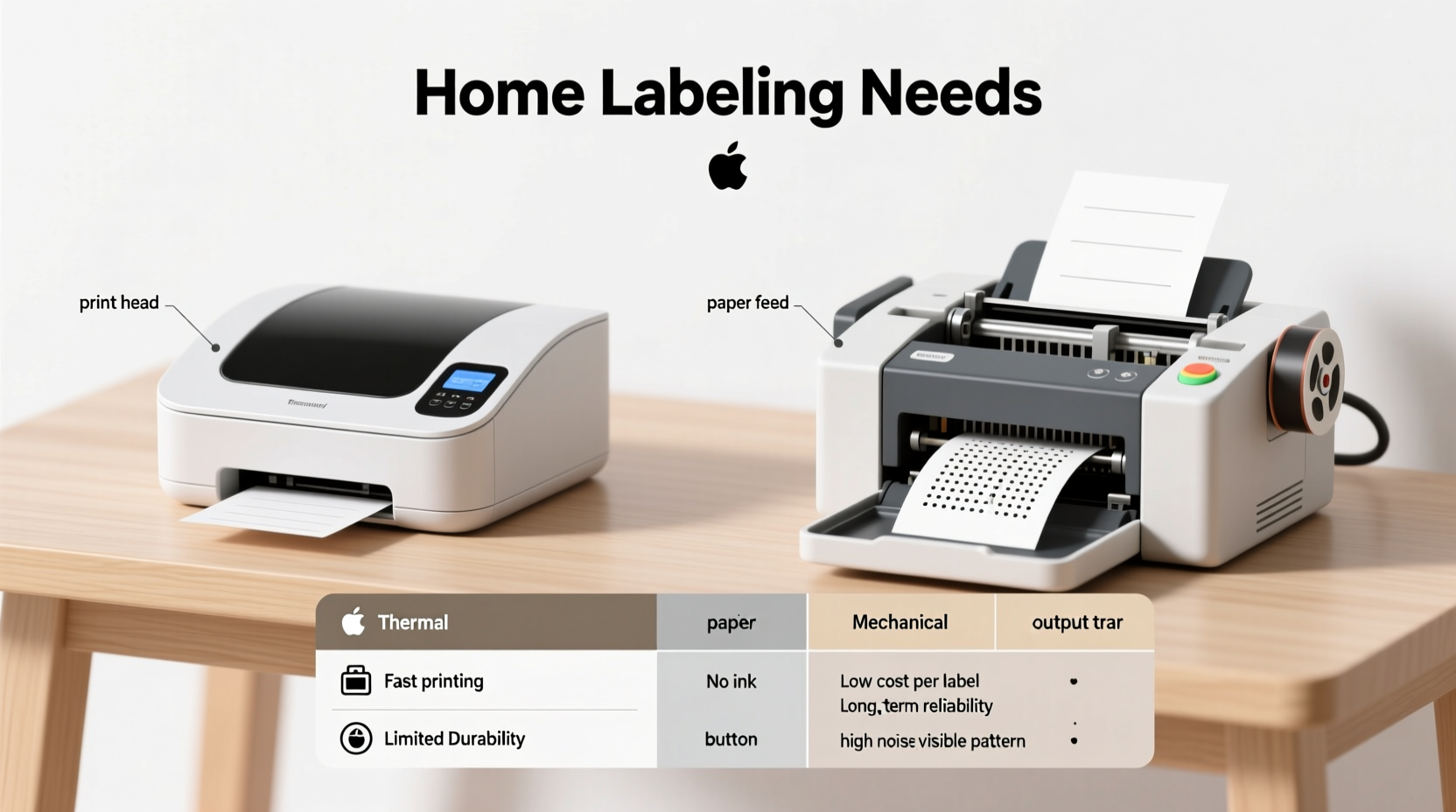
Thermal printers operate using heat-sensitive technology. Instead of relying on ink or toner, they use a print head that applies heat to special thermal paper. The areas exposed to heat darken, forming text or images. There are two subtypes: direct thermal and thermal transfer. Direct thermal is most common in consumer-grade devices, such as handheld label makers or compact desktop units. These printers are known for being quiet, compact, and requiring minimal setup.
Because there are no ink cartridges or ribbons involved in direct thermal models, maintenance is low. However, the trade-off lies in longevity. Thermal labels can fade over time when exposed to heat, sunlight, or chemicals. This makes them less ideal for environments where durability is critical—like garages, outdoor storage, or product packaging meant to last months or years.
How Mechanical Printers Work
Mechanical label printers refer broadly to devices that use physical mechanisms to deposit ink onto labels. This includes inkjet and laser models, both of which require consumables—ink cartridges or toner—and often support a wider range of label materials, including glossy, waterproof, or heavy-duty synthetics.
Inkjet label printers spray liquid ink through tiny nozzles onto adhesive-backed paper. They excel at producing high-resolution graphics and color labels, making them suitable for branding, gift tags, or decorative kitchen labels. Laser printers, though less common in home settings for labels, use toner powder fused by heat and are faster and more efficient for high-volume black-and-white printing.
These printers typically offer better durability and resistance to environmental factors. A laser-printed label on synthetic stock can withstand moisture, abrasion, and UV exposure far better than a standard thermal label. However, this comes with higher initial costs, ongoing supply expenses, and more complex maintenance, such as cleaning printheads or replacing cartridges.
Comparing Key Factors: Thermal vs Mechanical
| Factor | Thermal Printer | Mechanical Printer |
|---|---|---|
| Upfront Cost | $50–$150 (typically lower) | $80–$300+ (higher, especially for color) |
| Ongoing Costs | Only replacement thermal rolls | Ink/toner + label sheets |
| Durability | Fades with heat/sunlight; best for indoor, short-term use | Highly durable; resistant to smudging, water, fading |
| Print Quality | Good for text; limited resolution | Excellent for graphics, barcodes, color |
| Noise Level | Very quiet | Noticeable during operation |
| Maintenance | Nearly none | Regular cleaning, clog risks (inkjet), cartridge changes |
| Label Material Options | Limited to thermal-coated paper | Broad: paper, vinyl, polyester, waterproof stocks |
The table highlights a clear divide: thermal printers win on simplicity and cost-efficiency for basic needs, while mechanical printers deliver superior output and resilience for demanding applications.
Real-World Use Cases and Scenarios
Consider Sarah, a home organizer who runs a small Etsy shop selling handmade bath salts. She uses her kitchen as a production space and needs labels for jars, shipping boxes, and inventory bins. Initially, she bought a $70 thermal label maker. It was easy to use and produced clean black text quickly. But within three months, customers began reporting that labels were fading—especially those left in sunny bathrooms or shipped during summer. One batch stored in her garage became illegible after a week of high temperatures.
Sarah switched to a color inkjet label printer, investing $180 upfront and purchasing weather-resistant vinyl labels. Though the process takes slightly longer and requires occasional printhead cleaning, her new labels are smudge-proof, waterproof, and retain vibrant colors. Her customer satisfaction improved, and returns due to unreadable packaging dropped to zero.
This scenario illustrates a common transition: users start with thermal for convenience but upgrade to mechanical when quality and permanence become priorities.
“Many home users underestimate how environmental exposure affects labels. A thermal tag might look fine on day one, but six months later, it could be blank.” — David Lin, Product Labeling Consultant
When to Choose a Thermal Printer
Thermal printers are ideal for individuals whose labeling needs are simple, temporary, or internal. Think of someone organizing home files, labeling kids’ school supplies, or creating short-term inventory tags in a closet or workshop. The lack of ink means fewer surprises—no running out mid-task or dealing with dried cartridges.
They’re also excellent for portability. Many thermal models are battery-powered and lightweight, perfect for quick jobs around the house. Some even connect via smartphone apps, allowing users to design labels on their phones and print wirelessly.
- Best for: Text-only labels, indoor use, low-volume printing
- Ideal users: Parents, students, home office workers, hobbyists
- Top brands: Brother P-Touch, Dymo LetraTag, Epson ColorWorks (thermal transfer)
When to Choose a Mechanical Printer
If your labels need to last, look professional, or survive harsh conditions, a mechanical printer is the better investment. This is especially true for home-based entrepreneurs, crafters, or anyone involved in food preparation, gardening, or electronics, where moisture, oils, or temperature fluctuations are common.
Color capabilities open creative possibilities—custom holiday gift tags, branded product packaging, or colorful pantry labels that match your kitchen decor. Additionally, mechanical printers allow for greater customization in size and shape, supporting roll-fed or sheet-fed formats depending on the model.
The main drawback is complexity. Inkjet models may sit idle for weeks and develop clogged nozzles, requiring cleaning cycles that waste ink. Laser models avoid this but are bulkier and consume more energy. Still, for those who value consistency and appearance, the effort pays off.
Step-by-Step: Choosing the Right Printer for Your Home
- Assess your labeling frequency. Do you print daily, weekly, or occasionally? High frequency favors mechanical for flexibility; low usage leans toward thermal for simplicity.
- Determine label lifespan. Will the label be discarded in days (e.g., moving boxes), or must it last years (e.g., tool identification)? Longevity demands mechanical or thermal transfer models.
- Evaluate environmental exposure. Is the label going indoors, outdoors, in a fridge, or near heat sources? Harsh conditions require durable materials only mechanical printers typically support.
- Decide on design needs. Need logos, colors, or barcodes? Go mechanical. Simple text? Thermal suffices.
- Calculate total cost of ownership. Factor in not just the printer price, but ongoing supplies. Thermal rolls cost less per foot than inkjet label sheets, but mechanical offers better value per durable label.
- Test before committing. If possible, borrow or rent both types for a week. Real-world use reveals more than specs ever can.
Checklist: What to Look for Before Buying
- ✅ Does the printer support the label sizes I need?
- ✅ Are replacement supplies readily available and affordable?
- ✅ Can it connect to my devices (USB, Bluetooth, Wi-Fi)?
- ✅ Is software intuitive and compatible with my operating system?
- ✅ Does it handle the material type I plan to use (paper, vinyl, etc.)?
- ✅ Is there a warranty or reliable customer support?
- ✅ Am I prioritizing speed, silence, durability, or aesthetics?
Frequently Asked Questions
Can I use regular paper in a thermal label printer?
No. Thermal printers require specially coated paper that reacts to heat. Regular paper will not produce any visible output because it lacks the chemical layer needed for imaging.
Do all mechanical label printers use ink cartridges?
Most do, especially inkjet models. However, some laser-based label printers use toner cartridges instead. Both are considered mechanical systems since they involve physical application of pigment rather than heat activation.
Are thermal printers eco-friendly?
They have pros and cons. On one hand, no ink means less plastic waste from cartridges. On the other, thermal paper often contains bisphenol-S (BPS) or similar compounds, which are not easily recyclable and can be harmful if incinerated. For environmentally conscious users, look for BPA/BPS-free thermal rolls or opt for recycled-label-compatible mechanical printers.
Conclusion: Making the Right Choice for Your Home
The decision between thermal and mechanical label printers ultimately hinges on how you define “need.” If your goal is speed, simplicity, and low maintenance for everyday household tasks, a thermal printer is likely sufficient. It’s a set-it-and-forget-it solution that excels in predictable, controlled environments. But if your labels represent your brand, endure tough conditions, or require visual appeal, a mechanical printer delivers unmatched reliability and versatility.
There’s no universal winner—only what works best for your lifestyle and goals. Many households actually benefit from owning both: a compact thermal device for quick chores and a dedicated mechanical printer for special projects. By understanding the strengths and limitations of each technology, you can make an informed choice that saves time, reduces frustration, and elevates the organization and professionalism of your home operations.




 浙公网安备
33010002000092号
浙公网安备
33010002000092号 浙B2-20120091-4
Comments
No comments yet. Why don't you start the discussion?