
A malfunctioning thermostat can disrupt your home’s comfort, leaving you shivering in winter or sweating through summer. Since the thermostat acts as the brain of your HVAC system, even minor issues can prevent your furnace or air conditioner from turning on. The good news is that many thermostat problems are simple to diagnose and fix—often without calling a technician. Understanding the most common causes and knowing how to troubleshoot them can save time, money, and discomfort.
Common Causes of Thermostat Failure
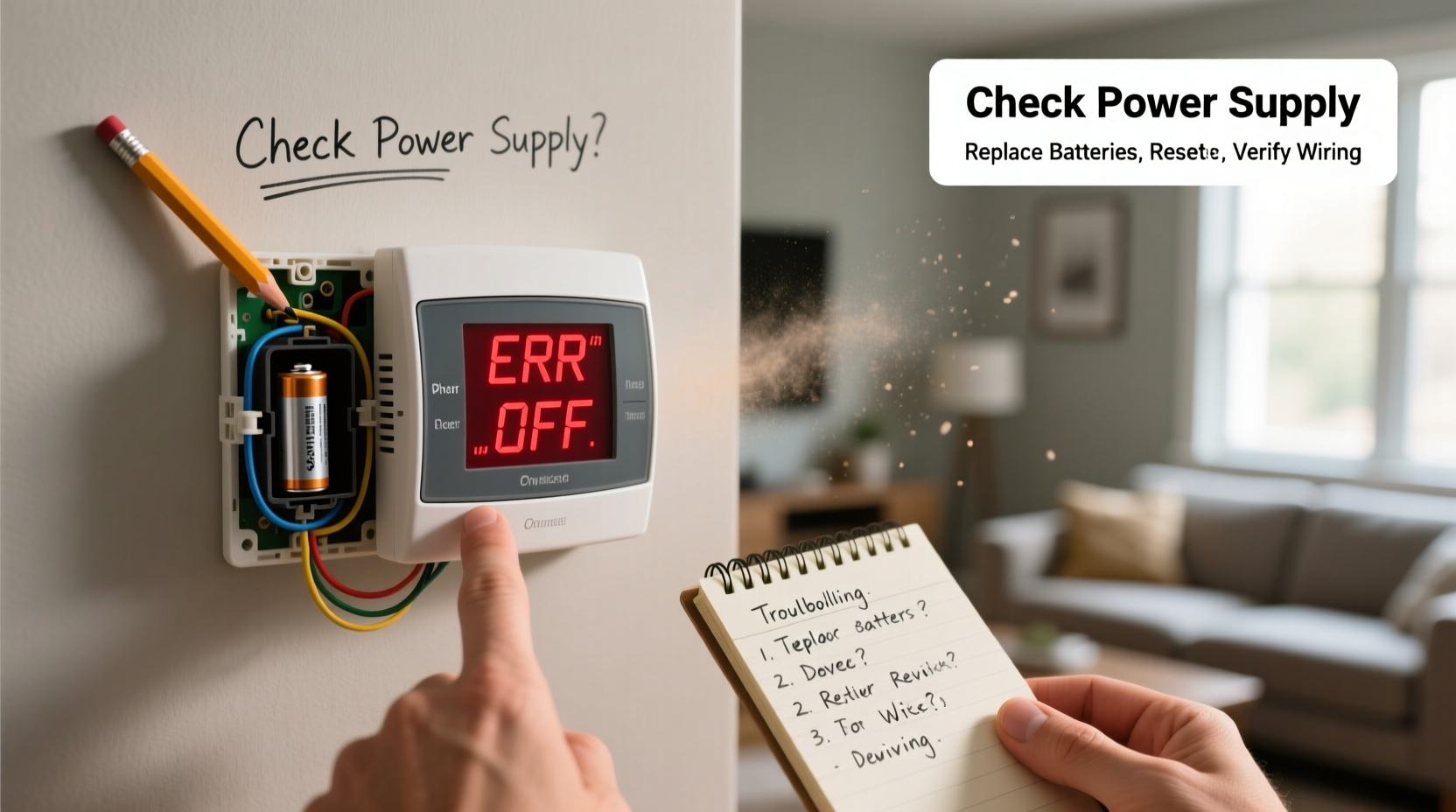
Before diving into repairs, it's essential to identify what might be causing your thermostat to stop working. Some issues stem from power supply failures, while others relate to calibration errors or system compatibility. Below are the most frequent culprits:
- Dead or weak batteries – Many digital thermostats rely on batteries as backup or primary power.
- Tripped circuit breaker or blown fuse – Loss of electrical supply cuts off communication with HVAC equipment.
- Incorrect mode settings – Accidentally set to “Off” instead of “Heat” or “Cool.”
- Dirt and dust buildup – Accumulation inside the unit interferes with internal sensors and contacts.
- Loose or damaged wiring – Vibration or improper installation can disconnect wires over time.
- Faulty thermostat calibration – Reads room temperature inaccurately, leading to inconsistent cycling.
- Outdated or incompatible model – Older thermostats may not work efficiently with modern HVAC systems.
Step-by-Step Troubleshooting Guide
Follow this logical sequence to isolate and resolve thermostat problems efficiently.
- Check the display: If the screen is blank, verify power sources—batteries, circuit breakers, or low-voltage fuses.
- Replace batteries: Even if the device is wired, replace AA or AAA batteries annually as a preventive measure.
- Inspect the HVAC power switch: Ensure the wall switch near the furnace or air handler is turned on.
- Reset the circuit breaker: Locate your home’s electrical panel and reset any tripped switches labeled for heating or cooling.
- Verify system mode: Confirm the thermostat is set to “Auto” or “On,” and the desired mode (Heat/Cool) matches current needs.
- Examine wiring connections: Turn off power at the breaker, remove the thermostat faceplate, and ensure all wires are securely attached to their terminals.
- Clean internal components: Use compressed air to gently blow out dust from vents and behind the unit.
- Test calibration accuracy: Place a known-accurate thermometer next to the thermostat; after 15 minutes, compare readings.
- Perform a system call test: Set the thermostat to demand heat or cooling. Listen for a click at the furnace or air handler—this indicates a signal was sent.
- Consider replacement: If issues persist despite troubleshooting, the thermostat may need upgrading.
Do’s and Don’ts When Handling Thermostat Issues
| Do’s | Don’ts |
|---|---|
| Turn off power before inspecting wiring | Ignore a blank display—address it immediately |
| Label wires before disconnecting during removal | Force settings beyond system capabilities |
| Use a multimeter to test voltage (24V typical) | Touch exposed wires with power on |
| Update firmware on smart thermostats regularly | Mount thermostats near heat sources like lamps or windows |
| Keep vents clean and unobstructed | Assume the problem is always the thermostat—HVAC units fail too |
Real Example: A Homeowner’s Quick Fix
Jamie noticed her house wasn’t warming up one winter morning, even though the thermostat was set to 72°F. The display was active, but the furnace remained silent. She followed basic checks: verified the system was in “Heat” mode, replaced old batteries just in case, and confirmed the furnace power switch was on. Then she removed the thermostat cover and saw a loose red wire (R terminal), which supplies 24V power. After carefully reconnecting it and tightening the screw, she restored heat within minutes. This example shows how a small physical fault—easily missed—can disable an entire HVAC system.
“Over 30% of service calls we receive for non-working furnaces turn out to be thermostat wiring or setting errors—not equipment failure.” — Mark Reynolds, Licensed HVAC Technician with 18 years of field experience
Troubleshooting Checklist
Use this checklist to methodically evaluate and resolve thermostat issues:
- ✅ Is the thermostat display on?
- ✅ Are batteries fresh or fully charged?
- ✅ Is the system set to “Heat” or “Cool” (not “Off”)?
- ✅ Is the fan set to “Auto” or “On” as needed?
- ✅ Is the circuit breaker for HVAC turned on?
- ✅ Is the furnace/air handler power switch engaged?
- ✅ Are wires securely connected behind the thermostat?
- ✅ Is the thermostat level and mounted flush to the wall?
- ✅ Is there visible dust or debris inside the unit?
- ✅ Does the temperature reading match a separate thermometer?
Frequently Asked Questions
Why does my thermostat turn on but not trigger the HVAC system?
This usually means the thermostat is receiving power but failing to send a signal. Check for loose control wires (especially W for heat, Y for cooling), ensure the system switch is on, and listen for a relay click when changing temperatures. If no sound occurs, the thermostat may need replacement.
Can a dirty thermostat cause heating or cooling problems?
Yes. Dust and grime can insulate internal sensors, causing inaccurate temperature readings. It can also interfere with mechanical switches in older models. Cleaning every 6–12 months helps maintain responsiveness and efficiency.
When should I replace my thermostat instead of repairing it?
Consider replacement if: the unit is over 10 years old, lacks programmable features, frequently loses settings, shows inconsistent behavior after troubleshooting, or isn't compatible with a newer HVAC system. Modern smart thermostats often pay for themselves through energy savings.
Final Thoughts and Next Steps
Most thermostat problems are rooted in simple oversights—dead batteries, incorrect settings, or loose wires. By approaching the issue systematically, homeowners can often restore function without professional help. However, persistent issues—especially those involving complex wiring or integration with high-efficiency systems—warrant consultation with a licensed HVAC technician. Upgrading to a modern programmable or Wi-Fi-enabled thermostat not only resolves reliability concerns but also enhances comfort and reduces energy bills.




 浙公网安备
33010002000092号
浙公网安备
33010002000092号 浙B2-20120091-4
Comments
No comments yet. Why don't you start the discussion?