
If your Tineco vacuum suddenly powers down during use, you're not alone. Many users report their devices shutting off unexpectedly—sometimes after just a few minutes of cleaning. While this behavior can be frustrating, it's often rooted in preventable or easily fixable issues. Understanding why your Tineco turns off prematurely is the first step toward restoring consistent performance. This guide breaks down the most common causes, provides actionable solutions, and equips you with the knowledge to maintain long-term reliability.
Why Your Tineco Vacuum Shuts Off Unexpectedly
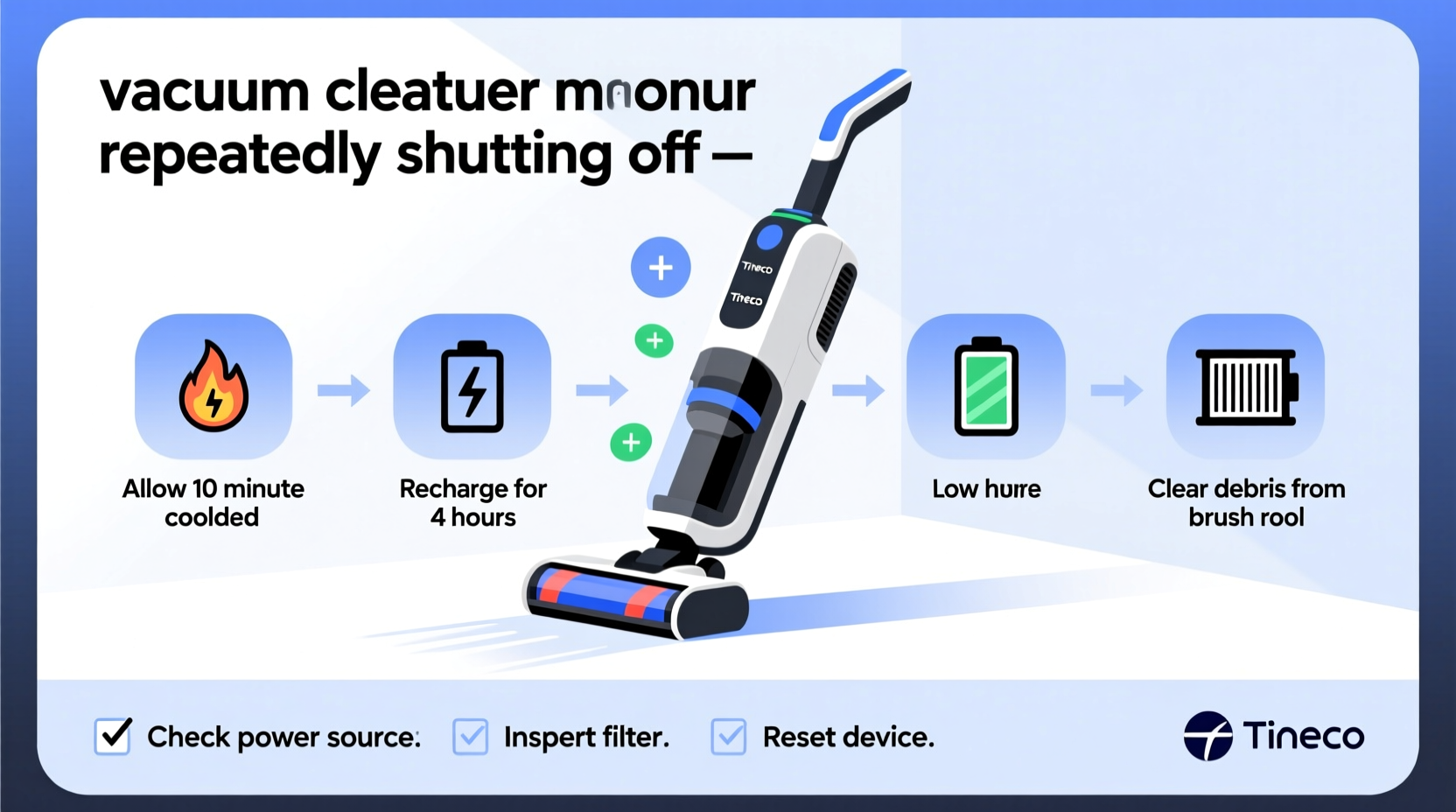
Tineco models like the Pure One S12, Floor One S3, and iFloor series are designed with smart sensors and safety mechanisms. These features protect the motor, battery, and internal components from damage due to overheating, blockages, or electrical faults. When any of these systems detect an anomaly, the device may shut down automatically. Unlike simple power failures, these shutdowns are usually warnings—not random malfunctions.
Common triggers include thermal overload, low battery voltage, sensor errors, or airflow restrictions. Identifying which factor applies to your situation is crucial for effective troubleshooting. Most issues can be resolved at home without professional service, saving time and money.
Step-by-Step Troubleshooting Guide
Follow this systematic approach to diagnose and fix the root cause of unexpected shutdowns:
- Check for Overheating: Turn off the device and let it cool for at least 30–45 minutes. If it runs longer after cooling, overheating is likely the culprit.
- Inspect the Filter: Remove and examine the HEPA or foam filter. A clogged or damp filter restricts airflow, forcing the motor to work harder and overheat.
- Clean the Brush Roll: Hair, fibers, and debris wrapped around the roller increase resistance, causing the motor to strain and shut down.
- Examine Hoses and Nozzles: Look for obstructions in the suction path. Even partial blockages reduce efficiency and trigger thermal sensors.
- Test Battery Health: For cordless models, ensure the battery charges fully. Swelling, slow charging, or rapid discharge indicate degradation.
- Reset the Device: Some Tineco vacuums respond to a soft reset. Unplug or remove the battery, wait two minutes, then restart.
Common Causes and Their Solutions
| Issue | Symptoms | Solution |
|---|---|---|
| Overheating Motor | Shuts off after 5–10 minutes; hot casing | Allow 30+ minute cooldown; clean filters and airflow paths |
| Clogged Filter | Reduced suction; unit shuts down under load | Wash foam filter (if washable), air dry completely before reinserting |
| Dirty Brush Roll | Whirring noise; resistance when spinning | Cut away tangled hair/fibers; check end caps for debris |
| Blocked Hose or Wand | No suction at nozzle; weak airflow | Use a thin rod or pipe cleaner to dislodge obstructions |
| Faulty Battery (Cordless Models) | Dies quickly; won’t hold charge; swelling | Replace with manufacturer-approved battery pack |
| Software Glitch | Random shutdowns; error codes on display | Perform factory reset via app or button sequence (check manual) |
Real-World Example: Sarah’s Sudden Shutdown Issue
Sarah noticed her Tineco Pure One S11 would turn off after about six minutes of use. She assumed the battery was failing and considered buying a replacement. Before doing so, she followed a cleaning routine suggested in an online forum. She removed the filter, rinsed it under lukewarm water, and let it dry for 24 hours. She also cut away pet hair wrapped tightly around the brush roll. After reassembling the vacuum, it ran for over 25 minutes without issue. The problem wasn’t the battery—it was restricted airflow causing the motor to overheat. A $0 fix saved her over $100.
“Most premature shutdowns in high-performance vacuums stem from airflow issues, not hardware failure.” — Marcus Lin, Appliance Repair Technician with 12 years of experience
Preventative Maintenance Checklist
To avoid recurring shutdowns, incorporate these habits into your cleaning routine:
- ✅ Clean the filter every 2–4 weeks (more often if used daily)
- ✅ Empty the dustbin immediately after each use
- ✅ Inspect and clear the brush roll weekly
- ✅ Check hoses and connectors monthly for hidden clogs
- ✅ Store the vacuum in a dry, room-temperature environment
- ✅ Charge the battery only with the original charger
- ✅ Avoid continuous use beyond 15–20 minutes without a short break (for intensive tasks)
When to Contact Support or Replace Parts
If basic troubleshooting doesn’t resolve the issue, consider deeper problems. Lithium-ion batteries typically last 2–3 years with regular use. If your cordless model struggles to run for more than five minutes on a full charge—even after cleaning all components—the battery may need replacement.
Likewise, if error codes persist (like E1, E2, or temperature warnings) after resets and cleaning, the internal thermal sensor or circuit board could be faulty. In such cases, contact Tineco customer support or consult an authorized repair center. Attempting internal repairs yourself may void the warranty.
Always verify compatibility when purchasing replacement parts. Third-party filters or batteries may fit physically but lack proper calibration, leading to inconsistent performance or shutdowns.
Frequently Asked Questions
Why does my Tineco turn off even when the battery is full?
A full battery doesn’t guarantee stable power delivery. If the motor overheats due to poor airflow or a dirty filter, the safety system will still trigger a shutdown regardless of charge level. Always rule out mechanical causes before assuming battery failure.
Can I leave my Tineco charging overnight?
Modern Tineco models have overcharge protection, so occasional overnight charging is safe. However, making it a habit can degrade battery lifespan over time. Unplugging once fully charged helps maintain long-term battery health.
How do I know if my filter is dry enough to reinstall?
The filter should feel completely dry to the touch, especially deep within the foam layers. Air-dry for at least 24 hours after washing. Never use heat sources like hairdryers, as they can warp or shrink the material.
Final Thoughts: Keep Your Tineco Running Smoothly
Unexpected shutdowns don’t always mean your Tineco is failing. In most cases, simple maintenance resolves the issue. Regular filter care, brush roll checks, and ensuring unobstructed airflow go a long way in preventing overheating and preserving motor life. By treating your vacuum with consistent attention—not just when problems arise—you’ll extend its performance and reliability for years.




 浙公网安备
33010002000092号
浙公网安备
33010002000092号 浙B2-20120091-4
Comments
No comments yet. Why don't you start the discussion?