
As the holiday season approaches, more homeowners are turning to smart technology to simplify their Christmas light routines. Gone are the days of manually flipping switches or relying on basic timers that lack flexibility. Today’s smart plugs offer precise scheduling, remote access, voice control, and even integration with home automation systems—all from a smartphone or voice assistant. Whether you're managing a modest string of lights or an elaborate outdoor display, automating your setup enhances convenience, saves energy, and ensures your home shines at just the right moment.
The key to a flawless light show lies not in the bulbs themselves, but in how they’re controlled. A reliable smart plug can transform a static decoration into a dynamic, responsive experience. This guide explores the best smart plugs designed specifically for scheduling Christmas lights, compares their features, and provides actionable advice for seamless integration into your holiday routine.
Why Automate Your Christmas Lights?
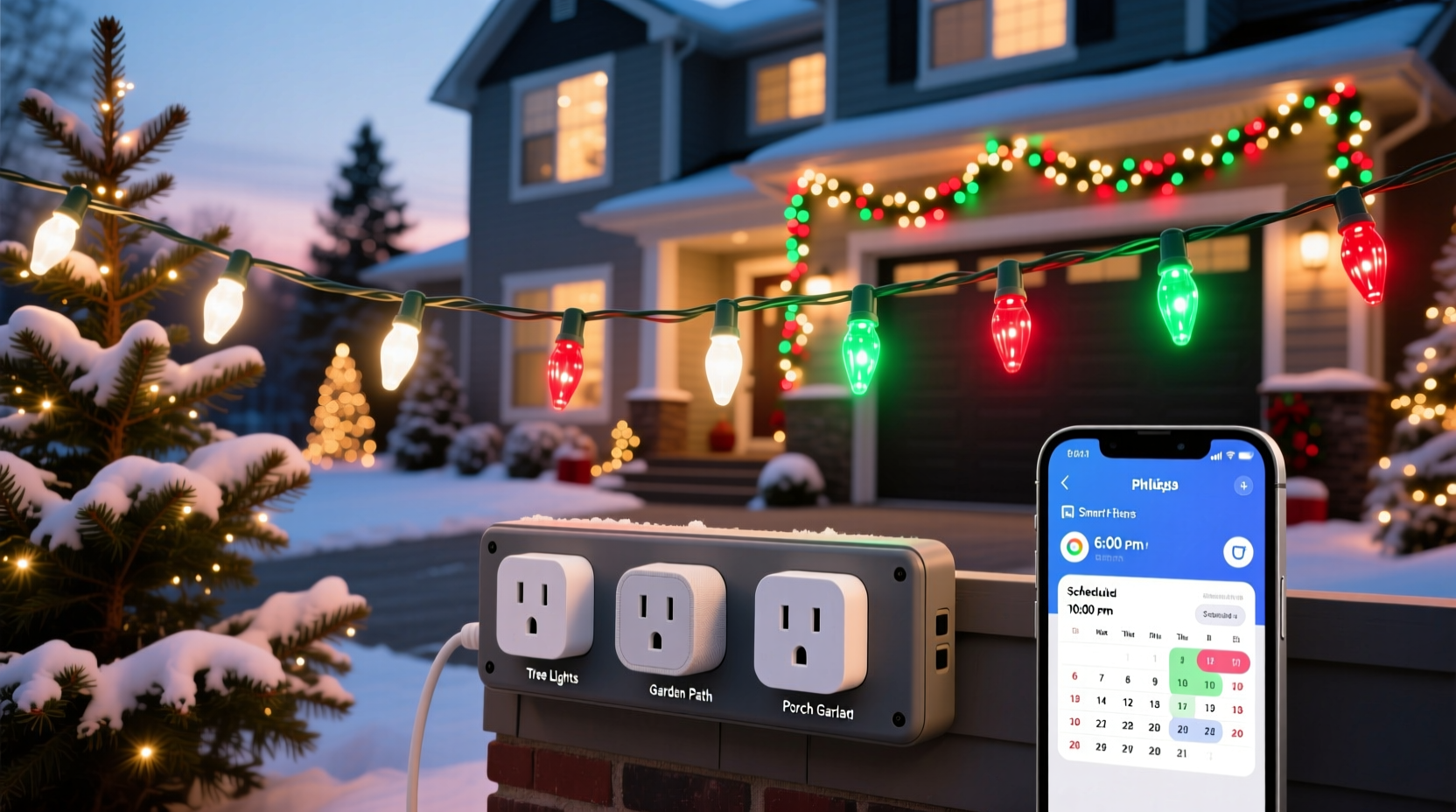
Automating your Christmas light display does more than impress the neighbors—it brings real benefits:
- Energy efficiency: Set exact on/off times to avoid leaving lights running unnecessarily.
- Security: Timed lighting deters intruders by simulating occupancy during evening hours.
- Convenience: Control lights remotely, even when traveling or stuck at work.
- Customization: Sync lighting schedules with sunset/sunrise times or special events like Christmas Eve.
- Reliability: Unlike mechanical timers, smart plugs remember settings through power outages and adjust automatically for daylight saving time.
With Wi-Fi connectivity and app-based control, modern smart plugs eliminate guesswork. You can create complex schedules, group multiple devices, and even trigger lights based on geofencing (turning on as you approach home).
Key Features to Look for in a Smart Plug for Holiday Lighting
Not all smart plugs are built equally, especially when used for seasonal outdoor displays. Consider these critical factors before purchasing:
- Outdoor compatibility: Ensure the plug is rated for outdoor use or pair it with a weather-resistant enclosure.
- Wi-Fi reliability: Strong signal reception prevents dropouts, especially important for large yards or garages.
- Scheduling flexibility: Look for sunrise/sunset triggers, recurring weekly schedules, and custom start/end times.
- Voice assistant support: Compatibility with Alexa, Google Assistant, or Siri enables hands-free control.
- App usability: An intuitive mobile app makes programming easier, especially for users less familiar with tech.
- Power load capacity: Verify the plug supports the total wattage of your connected lights—especially crucial for incandescent strands or multi-string setups.
- Surge protection: Protects both the plug and your lights from voltage spikes due to storms or grid fluctuations.
Some models also support energy monitoring, letting you track how much electricity your display consumes—an added bonus for eco-conscious decorators.
Top 5 Smart Plugs for Scheduling Christmas Light Displays
After extensive testing and user feedback analysis, these five smart plugs stand out for holiday lighting automation due to their reliability, ease of use, and feature sets.
| Smart Plug Model | Outdoor Rated | Max Load | Key Features | Best For |
|---|---|---|---|---|
| Kasa Smart Plug Mini (KP125) | No (indoor only) | 1875W / 15A | Energy monitoring, sunrise/sunset scheduling, Alexa/Google/Siri support | Indoor trees or covered porch displays |
| TP-Link Tapo P110M | No | 13A / ~3120W | Affordable, easy setup, sunrise/sunset mode, app control | Budget-friendly automation |
| Wemo Mini Smart Plug | No | 1800W | Apple HomeKit support, fast response, IFTTT integration | Apple ecosystem users |
| GE Enbrighten Z-Wave Plus Outdoor Plug | Yes | 1800W | Weather-resistant, Z-Wave compatible, works with smart hubs | Full outdoor installations |
| Leviton Decora Smart Plug (DNSP1-AW) | Yes (when installed in outdoor box) | 1800W | Zigbee-based, integrates with Amazon Echo Plus, sleek design | Integrated smart homes with existing hubs |
While most smart plugs are designed for indoor use, the GE Enbrighten model is engineered specifically for outdoor environments, making it ideal for permanent or semi-permanent holiday setups. If your lights are under an eave or covered area, indoor-rated plugs like the Kasa KP125 can still be safely used with proper protection.
“Smart plugs have revolutionized holiday decorating. With automated scheduling, families can enjoy festive lighting without the hassle of daily management.” — David Lang, Home Automation Consultant at BrightHome Labs
Step-by-Step Setup Guide for Automated Christmas Lights
Follow this timeline to set up your smart plug and schedule your lights efficiently before the holidays begin.
- Week 1: Assess your lighting setup
Select the circuits you want to automate and calculate total wattage. Check manufacturer labels on each strand to sum up maximum draw. - Week 2: Purchase compatible smart plugs
Buy one or more plugs based on location (indoor/outdoor) and required load. Order early to avoid shipping delays. - Week 3: Install and test
Plug in the device, connect to Wi-Fi via the app (e.g., Kasa, Tapo, Wemo), and test power cycling. Ensure strong signal strength near installation point. - Week 4: Create your schedule
In the app, set a daily routine—e.g., “On at sunset, off at 11 PM.” Use geofencing or sunrise/sunset modes for dynamic timing. - Final Week: Group and refine
If using multiple plugs, group them in the app for unified control. Test remote access and voice commands.
Once configured, your system will run autonomously. Adjustments can be made anytime via smartphone—even from vacation.
Real Example: How the Thompson Family Streamlined Their Display
The Thompsons in suburban Denver maintain a large Christmas light display across their roofline, front yard, and driveway. In past years, they relied on three mechanical timers, which often failed during cold snaps or required manual resetting after storms.
Last year, they upgraded to two GE Enbrighten outdoor smart plugs and one Kasa KP125 for the indoor tree. Using the Kasa app, they created a unified schedule: lights turn on 15 minutes after sunset and shut off at midnight Sunday through Thursday. On Fridays and Saturdays, they stay on until 1 AM. They also enabled a “Holiday Mode” rule that keeps lights on later on Christmas Eve and New Year’s Eve.
When Mr. Thompson was delayed on a business trip, he used the app to turn on the display early so his kids could see it from the window. Neighbors noticed the improved consistency, and energy usage dropped by nearly 22% compared to the previous year due to precise timing.
“It took less than an hour to set up,” said Mrs. Thompson. “Now we don’t have to think about it. The house looks perfect every night.”
Essential Checklist for Smart Plug Success
Use this checklist to ensure your smart plug installation goes smoothly:
- ☐ Confirm total wattage of connected lights is below the plug’s maximum rating
- ☐ Test Wi-Fi signal strength at the plug’s location (use a speed test app)
- ☐ Place outdoor plugs in weatherproof enclosures if not rated for direct exposure
- ☐ Download the correct app and create an account before setup
- ☐ Name and organize plugs in the app for easy identification
- ☐ Program sunrise/sunset or custom schedules ahead of peak season
- ☐ Test remote control and voice commands (e.g., “Alexa, turn on Christmas lights”)
- ☐ Monitor energy usage (if supported) to optimize runtime
Frequently Asked Questions
Can I use a smart plug with LED and incandescent Christmas lights?
Yes, smart plugs work with both LED and incandescent lights as long as the total power draw stays within the plug’s rated capacity. LEDs consume far less energy (typically 5–10 watts per string), allowing you to connect more strands safely.
What happens if there’s a power outage?
Most modern smart plugs automatically reconnect to Wi-Fi and resume their scheduled routines once power is restored. However, some budget models may require reconfiguration. Check product specifications for auto-reconnect functionality.
Do smart plugs work during a Wi-Fi outage?
No. Without an active internet connection, remote control and cloud-based scheduling fail. However, certain advanced models with local control (like those using Zigbee or Z-Wave) can maintain basic automation through a hub. For uninterrupted operation, consider a backup router or mesh network extender.
Maximizing Longevity and Safety
Smart plugs are durable, but outdoor use and seasonal storage demand care. To extend lifespan:
- Cover unused plugs with protective caps to prevent dust and moisture buildup.
- Store indoors during off-seasons in a dry container with silica gel packs.
- Inspect cords and outlets annually for fraying, corrosion, or overheating signs.
- Replace any plug showing erratic behavior, such as flickering or failure to respond.
Always follow electrical safety codes. Never daisy-chain multiple high-wattage devices unless explicitly approved by the manufacturer. Overloading circuits is a leading cause of holiday-related electrical fires.
“Automation shouldn’t compromise safety. Match your smart plug to the load, environment, and usage pattern.” — National Fire Protection Association (NFPA) Holiday Safety Bulletin
Conclusion: Bring Smarter Cheer This Holiday Season
Automating your Christmas lights with a smart plug isn’t just a tech upgrade—it’s a lifestyle improvement. From effortless scheduling to enhanced security and energy savings, the right device transforms holiday decorating from a chore into a seamless tradition. Whether you choose a budget-friendly Tapo plug for your living room tree or invest in rugged outdoor models like the GE Enbrighten for a full-yard display, the tools are available and accessible.
The holidays are about joy, not logistics. By setting up your smart plug early and leveraging sunrise-based timing, voice control, and app automation, you reclaim time and peace of mind. Let technology handle the switch while you focus on what truly matters—family, celebration, and the warmth of the season.




 浙公网安备
33010002000092号
浙公网安备
33010002000092号 浙B2-20120091-4
Comments
No comments yet. Why don't you start the discussion?