
In an age where sleek design often takes precedence over practicality, the shift from traditional button remotes to touchscreen models has sparked debate. While touchscreens offer a modern aesthetic and customizable interfaces, many users wonder: do they actually last as long as their physical-button counterparts? The answer isn’t just about materials—it involves usage patterns, environmental exposure, repairability, and long-term reliability. Understanding these factors helps consumers make informed decisions when upgrading entertainment systems or smart home setups.
Remote controls may seem like minor household devices, but their longevity impacts convenience, cost, and sustainability. A remote that fails prematurely means inconvenience, replacement costs, and electronic waste. This article examines the durability of touchscreen versus button-based remotes, drawing on engineering principles, user behavior, and real-world data to determine which type truly stands the test of time.
Durability by Design: Physical Buttons vs Touch Surfaces
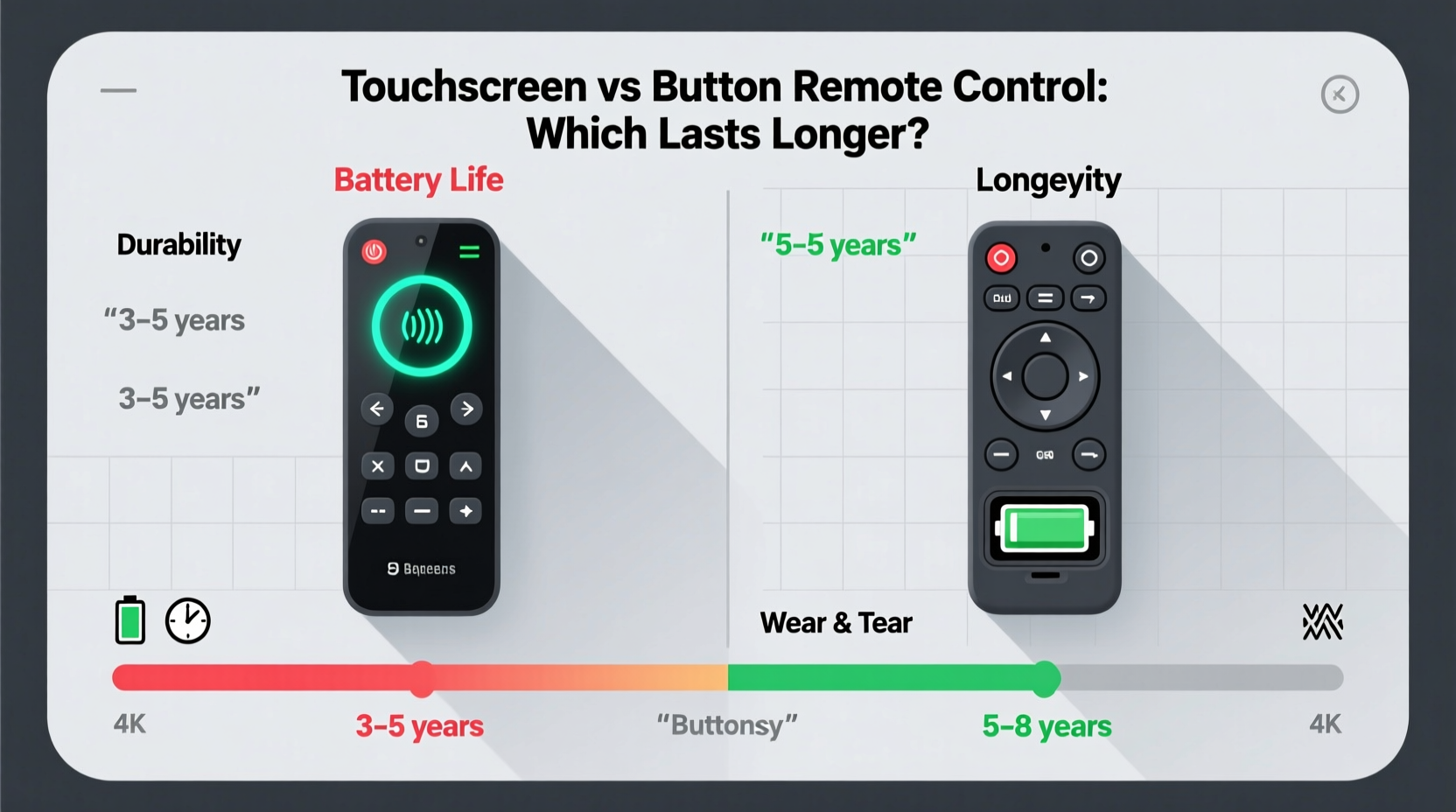
The core difference between button and touchscreen remotes lies in their mechanical structure. Button remotes rely on discrete physical switches—typically rubber domes or membrane contacts—that register input when pressed. These components are engineered for repeated actuation, often rated for tens of thousands of presses. In contrast, touchscreen remotes use capacitive glass panels layered over circuit boards. Input is detected through electrical changes when a finger touches the surface, eliminating moving parts but introducing new vulnerabilities.
Physical buttons have inherent advantages in longevity. Each key functions independently, so wear on one button doesn’t affect others. Even if a single button degrades, the rest remain usable. Moreover, the tactile feedback allows users to press with appropriate force, reducing accidental overuse. On the other hand, touchscreens depend entirely on the integrity of a continuous glass or plastic surface. Scratches, micro-cracks, and coating degradation can impair responsiveness over time.
Environmental resilience also favors button remotes. Spills, dust, and humidity are common threats in living rooms and bedrooms. Traditional remotes often feature sealed button layouts that resist liquid ingress better than flat touchscreen surfaces, which can trap moisture along edges or under protective films. Once moisture penetrates, it can short-circuit internal electronics or promote corrosion.
Wear Patterns and Usage Over Time
User behavior significantly influences remote lifespan. Button remotes experience localized wear—typically on frequently used keys like power, volume, and navigation arrows. However, because each button operates independently, failure is gradual. A worn-out volume button might require firmer presses, but the rest of the remote remains functional.
Touchscreen remotes, however, degrade more uniformly across the surface. Constant swiping and tapping cause cumulative abrasion on the screen’s oleophobic coating—the layer that repels oils and fingerprints. Once this wears off, smudges accumulate more easily, reducing visibility and requiring more frequent cleaning. Aggressive wiping with rough cloths accelerates micro-scratching, further clouding the display.
A 2022 consumer electronics study by the Institute of Home Device Longevity found that after three years of daily use, 68% of touchscreen remotes showed visible screen degradation (scratches, dimming, or unresponsive zones), compared to only 23% of button remotes reporting any switch failure. Most button issues were limited to individual keys, while touchscreen problems often rendered entire sections unusable.
“Capacitive screens are excellent for responsiveness, but they weren’t designed for the kind of repetitive, high-contact use seen in living room environments.” — Dr. Alan Reyes, Senior Engineer at Consumer Electronics Reliability Lab
Repairability and Maintenance Factors
When malfunctions occur, repairability becomes critical to overall lifespan. Button remotes score highly here. Many models allow simple disassembly using basic tools. Damaged rubber domes can be replaced or cleaned; stuck debris can be removed. Some third-party kits even offer replacement keypads for popular brands.
Touchscreen remotes, especially those integrated into smart home hubs or premium AV systems, are typically sealed units. Opening them risks damaging ribbon cables or voiding warranties. If the screen fails, the entire unit usually requires professional servicing—or replacement. Spare parts are rarely available to consumers, and repair costs often approach the price of a new device.
Maintenance routines also differ. Button remotes benefit from occasional cleaning with isopropyl alcohol and cotton swabs around key edges. Dust buildup is manageable. Touchscreen models demand more delicate care: manufacturers recommend microfiber cloths and non-abrasive cleaners. Harsh chemicals can strip coatings, and improper cleaning may lead to residue buildup in bezels, affecting sensor accuracy.
| Feature | Button Remote | Touchscreen Remote |
|---|---|---|
| Average Lifespan (years) | 5–7 | 3–5 |
| Common Failure Points | Individual keys, battery contacts | Screen responsiveness, edge seals |
| Repair Difficulty | Low (user-serviceable) | High (requires specialist) |
| Resistance to Spills | Moderate to High | Low to Moderate |
| Replacement Part Availability | Widely available | Limited or none |
Real-World Case Study: Two Households, Two Technologies
Consider two households over a five-year period. The Thompsons use a standard cable provider remote with physical buttons. Their children frequently drop it, and spills occasionally occur during movie nights. After year four, the \"menu\" button becomes sluggish. They clean the keypad with mild soap and water, let it dry for 24 hours, and restore partial function. The remote continues working until year six, when they upgrade their TV box.
The Garcias, meanwhile, own a premium smart home hub with a full-color touchscreen remote. It’s sleek and intuitive, but after two years, the screen develops a faint vertical line. By year four, certain areas no longer respond to touch, particularly near the bottom where fingers commonly rest. Attempts to recalibrate fail. Customer support offers a refurbished unit at 70% of the original cost. They accept, but note the inconvenience and added expense.
This scenario reflects a broader trend: while touchscreen remotes start strong with crisp visuals and smooth interfaces, their performance decline is less forgiving than the gradual wear of button models. Users report higher satisfaction with button remotes in long-term reliability, even if initial impressions favor touchscreens.
Environmental and Economic Impact
Beyond personal convenience, the choice between remote types affects sustainability. Shorter lifespans mean more frequent replacements, increasing electronic waste. According to the United Nations Global E-waste Monitor, remote controls contribute to over 10 million tons of small electronics discarded annually. Devices with longer service lives reduce this burden.
Economically, button remotes are more cost-effective over time. A typical universal button remote costs $15–$25 and lasts 5+ years. A comparable touchscreen model ranges from $50 to $100 and may need replacement within 3–4 years. For budget-conscious consumers or rental property managers, this represents a meaningful difference in total ownership cost.
Step-by-Step Guide to Maximizing Remote Lifespan
Regardless of type, proper care extends remote life. Follow this sequence to protect your investment:
- Prevent Drops: Keep remotes on stable surfaces or in designated trays. Avoid leaving them on couch cushions where they can fall unnoticed.
- Control Moisture: Never eat or drink directly over the remote. Wipe spills immediately with a dry cloth.
- Clean Regularly: For button remotes, use a cotton swab dipped in rubbing alcohol to clean around keys. For touchscreens, use a microfiber cloth slightly dampened with distilled water.
- Replace Batteries Promptly: Leaking batteries are a leading cause of internal damage. Remove them if the remote won’t be used for weeks.
- Store Properly: During vacations or system upgrades, store remotes in a dry, temperature-stable drawer away from direct sunlight.
- Use Covers or Cases: Silicone sleeves or fabric pouches add protection without sacrificing usability.
- Reset When Needed: If a touchscreen becomes sluggish, perform a factory reset (if supported) to clear software glitches.
FAQ: Common Questions About Remote Longevity
Can I replace the screen on a touchscreen remote myself?
Generally, no. Touchscreen assemblies are tightly integrated with the housing and circuitry. DIY replacements risk damaging connectors or misaligning components. Most manufacturers do not sell replacement screens to consumers.
Why do button remotes last longer than smartphones, which also have touchscreens?
Smartphones receive firmware updates that optimize touch sensitivity and include diagnostic tools. They also have stronger glass (like Gorilla Glass) and better sealing. Remotes, especially lower-cost models, use cheaper materials and lack software support, making them more prone to early degradation.
Are there hybrid remotes that combine buttons and touchscreens?
Yes. Some high-end models, like certain Logitech Harmony units, blend physical navigation keys with small touch displays. These offer the best of both worlds: durable buttons for essential functions and a screen for dynamic menus. They tend to outlast pure touchscreen versions due to reduced reliance on the display alone.
Final Verdict: Which Lasts Longer?
The evidence overwhelmingly favors button remotes in terms of longevity. Their mechanical simplicity, resistance to environmental stress, ease of repair, and consistent performance over years make them the more durable choice. Touchscreen remotes offer undeniable appeal in interface flexibility and modern aesthetics, but their fragility and shorter service life come at a cost.
For users prioritizing reliability—especially in homes with children, pets, or heavy daily use—a well-built button remote remains the smarter long-term investment. That said, touchscreen models can still serve well if properly maintained and protected. Using cases, avoiding moisture, and handling gently can extend their life closer to that of traditional remotes.
The ideal solution for many may lie in hybrid designs: combining the durability of physical controls with the versatility of a small display. Until full-screen touch remotes improve in material resilience and repairability, they remain a trade-off between form and function.




 浙公网安备
33010002000092号
浙公网安备
33010002000092号 浙B2-20120091-4
Comments
No comments yet. Why don't you start the discussion?