
For millions of people who spend hours each day at a computer, wrist discomfort and repetitive strain injuries are common concerns. The choice between a traditional optical mouse and a trackball mouse can significantly influence hand and wrist health. While both devices serve the same basic function—navigating a cursor—the way they do it differs dramatically in terms of movement mechanics, ergonomics, and long-term physical impact.
The central question many users face is whether a trackball mouse is truly easier on the wrist than a conventional mouse. To answer this, we need to examine how each device operates, the biomechanics involved in their use, and what medical and ergonomic experts say about their effects on musculoskeletal health.
How Traditional Mice Work and Their Impact on Wrist Health
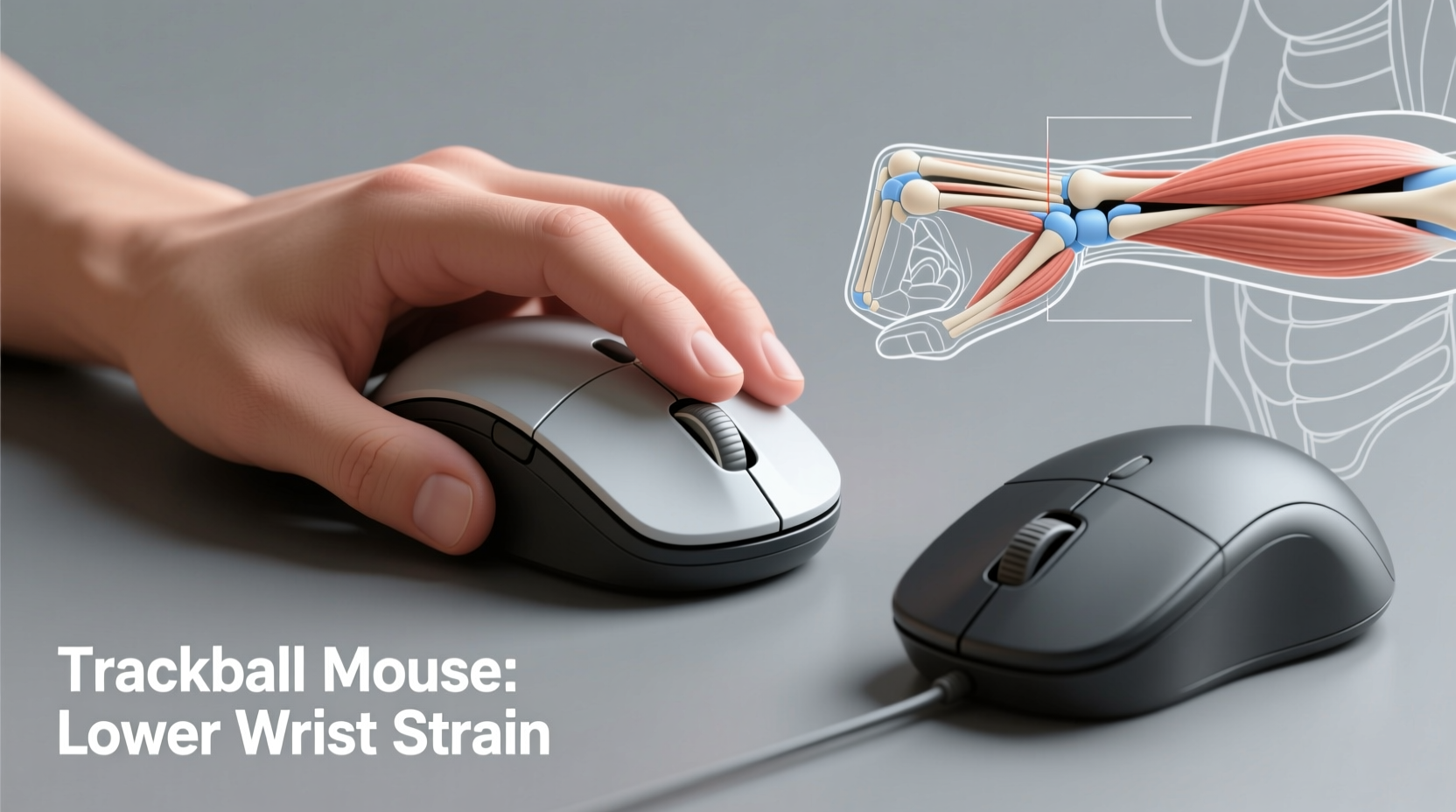
A standard optical or laser mouse requires continuous arm and wrist motion across a flat surface to move the cursor. This involves repeated forearm pronation, wrist extension, and shoulder engagement, especially during extended use. Over time, these small, repetitive motions can contribute to muscle fatigue, inflammation, and conditions such as carpal tunnel syndrome, tendinitis, or ulnar nerve irritation.
Most traditional mice are designed with a right-handed bias and encourage a \"claw grip,\" where fingers are slightly elevated off the mouse buttons. This unnatural hand posture increases tension in the forearm muscles and places stress on tendons that run through the carpal tunnel.
“Prolonged use of conventional mice without proper ergonomic alignment is a significant risk factor for upper extremity disorders.” — Dr. Linda Kaufman, Occupational Ergonomist, Cornell University
Even with wrist rests and ergonomic desk setups, the fundamental issue remains: traditional mice demand constant movement of the entire hand and forearm, which can lead to cumulative strain.
Understanding Trackball Mouse Mechanics
In contrast, a trackball mouse keeps the main body stationary while the user controls the cursor using a thumb or fingertip to roll an exposed ball located on the top or side of the device. This design eliminates the need to glide the mouse across a desk, reducing large-scale arm movements and isolating cursor control to smaller, more precise finger or thumb actions.
There are two primary types of trackball mice:
- Thumb-operated trackballs: The ball is positioned on the side and manipulated by the thumb (e.g., Logitech MX Ergo).
- Finger-operated trackballs: The ball sits toward the front and is controlled by one or more fingers (e.g., Kensington Expert Wireless Trackball).
Because the device doesn’t move, users can operate it from compact spaces—even a laptop tray or couch—and maintain a more neutral wrist position. This static placement supports better alignment of the forearm, wrist, and hand, minimizing awkward angles and reducing the risk of strain.
Comparing Ergonomic Benefits: Trackball vs Regular Mouse
The key advantage of a trackball lies in its ability to reduce gross motor movements. Instead of relying on shoulder and elbow motion, users engage only fine motor skills in the thumb or fingers. This shift can dramatically lower the mechanical load on the wrist joint and surrounding soft tissues.
Several studies have evaluated electromyographic (EMG) activity in forearm muscles during prolonged computer use. One peer-reviewed study published in *Applied Ergonomics* found that trackball users exhibited up to 30% less muscle activation in the flexor carpi radialis and extensor digitorum compared to traditional mouse users—indicating reduced muscular effort and potential for fatigue.
Additionally, because the hand remains relatively still on a trackball, there’s less chance of developing “mouse shoulder” or ulnar deviation, a condition caused by repeatedly angling the wrist outward while gripping a standard mouse.
Ergonomic Advantages Summary
| Ergonomic Factor | Traditional Mouse | Trackball Mouse |
|---|---|---|
| Hand Movement Required | Full hand/arm motion | Minimal; only thumb/finger moves |
| Wrist Position | Often extended or deviated | Neutral, stable |
| Muscle Activation | High in forearm | Reduced overall |
| Risk of Repetitive Strain | Moderate to high | Lower with proper technique |
| Workspace Flexibility | Larger surface needed | Works in confined areas |
Real-World Case: Sarah’s Transition from Pain to Productivity
Sarah, a 34-year-old graphic designer, began experiencing sharp pain along her right wrist after working 8–10 hours daily using a standard wireless mouse. She was diagnosed with mild carpal tunnel syndrome and advised to modify her workstation. After trying various ergonomic mice with limited success, she switched to a vertical thumb-operated trackball.
Within three weeks, Sarah reported a noticeable reduction in nighttime tingling and daytime discomfort. “At first, the trackball felt awkward,” she said. “But once I got used to controlling the ball with my thumb instead of moving my whole arm, my wrist stopped aching. Now I can work longer without breaks.”
Her experience reflects a growing trend among creative professionals and remote workers who prioritize long-term comfort over short-term familiarity.
Common Misconceptions About Trackball Mice
Despite their benefits, trackball mice are often misunderstood. Some users assume they’re outdated, imprecise, or difficult to master. These perceptions stem largely from early models that suffered from inconsistent tracking and ball slippage. Modern trackballs, however, feature advanced optical sensors, customizable DPI settings, and programmable buttons that rival even high-end gaming mice.
Another misconception is that trackballs cause thumb strain. While improper usage can lead to localized fatigue, most issues arise from poor posture or excessive pressure—not the device itself. Using a padded wrist rest and maintaining a relaxed grip mitigates this risk.
Checklist: Choosing a Wrist-Friendly Mouse
- ✅ Assess your current wrist discomfort level during or after computer use.
- ✅ Test both thumb and finger-operated trackballs to determine comfort preference.
- ✅ Ensure the mouse promotes a neutral wrist posture (no bending or twisting).
- ✅ Look for adjustable sensitivity (DPI) to minimize large movements.
- ✅ Prioritize build quality and scroll wheel smoothness for reduced finger strain.
- ✅ Consider ambidextrous models if switching hands throughout the day.
- ✅ Pair your mouse with an ergonomic keyboard to support overall upper-limb alignment.
Step-by-Step Guide to Transitioning to a Trackball
Moving from a traditional mouse to a trackball requires an adjustment period. Here’s a structured approach to ensure a smooth transition:
- Week 1 – Familiarization: Use the trackball for light tasks like browsing or email. Focus on learning how much pressure and motion the ball requires.
- Week 2 – Gradual Integration: Begin using the trackball for more demanding applications (e.g., photo editing, spreadsheets). Alternate with your old mouse if needed.
- Week 3 – Refinement: Adjust DPI settings for optimal speed. Experiment with button customization for frequently used shortcuts.
- Week 4 – Full Adoption: Commit to using the trackball full-time. Monitor any changes in wrist comfort or efficiency.
- Ongoing – Maintenance: Clean the trackball mechanism monthly to prevent dust buildup that affects responsiveness.
Expert Insights on Long-Term Wrist Health
Ergonomic specialists emphasize that no single device guarantees injury prevention—proper technique and workstation setup are equally important.
“The trackball reduces range of motion, which helps, but if your chair is too low or your monitor is off-center, you’ll still develop strain. It’s not just the mouse—it’s the whole system.” — Dr. Alan Park, Physical Therapist & Ergonomic Consultant
Experts recommend combining a trackball with other ergonomic practices:
- Positioning the mouse at the same height as the keyboard.
- Keeping elbows close to the body at a 90–110 degree angle.
- Using a negative tilt keyboard to maintain a straight wrist line.
- Taking micro-breaks every 20–30 minutes to stretch hands and forearms.
FAQ: Common Questions About Trackball Mice and Wrist Comfort
Is a trackball mouse good for carpal tunnel?
Yes, many individuals with carpal tunnel syndrome find relief using a trackball because it minimizes wrist movement and encourages a neutral hand position. However, results vary based on individual anatomy and usage habits. Always consult a healthcare provider for personalized advice.
Do trackball mice cause thumb pain?
Some users report initial thumb fatigue when adapting to a thumb-operated model. This usually resolves with proper technique and adequate rest. Switching to a finger-operated trackball may help if thumb strain persists.
Are trackball mice slower than regular mice?
Initially, yes—there is a learning curve. But experienced users often match or exceed traditional mouse speeds due to reduced arm travel and precise cursor control. High-DPI settings also enhance responsiveness.
Final Thoughts: Making the Right Choice for Your Body
The decision between a trackball and a regular mouse shouldn’t be based solely on popularity or price. It should center on long-term health, comfort, and sustainability. For those already experiencing wrist discomfort—or aiming to prevent it—a trackball represents a scientifically supported, ergonomically sound alternative.
While adaptation takes time and personal preference plays a role, the evidence strongly suggests that trackball mice place less strain on the wrist and forearm than traditional designs. When paired with a well-adjusted workstation, they become part of a proactive strategy to preserve mobility and productivity over years of computer use.




 浙公网安备
33010002000092号
浙公网安备
33010002000092号 浙B2-20120091-4
Comments
No comments yet. Why don't you start the discussion?