
For millions of office workers, programmers, designers, and remote employees, wrist pain is more than an inconvenience—it’s a daily battle. Repetitive strain injuries (RSIs), carpal tunnel syndrome, and ulnar nerve irritation are increasingly common in our screen-driven world. While no single device can \"cure\" chronic pain, the right mouse can significantly reduce strain. Among ergonomic alternatives, two stand out: the trackball mouse and the vertical mouse. But which one actually helps fix wrist pain? The answer isn’t straightforward, but it hinges on biomechanics, personal anatomy, and usage habits.
The Anatomy of Wrist Pain
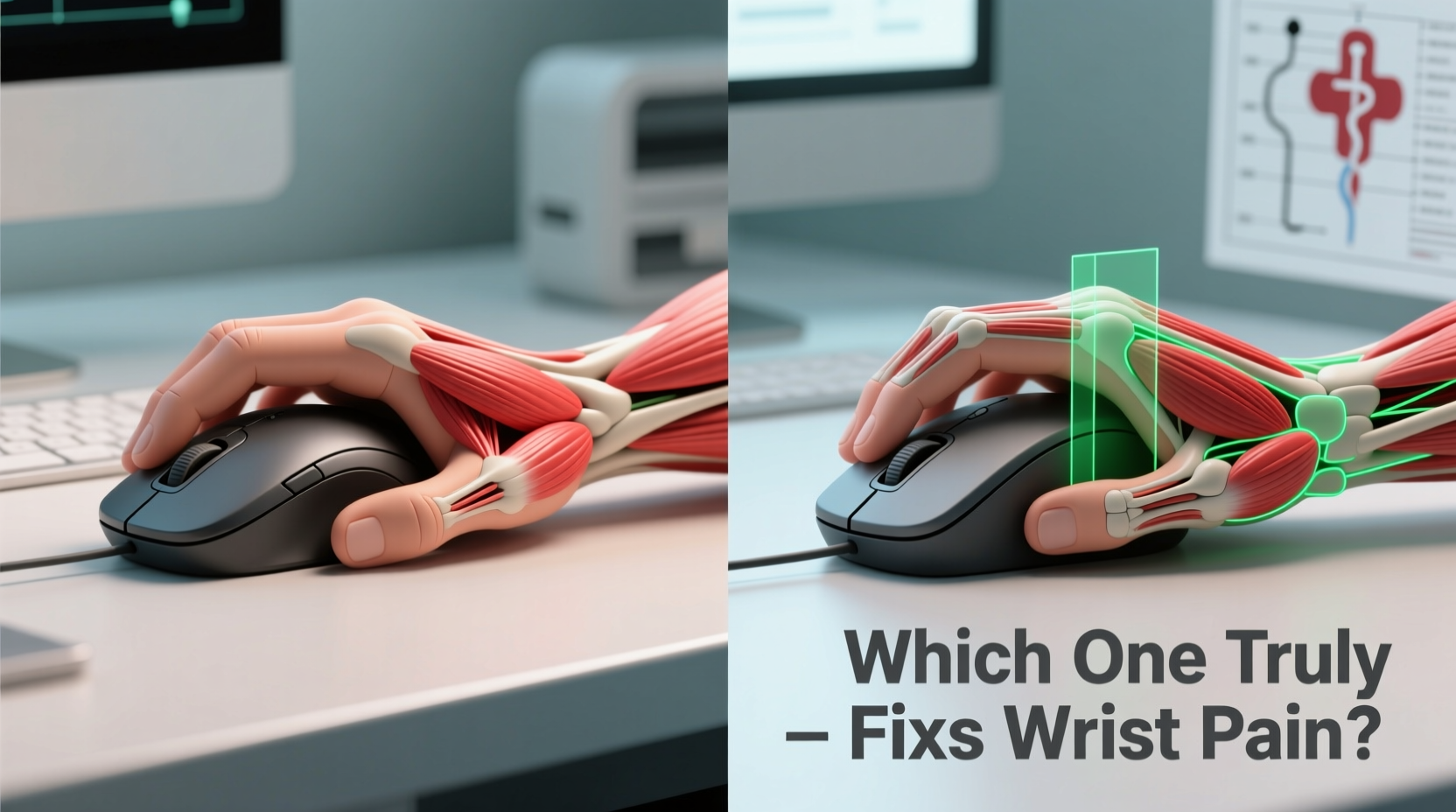
Wrist pain from computer use typically stems from prolonged unnatural positioning. Traditional mice force the hand into a pronated position—palm down, fingers extended—causing the forearm muscles to twist and the median nerve to compress over time. This posture increases pressure on tendons and nerves running through the carpal tunnel, leading to inflammation, numbness, and pain.
Ergonomic mice aim to correct this by aligning the hand closer to its natural, handshake-like orientation. However, not all ergonomic designs achieve this equally. The vertical mouse repositions the hand; the trackball mouse rethinks movement altogether.
Vertical Mouse: A Neutral Grip Approach
The vertical mouse rotates the hand into a handshake position, approximately 50–70 degrees from flat. This alignment reduces forearm supination (twisting) by up to 60%, according to studies published in the Journal of Occupational Rehabilitation. By keeping the wrist straighter and the forearm muscles relaxed, vertical mice minimize strain on the median nerve and surrounding tendons.
Key advantages include:
- Natural hand posture that mimics a handshake
- Reduced ulnar deviation (wrist bending sideways)
- Lower muscle activation in the forearm compared to traditional mice
However, adaptation takes time. Users often report initial discomfort as their hand adjusts to the new angle. Some models also lack precision for graphic design or gaming tasks, limiting versatility.
Trackball Mouse: Minimizing Movement, Maximizing Control
The trackball mouse replaces hand gliding with finger or thumb-controlled ball rotation. The entire hand remains stationary on the desk, eliminating dragging motions that contribute to repetitive strain. Instead of moving the whole arm, only small finger or thumb movements guide the cursor.
This design offers unique benefits:
- Significantly reduced arm and wrist motion
- Stable wrist posture with minimal deviation
- Less reliance on shoulder and upper arm muscles
Trackballs come in two main styles: thumb-operated and fingertip-operated. Thumb models place the ball on the side, controlled by the thumb, while fingertip versions position the ball centrally, manipulated by multiple fingers. Each has trade-offs in comfort and control.
“Reducing range of motion is one of the most effective ways to prevent RSI progression. Trackball users often see faster symptom reduction because they eliminate dragging entirely.” — Dr. Lena Patel, Occupational Therapist & Ergonomics Consultant
Comparative Analysis: Trackball vs Vertical Mouse
| Feature | Vertical Mouse | Trackball Mouse |
|---|---|---|
| Hand Position | Neutral handshake grip (50–70°) | Flat or slightly raised, palm-down |
| Movement Type | Whole-hand gliding | Finger/thumb ball rotation, hand static |
| Forearm Supination | Reduced by ~60% | Minimal change (remains pronated) |
| Wrist Stability | Improved alignment | High stability (hand doesn’t move) |
| Learning Curve | Moderate (1–3 weeks) | Steeper for precision tasks |
| Best For | General office work, browsing, moderate clicking | Precision tasks, CAD, long-duration use |
| Drawbacks | Limited button access, may cause thumb fatigue | Ball requires cleaning, potential finger strain |
Real-World Case Study: Recovery from Early Carpal Tunnel
Jamal, a 34-year-old data analyst, began experiencing tingling in his right hand after years of using a standard optical mouse. Diagnosed with early-stage carpal tunnel syndrome, he was advised to modify his workstation. His physical therapist recommended trying both a vertical mouse and a trackball to assess comfort and symptom response.
He tested the Logitech MX Vertical for two weeks, noting improved wrist alignment but persistent thumb fatigue from frequent clicks. Switching to the Kensington Expert Wireless Trackball, he found his wrist remained stable, and pain decreased within ten days. However, he initially struggled with cursor accuracy during spreadsheet navigation.
After four weeks of alternating between both devices and incorporating stretching exercises, Jamal reported a 70% reduction in nighttime numbness. He now uses the trackball full-time and credits the static hand position as the key factor in his recovery.
Which One Truly Fixes Wrist Pain?
Neither device “fixes” wrist pain outright—but both can be powerful tools in pain management and prevention. The critical difference lies in how they address the root causes:
- Vertical mice correct posture by aligning the hand naturally, reducing nerve compression.
- Trackball mice reduce motion, minimizing microtrauma from repeated dragging.
For individuals whose pain stems primarily from poor wrist alignment—such as ulnar deviation or forearm twisting—the vertical mouse often provides faster relief. In contrast, those suffering from overuse due to constant mouse movement may benefit more from the trackball’s immobilized design.
A 2022 study from Cornell University’s Ergonomics Lab found that 68% of participants with mild RSI symptoms reported greater comfort with vertical mice, while 74% of those with moderate-to-severe strain preferred trackballs for sustained use.
Action Plan: Transitioning to an Ergonomic Mouse
Switching cold turkey rarely works. A structured transition prevents frustration and reduces risk of compensatory strain. Follow this step-by-step timeline:
- Week 1: Use your current mouse for 80% of tasks. Introduce the new mouse for 20%—simple browsing or email.
- Week 2: Increase new mouse usage to 50%. Focus on maintaining relaxed shoulders and neutral wrist positioning.
- Week 3: Flip usage—70% on the ergonomic mouse. Begin adjusting software settings (pointer speed, button mapping).
- Week 4: Full transition. Monitor pain levels, grip tension, and any signs of fatigue.
- Ongoing: Perform daily stretches, take micro-breaks every 30 minutes, and reassess every month.
Checklist: Choosing the Right Device for You
- ✅ Assess your primary pain location: wrist, forearm, or thumb?
- ✅ Determine your dominant task: precision work, scrolling, or general navigation?
- ✅ Measure your hand size—some vertical mice are too large for smaller hands.
- ✅ Test thumb vs. fingertip trackballs if considering a ball-based model.
- ✅ Ensure compatibility with your OS and willingness to customize buttons.
- ✅ Check return policy before purchase—adaptation isn’t guaranteed.
- ✅ Combine with keyboard ergonomics (split keyboards help amplify benefits).
Frequently Asked Questions
Can an ergonomic mouse cure carpal tunnel syndrome?
No single device cures carpal tunnel syndrome, which is a medical condition involving nerve compression. However, switching to an ergonomic mouse can relieve pressure, slow progression, and support recovery when combined with rest, therapy, and proper workspace setup. Severe cases may require medical intervention.
Is a trackball better than a vertical mouse for arthritis?
Many arthritis sufferers find trackball mice easier because they reduce joint movement in the wrist and elbow. However, finger or thumb operation may aggravate hand arthritis. Fingertip trackballs distribute effort across multiple fingers, which may be preferable. Vertical mice reduce grip strain but may still require clicking force. Look for models with low-actuation switches.
Do I need to change anything else besides my mouse?
Yes. A mouse alone won’t solve wrist pain if other factors remain unchanged. Ensure your keyboard is at elbow height, wrists stay neutral while typing, and your chair supports proper posture. Take regular breaks using the 20-20-20 rule: every 20 minutes, look 20 feet away for 20 seconds—and use that time to stretch your hands.
Final Verdict: It Depends on Your Pain Pattern
The question isn’t which mouse is universally better, but which one addresses your specific strain triggers. If your discomfort comes from twisted forearms and bent wrists, the vertical mouse’s natural grip offers meaningful correction. If your pain arises from constant dragging and overuse, the trackball’s motion-free design delivers superior protection.
Ultimately, the most effective solution combines the right hardware with behavioral changes: mindful posture, frequent breaks, and proactive stretching. Some users even alternate between both types depending on the task—vertical for meetings and presentations, trackball for data-heavy work.
Don’t wait for pain to become chronic. Small adjustments today can prevent long-term injury. Whether you choose a trackball, a vertical mouse, or a hybrid approach, prioritize sustainability over convenience. Your hands carry you through your career—treat them with the care they deserve.




 浙公网安备
33010002000092号
浙公网安备
33010002000092号 浙B2-20120091-4
Comments
No comments yet. Why don't you start the discussion?