
Carpal tunnel syndrome (CTS) affects millions of people who spend long hours at a computer. Characterized by pain, numbness, and tingling in the hand and wrist, it often stems from repetitive strain caused by poor ergonomics—especially when using a traditional mouse. As more professionals seek relief, one alternative has gained attention: the trackball mouse. But is it truly better for carpal tunnel? The answer isn’t just anecdotal; it’s rooted in biomechanics, user experience, and growing clinical interest.
Unlike a standard optical or wireless mouse that requires constant arm movement across a desk, a trackball keeps your hand mostly stationary. Instead of moving the entire device, you manipulate a stationary ball with your thumb or fingers. This fundamental shift in motion reduces wrist extension, ulnar deviation, and forearm travel—all factors linked to nerve compression in the carpal tunnel.
How Traditional Mice Contribute to Carpal Tunnel
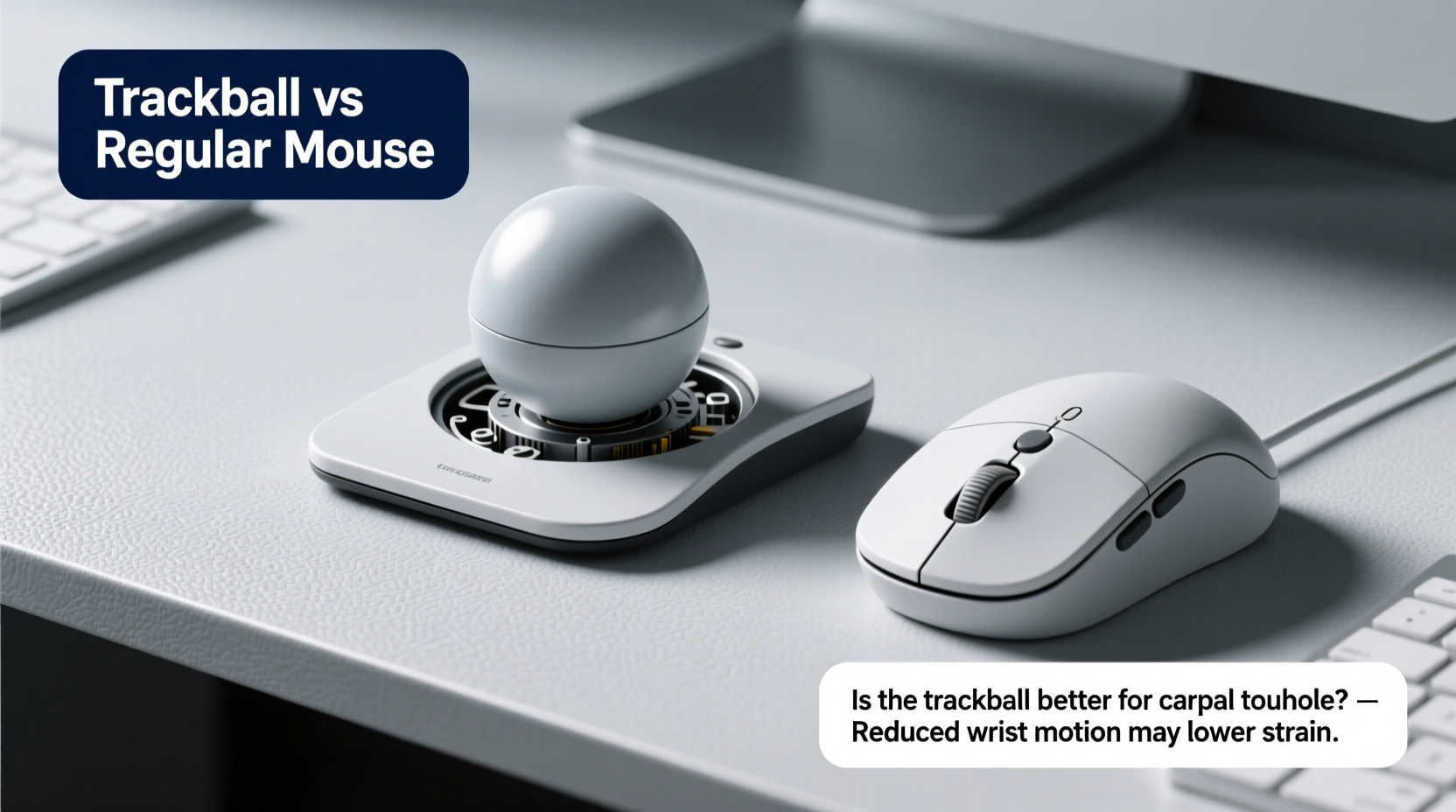
A conventional mouse forces users into a posture that increases mechanical stress on the wrist and forearm. When gripping a standard mouse, most people:
- Extend the wrist upward (dorsiflexion)
- Bend the wrist sideways toward the little finger (ulnar deviation)
- Use repeated small motions of the shoulder and elbow to glide the mouse
- Rest the heel of the hand on the desk edge, compressing soft tissue
Over time, these postures can lead to inflammation around the median nerve, which runs through the carpal tunnel in the wrist. According to Dr. Susan Hallbeck, a biomedical engineer specializing in occupational ergonomics at West Virginia University, “Prolonged static loading and awkward wrist angles during computer use are significant contributors to repetitive strain injuries, including CTS.”
Studies published in *Applied Ergonomics* have shown that typical mouse usage results in elevated muscle activity in the forearm flexors—muscles directly involved in compressing the carpal tunnel. The more active these muscles are, the higher the intracarpal pressure, increasing the risk of nerve irritation.
The Trackball Advantage: Reducing Strain Through Design
Trackball mice offer a different approach. By fixing the device in place and allowing cursor control via a rolling ball operated by the thumb or index/middle fingers, they eliminate much of the gross arm movement associated with traditional mice. This change may seem minor, but its physiological implications are substantial.
Key ergonomic advantages include:
- Reduced wrist motion: The wrist remains neutral and stable, minimizing both flexion and deviation.
- Less forearm displacement: No need to slide the arm repeatedly across the desk surface.
- Lower muscle activation: Studies show decreased electromyographic (EMG) activity in forearm muscles during trackball use compared to standard mice.
- Greater control precision: Fine movements are made with fingertip or thumb adjustments rather than large arm sweeps.
“Switching to a well-designed trackball can reduce biomechanical load on the wrist by up to 40% in some tasks.” — Dr. Alan Hedge, Director of the Human Factors and Ergonomics Laboratory at Cornell University
One major study conducted at Cornell found that participants using vertical or trackball-style input devices reported significantly less discomfort after two weeks of continuous use. While not all trackballs are created equal, models like the Logitech MX Ergo and Kensington Expert Wireless offer adjustable tilt angles and ambidextrous designs that further support neutral postures.
Thumb vs Finger Operated Trackballs: Which Is Better for CTS?
Not all trackballs work the same way. Two primary types dominate the market:
- Thumb-operated: The ball is positioned on the side and controlled by the thumb (e.g., Logitech M570).
- Finger-operated: The ball sits centrally and is moved with the index and middle fingers (e.g., Kensington Expert).
Each has pros and cons depending on individual anatomy and symptom severity.
| Type | Pros | Cons | Best For |
|---|---|---|---|
| Thumb-operated | Keeps fingers relaxed; minimal finger movement; promotes open hand posture | Can strain thumb tendons over time; learning curve steeper for new users | Users with finger stiffness or early-stage CTS |
| Finger-operated | Precise control; distributes effort across multiple digits; familiar finger positioning | May encourage slight wrist curl if not used with proper support | Designers, editors needing high accuracy; advanced users |
For those already experiencing symptoms, thumb-operated models often provide quicker relief because they allow the fingers to remain completely still—critical for reducing cumulative strain. However, individuals with existing thumb issues (like basal joint arthritis) may find them uncomfortable.
Real-World Impact: A Case Study
Jamie R., a technical writer based in Portland, began experiencing sharp wrist pain and nighttime tingling after five years of full-time remote work. Diagnosed with mild carpal tunnel syndrome, she was advised to modify her workstation or face potential surgery within 12 months.
Her physical therapist recommended eliminating her low-profile wireless mouse and trying an ergonomic setup centered on a Logitech MX Ergo trackball. She also adopted a split keyboard and raised her monitor to eye level.
Within six weeks, Jamie reported a 70% reduction in pain and no longer woke up with numb hands. After three months, her nerve conduction test showed improved median nerve function. “I was skeptical at first,” she said, “but once I got used to not moving my whole arm every time I clicked something, it felt like a weight had been lifted—literally.”
While Jamie’s case isn’t universal, it reflects a growing trend: many users see measurable improvement within weeks of switching input devices, especially when combined with other ergonomic adjustments.
Step-by-Step Guide to Transitioning from Regular Mouse to Trackball
Making the switch isn’t always seamless. It takes time to adapt to the reversed motion dynamics and develop accurate motor control. Follow this timeline for a smooth transition:
- Week 1: Dual Setup
Keep your regular mouse alongside the trackball. Use the trackball for light tasks (scrolling, clicking links), falling back on the standard mouse when fatigued. - Week 2–3: Primary Use
Make the trackball your main device. Focus on keeping your wrist flat and relaxed. Avoid gripping tightly—let your thumb or fingers rest lightly on the ball. - Week 4: Refinement
Adjust sensitivity settings (DPI) to match your workflow. Increase speed slightly if overshooting targets, or decrease for finer control in design or spreadsheet work. - Week 5+: Full Integration
By now, most users report natural movement patterns. Continue monitoring for any residual discomfort and ensure your chair height supports a 90-degree elbow angle.
Checklist: Is a Trackball Right for You?
Before investing in a trackball, evaluate your needs and symptoms using this checklist:
- ✅ Do you experience wrist pain, numbness, or tingling during or after computer use?
- ✅ Have you tried wrist rests or ergonomic keyboards without sufficient relief?
- ✅ Can you commit to a 4–6 week adaptation period?
- ✅ Are you willing to adjust your desk layout to keep the trackball close to your body?
- ✅ Do you prefer minimal arm movement while working?
- ❌ Do you frequently use graphic-intensive software requiring pixel-perfect precision? (Some high-end trackballs handle this well, but test first.)
- ❌ Do you have severe thumb or finger arthritis? (Consider vertical mice as an alternative.)
If most answers are “yes” to the positives and few to the negatives, a trackball is likely a worthwhile investment.
Frequently Asked Questions
Can a trackball cure carpal tunnel syndrome?
No device can \"cure\" carpal tunnel syndrome, but a trackball can significantly reduce contributing factors like repetitive strain and poor wrist posture. In early stages, symptom reversal is possible with consistent ergonomic changes. However, advanced cases may require medical intervention such as splinting, corticosteroid injections, or surgery.
Are trackballs harder to use than regular mice?
Initially, yes—for most users accustomed to traditional mice. The brain must relearn how movement translates to cursor control. Most people adapt within 1–3 weeks. Accuracy improves with practice, and long-term comfort often outweighs the initial learning curve.
Do trackballs last longer than regular mice?
Generally, yes. With fewer moving parts subject to wear (no rolling wheels or skidding feet), and less overall displacement, trackballs often outlast standard mice. However, the internal rollers that sense ball movement can accumulate debris and may require occasional cleaning or recalibration.
Conclusion: A Smarter Choice for Wrist Health
The evidence suggests that for individuals concerned about carpal tunnel syndrome—or already managing its symptoms—a trackball mouse is more than just an alternative; it’s a proactive step toward sustainable computing. By minimizing harmful wrist angles, reducing muscle fatigue, and promoting a neutral hand position, trackballs address the root causes of repetitive strain in a way that traditional mice simply cannot.
This doesn’t mean everyone should rush to replace their mouse overnight. Individual needs vary. But for those spending eight or more hours daily at a computer, especially with existing discomfort, the trackball represents a low-cost, high-impact intervention backed by both user experience and ergonomic science.
Technology should serve us—not harm us. If your wrist pays the price for productivity, it’s time to reconsider the tools you use. Try a trackball. Give it four weeks. Your hands might thank you for years to come.




 浙公网安备
33010002000092号
浙公网安备
33010002000092号 浙B2-20120091-4
Comments
No comments yet. Why don't you start the discussion?