
For modern travelers, staying connected is non-negotiable. Whether navigating unfamiliar cities, capturing memories, or working remotely from a café in Lisbon, keeping your phone, tablet, or GPS charged is essential. Two popular solutions dominate the market: travel backpacks with built-in USB ports and standalone high-capacity power banks. But when it comes to safety, efficiency, and long-term reliability, which option truly protects your devices—and you?
This article examines both options in depth, comparing their design, charging mechanisms, electrical safety, and real-world usability. We’ll also explore expert insights, user experiences, and practical recommendations to help you make an informed decision—especially if you prioritize device safety over convenience.
How Built-In USB Backpacks Work
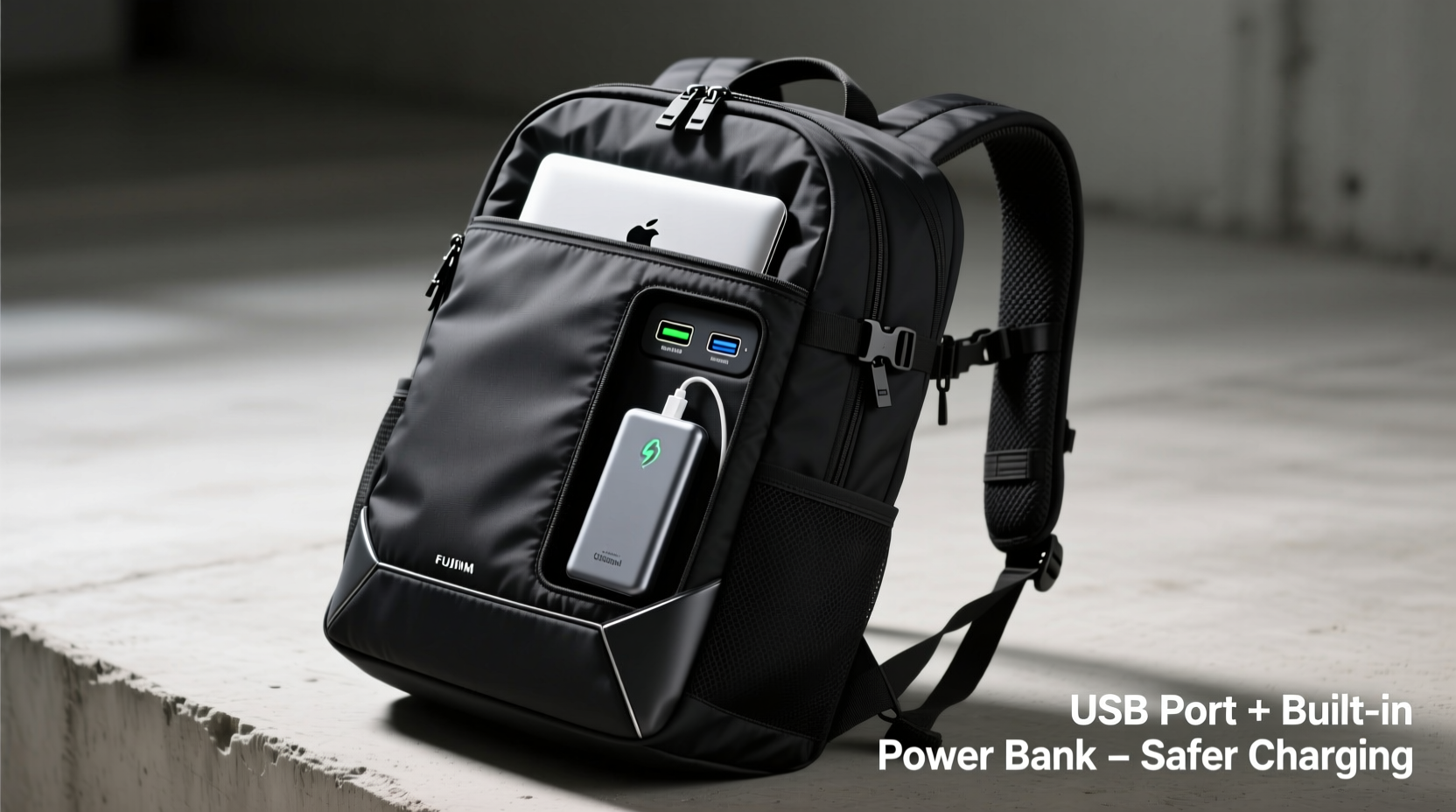
A travel backpack with a built-in USB port typically includes a dedicated compartment for a power bank and a wired connection that runs internally to a USB-A or USB-C port on the exterior of the bag. You plug your device into the external port, while the internal power bank supplies the energy. The idea is simple: no fumbling inside your bag to access the battery; just charge on the go.
These backpacks are marketed as “smart” travel gear, combining storage and functionality. However, the integration raises critical questions about electrical safety, heat dissipation, and voltage regulation. Unlike certified consumer electronics, many of these backpacks lack standardized safety testing, especially when sourced from third-party manufacturers.
The Standalone Power Bank: A Safer Alternative?
A powered power bank—specifically one with UL, CE, or FCC certification—is engineered to meet strict international safety standards. These devices include multiple layers of protection: overcharge prevention, short-circuit resistance, temperature control, and surge suppression. High-end models even feature smart IC chips that adjust output based on the connected device.
Unlike integrated USB backpacks, where the wiring is fixed and often inaccessible, a standalone power bank allows full visibility and control. You can inspect the battery’s condition, replace it when degraded, and avoid potential risks from frayed internal cables or overheating due to poor ventilation.
“Integrated USB ports in backpacks may seem convenient, but they often bypass standard safety protocols. A certified external power bank gives users far greater control and peace of mind.” — Dr. Alan Reyes, Electrical Safety Engineer at ConsumerTech Labs
Safety Comparison: Key Risk Factors
When evaluating which method charges devices more safely, several technical and environmental factors come into play. Below is a breakdown of the primary concerns associated with each option.
| Risk Factor | USB Travel Backpack | Standalone Power Bank |
|---|---|---|
| Overheating | High risk—power bank trapped in enclosed space with limited airflow; heat buildup common during extended use. | Low to moderate—certified models have thermal sensors and auto-shutdown; easy to remove if hot. |
| Poor Wiring Quality | Common—many budget backpacks use substandard internal cables prone to fraying or short circuits. | Negligible—cables are replaceable and typically meet USB-IF standards. |
| Battery Swelling or Leakage | Dangerous—swollen batteries can press against fabric, increasing fire risk; hard to detect until too late. | Easier to monitor—user can see physical changes and immediately retire the unit. |
| Voltage Regulation | Inconsistent—some models deliver unstable output, risking damage to sensitive electronics. | Reliable—quality power banks regulate output precisely across devices. |
| Water Resistance | Limited—moisture can seep into ports and internal wiring, causing corrosion or shorts. | Better control—many power banks are IP-rated for water and dust resistance. |
Real-World Example: A Traveler’s Close Call
During a two-week trip through Southeast Asia, Sarah, a digital nomad from Canada, relied on a popular brand-name backpack with a built-in USB port. On day eight, after using her phone to navigate Bangkok’s busy streets for hours, she noticed a strange smell coming from her bag. Upon inspection, the internal power bank had swollen significantly, warping the fabric and melting part of the internal lining.
She later learned the backpack’s wiring lacked proper insulation and had created a feedback loop, overcharging the battery despite its “smart” claims. While no fire occurred, the incident forced her to abandon the bag and purchase a new power bank mid-trip. “I thought I was being efficient,” she said. “But I was actually gambling with my safety.”
Best Practices for Safe Charging on the Go
Regardless of your choice, certain habits dramatically reduce risk. Follow this checklist to protect your devices and yourself.
- Use only power banks with clear safety certifications (UL, CE, FCC, RoHS).
- Avoid charging devices overnight inside a bag or under pillows.
- Inspect cables and battery housings regularly for wear or swelling.
- Never mix unknown-brand chargers with high-capacity batteries.
- Keep power sources away from liquids, extreme heat, or direct sunlight.
- Unplug devices once fully charged to prevent overvoltage stress.
- Carry spare, high-quality USB cables in case of failure.
Step-by-Step: How to Use a Power Bank Safely During Travel
- Choose a certified model with at least 10,000mAh capacity and multiple safety features (e.g., Anker, Xiaomi, Belkin).
- Charge it fully before departure using the original adapter, not a random hotel outlet.
- Store it in a padded pouch, separate from keys or sharp objects that could puncture the casing.
- Place it in an easily accessible pocket of your bag—not buried under heavy items.
- Connect your device using a known-good cable; avoid cheap, unbranded ones.
- Monitor temperature during use; if the bank feels hot, disconnect immediately.
- Recharge at safe intervals—don’t let it drop below 20% regularly to extend lifespan.
Why Convenience Can Compromise Safety
The appeal of a backpack with a built-in USB port lies in its seamless design. You don’t need to open your bag, locate your battery, or juggle cords. But this convenience often comes at a cost: compromised engineering. Many manufacturers prioritize aesthetics and marketing over electrical integrity.
Internal wires are frequently glued or stitched into place, making repairs impossible. If a wire breaks or shorts, the entire backpack may become unsafe. Additionally, because the power bank remains sealed inside, ventilation is poor. Lithium-ion batteries generate heat during charging cycles, and without airflow, thermal runaway—a dangerous chain reaction leading to fire—becomes more likely.
In contrast, a standalone power bank offers modularity. You can upgrade, replace, or isolate it as needed. If one component fails, it doesn’t compromise the entire system. This separation of functions aligns with fundamental principles of electrical safety: isolation, redundancy, and user control.
Expert Insight on Integrated Tech Gear
“The trend of embedding electronics into everyday items like bags and clothing is exciting, but it’s outpacing safety regulation. Until we have universal standards for wearable and carryable tech, consumers should treat built-in batteries with caution.” — Dr. Lena Patel, Senior Researcher at the Global Institute for Portable Energy Safety
Frequently Asked Questions
Can a USB backpack damage my phone?
Yes, if the backpack uses low-quality internal wiring or an uncertified power bank. Poor voltage regulation can lead to overcharging, reduced battery life, or even permanent hardware damage. Always use a regulated, branded power bank and inspect the USB port for debris or looseness.
Are all power banks safe?
No. Counterfeit or unbranded power banks often lack essential circuitry to prevent overcurrent or overheating. Look for visible certifications (UL, CE, FCC), transparent manufacturing details, and customer reviews that mention safety. Avoid extremely cheap models claiming unrealistic capacities (e.g., 50,000mAh for $20).
Is it safe to carry a power bank in my backpack?
Yes, as long as it’s protected from impact, moisture, and extreme temperatures. Store it in a soft-lined compartment or protective case. Never place it near sharp objects or in direct sunlight (e.g., on a car seat). Most airlines allow power banks in carry-ons but prohibit them in checked luggage due to fire risk.
Final Recommendation: Prioritize Safety Over Integration
While travel backpacks with USB ports offer undeniable convenience, they introduce hidden risks that many users overlook. The combination of fixed wiring, poor ventilation, and inconsistent manufacturing quality makes them less safe than standalone, certified power banks.
For most travelers—especially those visiting remote areas, enduring long flights, or relying on devices for work or navigation—a high-quality external power bank remains the smarter, safer choice. It gives you full oversight, easier maintenance, and compliance with global safety standards.
If you still prefer a backpack with a USB port, treat it as a cable organizer, not a complete charging solution. Insert only a trusted power bank, avoid continuous use, and never leave it charging unattended. And always, always check for signs of wear, heat, or deformation.




 浙公网安备
33010002000092号
浙公网安备
33010002000092号 浙B2-20120091-4
Comments
No comments yet. Why don't you start the discussion?