
In an era where smartphones are extensions of ourselves—holding our memories, work, and personal lives—it’s baffling how often we risk losing them in a split-second slip. A dropped phone can mean shattered screens, costly repairs, or even permanent data loss. While cases and screen protectors defend against impact, they don’t stop the fall itself. That’s where phone chains come in. More than just a fashion statement, these compact accessories are functional tools designed to keep your device tethered to you at all times. From crowded subway platforms to bustling festivals, a well-chosen phone chain can be the difference between a near-miss and a disaster.
Why Phone Chains Are Essential for Modern Device Security
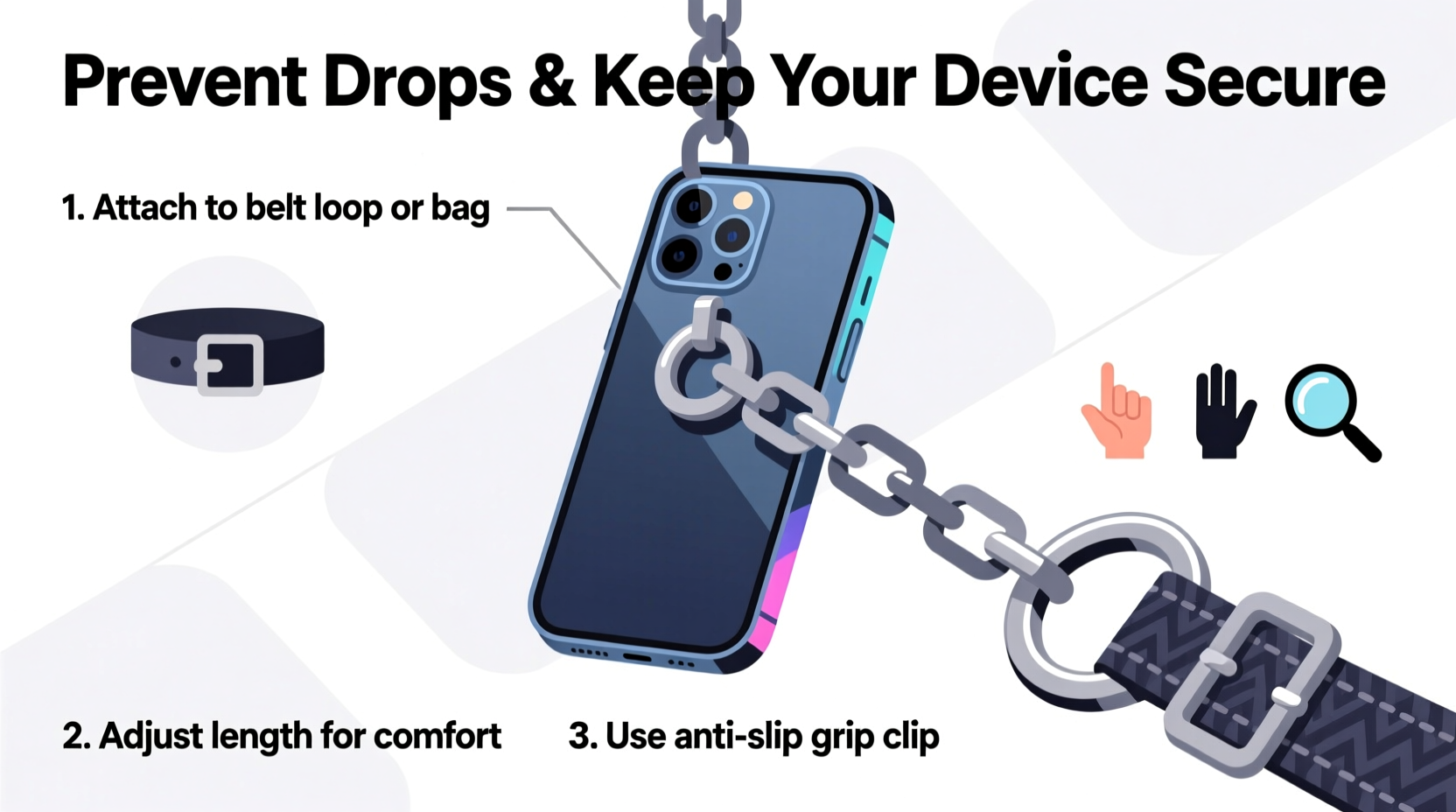
Smartphones average over 50 drops per user during their lifespan, according to consumer electronics research. Most occur from waist or chest height—just enough to cause serious damage. Traditional safeguards like rugged cases absorb shock but don’t prevent falls. Phone chains, also known as lanyards, wrist straps, or tether cords, act as a physical barrier between your phone and the ground.
They’re especially valuable in high-motion environments: gyms, travel hubs, concerts, or while commuting. Beyond drop prevention, phone chains deter opportunistic theft. A thief is less likely to snatch a phone visibly attached to its owner. Additionally, chains promote mindful usage—when your phone is physically connected to you, you're more aware of its location and handling.
Types of Phone Chains and How to Choose the Right One
Not all phone chains are created equal. The right choice depends on your lifestyle, device model, and aesthetic preference. Here’s a breakdown of common types:
- Wrist Straps: Compact and lightweight, ideal for quick errands or workouts. Often made from silicone or nylon.
- Lanyards: Longer cords worn around the neck; popular among travelers and event attendees.
- Hand Loops: Small loops that attach to phone cases, allowing fingers to slide through—minimalist and discreet.
- Magnetic Chains: Feature metal links with magnetic ends, combining durability with sleek design.
- Decorative Beaded Chains: Fashion-forward options with beads or charms, often used with clear TPU cases.
Compatibility is key. Ensure your phone case has a lanyard hole or anchor point. Many brands—including Apple (with certain FineWoven cases), Samsung, OtterBox, and Spigen—now include built-in attachment points. If yours doesn’t, adhesive anchors or loop-equipped cases can bridge the gap.
Material Comparison: Strength vs. Style
| Material | Tensile Strength | Durability | Best For |
|---|---|---|---|
| Stainless Steel Chain | High | Excellent | Daily carry, urban use |
| Nylon Cord | Moderate | Good | Outdoor activities, sports |
| Silicone Strap | Low-Moderate | Fair | Casual use, kids |
| Leather Lanyard | Moderate | Good (with care) | Style-focused users |
| Beaded String | Low | Fair | Fashion events, short-term use |
“Tethering your phone isn’t just about preventing drops—it’s about creating a consistent connection between user and device. That awareness reduces accidents before they happen.” — Dr. Lena Torres, Human Factors Engineer, Mobile Safety Lab
Step-by-Step Guide to Installing and Using a Phone Chain Safely
Improper installation can render a phone chain useless—or worse, increase entanglement risks. Follow this sequence to ensure safety and functionality:
- Check Case Compatibility: Confirm your case has a lanyard hole or attachment loop. If not, switch to one that does or use a clip-on adapter.
- Select the Right Chain Length: Wrist straps should allow comfortable reach without dangling. Neck lanyards should rest the phone at chest level, not below the waist.
- Attach Securely: Thread the chain through the case’s anchor point and fasten using a knot, clasp, or locking mechanism. Avoid loose knots that may slip.
- Test Tension: Gently pull the phone away to simulate a drop. The chain should hold firm without stressing the case.
- Practice Safe Movement: Avoid wearing lanyards during high-speed activities (e.g., running, cycling) where tripping hazards exist.
- Maintain Regularly: Inspect the chain weekly for fraying, weak links, or loose connectors. Replace if compromised.
Real-World Scenario: How a Phone Chain Saved a Photographer’s Work
Jess Nguyen, a freelance photojournalist based in Seattle, was documenting a coastal storm when her phone slipped from her hand while adjusting her camera bag. She was standing on a wet rock formation, waves crashing nearby. Her iPhone—attached to a stainless steel chain looped through her jacket button—swung briefly over the edge before she pulled it back. The phone survived with only minor water splashes. “That moment changed everything,” she said. “I’d backed up nothing that day. Losing it would’ve meant losing three client shoots and a feature article.” Since then, Jess uses a dual-anchor system: a wrist strap plus a crossbody lanyard during outdoor assignments.
Common Mistakes and What to Avoid
Even the best phone chain fails if misused. These pitfalls undermine both safety and effectiveness:
- Using Weak Attachment Points: Relying on headphone jacks (on older models) or flimsy third-party clips that break under pressure.
- Overloading the Chain: Attaching keys, badges, or other items that add weight and stress.
- Ignoring Environment: Wearing long lanyards near machinery, in vehicles, or during physical activity where entanglement could be dangerous.
- Choosing Style Over Strength: Opting for thin decorative cords incapable of supporting a phone’s weight during a sudden jerk.
- Forgetting Maintenance: Failing to check for wear and tear leads to unexpected failures.
Do’s and Don’ts of Phone Chain Use
| Do | Don’t |
|---|---|
| Use reinforced anchor points on cases | Attach chains to loose fabric or unsecured loops |
| Choose materials rated for at least 10 lbs of tension | Use damaged or frayed cords |
| Adjust length for context (shorter for movement) | Wear long lanyards while driving or operating equipment |
| Combine with a protective case | Assume the chain replaces the need for grip awareness |
Frequently Asked Questions
Can a phone chain damage my device?
Only if improperly installed. Chains attached to dedicated anchor points or sturdy cases pose no risk. Avoid forcing cords into ports or weak openings, which can damage internal components.
Are phone chains suitable for children?
Yes, but with caution. Use adjustable wrist straps with quick-release clasps and supervise younger kids to prevent choking or entanglement hazards. Avoid long neck lanyards for children under 12.
Do phone chains interfere with wireless charging or signals?
No. Most chains attach externally and don’t contact antennas or charging coils. Magnetic versions should be detached before placing the phone on a charger to avoid interference.
Final Checklist: Securing Your Phone with a Chain
- ✔️ Verify your case supports lanyard attachment
- ✔️ Select a chain with sufficient tensile strength
- ✔️ Match chain type to your daily activities
- ✔️ Install securely and test tension
- ✔️ Inspect monthly for wear and damage
- ✔️ Adjust length based on environment
- ✔️ Combine with good handling habits
Stay Connected—Safely
Your smartphone is too valuable—financially and emotionally—to risk on a careless grip. Phone chains are not just accessories; they’re intelligent safety tools that blend practicality with personal style. Whether you're navigating a busy city, traveling abroad, or simply juggling groceries with a coffee in hand, a well-chosen chain keeps your device within reach and out of harm’s way. The small investment in time and attention pays off every time your phone teeters on the edge—and stays safe.




 浙公网安备
33010002000092号
浙公网安备
33010002000092号 浙B2-20120091-4
Comments
No comments yet. Why don't you start the discussion?