
When it comes to streaming video at home, two terms dominate the conversation: Ultra HD and HDR. Both are marketed as essential upgrades for a better viewing experience, but they refer to entirely different aspects of image quality. Understanding the difference—and which one delivers a more noticeable improvement—is key to making informed decisions about your TV setup, content choices, and subscription plans.
Ultra HD (UHD), often used interchangeably with 4K, refers to resolution—the number of pixels on screen. HDR, or High Dynamic Range, relates to how those pixels perform in terms of brightness, contrast, and color accuracy. While both contribute to a superior image, they do so in fundamentally different ways. One increases detail; the other enhances realism. So which matters more when you're sitting on the couch watching your favorite show?
Understanding Ultra HD: More Pixels, But Are They Noticeable?
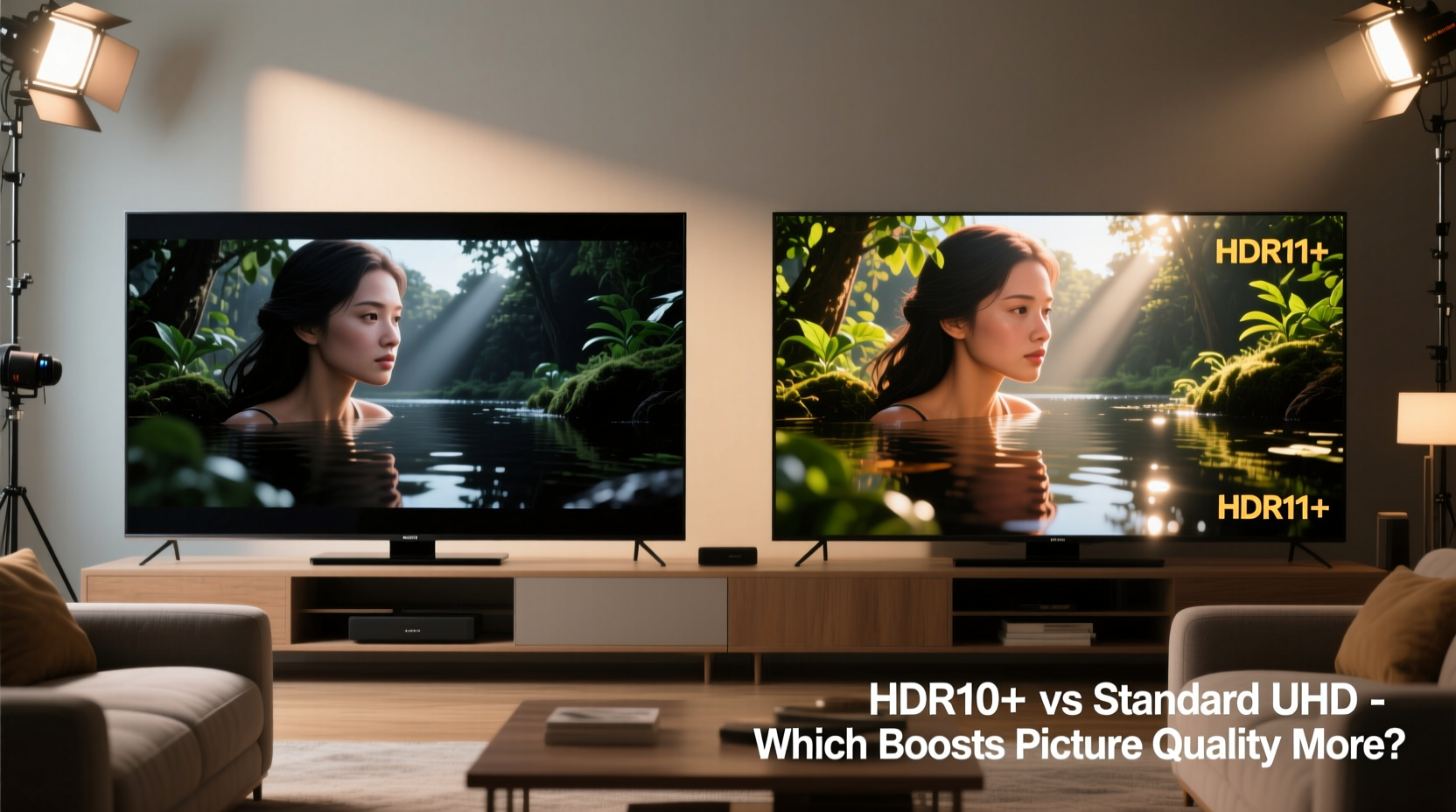
Ultra HD, or 3840 x 2160 pixels, offers four times the resolution of standard 1080p Full HD. This means significantly more detail, especially on larger screens or when viewed from closer distances. Theoretically, this should result in sharper images, clearer textures, and a more immersive visual experience.
However, the real-world benefits of UHD depend heavily on several factors:
- Screen size: On smaller TVs (below 55 inches), the difference between 1080p and 4K is often imperceptible unless you’re sitting unusually close.
- Viewing distance: The farther you sit from the screen, the less likely you are to notice additional pixel density.
- Content quality: Not all \"4K\" content is created equal. Upscaled HD content labeled as 4K doesn’t deliver the same clarity as native 4K footage.
- Bandwidth limitations: Streaming services often compress 4K content heavily to reduce data usage, which can diminish perceived sharpness and introduce artifacts.
In practice, while Ultra HD provides a technical leap forward, its visual impact is subtle—especially compared to the immediate punch of HDR.
HDR Explained: Why Brighter Whites and Deeper Blacks Matter
HDR doesn't increase pixel count. Instead, it expands the range between the brightest whites and darkest blacks a display can produce. It also improves color volume, allowing for richer, more lifelike hues across a wider spectrum. Unlike static SDR (Standard Dynamic Range), HDR preserves detail in shadows and highlights that would otherwise be lost.
There are multiple HDR formats, including:
- HDR10: The baseline standard, supported by virtually all 4K TVs. Uses static metadata.
- Dolby Vision: An advanced, dynamic format that adjusts settings scene-by-scene for optimal results.
- HDR10+: Samsung’s answer to Dolby Vision, also using dynamic metadata.
- HLG (Hybrid Log-Gamma): Designed for live broadcasts and backward compatible with SDR.
The effect of HDR is often described as “more realistic.” Sunlight glinting off water, flames flickering in darkness, or facial details in dimly lit scenes—all gain depth and dimensionality. Because human vision is highly sensitive to contrast and light variation, these improvements are immediately perceptible, even on mid-range displays.
“HDR delivers a more dramatic improvement in perceived picture quality than resolution alone. It’s the difference between seeing an image and feeling like you’re inside it.” — David Cardinal, Imaging Scientist and Tech Analyst
Head-to-Head Comparison: Ultra HD vs HDR
To understand which technology makes a bigger difference, consider how each affects specific aspects of picture quality. The table below breaks down their contributions:
| Feature | Ultra HD (4K) | HDR |
|---|---|---|
| Resolution | ✓ Significantly higher pixel count (3840x2160) | ✗ No change in resolution |
| Detail Clarity | ✓ Improved texture and fine detail (when source is native 4K) | △ Minor indirect improvement via better contrast |
| Brightness & Contrast | ✗ Limited to SDR capabilities (~100 nits peak) | ✓ Can reach 1,000+ nits with deep blacks (on capable displays) |
| Color Accuracy & Gamut | △ Supports wider gamut (via Rec. 2020) but not always utilized | ✓ Expands color volume and precision (BT.2020, 10-bit+ depth) |
| Perceived Realism | △ Subtle improvement, dependent on screen size and distance | ✓ Dramatic enhancement in depth and immersion |
| Streaming Bandwidth Needs | ↑ Requires ~15–25 Mbps for smooth playback | ↑ Similar bandwidth, but compression affects HDR more severely |
| Display Requirements | Requires 4K-capable panel | Requires HDR-compatible panel with sufficient brightness and local dimming |
This comparison shows that while Ultra HD improves resolution, HDR enhances multiple dimensions of image fidelity simultaneously. And because our eyes respond more strongly to changes in brightness and contrast than to incremental increases in sharpness, HDR tends to feel more transformative.
A Real-World Example: Watching a Nature Documentary
Consider a scene from a nature documentary: a lion stalking prey at dusk. The sky transitions from deep indigo to fiery orange near the horizon. The grass is backlit, casting long shadows. In this scenario:
- On a 1080p SDR TV: Colors appear flat. The sky lacks gradient, blending into a uniform purple. Shadow detail is lost; the lion blends into the background until it moves.
- On a 4K SDR TV: You see more texture in the fur and blades of grass. However, the sky still looks washed out, and contrast remains limited.
- On a 1080p HDR TV: Even without extra pixels, the scene gains depth. The sun’s glow feels tangible. Individual strands of grass catch the light. The lion’s outline is visible in silhouette.
- On a 4K HDR TV: This is the ideal combination—maximum detail and maximum realism. Every element of the scene is rendered with cinematic fidelity.
In blind tests conducted by video calibration experts, most viewers consistently rank HDR content as “better looking” even when shown on lower-resolution screens. The emotional impact of light, shadow, and vibrant color outweighs the clinical sharpness of extra pixels.
What You Need to Make HDR Work
HDR only delivers its full potential when your entire chain—from source to display—supports it properly. Here’s what’s required:
- HDR-enabled TV or monitor: Must support at least HDR10, ideally Dolby Vision or HDR10+.
- HDR-compatible source device: Streaming box (e.g., Apple TV 4K, Fire Stick 4K), gaming console (PS5, Xbox Series X), or Blu-ray player.
- HDR content: Look for labels like “Dolby Vision,” “HDR10,” or “HDR10+” on platforms like Netflix, Disney+, Amazon Prime Video, or Apple TV+.
- Proper HDMI connection: Use HDMI 2.0a or later with HDCP 2.2 support to carry HDR metadata.
- Correct TV settings: Ensure HDR mode is enabled and picture mode is set to Movie, Filmmaker Mode, or a calibrated setting—not Vivid or Sports.
Checklist: Maximize Your Streaming Picture Quality
Follow this checklist to ensure you’re getting the best possible image—whether prioritizing Ultra HD or HDR:
- ✅ Confirm your TV supports HDR (check model specs online if unsure)
- ✅ Subscribe to a streaming service offering native 4K HDR content (Netflix Premium, Apple TV+, etc.)
- ✅ Use a high-speed internet connection (minimum 25 Mbps for reliable 4K HDR streaming)
- ✅ Connect devices with HDMI 2.0 or higher cables (look for “Premium High Speed” labeling)
- ✅ Calibrate your TV’s picture settings using built-in presets or professional tools
- ✅ Disable motion smoothing (“Soap Opera Effect”) which degrades filmic content
- ✅ Position seating within 1.5 times the screen height for optimal 4K perception
Frequently Asked Questions
Can I get HDR without 4K?
Yes. Some broadcasts and devices offer HDR at 1080p resolution. While rare in streaming, it’s technically possible and still delivers improved contrast and color over SDR.
Does HDR make a difference on cheaper TVs?
It depends. Budget TVs may claim HDR support but lack the necessary brightness (nits) or local dimming to showcase its benefits. On such sets, HDR can sometimes look worse than SDR due to poor tone mapping. For meaningful HDR performance, aim for TVs with at least 400 nits peak brightness and decent contrast ratios.
Is Ultra HD necessary if I have HDR?
Not strictly. If you watch primarily from a distance or own a smaller screen, HDR alone will provide a more satisfying upgrade. However, for large screens (65”+), native 4K content with HDR represents the gold standard in home video quality.
Conclusion: HDR Delivers the Bigger Bang for Your Buck
While Ultra HD and HDR are often bundled together in marketing materials, they serve different purposes. Ultra HD adds detail—valuable for large screens and close viewing. HDR adds realism—transforming how light, color, and contrast are rendered, regardless of resolution.
In direct comparison, HDR produces a more dramatic and emotionally engaging improvement in picture quality. It leverages the way human vision works, emphasizing contrast and luminance over sheer pixel count. For most viewers, upgrading to HDR will feel like stepping into a new era of television, whereas moving from 1080p to 4K can feel like a modest refinement.
That said, the ideal setup combines both: native 4K resolution with full HDR support. When choosing content, prioritize HDR availability—even if it means temporarily accepting slightly lower resolution. And when buying new equipment, verify HDR compatibility just as carefully as you check for 4K.




 浙公网安备
33010002000092号
浙公网安备
33010002000092号 浙B2-20120091-4
Comments
No comments yet. Why don't you start the discussion?