
If you're still using a Samsung Galaxy S5 in 2024 or beyond, you’re operating with technology that’s over a decade old. While it may still power on and make calls, the gap between the S5 and the S10 is not just generational—it's transformative. The real question isn’t whether the hardware can function, but whether your mobile experience deserves a meaningful upgrade. For users clinging to the S5 due to familiarity, cost concerns, or skepticism about modern smartphones, stepping into the S10 era could feel like switching planets. But is the leap justified today?
The answer depends on your usage, expectations, and how much value you place on speed, security, and usability. Let’s dissect what’s changed—and what actually matters—when moving from the Galaxy S5 to the S10 in the current tech landscape.
Performance: From Snail to Supersonic
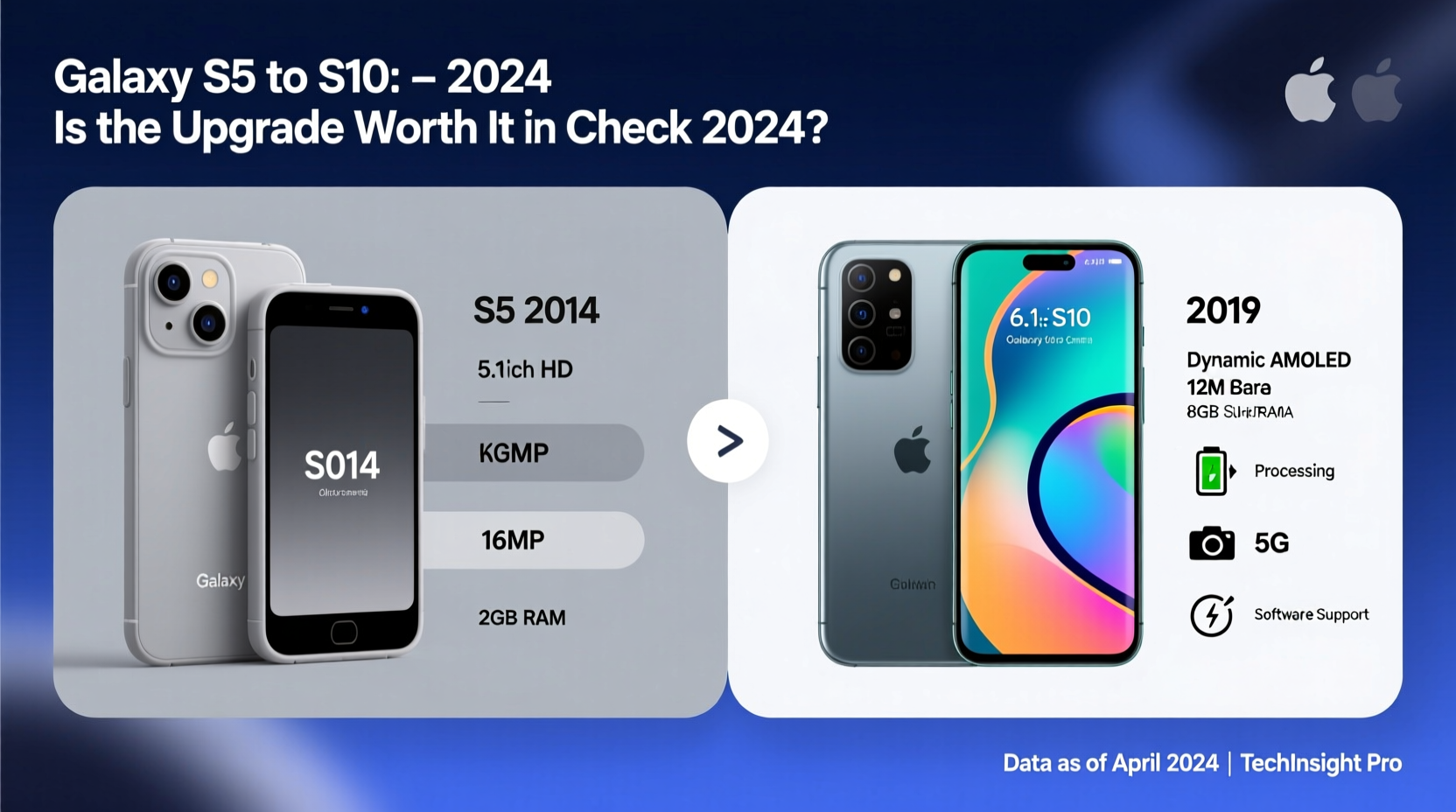
The Galaxy S5, released in 2014, ran on a Qualcomm Snapdragon 801 (or Exynos 5422 in some regions) with 2GB of RAM. By today’s standards, this setup struggles with basic multitasking. Opening multiple browser tabs, switching between messaging apps, or even loading a modern website can trigger noticeable lag or app reloads.
In contrast, the Galaxy S10, launched in 2019, featured either the Snapdragon 855 or Exynos 9820, paired with 8GB of RAM. Even though it’s now five years old, the S10 delivers a fluid, near-instantaneous user experience. Apps launch quickly, background processes are handled efficiently, and heavy tasks like photo editing or streaming HD video are effortless.
Modern Android versions demand more resources than the S5 can provide. While it originally shipped with Android 4.4 KitKat, it only received updates up to Android 6.0 Marshmallow. That means no security patches since 2017, leaving it vulnerable to exploits. The S10, while also past its official update cycle, at least ran Android 12 with One UI 4, offering stronger encryption, biometric authentication, and better app compatibility.
Display and Design: A Complete Transformation
The S5 featured a 5.1-inch Full HD (1920x1080) Super AMOLED display with thick bezels and a physical home button. It was durable, with IP67 water resistance, but felt bulky and outdated even by 2016 standards.
The S10 introduced the Dynamic AMOLED Infinity-O display—a 6.1-inch edge-to-edge screen with a small hole-punch cutout for the front camera. Colors are richer, brightness is higher (up to 1200 nits), and the HDR10+ support makes streaming content look dramatically better. The glass-and-metal build feels premium, and the compact size remains comfortable despite the larger screen.
| Feature | Galaxy S5 | Galaxy S10 |
|---|---|---|
| Display Size | 5.1 inches | 6.1 inches |
| Display Type | Super AMOLED | Dynamic AMOLED |
| Resolution | 1920x1080 | 3040x1440 |
| Bezels | Thick | Nearly bezel-less |
| Water Resistance | IP67 | IP68 |
| Fingerprint Sensor | Rear, capacitive | Under-display ultrasonic |
The design evolution alone enhances daily usability. More screen real estate improves reading, browsing, and media consumption. The ultrasonic fingerprint sensor on the S10 is faster and more secure than the S5’s rear-mounted sensor, which often required precise finger placement.
Camera Quality: Night and Day Difference
The S5 had an 16MP rear camera that performed decently in daylight but struggled in low light. Video was limited to 1080p at 30fps, and features like optical image stabilization were absent. Selfies came from a basic 2MP front camera—barely suitable for video calls today.
The S10 upgraded to a dual rear system: a 12MP main sensor with variable aperture (f/1.5–f/2.4) and a 12MP telephoto lens. The front camera jumped to 10MP with autofocus and 4K video recording. Features like Scene Optimizer, Live Focus, and HDR10+ video capture bring capabilities once reserved for high-end devices.
“Smartphone photography isn’t just about megapixels anymore—it’s about computational processing, dynamic range, and software intelligence.” — Lena Park, Mobile Imaging Analyst at TechLens Insights
In practical terms, this means sharper photos in dim lighting, smoother zooming, and significantly better portrait shots. Social media sharing, video calling, and content creation go from frustrating to seamless.
Battery and Charging: Smarter Power Management
The S5 packed a 2800mAh battery—respectable in 2014 but insufficient by today’s standards. With modern web demands, it would likely last half a day with moderate use. It supported basic charging only; no fast or wireless options.
The S10 improved to a 3400mAh battery with adaptive power management. It supports 15W fast charging, 9W wireless charging, and even Wireless PowerShare—letting you charge other devices like earbuds or watches by placing them on the back of the phone.
While neither phone receives regular OS updates, the S10’s battery optimization through One UI offers longer effective lifespan per charge. Users upgrading from the S5 often report regaining full-day reliability without constant outlet hunting.
Real-World Example: Maria’s Upgrade Journey
Maria, a 58-year-old teacher from Portland, used her Galaxy S5 for seven years. She avoided upgrading, believing “if it works, don’t fix it.” But she began missing school group messages due to delayed notifications, couldn’t access her district’s new learning platform, and found Zoom meetings unreliable.
After switching to a secondhand Galaxy S10 for $120, she noticed immediate improvements: messages arrived instantly, her calendar synced across devices, and she could record classroom videos in clear HD. “It’s like I finally caught up with the world,” she said. “I didn’t realize how much stress my old phone was causing until it was gone.”
Maria’s case reflects a broader trend: older devices don’t just slow down—they isolate users from evolving digital ecosystems.
Is It Worth It in 2024? A Practical Checklist
Before deciding, ask yourself these questions:
- Do apps frequently crash or reload when switching between them?
- Have you stopped receiving security updates?
- Is your phone unable to run essential services (banking, healthcare, messaging)?
- Does the camera fail in indoor or evening settings?
- Are you constantly searching for outlets to recharge?
If you answered yes to two or more, upgrading is less of a luxury and more of a necessity.
Upgrade Checklist: Moving from S5 to S10
- Back up contacts, photos, and messages via Samsung Smart Switch or Google account.
- Purchase a refurbished or used S10 from a reputable seller (check sites like Swappa or certified resellers).
- Transfer data using Smart Switch—takes under 10 minutes.
- Enable biometric security (fingerprint and facial recognition).
- Install essential apps and disable bloatware through Settings > Apps.
- Test camera, Wi-Fi, and charging functions before finalizing purchase.
Frequently Asked Questions
Can the Galaxy S10 still receive software updates?
No. Samsung ended major Android version updates for the S10 in 2022 and security patches in 2024. However, most apps still support it, and it remains functional for daily use.
Is the S10 too old to buy now?
Not necessarily. As a mid-tier used device, the S10 offers strong performance for messaging, browsing, social media, and media playback. Just avoid relying on it for long-term future-proofing.
Will my accessories work with the S10?
Most wired headphones and chargers will work (the S10 still has a headphone jack and uses USB-C). However, S5-specific cases or docks won’t fit.
Final Verdict: Yes, It’s Worth It
For anyone still using a Galaxy S5, upgrading to an S10—even in 2024—is a transformational improvement. You gain faster performance, a vastly superior camera, better battery life, modern security, and a display that matches today’s visual standards. The S10 may no longer be cutting-edge, but compared to the S5, it’s like trading a flip phone for a smartphone all over again.
The investment is minimal—refurbished S10 models start around $100–$150—and the return in usability, safety, and peace of mind is substantial. Technology should serve you, not slow you down. If your phone feels like a chore to use, it’s time to move forward.




 浙公网安备
33010002000092号
浙公网安备
33010002000092号 浙B2-20120091-4
Comments
No comments yet. Why don't you start the discussion?