
Receiving a declined transaction when using a Vanilla gift card can be frustrating—especially if you're certain there's still a balance. These prepaid cards are popular for gifting, online shopping, and budgeting, but technical glitches, misuse, or account limitations can lead to unexpected declines. Understanding the root causes and knowing how to respond quickly can save time, money, and stress.
This guide breaks down the most frequent reasons your Vanilla gift card might be declined, offers step-by-step troubleshooting methods, and provides expert-backed strategies to keep your card working smoothly.
Common Reasons Your Vanilla Gift Card Is Declining
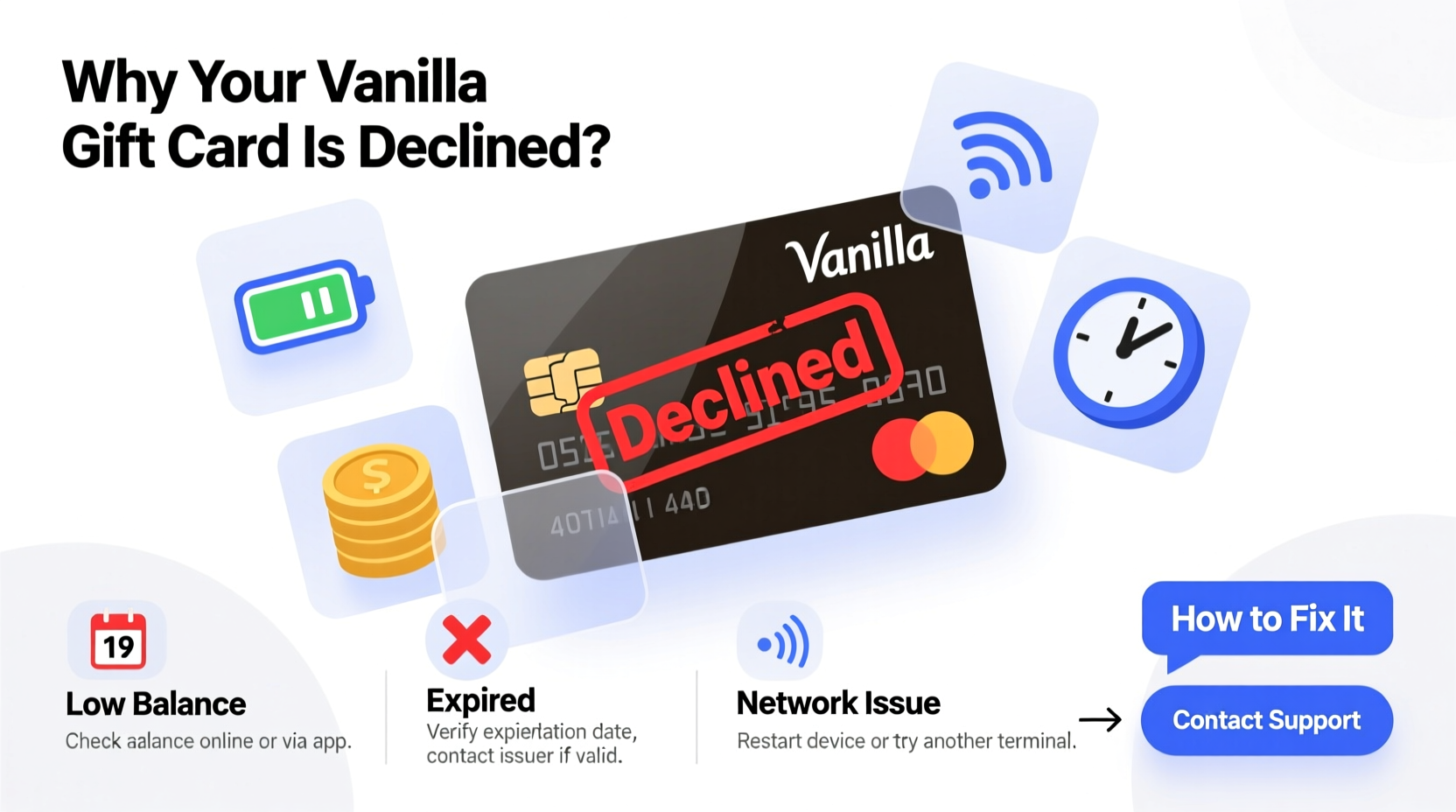
A declined Vanilla gift card doesn’t always mean the balance is zero. Multiple factors—some within your control, others not—can trigger a decline at checkout. Identifying the cause is the first step toward resolution.
- Insufficient funds: The most straightforward reason. Check your balance before assuming fraud or error.
- Card not activated: Many Vanilla cards require activation before first use, especially those purchased online.
- Expired card: Prepaid cards have expiration dates (typically 7–12 months from issue). Use it before it lapses.
- Merchant restrictions: Some retailers block prepaid cards for certain purchases (e.g., gas pumps, hotels, or recurring subscriptions).
- Address verification failure (AVS): Online transactions may decline if the billing address doesn’t match the one on file.
- Fraud detection flags: Unusual spending patterns or high-risk transactions can trigger automatic blocks.
- Technical processing errors: Glitches in payment systems or delayed balance updates can cause temporary declines.
Step-by-Step Guide to Fix a Declined Vanilla Gift Card
When your card is declined, follow this structured approach to diagnose and resolve the issue efficiently.
- Verify the remaining balance. Visit myvanillacard.com or call the customer service number on the back of the card. Enter your card number and PIN to check available funds.
- Confirm activation status. If the card was recently purchased, ensure it has been activated. Retailers sometimes fail to activate at point-of-sale.
- Check the expiration date. Even if funds remain, an expired card cannot be used. Look for the “Valid Thru” date on the front.
- Review recent transactions. Confirm no unauthorized charges exist. Fraudulent activity can deplete balances quickly.
- Contact customer service. Call 1-877-657-4588 (U.S.) or visit the official support site. Have your card details ready.
- Try another merchant or payment method. Test the card at a different store or online platform to rule out merchant-specific blocks.
- Use exact billing information online. For e-commerce, enter the correct ZIP code and name exactly as registered during activation.
“Over 60% of declined prepaid card transactions stem from simple mismatches in billing address or unactivated cards. Most issues are resolved within minutes with proper verification.” — Financial Services Support Group, 2023 Consumer Payment Report
Do’s and Don’ts When Using Your Vanilla Gift Card
| Do’s | Don’ts |
|---|---|
| Register your card online immediately after purchase | Assume the card works without activation |
| Check balance weekly if actively using | Use at merchants known to reject prepaid cards (e.g., gas stations) |
| Keep the receipt with activation proof | Share your PIN or card number publicly |
| Use small test purchases before large ones | Forget the expiration date |
| Contact support promptly upon decline | Attempt multiple transactions rapidly after a decline (could trigger fraud alerts) |
Real Example: How Sarah Fixed Her Declined Card in 15 Minutes
Sarah received a $100 Vanilla card for her birthday and tried using it to pay for a streaming subscription. The transaction failed twice. Frustrated, she assumed the card was empty. Instead of giving up, she visited myvanillacard.com and discovered two key facts: the card had $98 remaining and had never been activated.
She clicked “Activate Card,” entered the 16-digit number and PIN from the back, and confirmed her ZIP code. Within seconds, the card status updated to “Active.” She returned to the streaming site, re-entered the card details, and the payment went through successfully.
Sarah’s experience highlights a common oversight: even if a retailer swipes the card, activation isn’t always automatic. Taking a few extra moments to verify status online prevents unnecessary frustration.
Troubleshooting Tips for Online and In-Person Use
Different environments present unique challenges. Here’s how to handle each scenario effectively.
For online purchases:
- Enter your ZIP code exactly as it appears in your cardholder profile.
- Avoid using virtual private networks (VPNs), which can flag transactions as suspicious.
- Use the card for one-time payments rather than recurring billing, which many prepaid cards don’t support.
For in-person transactions:
- Inform the cashier you’re using a prepaid card so they can process it correctly.
- If the terminal asks for “credit” or “debit,” select “credit” (no PIN required).
- Carry a backup payment method in case of technical failures.
FAQ: Common Questions About Vanilla Gift Card Declines
Why is my Vanilla gift card being declined even though I have a balance?
This often happens due to unactivated status, expired card dates, mismatched billing addresses online, or merchant restrictions. It can also occur if the system hasn't updated the balance after a recent refund or partial use.
Can I reactivate an expired Vanilla gift card?
No, expired cards cannot be reactivated. However, under federal law (the CARD Act of 2009), unused balances may still be accessible by requesting a replacement card. Contact customer service to explore options for balance transfer or issuance of a new card, though fees may apply.
Does Vanilla charge fees that reduce my balance unexpectedly?
Vanilla gift cards typically have no monthly fees, but inactivity fees may apply after 12 months of non-use, depending on state regulations and card terms. Check your cardholder agreement for details. These fees are deducted monthly until the balance reaches zero.
Final Checklist Before Using Your Vanilla Gift Card
Ensure smooth transactions every time by following this essential checklist:
- ✅ Activate the card online or by phone
- ✅ Register your name and ZIP code in the cardholder portal
- ✅ Verify the current balance before each use
- ✅ Confirm the card has not expired
- ✅ Use correct billing information for online purchases
- ✅ Avoid high-risk or recurring payment setups
- ✅ Keep customer service number saved in your phone
Conclusion: Stay Proactive to Prevent Future Issues
A declined Vanilla gift card doesn’t have to derail your plans. Most problems stem from easily avoidable oversights like skipping activation, ignoring expiration dates, or incorrect address entry. By treating your prepaid card like a bank account—monitoring balance, protecting details, and understanding usage limits—you maintain full control over your spending power.
Take action today: log in to your account, verify your card status, and update any missing information. A few minutes of maintenance now can prevent hours of hassle later. Share this guide with friends and family who use gift cards—they’ll thank you the next time their transaction goes through without a hitch.




 浙公网安备
33010002000092号
浙公网安备
33010002000092号 浙B2-20120091-4
Comments
No comments yet. Why don't you start the discussion?