
Repetitive strain injuries (RSIs) like carpal tunnel syndrome, tendonitis, and general wrist discomfort affect millions of computer users. As more people work from home or spend extended hours at a desk, the search for ergonomic alternatives to the standard mouse has intensified. Two popular options—vertical mice and trackballs—are frequently recommended as solutions for reducing wrist strain. But do they actually help with pain, or do they simply trade one set of problems for another by being harder to use?
The answer isn’t straightforward. While both devices aim to reduce awkward hand postures, their effectiveness depends on individual anatomy, usage patterns, and willingness to adapt. This article breaks down the biomechanics, real-world performance, and user experience of vertical mice versus trackballs to help you decide which—if either—is right for your situation.
Understanding Wrist Pain in Computer Use
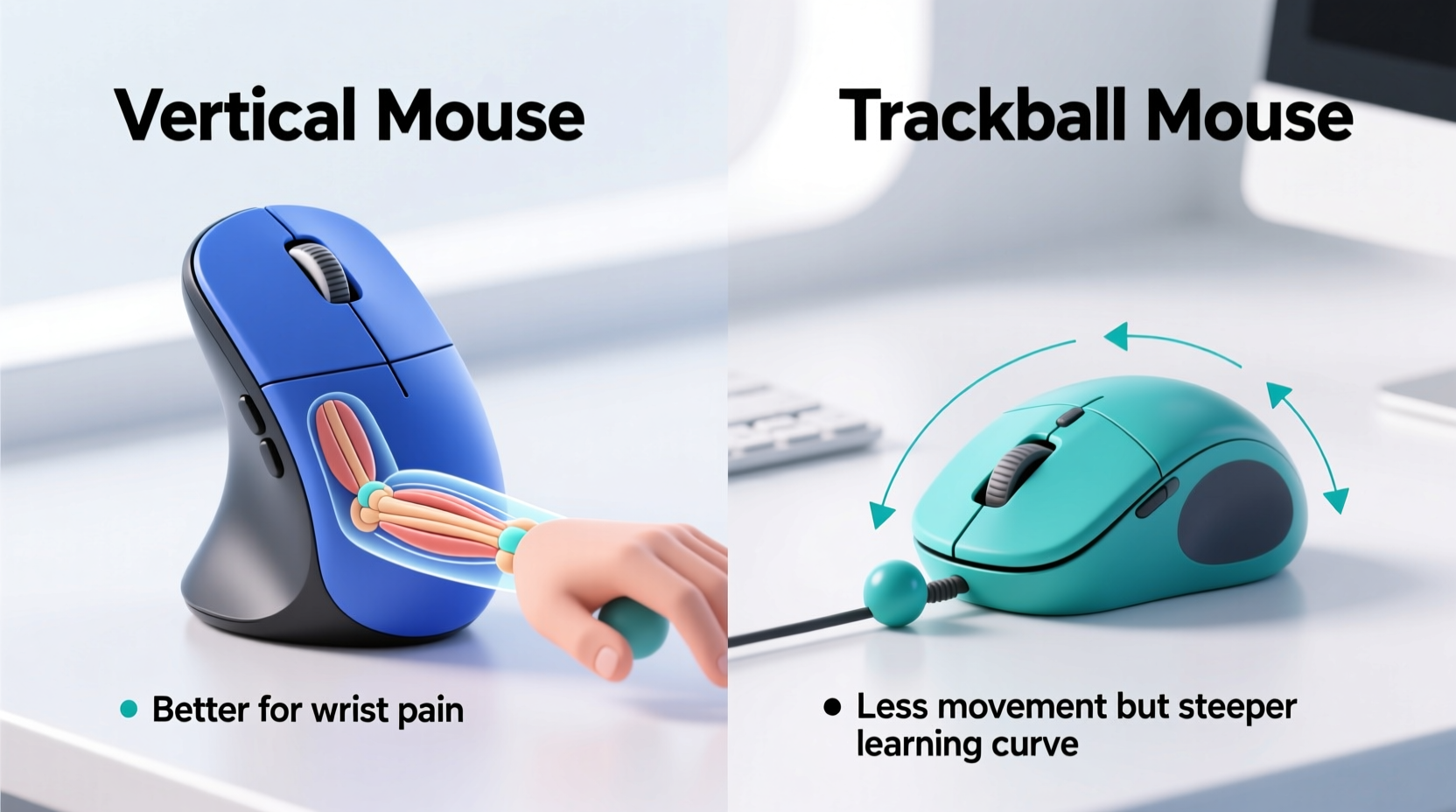
Traditional horizontal mice force the hand into a pronated position—palm-down, like turning a doorknob. This posture rotates the forearm inward, straining tendons and compressing nerves in the wrist over time. For many users, this sustained ulnar deviation and forearm rotation contributes directly to chronic discomfort.
Ergonomic devices attempt to counteract this by aligning the hand closer to its natural, neutral position. The goal is to minimize awkward angles, reduce muscle effort, and distribute workload more evenly across the hand and arm.
“Even small adjustments in hand posture can significantly reduce pressure on the median nerve and decrease risk of repetitive strain.” — Dr. Lena Patel, Occupational Health Specialist
The two most common ergonomic mouse designs—vertical mice and trackballs—approach this problem differently. One reorients the hand; the other changes how movement is generated.
How Vertical Mice Work: Anatomy and Benefits
A vertical mouse positions the hand in a handshake-like grip, rotating the forearm into a more neutral alignment. This reduces ulnar deviation and keeps the wrist straighter during use. By minimizing internal forearm rotation, vertical mice aim to relieve tension in the tendons that run through the carpal tunnel.
Key advantages include:
- Natural hand orientation that mimics standing handshake posture
- Reduced strain on forearm muscles responsible for supination/pronation
- Better wrist alignment compared to flat mice
- Available in various sizes and button layouts for different hand sizes
Many users report noticeable relief within days of switching, especially those who already experience mild to moderate wrist fatigue. However, adaptation takes time. Clicking and dragging can feel less precise initially due to reduced finger reach and altered muscle engagement.
Trackballs: Redefining Cursor Control
Unlike traditional or vertical mice that move across a surface, trackballs keep the device stationary while the user rolls a large central ball with thumb or fingers. This eliminates the need for arm movement, shifting control to smaller, localized motions.
There are two main types:
- Thumb-operated trackballs: Larger ball controlled by the thumb, with buttons positioned under the fingers.
- Finger-operated trackballs: Ball manipulated by index and middle fingers, often with palm support built into the design.
Because the entire arm doesn’t move, trackballs reduce shoulder and upper arm strain. They’re particularly beneficial for users with limited desk space or those who frequently switch between keyboard and mouse.
However, precision can be an issue early on. Rolling the ball smoothly requires fine motor control, and accidental movements are common during the learning phase. Some users also develop thumb or fingertip fatigue from overuse of a single digit.
Real Example: Office Worker Transitions After Diagnosis
Sarah, a technical writer in her mid-40s, was diagnosed with early-stage carpal tunnel syndrome after months of numbness in her right hand. Her doctor advised ergonomic adjustments. She tried a thumb-operated trackball first but found it caused thumb joint soreness after prolonged use. Switching to a medium-sized vertical mouse brought immediate improvement—her wrist stayed aligned, and she could type and click without constant repositioning. After six weeks, her nighttime tingling had decreased significantly.
“It wasn’t magic,” she said. “I still had to stretch and take breaks. But the vertical mouse stopped making things worse.”
Comparative Analysis: Vertical Mouse vs Trackball
| Feature | Vertical Mouse | Trackball |
|---|---|---|
| Hand Posture | Neutral handshake position | Varies (thumb or finger control) |
| Wrist Alignment | Improved; minimal ulnar deviation | Generally good, but depends on model |
| Arm Movement | Moderate (whole arm moves) | Minimal (device stays in place) |
| Learning Curve | Moderate (1–2 weeks typical) | Steeper (up to 3–4 weeks) |
| Precision | High, similar to standard mouse | Variable; sensitive to ball resistance |
| Cleaning & Maintenance | Low (no exposed ball) | Higher (ball and sensors require cleaning) |
| Best For | Users with wrist pain or pronation issues | Those with limited desk space or shoulder strain |
Which Is Harder to Use? A Practical Breakdown
Usability depends heavily on what you're accustomed to. Most people have used a standard mouse for decades, so any change feels awkward at first. However, difficulty should not be confused with long-term unsuitability.
Vertical mice typically have a shorter adjustment period. Since they still rely on familiar motion—moving the whole device—the brain adapts faster. Precision tasks like photo editing or CAD work remain accessible once muscle memory develops.
Trackballs, especially thumb-driven models, demand new neuromuscular coordination. Controlling cursor speed via subtle thumb pressure takes practice. Over-rolling the ball leads to overshooting targets, which frustrates users during the first week or two.
Finger-operated trackballs, such as the Logitech MX Ergo or Kensington Expert, offer better control for some but may stress the index finger if used aggressively. These are often preferred by graphic designers or programmers needing high accuracy without arm travel.
Step-by-Step Guide to Transitioning Successfully
Switching to either device requires patience and structure. Follow these steps to maximize comfort and minimize frustration:
- Assess Your Pain Triggers: Identify whether your discomfort comes from wrist angle (favoring vertical mouse) or arm movement (favoring trackball).
- Choose the Right Size: Match the device to your hand size. Too large or too small creates new strain points.
- Set Up Properly: Keep your elbow at 90°, upper arm close to your body, and wrist floating—not resting on sharp edges.
- Start Slow: Use the new device for 30–60 minutes per day, alternating with your old mouse.
- Adjust Sensitivity Settings: Increase DPI/sensitivity to reduce physical movement needed.
- Practice Precision Tasks: Perform simple dragging, scrolling, and clicking exercises daily.
- Evaluate After 2–3 Weeks: Note changes in pain levels, accuracy, and fatigue before deciding to continue.
When Neither Option Works: Alternative Strategies
Not all users benefit equally from vertical mice or trackballs. Some find both uncomfortable due to arthritis, previous injuries, or unique anatomical constraints. In such cases, consider complementary approaches:
- Mouse Alternatives: Pen tablets (e.g., Wacom) or foot-controlled mice offer entirely different input methods.
- Keyboard-Centric Workflow: Master shortcut keys or tools like AutoHotkey to reduce mouse dependency.
- Ergonomic Keyboards: Split or tented keyboards reduce overall upper limb strain, indirectly helping mouse-related issues.
- Physical Therapy: Targeted exercises strengthen supporting muscles and improve nerve gliding.
Remember: no mouse can compensate for poor posture, lack of breaks, or excessive force during clicking. Ergonomics is holistic.
Frequently Asked Questions
Can a vertical mouse cure carpal tunnel syndrome?
No device can cure carpal tunnel syndrome, but a vertical mouse may alleviate symptoms by improving wrist alignment and reducing pressure on the median nerve. It should be part of a broader strategy including rest, stretching, and medical guidance.
Do trackballs cause thumb pain?
Some users develop thumb discomfort, especially with aggressive clicking or improper grip. Choosing a model with low-resistance ball movement and using gentle touches can help prevent this. Finger-operated trackballs may be a better fit for those prone to thumb strain.
Which is better for gaming—vertical mouse or trackball?
Neither is ideal for fast-paced gaming. Vertical mice can work for turn-based or strategy games, but limited mobility and slower reflexes make them impractical for competitive play. Trackballs lack the responsiveness required for precise aiming. Gamers with wrist pain should explore ambidextrous ergonomic gaming mice instead.
Action Plan Checklist
Before committing to a new device, follow this checklist to ensure success:
- ☑ Determine primary source of discomfort (wrist angle vs. arm movement)
- ☑ Research models suited to your hand size and dominant hand
- ☑ Test devices if possible (check return policies)
- ☑ Adjust chair height, desk setup, and monitor position first
- ☑ Commit to a 3-week trial period with gradual increase in use
- ☑ Incorporate regular microbreaks and hand stretches
- ☑ Consult a healthcare provider if pain persists beyond 4–6 weeks
Final Thoughts: Relief vs. Adaptation
Vertical mice and trackballs aren't universally superior—they're tools designed to solve specific problems. For many, a vertical mouse offers a balanced upgrade: meaningful ergonomic benefits with a manageable learning curve. It directly addresses the root cause of wrist pain—forearm pronation—without demanding radical changes in behavior.
Trackballs excel in niche scenarios: small desks, users with shoulder limitations, or those seeking ultra-low movement input. But their steeper usability barrier means they’re not always worth the trade-off unless arm mobility is the main concern.
The key is recognizing that temporary discomfort during adaptation doesn’t mean the device is wrong—it means your body is recalibrating. Push through the initial awkwardness with structured practice, and assess outcomes objectively after three weeks.
“The best ergonomic tool is the one you’ll actually use consistently—and that fits your body, not someone else’s.” — Dr. Alan Zhou, Human Factors Engineer




 浙公网安备
33010002000092号
浙公网安备
33010002000092号 浙B2-20120091-4
Comments
No comments yet. Why don't you start the discussion?