
For many online gamers, every millisecond counts. A single-digit change in ping can mean the difference between landing a headshot and respawning. As latency-sensitive players search for any edge, one question keeps surfacing: Can a virtual private network (VPN) reduce ping and improve gaming performance—or does it simply add another layer of slowdown?
The short answer isn’t straightforward. While most people assume a VPN will always increase latency due to encryption and rerouting, there are specific scenarios where a well-chosen gaming VPN can actually *reduce* ping. The key lies in understanding how internet routing works, what causes high latency, and when a detour might be faster than the default path.
How Internet Routing Affects Gaming Latency
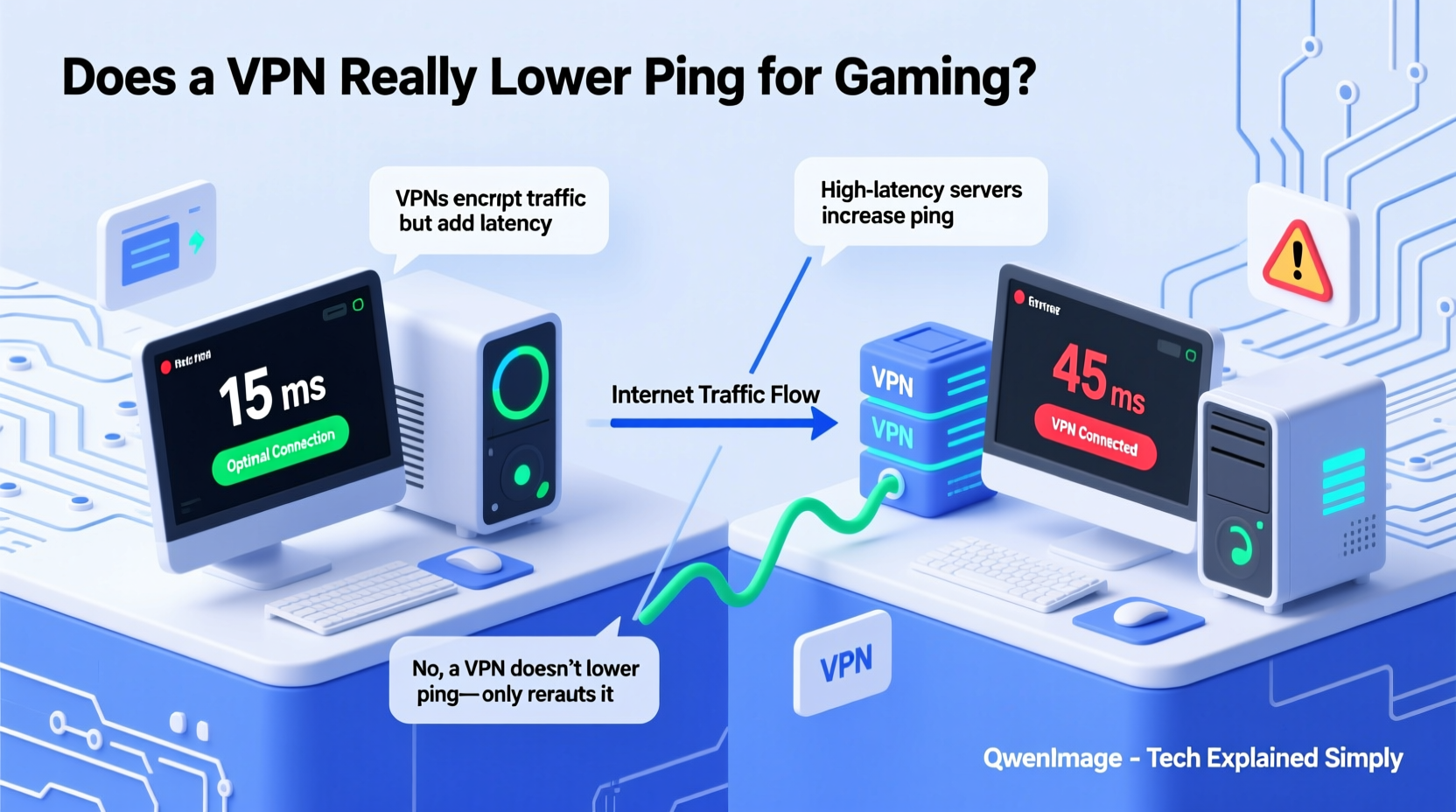
Ping, measured in milliseconds, reflects the round-trip time it takes for data to travel from your device to a game server and back. This delay is influenced by physical distance, network congestion, routing inefficiencies, and the quality of your ISP’s peering agreements.
Many players assume their connection follows the shortest possible route. In reality, ISPs often prioritize cost over speed. Your traffic may be routed through multiple intermediate hubs—even across continents—before reaching a nearby game server. This inefficient path is known as “suboptimal routing.”
A gaming-optimized VPN can bypass these indirect paths by offering direct, less congested routes to game servers. Some premium providers maintain high-speed backbone networks with better peering arrangements than consumer ISPs, allowing them to deliver lower latency under certain conditions.
“Latency isn’t just about distance—it’s about the quality of the path. Sometimes taking a detour via a premium network reduces lag more than going ‘direct’ through an overloaded ISP.” — Dr. Lin Zhao, Network Performance Researcher at MIT
When a Gaming VPN Can Lower Ping
Not all games or connections benefit from a VPN, but there are clear situations where performance improves:
- Bypassing ISP throttling: Some ISPs throttle bandwidth for specific applications, including gaming or UDP traffic. A VPN encrypts your data, making it harder for ISPs to detect and throttle your connection.
- Avoiding congested routes: If your regular path to a game server passes through a bottlenecked node, a VPN with optimized routing can offer a cleaner, faster alternative.
- Connecting to region-locked servers: When accessing a geographically closer server that isn't normally available due to regional restrictions, a VPN can reduce distance-based latency.
- Reducing packet loss: High-quality gaming VPNs often operate on stable, low-loss infrastructure. If your standard connection suffers from packet loss due to poor routing, switching to a reliable tunnel can stabilize ping and reduce jitter.
mtr or WinMTR before and after connecting to a VPN to compare routing paths and latency changes.
When a VPN Will Likely Increase Ping
In many cases, using a VPN adds overhead and increases ping. Here's why:
- Extra hop: Data must first travel to the VPN server before reaching the game server, effectively adding distance.
- Encryption overhead: Encrypting and decrypting data consumes CPU resources and introduces minor processing delays.
- Poorly located servers: Connecting to a distant or overloaded VPN server can worsen latency significantly.
- Double NAT or MTU issues: Misconfigured networks may cause fragmentation, increasing latency and jitter.
For example, if you're in Dallas and connect to a game server in Chicago, your natural ping might be 30ms. But if your chosen VPN routes you through New York first, that same connection could jump to 75ms—adding unnecessary delay.
Real-World Example: Competitive FPS Player in Southeast Asia
Jin, a competitive Valorant player based in Manila, regularly experienced 140–160ms ping to Singapore servers—despite being only 2,000 km away. His local ISP used outdated international gateways, forcing traffic through Hong Kong and Tokyo before looping back to Singapore.
After testing several gaming-focused VPNs, he connected to a provider with a direct Singapore endpoint and noticed his ping dropped to 85ms. Packet loss disappeared, and gameplay felt noticeably smoother. In this case, the encrypted tunnel bypassed inefficient national routing, proving that a strategic detour can outperform the default path.
Choosing the Right VPN for Gaming
Not all VPNs are built for gaming. Most focus on privacy and streaming, which doesn’t guarantee low latency. To maximize the chance of reducing ping, consider these factors:
| Feature | Why It Matters | Gaming-Friendly Option |
|---|---|---|
| Server proximity | Minimizes added distance; crucial for low ping | Select a server within 500 km of target game server |
| Network ownership | Providers with private fiber backbones avoid public internet congestion | Look for claims like “owned infrastructure” or “Tier-1 peering” |
| Protocol options | WireGuard is faster and lighter than OpenVPN | Use WireGuard/UDP-based protocols whenever possible |
| RAM-only servers | Faster performance and enhanced security | Preferred over disk-based servers |
| Low jitter & packet loss | Critical for smooth gameplay; affects hit registration | Test with ping -t over 5 minutes |
Top 3 Gaming-Oriented VPN Providers (2024)
- ExitLag: Specifically designed for gamers; uses smart routing to optimize paths to major game servers. Offers minimal overhead and strong ping reduction in select regions.
- Windsurf: Focuses on low-latency tunnels with dedicated gaming nodes. Integrates directly with popular titles like League of Legends and CS2.
- NordVPN (with Meshnet): While not exclusively for gaming, its Meshnet feature allows peer-to-peer optimized routing, useful for hosting private matches with friends.
Step-by-Step Guide to Testing a Gaming VPN
To determine whether a VPN helps or hurts your gaming performance, follow this structured approach:
- Baseline measurement: Play your game without a VPN and record average ping, jitter, and packet loss using tools like Task Manager (Windows), Wireshark, or in-game network stats.
- Select candidate VPNs: Choose services known for low latency. Avoid free options—they typically overload servers and use weak compression.
- Connect to nearest nodes: Pick servers geographically close to the game server you’re targeting (e.g., connect to a Frankfurt node when playing on EU-West servers).
- Run consistency tests: Perform a 10-minute ping test (
ping 8.8.8.8 -ton Windows) to check for stability, then launch the game and monitor performance. - Compare results: Note differences in ping spikes, rubberbanding, and overall responsiveness. Repeat across multiple sessions for accuracy.
- Evaluate trade-offs: Even if ping drops slightly, ask: Is matchmaking affected? Does voice chat suffer? Are downloads slower?
Common Myths About Gaming and VPNs
- Myth: “All encryption slows down my connection.”
Reality: Modern CPUs handle AES-NI encryption efficiently. The overhead is usually under 1–3ms—negligible compared to routing gains. - Myth: “A VPN hides my IP so DDoS attacks stop.”
Reality: True—but only if the attacker doesn’t already have your real IP. Also, some gaming platforms leak IPs even when using a VPN. - Myth: “Free VPNs are good enough for gaming.”
Reality: Free services often oversell bandwidth, leading to high latency, throttling, and disconnections. They rarely support modern protocols like WireGuard.
Checklist: Is a Gaming VPN Right for You?
- ✅ I experience high ping despite being near a game server
- ✅ My ISP has a history of throttling or poor international routing
- ✅ I want to access region-specific servers or events
- ✅ I play competitively and need stable, low-jitter connections
- ✅ I’m willing to pay for a premium service with proven gaming optimization
- ❌ I expect massive ping drops regardless of location
- ❌ I rely solely on free or mobile-tier VPN apps
FAQ
Can a VPN reduce ping in multiplayer games like Fortnite or Apex Legends?
Sometimes. If your default route to the server is inefficient, a gaming-optimized VPN with superior peering can cut ping by 20–50ms. However, if you're already on a direct path, adding a VPN will likely increase latency.
Do professional esports players use VPNs?
Rarely during official matches, as tournaments provide controlled, high-performance networks. However, many pros use secure connections during practice or when traveling to protect against DDoS attacks and ISP interference.
Will using a VPN get me banned from games?
Most reputable games do not ban users for using a VPN unless it's used to exploit region locks or cheat systems. However, some anti-cheat software (like Easy Anti-Cheat) may flag unknown network behavior. Always check the game’s terms of service.
Final Verdict: Does a Gaming VPN Lower Ping?
The idea that a VPN inherently slows down gaming is outdated. While poorly configured or geographically mismatched connections will add latency, the right gaming-focused service—used strategically—can actually improve performance by rerouting traffic through higher-quality pathways.
The core issue isn’t whether a VPN lowers ping, but whether your current network path is optimal. For players suffering from ISP-related bottlenecks, throttling, or inefficient routing, a premium gaming VPN isn’t just a privacy tool—it’s a potential performance upgrade.
However, this benefit is situational. Blindly enabling any random VPN will likely hurt your connection. Success depends on choosing a provider with fast protocols, nearby servers, and transparent network policies. And above all—testing rigorously before committing.




 浙公网安备
33010002000092号
浙公网安备
33010002000092号 浙B2-20120091-4
Comments
No comments yet. Why don't you start the discussion?