
Every time you open your browser, you're leaving digital footprints. Whether checking the weather, reading news, or watching videos, your online activity can be tracked by advertisers, internet service providers (ISPs), and even public Wi-Fi snoopers. This raises a common question: Should casual internet users invest in a virtual private network (VPN), or is a simple proxy enough?
The short answer: For most people engaging in everyday browsing—social media, shopping, streaming—privacy and security matter more than they realize. While proxies offer basic functionality, they fall short in protection. A VPN, even for light use, provides encryption, anonymity, and peace of mind that a proxy simply cannot match.
Understanding the Basics: What Is a Proxy?
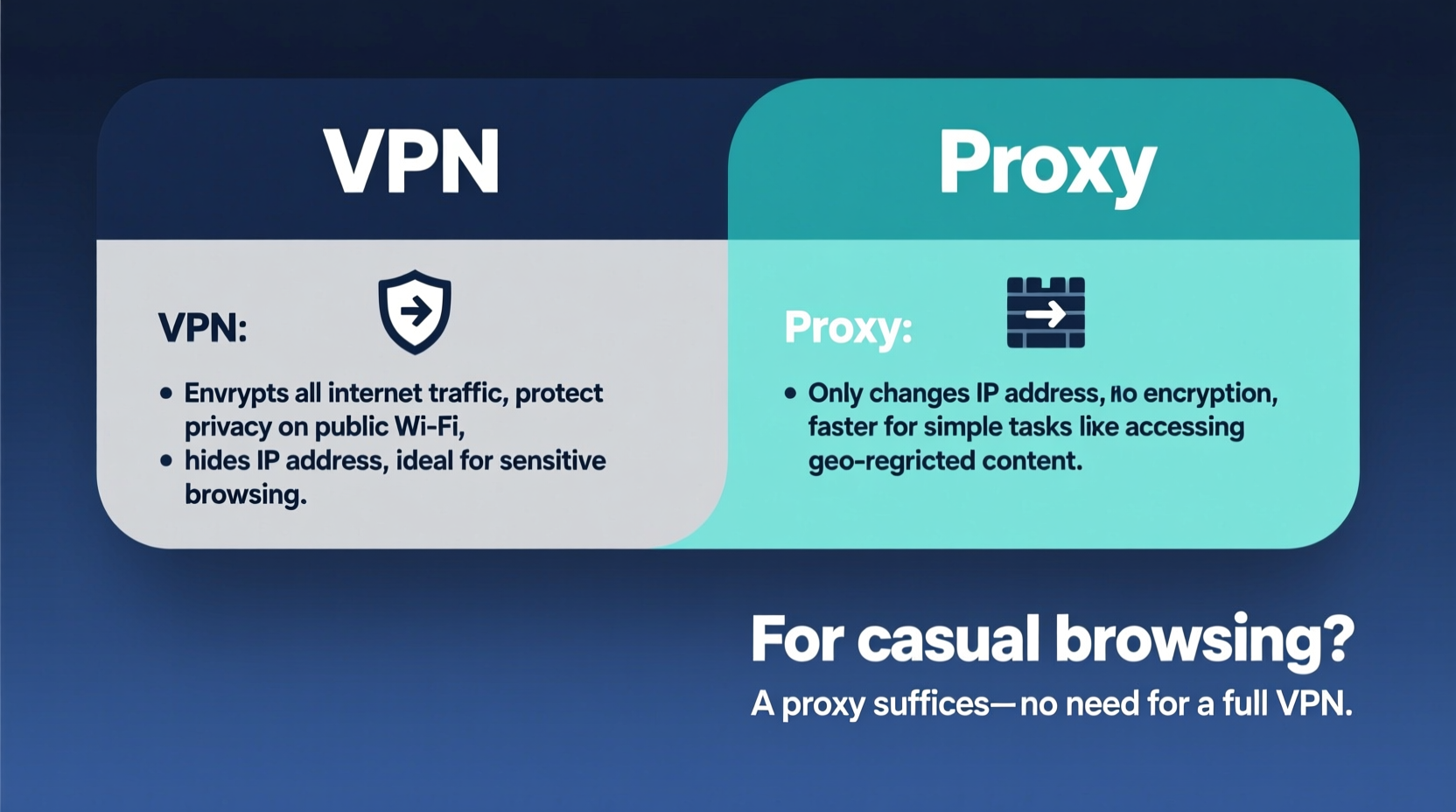
A proxy server acts as an intermediary between your device and the internet. When you use a proxy, your requests go through that server before reaching the destination website. The site sees the proxy’s IP address instead of yours, which can help mask your location.
Proxies are often used to bypass regional restrictions or access blocked content at work or school. They come in various forms—HTTP, HTTPS, SOCKS—and are typically free or low-cost. However, they only reroute traffic from specific apps or browsers, not your entire device connection.
Crucially, most proxies do not encrypt your data. That means your login credentials, search history, and personal information travel in plain text across networks. On public Wi-Fi, this is like sending postcards anyone can read.
How a VPN Works Differently
A virtual private network creates an encrypted tunnel between your device and a remote server operated by the VPN provider. All your internet traffic—browser, email, apps—passes through this secure channel, shielding it from prying eyes.
Unlike a proxy, a VPN encrypts every byte of data. Even if someone intercepts your traffic, they see only scrambled code. Your ISP can no longer monitor what sites you visit. Advertisers find it harder to track you across platforms. And on unsecured networks, such as coffee shop Wi-Fi, your connection remains protected.
Reputable VPN services also maintain strict no-logs policies, meaning they don’t store records of your activity. Combined with features like kill switches (which cut internet access if the VPN drops) and DNS leak protection, they offer comprehensive defense against surveillance and data harvesting.
“Encryption isn’t just for journalists or activists. It’s a basic tool for digital self-defense in an era of mass data collection.” — Dr. Lisa Nguyen, Cybersecurity Researcher, MIT Computer Science & AI Lab
VPN vs Proxy: Key Differences at a Glance
| Feature | Proxy | VPN |
|---|---|---|
| Encrypts Traffic | No (typically) | Yes |
| Protects Entire Device | No (browser/app level only) | Yes |
| Hides from ISP | No | Yes |
| Bypasses Geo-Restrictions | Yes (limited) | Yes (reliable) |
| Security on Public Wi-Fi | Low | High |
| Typical Cost | Free or low-cost | $3–$12/month |
This comparison makes one thing clear: Proxies are tools for convenience. VPNs are tools for security.
Do You Need a VPN for Casual Browsing?
If you only browse occasionally—checking emails, reading articles, watching YouTube—your threat model might seem low. But consider what happens behind the scenes:
- Your ISP collects data on every site you visit and may sell it to advertisers.
- Public Wi-Fi networks at cafes or airports are prime targets for man-in-the-middle attacks.
- Websites use tracking scripts to build detailed profiles about your interests, habits, and locations.
- Even “anonymous” searches can be linked back to you through fingerprinting techniques.
A single session on an unsecured network could expose your passwords, bank details, or personal messages. A study by the Federal Trade Commission found that over 65% of data breaches begin with compromised credentials obtained via unencrypted connections.
For these reasons, a VPN is not overkill—it's preventative care. Think of it like wearing a seatbelt. You may never get into a crash, but when you do, it makes all the difference.
Real Example: The Coffee Shop Risk
Sophie, a freelance writer, regularly works from her local café. She uses free Wi-Fi to check Gmail, edit documents in Google Drive, and stream music. To avoid regional blocks on certain websites, she once installed a free proxy extension promising “fast, anonymous access.”
Within days, she noticed strange ads following her across sites—ads for legal services and debt consolidation, topics she’d never searched. Later, she discovered unauthorized logins to her social media accounts from foreign countries.
An investigation revealed the proxy was logging and selling user data. Worse, because it didn’t encrypt traffic, hackers on the same network had intercepted her session cookies and accessed her accounts without needing passwords.
After switching to a reputable paid VPN with military-grade encryption and a verified no-logs policy, Sophie regained control. Her browsing became invisible to both the café’s network and third-party trackers. The intrusive ads disappeared. Her accounts stayed secure.
This isn’t an isolated case. In 2022, researchers at the University of Adelaide tested 300 free proxy services and found 84% injected malware, ads, or tracking scripts into user traffic.
When a Proxy Might Suffice (And When It Won’t)
There are rare scenarios where a proxy is acceptable:
- Quick geo-bypass: Viewing a region-locked news article without logging in.
- Testing website appearance: Developers checking how a site renders from different locations.
- Non-sensitive tasks: Downloading public domain files where identity masking is sufficient.
But even then, risks remain. Free proxies often lack transparency. Many are run by unknown entities with questionable motives. Some operate botnets or harvest data for resale. Others fail under load, exposing your real IP during outages.
In contrast, trusted VPN providers undergo independent audits, publish transparency reports, and offer customer support. They’re accountable in ways free proxies will never be.
Step-by-Step: Choosing and Using a VPN for Everyday Use
You don’t need technical expertise to benefit from a VPN. Follow this simple process:
- Assess your needs: Are you mainly concerned with privacy, streaming access, or avoiding throttling?
- Research providers: Look for companies with strong reputations, clear privacy policies, and independently audited no-logs claims (e.g., ExpressVPN, NordVPN, Mullvad).
- Check compatibility: Ensure the service supports your devices—Windows, macOS, iOS, Android, routers.
- Test performance: Most top-tier VPNs offer money-back guarantees. Use this period to test speed, reliability, and ease of use.
- Enable key features: Turn on the kill switch, DNS leak protection, and auto-connect on untrusted networks.
- Use consistently: Make the VPN part of your routine—like locking your front door.
Frequently Asked Questions
Can my ISP see what I do online if I use a VPN?
No. When connected to a reliable VPN, your ISP can only see that you’re connected to a VPN server—not which websites you visit or what content you access. All traffic is encrypted end-to-end.
Will a VPN slow down my internet?
Slightly, yes. Encryption and routing through remote servers add overhead. However, modern high-speed VPNs minimize latency. On average, expect a 10–20% drop in speed—often imperceptible during regular browsing or video streaming.
Are free VPNs safe for casual use?
Most are not. Free VPNs frequently monetize user data through ads, tracking, or outright sale. Some install malware or impose data caps. If privacy matters, invest in a paid service with proven integrity.
Final Checklist: Am I Protected?
Before concluding, verify your setup with this quick checklist:
- ✅ My connection is encrypted using AES-256 or similar standard.
- ✅ My real IP address is hidden; DNS queries are routed through the VPN.
- ✅ The provider has a documented no-logs policy verified by third parties.
- ✅ Kill switch and auto-connect features are enabled.
- ✅ I avoid using public Wi-Fi without active protection.
- ✅ I’ve tested for leaks using tools like ipleak.net or dnsleaktest.com.
Conclusion: Privacy Isn't Optional—It's Essential
Casual browsing doesn’t mean low risk. Every unencrypted click feeds the surveillance economy. Proxies offer illusionary safety. Only a true VPN delivers the combination of encryption, anonymity, and system-wide protection necessary in today’s digital landscape.
You don’t need to be a whistleblower or activist to value privacy. You just need to be someone who owns a smartphone or laptop. Whether you're checking scores, shopping online, or messaging friends, your data deserves safeguarding.
Start small. Pick one trustworthy provider. Install the app. Turn it on. Make privacy habitual, not heroic. In doing so, you reclaim control over your digital life—one encrypted connection at a time.




 浙公网安备
33010002000092号
浙公网安备
33010002000092号 浙B2-20120091-4
Comments
No comments yet. Why don't you start the discussion?