
Every day, millions of people connect to the internet from public Wi-Fi, shared networks, or personal devices without considering how exposed their data might be. As online tracking, ISP monitoring, and regional content restrictions become more common, tools like proxies and virtual private networks (VPNs) have gained popularity. But for someone who only checks email, reads news, and browses social media—do they really need a full-fledged VPN? Or is a simple proxy enough?
The answer isn’t always straightforward. While both technologies can mask your IP address and reroute traffic, they differ significantly in purpose, functionality, and security. Understanding these differences is crucial before deciding what’s necessary for your browsing habits.
Understanding Proxies: What They Are and How They Work
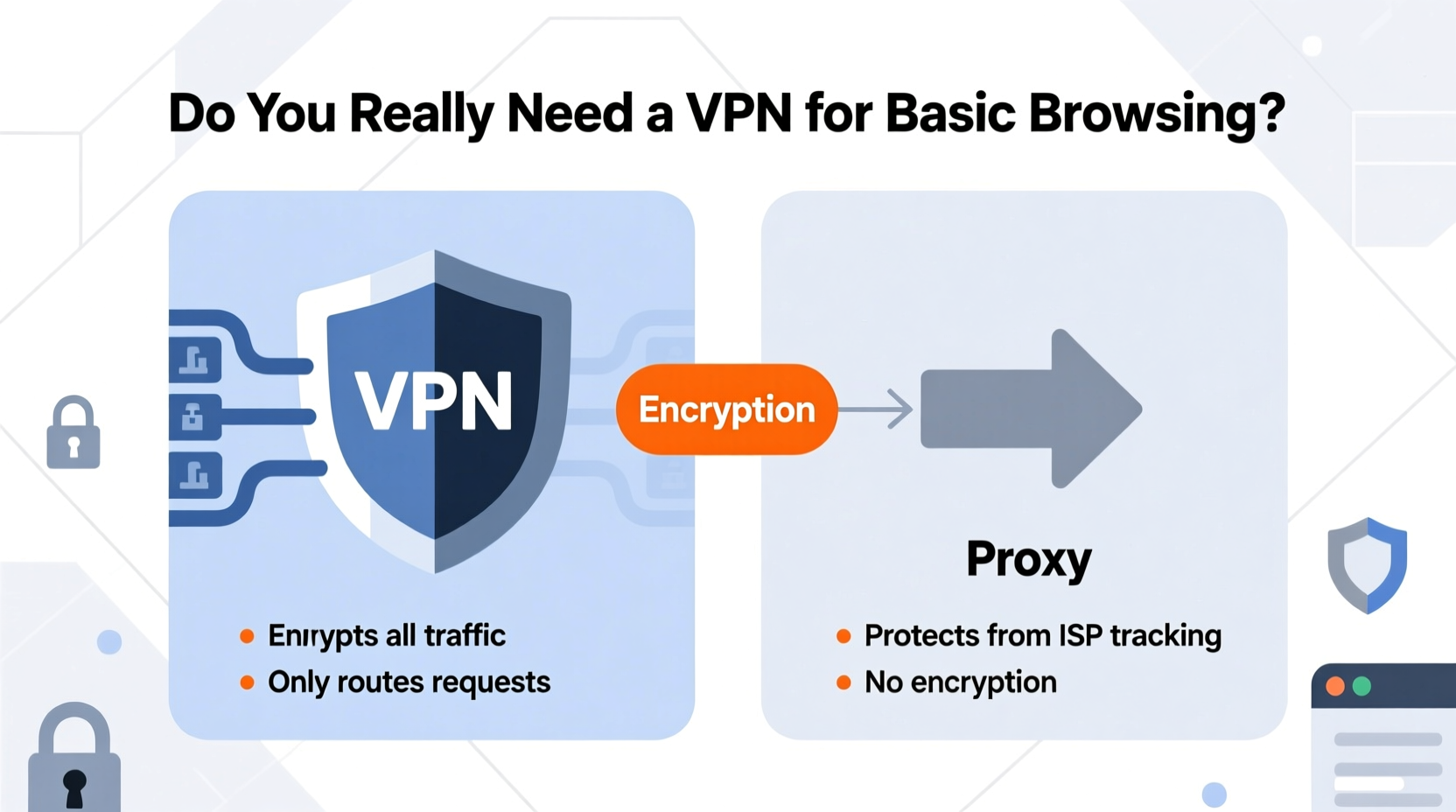
A proxy server acts as an intermediary between your device and the internet. When you use a proxy, your requests go through this middleman, which then forwards them to the destination website using its own IP address. This gives the appearance that the request originated from the proxy, not your actual location.
Proxies are typically used for specific applications rather than system-wide protection. For example, you might configure a proxy in your browser settings to access geo-restricted content or bypass workplace filters. Common types include HTTP proxies (for web traffic), SOCKS proxies (for broader protocols), and transparent proxies (often used by organizations for caching).
However, most proxies do not encrypt your data. That means while your IP address may be hidden from the website you’re visiting, your internet service provider (ISP), employer, or anyone monitoring the network can still see exactly what you're doing online—including passwords, messages, and browsing history—if transmitted over unsecured connections.
How VPNs Differ: Security, Encryption, and Full-Tunnel Protection
A Virtual Private Network (VPN) does far more than just change your IP address. It creates an encrypted tunnel between your device and a remote server operated by the VPN provider. All internet traffic—from your browser to apps and background services—is routed through this secure channel.
This encryption ensures that even if someone intercepts your data—such as on a public Wi-Fi network—they cannot read it without the decryption key. Unlike proxies, which usually handle only one app or protocol at a time, a properly configured VPN protects all outgoing and incoming traffic across your entire device.
Reputable VPN providers also maintain strict no-logs policies, meaning they don’t store records of your online activity. This adds another layer of privacy, especially important when trying to avoid long-term tracking by advertisers, governments, or ISPs.
“Encryption is non-negotiable when it comes to digital privacy. A proxy offers convenience; a VPN provides actual security.” — Dr. Lena Patel, Cybersecurity Researcher at MIT
Comparing Functionality: Proxy vs VPN Side-by-Side
| Feature | Proxy | VPN |
|---|---|---|
| IP Masking | Yes (limited to specific apps) | Yes (system-wide) |
| Data Encryption | No (unless using HTTPS) | Yes (end-to-end encryption) |
| Traffic Coverage | Per-application (e.g., browser only) | Entire device (all apps and services) |
| Speed Impact | Low to moderate | Moderate to high (depends on server load) |
| Security on Public Wi-Fi | Poor (no encryption) | Strong (encrypted tunnel) |
| Logging Practices | Often opaque or ad-based | Varies; top providers offer verified no-logs |
| Use Case Fit | Bypassing simple blocks, testing sites | Privacy, security, streaming, remote work |
As shown, proxies serve niche purposes but fall short when true privacy or comprehensive protection is needed. A free web proxy might let you watch a region-blocked YouTube video, but it won't stop your coffee shop’s network administrator from seeing every site you visit.
Real-World Scenario: The Risks of Relying on a Proxy for Daily Browsing
Consider Sarah, a freelance writer who works remotely from cafes around Lisbon. To access research articles blocked in her current country, she uses a free online proxy listed on a forum. She connects it through her browser and continues working—checking email, logging into banking portals, and messaging clients via chat platforms.
Unbeknownst to her, the proxy logs all unencrypted traffic. Since some websites still load over HTTP (especially older academic databases), her login credentials and message content pass through the proxy in plain text. Worse, the proxy operator runs packet-sniffing scripts that harvest user data and sell it to third-party marketers.
Within weeks, Sarah starts receiving targeted phishing emails referencing her recent searches. Her bank flags suspicious login attempts originating from Nigeria. Although she never entered sensitive information directly on sketchy sites, the lack of encryption made her vulnerable simply by using an insecure relay point.
If Sarah had used a reputable paid VPN instead, her connection would have been encrypted end-to-end—even on HTTP sites—and her real IP masked across all applications. The risk of interception would have dropped dramatically.
Do You Really Need a VPN for Basic Browsing?
For users whose online activities consist solely of reading news, checking weather, shopping on HTTPS sites, and viewing social media, the immediate threat level may seem low. However, “basic browsing” rarely happens in isolation. Background trackers, cross-site cookies, and invisible scripts collect behavioral data constantly—even during passive sessions.
Moreover, many assume that HTTPS alone provides sufficient protection. While it does encrypt communication between your browser and the website, it doesn’t hide your DNS queries or prevent your ISP from knowing which domains you visit. Your ISP can still build a detailed profile of your habits and potentially sell anonymized usage data.
A premium VPN addresses these gaps by:
- Encrypting DNS requests to prevent snooping
- Hiding your real IP from websites and trackers
- Blocking intrusive ads and malware domains (in advanced versions)
- Preventing bandwidth throttling based on activity
If you value privacy—not just anonymity—a VPN is worth the investment. But for someone who only occasionally needs to view blocked content and has no concern about surveillance, a trusted proxy may suffice—for limited tasks.
When a Proxy Might Be Enough (And When It Isn’t)
There are legitimate scenarios where a proxy is adequate:
- Testing website localization: Developers often use proxies to simulate access from different countries.
- Bypassing light censorship: Accessing a single blocked news article at school or work.
- Scraping public data: Rotating IPs via proxy pools for ethical web scraping (with proper rate limits).
But proxies fail when security matters. Avoid them for:
- Online banking or shopping on unfamiliar networks
- Logging into personal accounts abroad
- Downloading files or accessing file-sharing platforms
- Any environment where Wi-Fi security is questionable
Choosing the Right Tool: A Practical Checklist
Before selecting a proxy or investing in a VPN, ask yourself the following questions:
- Am I connecting from public or untrusted Wi-Fi networks regularly?
- Do I want my ISP to know which websites I visit?
- Do I access sensitive accounts (email, banking, healthcare) online?
- Am I concerned about targeted advertising or behavioral profiling?
- Do I stream content from international platforms like BBC iPlayer or Hulu?
- Have I experienced bandwidth throttling after streaming or downloading?
If you answered “yes” to two or more, a reliable VPN should be part of your digital hygiene. If your needs are strictly situational and temporary, a well-vetted proxy can act as a short-term workaround—but never as a permanent solution.
Frequently Asked Questions
Can a proxy hide my location like a VPN?
Yes, both can mask your IP address and make it appear you're browsing from another location. However, a proxy only changes your visible IP for specific traffic (like browser requests), while a VPN hides your IP across all applications and includes encryption.
Are free VPNs safer than proxies?
Not necessarily. Many free VPNs operate similarly to shady proxies—they log user data, inject ads, or throttle speeds. Some even sell bandwidth to botnets. Always choose audited, reputable providers, whether free or paid. Examples include Mullvad, ProtonVPN (limited free tier), and IVPN.
Will using a VPN slow down my browsing?
Slightly, yes. Because your traffic travels through an encrypted tunnel to a remote server, there's inherent latency. However, modern protocols like WireGuard minimize speed loss. In contrast, some proxies may feel faster because they skip encryption—but that speed comes at the cost of security.
Final Recommendation: Prioritize Security Over Convenience
While proxies have their place in specialized workflows, they are not designed for everyday privacy protection. For basic browsing—especially when done on mobile devices, laptops, or public networks—a quality VPN offers meaningful advantages: encryption, consistent identity masking, and defense against surveillance.
You don’t need military-grade security to check the news, but treating your digital life with minimal care pays long-term dividends. Data breaches, identity theft, and invasive tracking often begin with seemingly harmless exposures. Using a trustworthy VPN shifts the default from vulnerability to resilience.
Think of it like locking your front door. You wouldn’t leave it open just because nothing valuable was immediately visible. Similarly, securing your internet connection shouldn’t depend on what you’re doing online—but on the principle that your activity belongs to you.
“Privacy isn't an option reserved for activists or journalists. It's a baseline right in the digital age.” — Edward Snowden, Whistleblower and Digital Rights Advocate




 浙公网安备
33010002000092号
浙公网安备
33010002000092号 浙B2-20120091-4
Comments
No comments yet. Why don't you start the discussion?