
In an age where digital footprints are tracked across platforms, users increasingly seek tools to protect their online privacy. Two of the most commonly used solutions are Virtual Private Networks (VPNs) and proxies. While both can mask your IP address and reroute traffic, their underlying mechanisms—and implications for privacy—differ significantly. Understanding these differences isn’t just technical jargon; it’s essential for anyone who values data security, anonymity, or freedom from surveillance.
Many people assume that using any tool that hides their IP offers the same level of protection. This misconception can lead to risky behavior, such as assuming a proxy provides secure encryption when it does not. The reality is that while both technologies serve similar surface-level functions, their depth of privacy protection varies dramatically.
How Proxies Work: A Closer Look
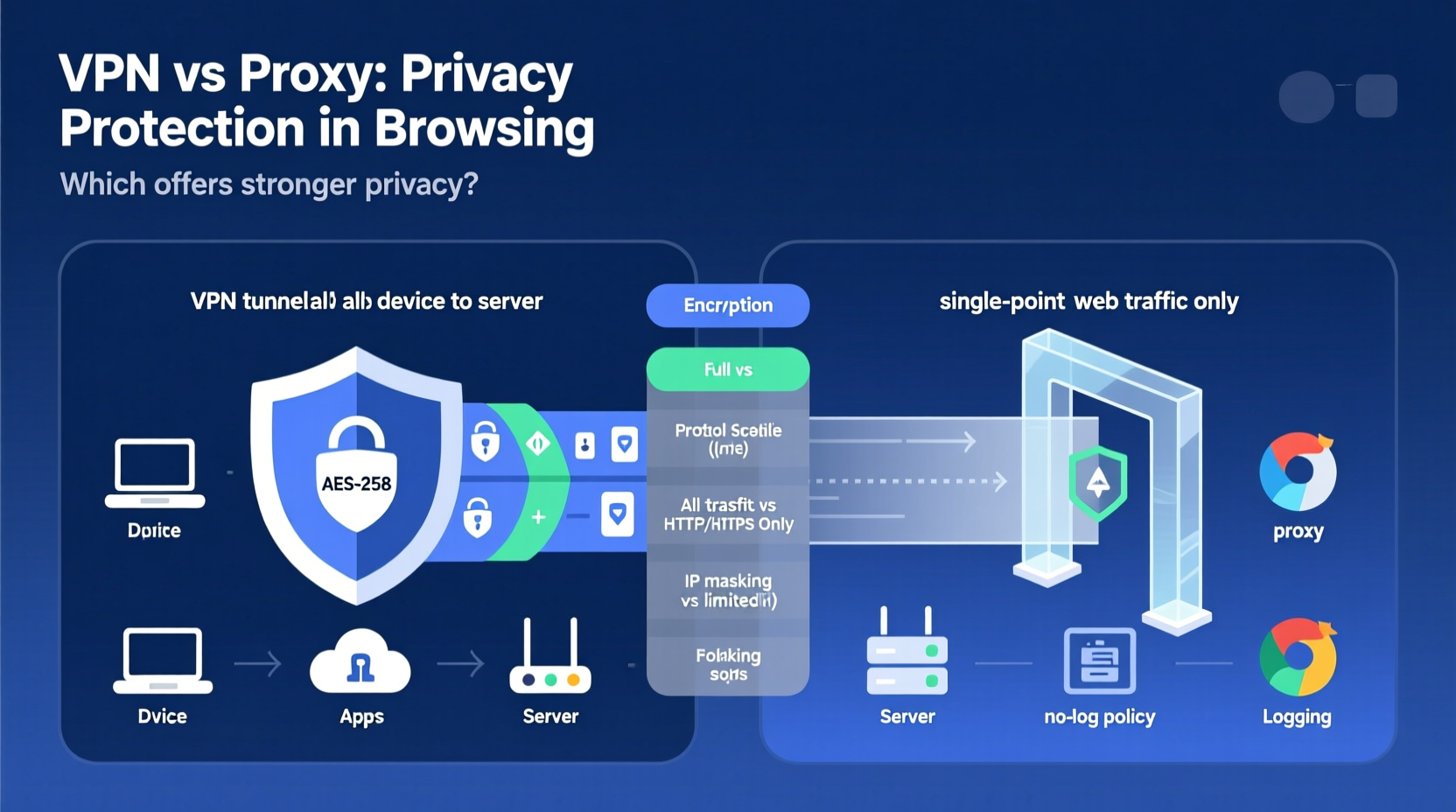
A proxy server acts as an intermediary between your device and the internet. When you connect through a proxy, your requests go through that server before reaching the destination website. The site sees the proxy’s IP address instead of yours, giving the appearance of location change or identity masking.
There are several types of proxies, each serving different purposes:
- HTTP Proxies: Handle web traffic only. Useful for bypassing geo-restrictions on websites but offer no encryption.
- HTTPS Proxies: Support encrypted connections to websites, though the connection between you and the proxy may still be unsecured unless explicitly stated.
- SOCKS Proxies: More versatile, handling all kinds of traffic including email, P2P, and streaming. SOCKS5 is the latest version and supports authentication, but again, lacks built-in encryption.
Because proxies typically operate at the application level, you must configure them individually in browsers or apps. This means only specific programs use the proxy, leaving other network activity exposed. Furthermore, since most proxies don’t encrypt data, your ISP, network administrator, or even the proxy provider itself can intercept what you send and receive.
How VPNs Provide Broader Protection
A Virtual Private Network creates an encrypted tunnel between your device and a remote server operated by the VPN service. All internet traffic—from your browser, apps, games, and background services—is routed through this tunnel. Unlike proxies, which usually handle one app at a time, a VPN secures your entire device's connection.
The encryption used by reputable VPNs (such as AES-256) ensures that even if someone intercepts your data—like your ISP or a hacker on public Wi-Fi—they cannot read it without the decryption key. This makes VPNs far more secure for maintaining privacy, especially on untrusted networks.
Additionally, most modern VPNs include features like kill switches (which cut internet access if the connection drops), DNS leak protection, and strict no-log policies enforced by independent audits. These layers enhance trust and reduce exposure to tracking.
“Encryption is non-negotiable in today’s threat landscape. A proxy might hide your IP, but a VPN protects your data.” — Sarah Lin, Cybersecurity Analyst at OpenNet Initiative
Key Differences in Privacy and Security
The core distinction lies in scope and strength of protection. Here’s a detailed breakdown of how VPNs and proxies compare across critical privacy factors:
| Feature | Proxy | VPN |
|---|---|---|
| Traffic Encryption | No (unless SSL/TLS with HTTPS) | Yes (end-to-end encryption) |
| Connection Scope | Per-application (e.g., browser only) | System-wide (all apps and services) |
| IP Address Masking | Yes | Yes |
| DNS Leak Protection | Rarely available | Standard in quality providers |
| Kill Switch | Not applicable | Common feature |
| Logging Practices | Often logs user activity (especially free proxies) | Reputable providers have audited no-log policies |
| Speed Impact | Low latency (no encryption overhead) | Moderate slowdown due to encryption |
| Use Case Fit | Simple web scraping, quick geo-bypass | Secure browsing, remote work, censorship evasion |
This comparison shows that while proxies are lightweight and fast, they lack the comprehensive safeguards needed for true privacy. They may suffice for non-sensitive tasks like accessing region-blocked content temporarily, but they fall short when protecting personal information.
Real-World Example: Working Abroad Safely
Consider Maria, a freelance journalist working remotely from a café in Bangkok. She needs to access her company’s internal CMS, check personal banking, and communicate securely with sources. Her local network is open and unencrypted.
If she uses a free HTTP proxy in her browser, her login credentials, messages, and financial details could be intercepted by anyone monitoring the network. Even if the website uses HTTPS, misconfigured proxies can cause DNS leaks, revealing which sites she visits.
Instead, Maria connects to a trusted, audited VPN service. Her entire internet connection is encrypted. Even if attackers capture packets, they see only indecipherable data. Her real IP remains hidden, and her browsing history isn’t logged by her ISP or the coffee shop’s router. In high-surveillance environments, this layer of protection isn’t optional—it’s essential.
Choosing the Right Tool: A Practical Checklist
Selecting between a proxy and a VPN should depend on your actual needs, not convenience or cost alone. Use this checklist to make an informed decision:
- Are you transmitting sensitive data? → Choose a VPN.
- Do you need system-wide protection? → Choose a VPN.
- Is speed your top priority and security secondary? → A proxy might work—for non-critical tasks.
- Are you behind a restrictive firewall? → Some advanced VPNs offer obfuscation to bypass deep packet inspection.
- Are you using public Wi-Fi frequently? → Always use a reputable VPN.
- Do you rely on free services? → Be cautious. Free proxies often monetize via data collection.
- Can you verify the provider’s no-log policy? → Prioritize independently audited services.
Common Misconceptions About Anonymity Online
One widespread myth is that hiding your IP address equals full anonymity. In truth, IP masking is just one piece of the puzzle. Browser fingerprinting, cookie tracking, and account-based identification allow websites to recognize you even with a changed IP.
Another misconception is that “private browsing” modes (like Chrome’s Incognito) provide real privacy. They only prevent local history storage—not tracking by ISPs, governments, or websites. Without encryption, private mode offers little protection.
Some users believe that using a proxy makes them invisible to advertisers or search engines. However, Google and Facebook can still track logged-in users regardless of IP origin. True privacy requires a combination of tools: a secure browser, tracker blockers, and ideally, a trustworthy VPN.
When a Proxy Might Be Acceptable
Despite their limitations, proxies have legitimate uses:
- Web Scraping: Rotating IP addresses via proxy pools helps avoid rate limits.
- Testing Website Localization: Developers use proxies to view region-specific content.
- Bypassing Simple Geo-Filters: For low-risk content like news sites with regional paywalls.
However, these scenarios involve minimal personal risk. Once personal data enters the equation—logins, payments, communications—a proxy becomes inadequate.
FAQ: Clarifying Common Questions
Can my ISP see what I do if I use a proxy?
Yes. Since proxies don’t encrypt traffic, your ISP can monitor all data you send and receive. They’ll see the proxy server you’re connecting to and potentially inspect unencrypted content.
Does a VPN slow down my internet more than a proxy?
Generally, yes—due to encryption overhead and longer routing paths. However, premium VPNs optimize server performance and protocols (like WireGuard) to minimize lag. For most users, the trade-off in speed is worth the gain in security.
Are free VPNs better than proxies?
Not necessarily. Many free VPNs operate like shady proxies—they log user data, inject ads, or sell bandwidth. Research is crucial. Look for transparent, audited free tiers from reputable companies rather than unknown apps promising unlimited free access.
Conclusion: Privacy Isn't Optional—Choose Wisely
The question isn’t whether a proxy can hide your IP—it’s whether that limited function meets your actual privacy needs. In most real-world situations, especially those involving personal data, financial transactions, or restricted regions, a proxy simply doesn’t go far enough.
A VPN offers end-to-end encryption, broader coverage, and stronger accountability through verified no-log policies. It transforms your internet connection from an open book into a sealed envelope. That level of protection matters—not just for journalists or activists, but for anyone concerned about identity theft, surveillance, or corporate tracking.
Technology choices shape your digital safety. Don’t let convenience dictate your privacy. Whether you're checking email on a public network or working abroad, take control of your connection. Invest in a reliable, audited VPN service, understand its settings, and use it consistently. Your future self will thank you.




 浙公网安备
33010002000092号
浙公网安备
33010002000092号 浙B2-20120091-4
Comments
No comments yet. Why don't you start the discussion?