
In an era where digital surveillance, data harvesting, and targeted advertising are routine, many users turn to tools like incognito mode, proxies, and VPNs hoping to stay private online. But not all privacy solutions are created equal. While each offers a layer of anonymity or security, their actual effectiveness varies dramatically. Understanding the differences between a VPN, a proxy, and incognito mode is essential for making informed decisions about your digital footprint.
Many people believe that opening an \"incognito\" window makes them invisible online. Others assume that routing traffic through a proxy server hides their identity. Still, few realize that only one of these tools provides comprehensive encryption and true privacy from ISPs, advertisers, and government surveillance. Let’s break down how each technology works, what it can and cannot do, and when you should use one over the other.
How Incognito Mode Works (And What It Doesn’t Do)
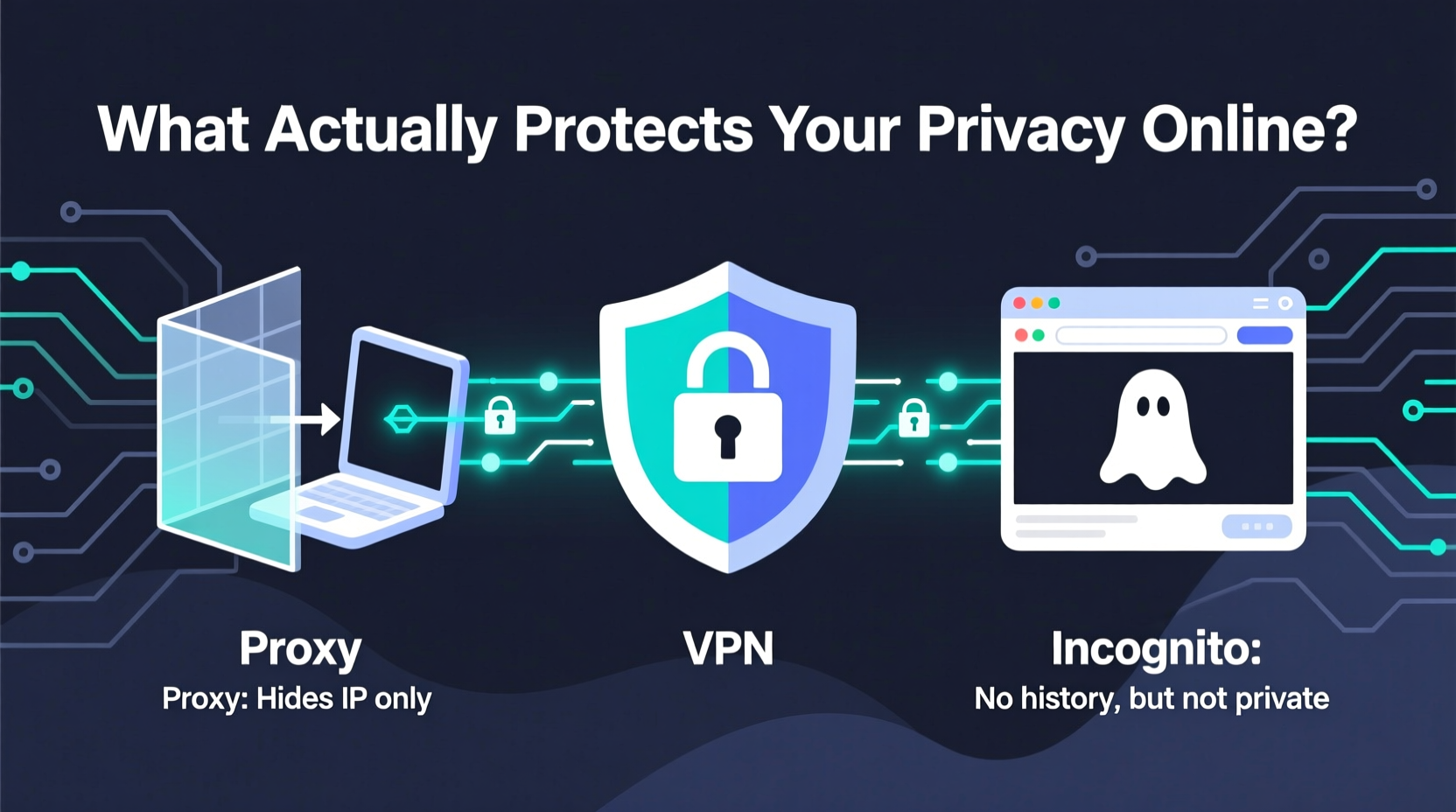
Incognito mode, also known as private browsing, is available in most major web browsers—Chrome, Firefox, Safari, and Edge. When activated, it prevents the browser from saving your browsing history, cookies, form data, and site permissions during that session. Once you close the window, this local data is erased.
This feature is useful if you're using a shared computer and don’t want others to see which sites you visited. However, incognito mode does nothing to hide your activity from external parties such as your internet service provider (ISP), employer, school network administrator, or websites themselves.
Your IP address remains visible, your traffic isn’t encrypted, and any tracking scripts on websites can still collect behavioral data. Advertisers continue to profile you based on your real-time activity. In short, incognito mode protects your privacy locally—it doesn’t protect you online.
Proxy Servers: A Middleman with Limitations
A proxy server acts as an intermediary between your device and the internet. When you connect through a proxy, your requests go through the proxy server before reaching the destination website. This masks your real IP address from the site you’re visiting, giving a basic level of location obfuscation.
There are several types of proxies—HTTP, HTTPS, and SOCKS—each supporting different kinds of traffic. For example, HTTP proxies work only with web traffic, while SOCKS5 handles more complex applications like torrenting or gaming.
However, most free proxies do not encrypt your data. That means your ISP or anyone monitoring the network can still see what you're doing online. Worse, some public proxies log user activity and sell it to third parties. Even paid proxies often lack transparency about their logging policies.
Additionally, proxies typically only route traffic from specific apps or browser extensions, not your entire device. If you're using a system-wide proxy incorrectly configured, parts of your traffic may bypass it entirely, exposing your real IP.
“Using a random free proxy is like hiring a stranger to deliver a letter—you have no idea what they’ll do with it.” — Marcus Reed, Cybersecurity Analyst at NetShield Labs
VPNs: Encryption and Real Privacy Protection
A Virtual Private Network (VPN) creates an encrypted tunnel between your device and a remote server operated by the VPN provider. All your internet traffic—web browsing, emails, streaming, downloads—is routed through this tunnel, shielding it from snoopers on your local network, ISP, or public Wi-Fi.
Unlike proxies, reputable VPNs apply encryption across all applications and devices, ensuring full-system protection. Your IP address is replaced with the IP of the VPN server, making it harder for websites and trackers to pinpoint your physical location.
Modern consumer-grade VPNs use strong encryption protocols like OpenVPN, WireGuard, or IKEv2/IPsec. These prevent third parties from intercepting or deciphering your data. Additionally, trustworthy providers follow strict no-logs policies, meaning they don’t store records of your online behavior.
That said, not all VPNs are equally secure. Some low-cost or free services monetize user data, inject ads, or suffer from DNS leaks. Choosing a well-reviewed, independently audited provider is crucial for maintaining real privacy.
When a VPN Is Most Effective
- Using public Wi-Fi networks (e.g., cafes, airports)
- Bypassing geo-restrictions on streaming platforms
- Protecting against ISP throttling or surveillance
- Maintaining anonymity while researching sensitive topics
- Securing remote work connections
Detailed Comparison: Features and Risks
| Feature | Incognito Mode | Proxy Server | VPN |
|---|---|---|---|
| Hides browsing history (locally) | Yes | No | No (but clears separately) |
| Encrypts internet traffic | No | Rarely (HTTPS proxy only partially) | Yes (end-to-end) |
| Hides IP address | No | Yes (from destination site) | Yes (from all observers) |
| Protects from ISP monitoring | No | No | Yes |
| Works across all apps/devices | No (browser-only) | Sometimes (depends on setup) | Yes (system-wide) |
| Prevents tracking by websites | No | Limited (only IP masking) | Moderate (IP + encryption helps, but cookies still apply) |
| Requires installation/setup | No (built-in) | Minimal to moderate | Moderate (app download needed) |
| Risk of data logging/sale | Low (local only) | High (especially free proxies) | Varies (choose audited providers) |
Real-World Example: The Journalist Abroad
Consider a freelance journalist traveling in a country with heavy internet censorship and surveillance. She needs to communicate securely with sources, access blocked news sites, and upload reports without detection.
If she uses incognito mode, her activities remain visible to the national firewall and ISP. Any attempt to visit blacklisted domains will be flagged immediately.
If she relies on a free web proxy advertised on a forum, her connection lacks encryption. The proxy operator could log her login credentials, expose her real IP via a DNS leak, or even inject malware into downloaded pages.
But when she connects to a trusted, audited VPN with kill switch and DNS leak protection enabled, her traffic is encrypted and rerouted through a server in a neutral country. The local network sees only encrypted data flowing to the VPN server—not the actual websites visited. Her identity, communications, and location remain protected.
This scenario illustrates why understanding the hierarchy of privacy tools matters. In high-risk environments, only a properly configured VPN provides meaningful protection.
Actionable Checklist: Choosing the Right Tool
Use this checklist to determine which solution fits your needs:
- I just want to avoid leaving traces on my personal device → Use incognito mode.
- I need to quickly unblock a region-locked video at work → Try a reputable HTTPS proxy (but avoid entering passwords).
- I'm on public Wi-Fi and accessing email or banking → Always use a trusted VPN.
- I frequently research sensitive topics (health, legal, political) → Use a no-logs VPN with strong encryption.
- I run a business and employees access internal systems remotely → Deploy enterprise-grade VPNs with multi-factor authentication.
- I’m comparing services and want to verify claims → Check independent audits (e.g., Cure53, PwC), jurisdiction, and logging policy transparency.
Frequently Asked Questions
Can websites still track me if I use a VPN?
Yes, to some extent. While a VPN hides your IP and encrypts traffic, websites can still track you through cookies, browser fingerprinting, and account logins. To minimize tracking, combine a VPN with privacy-focused browsers (like Brave or Firefox with tracker blocking), cookie managers, and avoiding social media logins on third-party sites.
Is incognito mode safer than regular browsing?
Only locally. It prevents your device from storing history and cookies, which helps on shared computers. But externally, your activity is just as exposed as in normal mode. It offers zero protection against surveillance, data collection, or malware.
Do I need both a proxy and a VPN?
No. A proxy serves a narrow purpose—routing specific traffic without encryption. A VPN does everything a proxy does, plus adds encryption, system-wide coverage, and better security. Using both simultaneously can cause conflicts and reduce performance without added benefit.
Final Recommendation: Layered Defense for True Privacy
No single tool guarantees complete online privacy. Incognito mode solves a local convenience issue. Proxies offer limited IP masking with significant risks. Only a well-chosen, responsibly operated VPN delivers meaningful protection against surveillance, data harvesting, and network-level threats.
For maximum safety, adopt a layered approach: use a reputable no-logs VPN, enable two-factor authentication on critical accounts, browse with tracker-blocking extensions, and avoid sharing personal information unnecessarily. Treat incognito mode as a temporary convenience, not a privacy solution. Avoid unknown proxies altogether unless under controlled, low-risk conditions.
The goal isn’t just to appear anonymous—it’s to make your data inaccessible to those who would misuse it. In that pursuit, encryption and accountability matter far more than superficial anonymity.
“Privacy isn't about hiding something; it's about controlling who has access to your information.” — Dr. Lena Torres, Digital Rights Advocate, Electronic Frontier Foundation
Take Control of Your Digital Life Today
Your online privacy shouldn’t depend on misconceptions or half-measures. Now that you understand the real differences between incognito mode, proxies, and VPNs, you can make smarter choices about how you browse, connect, and share. Evaluate your current habits. Are you relying on incognito mode thinking it protects you? Have you ever used a sketchy free proxy out of convenience?
Start by switching to a transparent, audited VPN service—especially when connecting to public networks or handling personal data. Combine it with good cyber hygiene, and you’ll be far ahead of the average user. Share this knowledge with friends and family who think “going incognito” keeps them safe. Real privacy takes effort, but it starts with knowing what actually works.




 浙公网安备
33010002000092号
浙公网安备
33010002000092号 浙B2-20120091-4
Comments
No comments yet. Why don't you start the discussion?