
As remote work becomes more common, people are rethinking how they stay active during long hours at a desk. One trend gaining traction is combining movement with productivity—specifically, walking while working. This has led to increased interest in compact fitness equipment like walking pads and traditional treadmills. But when it comes to integrating exercise into your workspace, does the smaller footprint of a walking pad actually make it more practical than a full-sized treadmill?
The answer depends on your goals, space constraints, and daily routine. While both devices allow you to walk during calls or typing sessions, their design, performance, and usability vary significantly. Understanding these differences helps determine which option supports a sustainable, ergonomic, and effective walking-work hybrid.
Understanding the Key Differences
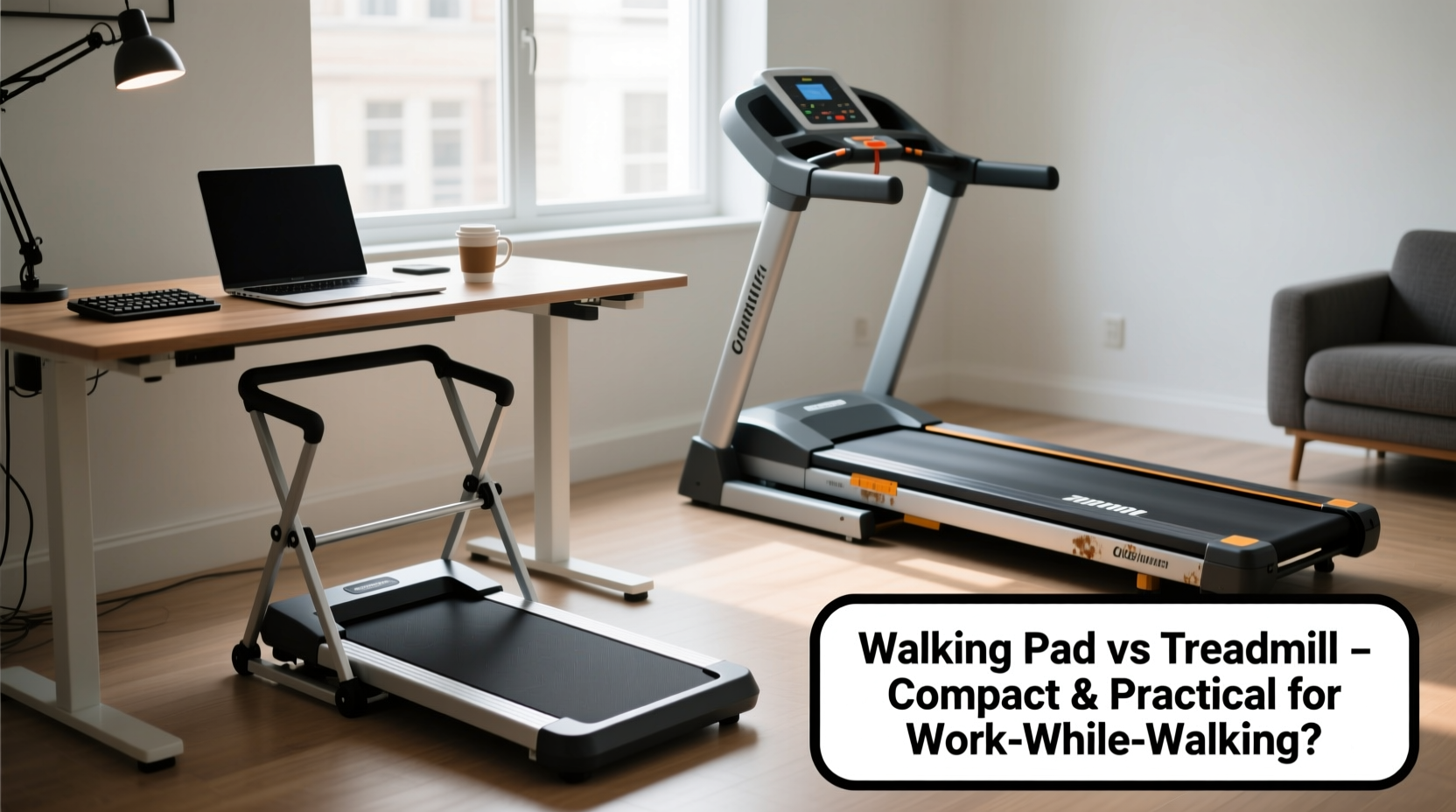
A walking pad is a slim, motorized platform designed primarily for low-speed walking. Most models max out between 3.5 and 6 mph, making them ideal for light activity rather than running. They’re typically under 4 inches thick and fold vertically or horizontally for storage—some weighing as little as 50 pounds. In contrast, a standard treadmill is built for higher speeds (up to 10+ mph), includes shock absorption, incline settings, and digital consoles with workout programs. These features come at the cost of size; most treadmills occupy 30–40 square feet and weigh over 150 pounds.
The core distinction lies in purpose: walking pads prioritize convenience and integration into small living or office spaces, while treadmills emphasize athletic performance and versatility. For someone aiming to log steps during work hours without disrupting workflow, the walking pad’s minimalism may seem superior. However, practicality extends beyond dimensions—it includes noise levels, stability, ease of use, and long-term comfort.
Space Efficiency: Why Size Matters in Home Offices
Urban apartments, shared workspaces, and multi-functional rooms demand smart furniture choices. A walking pad can fit under a desk, slide behind a couch, or stand upright in a closet when not in use. Many modern standing desks now include rolling bases that accommodate walking pads underneath, allowing seamless transitions from sitting to walking mode.
In contrast, even \"compact\" treadmills require dedicated floor space. Folding models save some room but still need clearance around them for safe operation. If your workspace is already tight, adding a treadmill could compromise ergonomics—forcing you to position monitors poorly or reduce legroom.
Performance Comparison: Speed, Stability, and Noise
While walking pads win on portability, they often fall short in performance. Most have shorter decks, limiting stride length. Users over 5'10\" may find their gait restricted, leading to an unnatural shuffle. Additionally, lower-end models generate noticeable belt slippage or jerking at higher walking speeds, disrupting focus during tasks.
Noise output is another critical factor. Walking pads generally operate quieter than treadmills—many produce less than 60 decibels at 3 mph, comparable to normal conversation. This makes them suitable for conference calls or quiet environments. Treadmills, especially older or commercial-grade ones, can exceed 75 dB, potentially distracting coworkers or family members nearby.
Stability also varies. Because walking pads sit closer to the ground and lack robust frames, some users report wobbling during use, particularly if placed on carpeted or uneven floors. High-quality treadmills offer better balance and smoother belts due to heavier construction and advanced suspension systems.
“Integrating light movement into sedentary routines improves circulation and cognitive function—but only if the equipment doesn’t become a distraction itself.” — Dr. Lena Torres, Occupational Health Researcher at Johns Hopkins Bloomberg School of Public Health
Table: Walking Pad vs Treadmill – Key Features Compared
| Feature | Walking Pad | Treadmill |
|---|---|---|
| Max Speed | 3.5–6 mph | 8–12 mph |
| Deck Length | 40–50 inches | 55–60 inches |
| Noise Level (at 3 mph) | 55–60 dB | 65–75 dB |
| Storage Options | Folds vertically/horizontally | Folds up (limited) |
| Weight Capacity | 220–265 lbs | 300–400 lbs |
| Price Range | $300–$800 | $800–$2,500+ |
| Best For | Light walking during work | Running, intense cardio |
Ergonomic Integration: Can You Work Effectively While Walking?
The effectiveness of walking while working hinges on proper setup. Whether using a walking pad or treadmill, pairing it with an adjustable-height standing desk ensures your screen remains at eye level and your arms maintain a 90-degree angle at the keyboard. Poor posture—even slight forward lean or craning—can lead to neck strain, shoulder tension, or reduced typing accuracy.
Typing and reading are generally manageable at speeds below 2.5 mph. As pace increases, so does cognitive load. Studies show that dual-task interference occurs above 2.8 mph, where attention splits between maintaining gait and processing information. This can impair comprehension during reading-heavy tasks or cause errors in detailed writing.
Walking pads, due to their smaller size and lower maximum speed, naturally encourage slower paces—making them better suited for continuous, low-intensity work walks. Treadmills, capable of faster movement, tempt users to increase speed, which may undermine concentration.
Mini Case Study: Sarah’s Transition to a Walking Workflow
Sarah, a freelance copywriter based in Chicago, spent nearly eight hours a day seated before developing chronic lower back pain. After researching solutions, she purchased a mid-range walking pad to place under her L-shaped desk. She started with 15-minute intervals at 1.8 mph while responding to emails.
Within two weeks, she extended her walking time to 90 minutes per day across three sessions. She noticed improved energy and fewer afternoon slumps. However, she avoided using it during client Zoom meetings because the faint motor hum was picked up by her sensitive microphone. She also found that typing complex proposals required her to pause the pad temporarily.
After six months, Sarah reported a 40% reduction in back discomfort and a modest weight loss of 7 pounds. “It’s not about burning calories,” she said. “It’s about breaking up stagnation. The pad fits so easily into my routine that I don’t feel like I’m ‘exercising’—I’m just moving while doing what I’d do anyway.”
Step-by-Step Guide to Setting Up a Walking Workstation
Successfully integrating a walking pad or treadmill into your workspace requires thoughtful planning. Follow this sequence for optimal results:
- Assess Your Space: Measure the area under or near your desk. Ensure there's enough clearance for safe entry and exit, especially if children or pets are present.
- Choose the Right Device: Prioritize quiet motors, non-slip surfaces, and remote controls or app integration. Look for models with auto-start/stop sensors for safety.
- Adjust Your Desk Height: Raise your monitor so the top third aligns with your eyes. Use a separate keyboard tray if needed to keep wrists neutral.
- Start Slowly: Begin with 10–15 minutes per session at 1.5–2 mph. Gradually increase duration before adjusting speed.
- Test Task Compatibility: Try different activities (email, phone calls, reading) to see which ones feel natural. Avoid high-focus tasks initially.
- Establish a Routine: Schedule walking blocks into your calendar. Treat them like mini-meetings to build consistency.
- Maintain the Equipment: Clean the belt weekly, lubricate as recommended, and inspect for wear to prolong lifespan.
Checklist: Is a Walking Pad Right for Your Workstyle?
- ✅ Do you have less than 50 sq ft of flexible workspace?
- ✅ Are you primarily interested in walking—not jogging or running?
- ✅ Do you value quick setup and easy storage?
- ✅ Is noise a concern (e.g., open-plan office, home with others)?
- ✅ Are you aiming for 30–90 minutes of light movement per day?
- ✅ Is your budget under $800?
If you answered yes to most of these, a walking pad is likely the more practical choice. If you want high-intensity workouts, train for races, or prefer longer walking durations without interruption, a treadmill offers greater durability and performance.
Frequently Asked Questions
Can I use a treadmill under a standing desk?
Yes, but only if the desk is tall enough and the treadmill has a low-profile design. Most standard treadmills raise the user too high, forcing awkward arm angles. Some brands offer “under-desk” treadmills specifically engineered for this setup, though they tend to be pricier and still bulkier than walking pads.
Do walking pads burn as many calories as treadmills?
At the same speed, calorie burn is nearly identical. However, treadmills allow higher speeds and inclines, enabling more intense workouts over time. For moderate walking (2–3 mph), both devices yield similar metabolic benefits—around 100–150 calories per hour for an average adult.
Are walking pads durable enough for daily use?
Mid-to-high-end models from reputable brands (e.g., WalkingPad, NordicTrack, Sunny Health) are built for regular use, often rated for 150+ hours per month. However, frequent use above 4 mph or by heavier individuals may shorten motor life. Always check weight limits and warranty terms before purchase.
Final Thoughts: Practicality Over Power
When comparing walking pads and treadmills for use during work, practicality often outweighs raw capability. The compact size of a walking pad enables seamless integration into small offices, encourages consistent use, and minimizes disruption to household dynamics. It removes friction—the invisible barrier that stops good intentions from becoming habits.
Treadmills remain unmatched for cardiovascular training and versatility. But if your goal is simply to move more while working, avoid prolonged sitting, and enhance mental clarity, a walking pad delivers targeted functionality without excess.
The key isn’t choosing the most powerful machine—it’s selecting the one you’ll actually use every day. And for many professionals, that means opting for simplicity, silence, and space-saving design.




 浙公网安备
33010002000092号
浙公网安备
33010002000092号 浙B2-20120091-4
Comments
No comments yet. Why don't you start the discussion?