
In an era where digital privacy is increasingly contested, the term \"onion website\" has emerged as both a technical curiosity and a symbol of encrypted communication. Often misunderstood and sometimes stigmatized, onion websites are not inherently malicious—they are tools designed for anonymity, used by journalists, activists, and ordinary users seeking to protect their identities online. Understanding how these sites function demystifies their purpose and reveals the sophisticated architecture that enables private browsing on the internet's hidden layers.
An onion website is a site hosted on the Tor network, accessible only through the Tor browser. These sites use the .onion top-level domain—a self-contained namespace that exists outside the conventional Domain Name System (DNS). Unlike traditional websites ending in .com or .org, .onion addresses are not indexed by standard search engines and require specific software to reach. Their primary purpose is to provide strong anonymity for both publishers and visitors, shielding IP addresses and location data from surveillance and tracking.
Definition & Overview
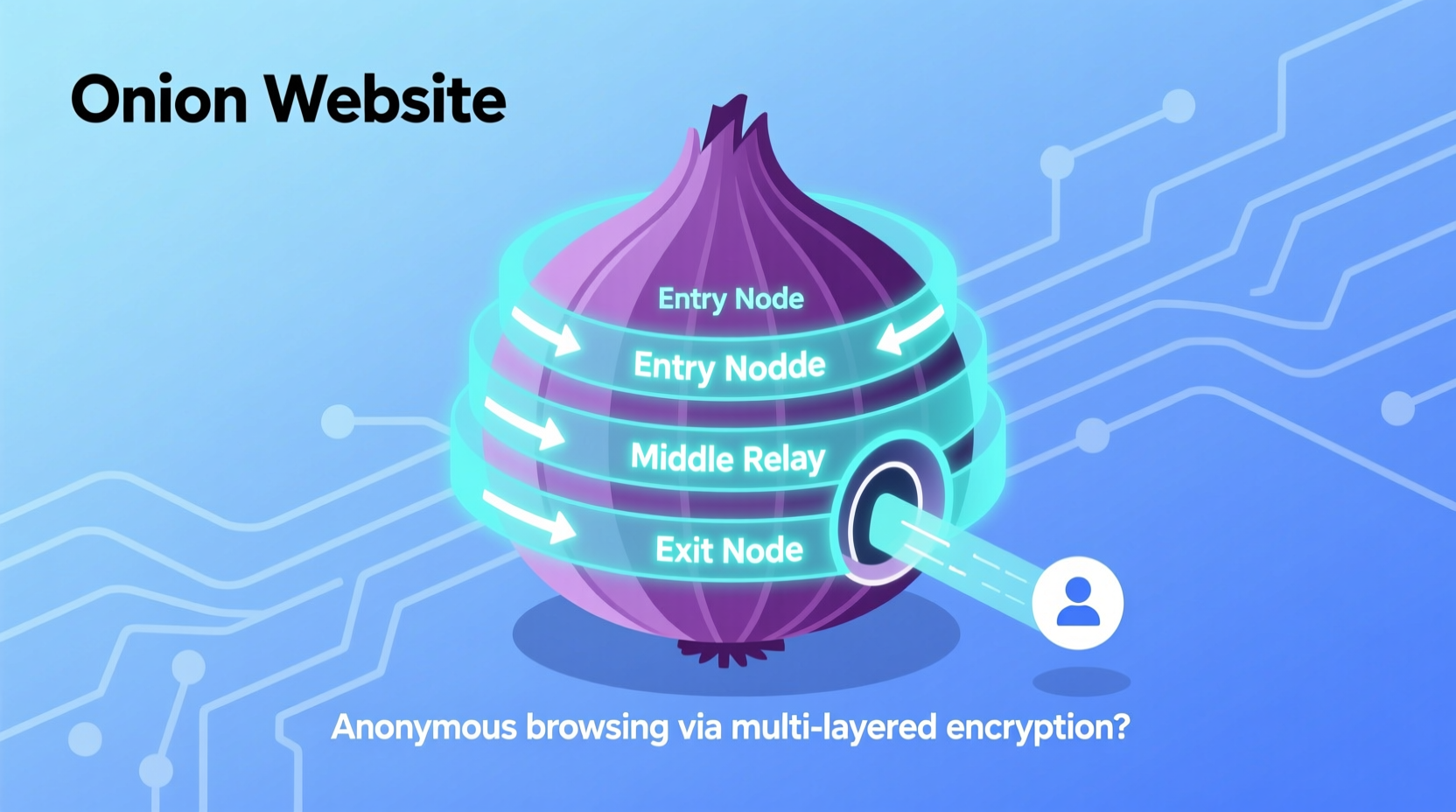
The term “onion website” refers to any web service hosted within the Tor network using layered encryption protocols that resemble the layers of an onion—hence the name. The Tor Project, originally developed by the U.S. Naval Research Laboratory, created this system to allow secure, anonymous communication over public networks. Today, it powers a decentralized network where users can publish content without revealing their physical location or identity.
An onion site operates through a distributed network of volunteer-run relays. When a user accesses a .onion address via the Tor browser, their connection bounces through multiple nodes across the world, with each layer of encryption peeled away at every step—like removing layers from an onion—until the final destination is reached. This process ensures that neither the user nor the server can be easily traced.
These websites serve various legitimate functions: whistleblowing platforms like SecureDrop, privacy-focused email services such as ProtonMail’s onion version, library archives, censorship circumvention tools, and forums for political dissidents in repressive regimes. While some illicit marketplaces have operated on the dark web, equating all onion sites with illegal activity overlooks their critical role in protecting human rights and freedom of expression.
Key Characteristics
- Domain Format: Ends in
.onion, which is not part of the public DNS system. - Access Method: Requires the Tor browser or compatible software; cannot be accessed via Chrome, Firefox (without add-ons), or other mainstream browsers directly.
- Encryption: Uses end-to-end layered encryption across multiple relay points (entry, middle, exit).
- Anonymity: Both publisher and visitor remain anonymous; IP addresses are hidden.
- Self-Authenticated: .Onion addresses act as cryptographic identifiers—ownership proves control.
- No Indexing: Not crawled by Google, Bing, or other conventional search engines.
- Decentralized Hosting: Hosted on regular computers running Tor hidden service software, not centralized servers.
- Performance: Slower than clearnet due to multi-hop routing and limited bandwidth.
TIP: Never attempt to access onion sites using proxy services or non-Tor browsers claiming dark web access—these may compromise your privacy or expose you to malware.
How Onion Websites Work: A Technical Breakdown
The functionality of an onion website relies on the Tor (The Onion Router) network, which anonymizes internet traffic through a technique called onion routing. Here's how it works when visiting or hosting a .onion site:
- Circuit Establishment: The Tor client builds a random path through three volunteer-operated relays: guard (entry), middle, and exit node. However, for onion services, there is no exit node—the communication stays entirely within the Tor network.
- Introduction Points: The onion service generates a public/private key pair. Its public key becomes part of the .onion address (e.g.,
http://xmh57jrzrnw6insl.onion). It then publishes its descriptor—including its public key and introduction points—to a distributed hash table accessible via Tor. - Rendezvous Point Selection: When a user wants to connect, they retrieve the onion service’s descriptor and choose a rendezvous point—a randomly selected Tor relay.
- Connection Handshake: The user sends a message to the rendezvous point, encrypted so only the onion service can read it. This message includes instructions to establish a two-way circuit.
- Layered Encryption in Action: Each hop decrypts one layer of encryption using its private key, just enough to know where to send the data next. No single relay knows both the origin and destination.
- Secure Session: Once connected, all traffic between the user and the onion service passes through the established circuit, fully encrypted and untraceable.
This design eliminates the need for the server to reveal its IP address while ensuring that even if one relay is compromised, the entire chain remains protected. Because both parties remain anonymous, onion services are highly resistant to surveillance, DDoS attacks, and geolocation-based blocking.
Variants & Types of Onion Services
While all onion websites operate under the same core principles, variations exist based on configuration, accessibility, and cryptographic standards:
| Type | Description | Use Case |
|---|---|---|
| v2 Onion Services | Older format using 16-character addresses (e.g., abcdefghijklmnop.onion). Based on SHA-1 and RSA-1024. | Phased out since 2021 due to security weaknesses; vulnerable to brute-force attacks. |
| v3 Onion Services | New standard with 56-character addresses (e.g., 2gzyxa5ihm7nsggfxnu52rck2vv4rvmdlkiu3zzui5du4xyclen53wid.onion). Uses SHA-3 and Ed25519 cryptography. | Recommended for new deployments; stronger security, better resistance to impersonation. |
| Private Onion Services | Configured to accept connections only from authorized users who possess a shared secret key. | Used for internal communications, secure team portals, or invite-only communities. |
| Hidden Service Directories | Not websites per se, but repositories listing available onion services (often outdated or unsafe). | Risky to use; many contain phishing links or scams. |
Most modern onion sites now use v3 addresses, which offer improved cryptographic resilience and prevent trivial address squatting. The longer address also acts as a built-in authentication mechanism—if someone controls the private key corresponding to the address, they own the site.
Comparison with Similar Concepts
Onion websites are often conflated with broader terms like “dark web” or “deep web.” Clarifying distinctions helps avoid misconceptions:
| Term | Definition | Relation to Onion Sites |
|---|---|---|
| Deep Web | All parts of the internet not indexed by search engines—includes password-protected pages, databases, private networks. | Onion sites are a small subset of the deep web. |
| Dark Web | Encrypted networks requiring special software (Tor, I2P, Freenet) to access. | Onion sites are the most well-known component of the dark web. |
| Clearnet | Standard internet accessible via regular browsers (e.g., cnn.com, wikipedia.org). | Opposite of onion/dark web; all traffic visible to ISPs and governments. |
| VPNs | Virtual Private Networks that encrypt traffic between user and server. | VPNs hide your IP from websites but don’t anonymize publishing; unlike Tor, they rely on trust in the provider. |
| Proxy Servers | Intermediaries that forward requests on behalf of users. | Less secure than Tor; often log activity and lack multi-hop encryption. |
Unlike a simple proxy or VPN, onion routing provides mutual anonymity—neither party needs to trust the infrastructure. This makes it uniquely suited for high-risk environments where exposure could lead to persecution or legal consequences.
Practical Usage: Legitimate Applications of Onion Websites
Despite media focus on criminal markets, onion websites support numerous ethical and essential uses:
- Journalistic Security: News organizations like The New York Times, BBC, and The Guardian host onion versions of their sites to allow readers in censored regions to access information freely.
- Whistleblower Platforms: SecureDrop, used by major outlets, allows sources to submit documents anonymously via a local newsroom’s onion site.
- Privacy-Focused Communication: Email providers such as ProtonMail and Tutanota offer onion URLs to enhance login security and block tracking.
- Digital Rights Advocacy: Organizations like the Electronic Frontier Foundation (EFF) maintain onion sites to ensure access to digital liberty resources worldwide.
- Academic Research: Libraries and universities host archives of restricted knowledge, including historical texts banned in certain countries.
- Community Forums: Support groups for mental health, LGBTQ+ individuals in hostile regions, and political activists use onion forums to communicate safely.
To access these services:
- Download the official Tor Browser from torproject.org.
- Install and launch it (it routes all traffic through the Tor network).
- Navigate to known .onion addresses (e.g.,
https://nytimes3xbfgragh.onion). - Bookmark trusted sites; avoid clicking random links or directories.
\"The ability to publish anonymously is not about hiding wrongdoing—it's about preserving the right to speak without fear of retaliation.\" — Cindy Cohn, Executive Director, Electronic Frontier Foundation
Security Considerations and Best Practices
Using onion websites responsibly requires awareness of risks and adherence to safety protocols:
Essential Tips for Safe Access
- Only use the official Tor Browser from torproject.org—never third-party apps claiming dark web access.
- Disable scripts and plugins in Tor Browser settings to reduce fingerprinting risks.
- Avoid logging into personal accounts (like Facebook or Gmail) while using Tor unless necessary and via HTTPS.
- Don’t download files from unknown onion sites—malware distribution is common.
- Never provide real identity details on onion forms or chat rooms.
- Use bridges if Tor is blocked in your country (available during Tor setup).
- Keep software updated to benefit from latest security patches.
Can You Get in Trouble for Visiting Onion Sites?
No—in most democratic countries, merely accessing the Tor network or viewing legal content on onion sites is not illegal. However, engaging in unlawful activities (e.g., purchasing drugs, accessing child exploitation material) carries serious legal penalties regardless of anonymity tools used. Law enforcement agencies do monitor parts of the dark web, particularly marketplaces involved in crime.
Are All Onion Sites Dangerous?
No. Many are run by reputable institutions aiming to promote free speech and privacy. The danger lies in unverified links, scam pages, and phishing clones mimicking popular services. Always verify onion addresses through official channels before visiting.
Can Onion Sites Be Taken Down?
They are highly resilient. Since they’re hosted on decentralized machines and don’t depend on central registrars, takedowns require either seizing the physical device hosting the site or compromising its cryptographic keys. Even then, mirrors often appear quickly.
Hosting Your Own Onion Website
Anyone with technical skills can create an onion service. Common reasons include launching a censorship-resistant blog, offering a secure API, or providing anonymous feedback forms.
Steps to set up a basic v3 onion service:
- Install Tor on a Linux server or local machine.
- Edit the
torrcconfiguration file to define a hidden service. - Specify the port mapping (e.g., map incoming 80 to localhost:8080).
- Restart Tor—the system generates a private key and a .onion address stored locally.
- Host a web server (e.g., Apache, Nginx) on the designated port.
- Share the .onion address securely with intended users.
Note: The private key must be backed up. Losing it means losing control of the address permanently.
Summary & Key Takeaways
An onion website is not a gateway to cybercrime—it is a powerful instrument for digital autonomy. Built on robust encryption and peer-supported infrastructure, it enables secure, anonymous communication vital for modern civil society. Whether used by a journalist in exile, a researcher bypassing censorship, or a citizen protecting their browsing history, onion sites represent a cornerstone of online privacy.
Understanding how they work dispels myths and empowers informed decisions about digital safety. By leveraging the Tor network correctly, users gain protection against surveillance, tracking, and repression—without needing to engage in illicit behavior.
Key takeaways:
- Onion websites use the
.oniondomain and operate exclusively within the Tor network. - They provide bidirectional anonymity for both visitors and hosts through layered encryption.
- v3 onion services offer superior security over deprecated v2 versions.
- Legitimate uses include secure journalism, whistleblower systems, and privacy-first services.
- Access requires the official Tor Browser and caution to avoid scams or malware.
- Hosting an onion site enhances service resilience and protects operator identity.
To explore verified onion services safely, visit the Tor Project’s directory or consult official listings from organizations like The New York Times or ProtonMail. Stay informed, stay secure, and remember: privacy is not secrecy—it’s sovereignty over your digital life.




 浙公网安备
33010002000092号
浙公网安备
33010002000092号 浙B2-20120091-4
Comments
No comments yet. Why don't you start the discussion?