
At first glance, a gaming mouse might look like an overdesigned version of a standard office mouse—more buttons, flashy lights, maybe a slightly bulkier shape. But beneath the surface, the differences are profound. These aren’t just cosmetic upgrades; they’re engineered enhancements that transform how you interact with your computer. For casual users, a regular mouse suffices. But for gamers, streamers, or anyone demanding precision and speed, the right gaming mouse can be the difference between victory and defeat.
The distinction lies in purpose. A standard mouse is built for general navigation: clicking links, scrolling through documents, and basic productivity tasks. A gaming mouse, on the other hand, is optimized for responsiveness, durability, and control under pressure. It’s not just about playing games—it’s about mastering them.
Precision and Sensor Technology
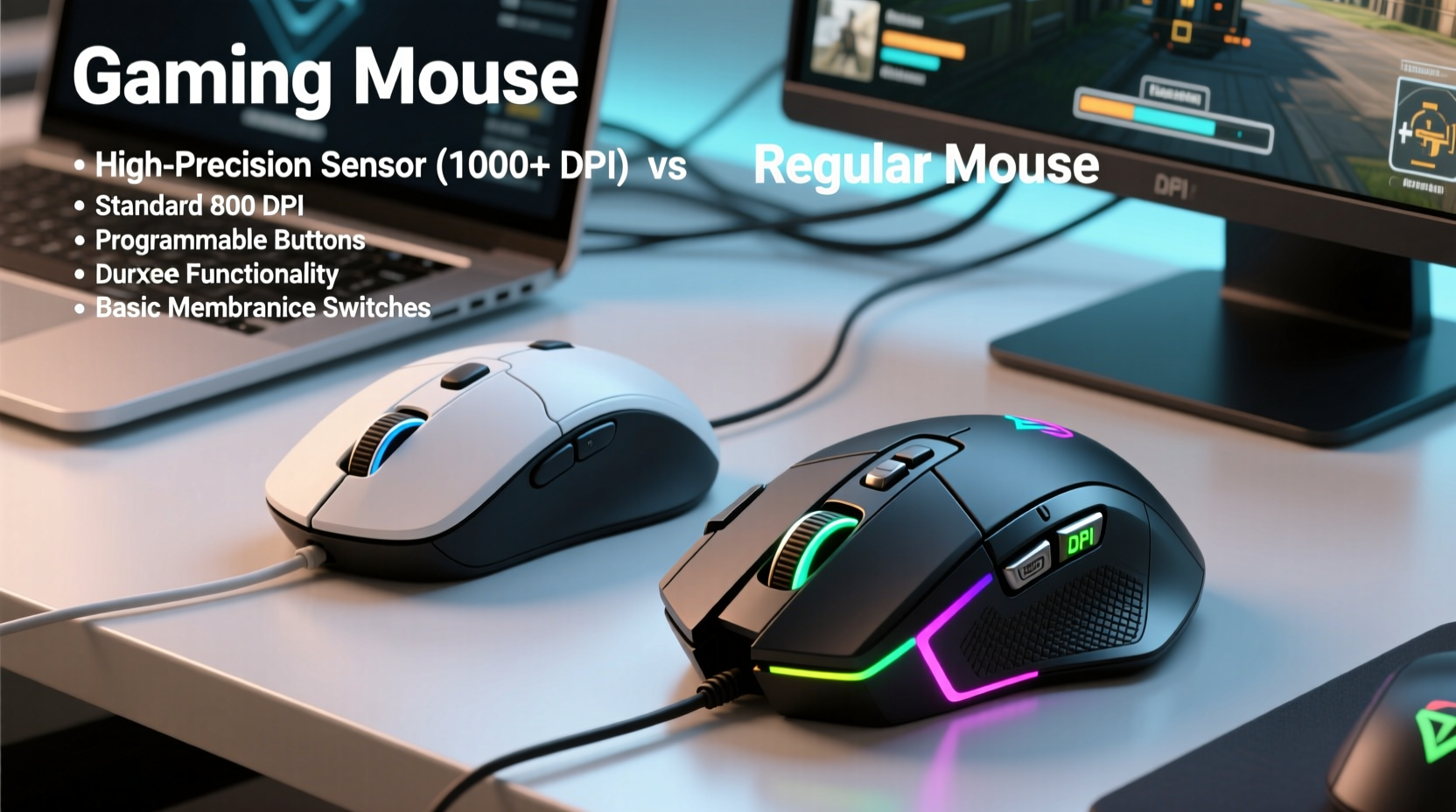
The most critical component of any mouse is its sensor. This tiny piece of hardware tracks movement across surfaces and translates it into cursor motion. In regular mice, optical sensors are typically adequate for everyday use but often lack fine-tuned calibration and high sensitivity.
Gaming mice use advanced optical or laser sensors capable of detecting minute movements at extremely high resolutions. Measured in DPI (Dots Per Inch), gaming mice commonly offer adjustable DPI settings ranging from 400 to over 25,600. Higher DPI allows for faster cursor movement with less physical motion, which is essential during fast-paced gameplay where split-second reactions matter.
But raw DPI isn’t everything. What matters more is tracking accuracy and consistency. Gaming-grade sensors minimize acceleration errors, reduce jitter, and maintain reliable performance even on uneven or reflective surfaces. Manufacturers like PixArt and Avago have developed proprietary sensor technologies—such as the PMW3389 or Hero 25K—that deliver pixel-perfect tracking with minimal input lag.
“Sensor quality defines the foundation of a good gaming mouse. Without accurate tracking, no amount of customization can compensate.” — Daniel Linh, Peripheral Engineer at Razer
Response Time and Polling Rate
One of the least visible yet most impactful differences is polling rate—the frequency at which the mouse reports its position to the computer, measured in Hz. Standard mice usually poll at 125Hz, meaning they update their position every 8 milliseconds. That may seem negligible, but in competitive gaming, delays add up.
Gaming mice typically support polling rates of 500Hz or 1000Hz (every 2ms or 1ms). At 1000Hz, the system receives data ten times per second more than a regular mouse. This tighter feedback loop reduces perceived latency and creates a smoother, more responsive experience.
Combined with mechanical switches rated for tens of millions of clicks (vs. 3–5 million in standard mice), this ensures consistent trigger response. High-end models also feature debouncing technology to prevent double-clicks caused by electrical noise—a common frustration in cheaper devices.
| Feature | Regular Mouse | Gaming Mouse |
|---|---|---|
| Polling Rate | 125Hz (8ms delay) | Up to 1000Hz (1ms delay) |
| DPI Range | 800–1600 (fixed or limited) | 400–25,600 (adjustable) |
| Switch Lifespan | 3–5 million clicks | 50–100 million clicks |
| Onboard Memory | Rare | Common (stores profiles/settings) |
| Cable Quality | Standard rubber-coated | Braided, low-friction |
Ergonomics and Design Flexibility
While aesthetics play a role, the real value of a gaming mouse’s design is ergonomic optimization. Gamers spend hours gripping their mouse, making comfort and long-term usability crucial. Unlike standard mice, which follow a one-size-fits-all approach, gaming mice come in multiple form factors: ambidextrous, palm grip, claw grip, and fingertip styles.
Take the Logitech G502 or Razer DeathAdder—each designed to fit specific hand sizes and grip types. Some include customizable side buttons placed for thumb access, while others allow weight tuning via removable inserts. This level of personalization helps reduce strain during extended sessions and improves overall control.
Additionally, many gaming mice now offer modular designs. Swappable side panels, adjustable scroll wheels, and magnetic cable attachments let users tailor the device to their exact preferences. Even button placement follows deliberate logic: macro keys are positioned to avoid accidental presses, and primary buttons use tensioning systems for lighter actuation without sacrificing durability.
Real Example: The Competitive Edge in Esports
Consider a professional Counter-Strike: Global Offensive player. During a clutch round, they need to flick their crosshair precisely onto an enemy peeking from behind cover. Their mouse must register micro-movements accurately, respond instantly to commands, and withstand hundreds of rapid clicks per match.
In training, they switch between DPI profiles depending on weapon type—low DPI for sniping with the AWP, higher for close-range SMG fights. They rely on programmable buttons to quickly toss utility (like smoke or flash grenades) without taking their eyes off the screen. All of this happens seamlessly because their gaming mouse eliminates variables: no lag, no drift, no misfires.
A regular mouse would struggle under these conditions. Its inconsistent sensor behavior, slower polling rate, and fragile switches could result in missed shots, delayed actions, or even mid-match failure due to wear.
Software Integration and Customization
This is where gaming mice truly shine: software control. Most brands provide dedicated applications—Logitech G Hub, Razer Synapse, Corsair iCUE—that unlock deep customization options beyond simple pointer speed adjustments.
Users can remap buttons, assign macros, create DPI stages, adjust RGB lighting effects, and save configurations directly to onboard memory. This means a single mouse can behave differently across games or user profiles without needing to reconfigure each time.
For example, a MMO player might program 12 side buttons to cast spells or activate abilities, while a video editor could set shortcuts for timeline scrubbing or tool switching. The flexibility extends beyond gaming into creative workflows, making high-end mice valuable tools for power users.
- Assign complex keystrokes to a single button press
- Create sensitivity curves tailored to individual muscle memory
- Sync lighting with other peripherals for unified aesthetics
- Monitor performance metrics like CPI, polling rate, and lift-off distance
Checklist: Choosing the Right Gaming Mouse
- What’s my dominant grip style? (Palm, claw, fingertip)
- Do I need programmable side buttons?
- Is wired or wireless preferred? (Modern wireless models now rival wired performance)
- Should it support onboard profile storage?
- Am I sensitive to weight? Can it be adjusted?
- Does the sensor perform well on my desk surface?
- Is build quality backed by durable switch ratings (e.g., Omron, Optical switches)?
Durability and Build Quality
Build materials make a tangible difference. Regular mice often use thin plastic shells and basic internal components. Over time, buttons degrade, scroll wheels become wobbly, and cables fray from repeated bending.
Gaming mice prioritize longevity. Reinforced click mechanisms, braided cables, and metal-reinforced hinges increase resilience. Many modern models also use PTFE skates (mouse feet) for near-frictionless gliding across mousepads. These small parts significantly affect glide consistency and long-term smoothness.
Moreover, switch technology has evolved. Traditional mechanical switches are being replaced by optical switches in premium models. Instead of metal contacts, they use light beams to register clicks, eliminating contact wear and enabling faster response times (~0.2ms reduction in debounce). This results in cleaner inputs and longer lifespan—up to 100 million clicks in some cases.
Even cable management is considered. Magnetic detachable cables simplify travel and replacement. Wireless models now use lightweight lithium-polymer batteries and efficient Bluetooth/proprietary RF protocols (like Logitech Lightspeed or Razer HyperSpeed) to deliver sub-1ms latency—on par with wired connections.
Frequently Asked Questions
Do I need a gaming mouse if I don’t play games?
Not necessarily, but you might still benefit. If you work with graphic design, video editing, or CAD software, the precision, programmable buttons, and ergonomic design can boost efficiency. The same features that help gamers also help professionals who demand accuracy and workflow shortcuts.
Are expensive gaming mice worth it?
It depends on your needs. Entry-level gaming mice ($30–$50) already outperform most regular mice in tracking and durability. However, high-end models justify their price with superior sensors, build quality, customization, and innovation. For serious users, the investment pays off in reliability and performance over years of daily use.
Can a gaming mouse slow down my computer?
No. While gaming mice generate more data (due to high polling rates), modern USB controllers handle this effortlessly. Any performance impact is imperceptible. If anything, a better mouse improves system responsiveness by reducing input lag.
Final Thoughts: Beyond the Hype
The real question isn’t whether a gaming mouse looks cooler—it’s whether it performs better when it counts. Behind the RGB glow and aggressive styling lies a tool refined for precision, endurance, and adaptability. From sensor fidelity to ergonomic intelligence, every element serves a functional purpose.
You don’t need a gaming mouse to browse the web or write emails. But if you demand more from your hardware—if you want every click to feel crisp, every movement tracked flawlessly, and every session comfortable—you’ll appreciate the engineering that separates gaming mice from their everyday counterparts.
It’s not about marketing gimmicks. It’s about measurable improvements in latency, accuracy, and usability that accumulate into a noticeably better experience. Whether you're lining up headshots, editing timelines, or simply refusing to tolerate double-click failures, the upgrade is real.




 浙公网安备
33010002000092号
浙公网安备
33010002000092号 浙B2-20120091-4
Comments
No comments yet. Why don't you start the discussion?