
In today’s hyper-connected world, internet speed isn’t just a convenience—it’s a necessity. Whether you're working remotely, streaming 4K content, or hosting virtual meetings, your online experience hinges on having the right bandwidth. But what exactly is the ideal speed? The answer depends on how you use the internet, the number of connected devices, and the types of activities you engage in daily. This guide breaks down realistic speed requirements, identifies common pitfalls, and provides actionable insights to help you optimize your connection.
Understanding Internet Speed: What Do Mbps Mean?
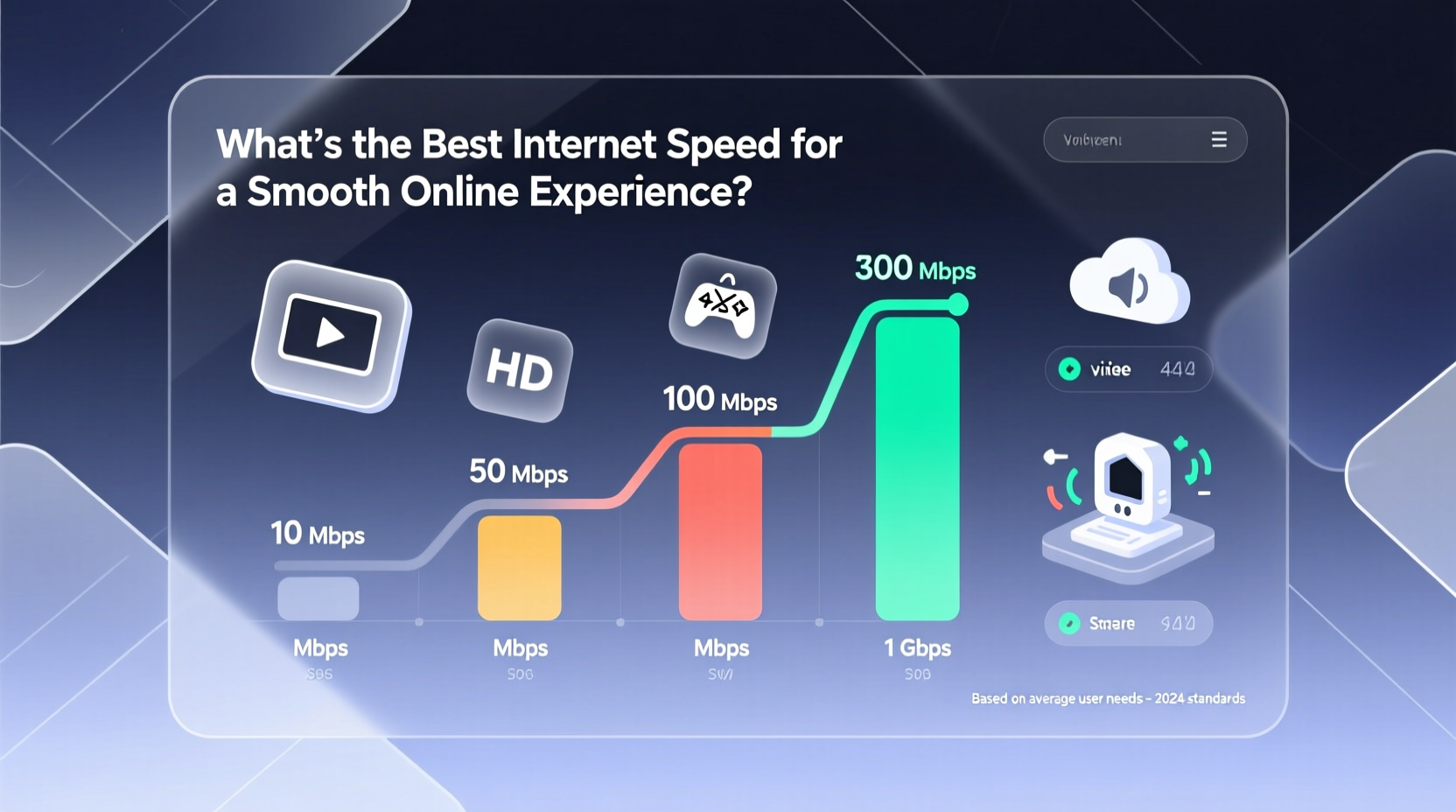
Internet speed is measured in megabits per second (Mbps), which indicates how much data can be downloaded or uploaded each second. Two key components define your connection: download speed and upload speed.
- Download speed: Determines how fast you can receive data—streaming videos, loading web pages, downloading files.
- Upload speed: Affects how quickly you can send data—video conferencing, uploading photos, live streaming.
For most households, download speed receives more attention because everyday tasks like browsing and watching Netflix rely heavily on it. However, with the rise of remote work and cloud-based collaboration, upload speed has become equally critical.
Recommended Speeds by Usage Type
There's no one-size-fits-all answer, but industry standards and user behavior provide clear benchmarks. Below is a breakdown of optimal speeds based on common online activities.
| Activity | Minimum Speed | Ideal Speed | Notes |
|---|---|---|---|
| Web Browsing & Email | 1–3 Mbps | 5 Mbps | Sufficient for light use on a single device. |
| HD Video Streaming (1080p) | 5 Mbps | 10 Mbps | Netflix recommends 5 Mbps; higher ensures buffer-free playback. |
| 4K/Ultra HD Streaming | 15 Mbps | 25 Mbps | Multiple 4K streams require significantly more bandwidth. |
| Online Gaming | 3–6 Mbps | 15–25 Mbps + low latency | Latency (ping) matters more than raw speed—aim for under 50ms. |
| Video Conferencing (Zoom, Teams) | 3 Mbps (down), 1.5 Mbps (up) | 10 Mbps / 5 Mbps | High-definition calls and screen sharing demand balanced upload/download. |
| Working from Home (Multiple Apps) | 10 Mbps | 50+ Mbps | Supports multiple tabs, cloud sync, video calls, and file transfers. |
| Smart Home Devices | 1 Mbps per 5–10 devices | 5–10 Mbps total | Most devices use minimal bandwidth but contribute to network congestion. |
Household Size and Device Count: How They Impact Speed Needs
Your ideal speed isn’t just about what you do online—it’s also about how many people and devices share the network. A single person browsing occasionally needs far less than a family of five with multiple smartphones, tablets, smart TVs, and laptops all active at once.
A general rule of thumb: add 10–25 Mbps for every additional heavy user. For example:
- 1–2 users, light usage: 50 Mbps is more than sufficient.
- 3–4 users, mixed usage: 100–200 Mbps recommended.
- 5+ users, high-demand household: 300–500 Mbps or higher.
“We’ve seen a 70% increase in average household bandwidth consumption since 2020. Families now treat reliable internet like electricity—essential and non-negotiable.” — Dr. Linda Chen, Broadband Research Lead at TechInsight Group
Real Example: The Thompson Family’s Upgrade
The Thompsons, a family of four in Austin, Texas, struggled with constant buffering during movie nights and dropped Zoom calls for both parents working remotely. Their old 60 Mbps plan seemed adequate on paper, but in practice, simultaneous streaming, homework downloads, and security cameras overwhelmed the network.
After upgrading to a 200 Mbps fiber plan, their issues vanished. Video conferences stayed stable, games loaded faster, and even the teenager could livestream gameplay without affecting others. The key wasn’t just more speed—it was consistent performance during peak hours.
Steps to Determine Your Ideal Internet Speed
Choosing the right plan doesn’t have to be guesswork. Follow this step-by-step process to find your sweet spot.
- Inventory your devices: List all internet-connected devices—phones, laptops, smart TVs, thermostats, etc.
- Categorize usage patterns: Identify who does what—streaming, gaming, telecommuting, casual browsing.
- Estimate concurrent activity: Determine how many people will use bandwidth-heavy services at the same time.
- Calculate baseline needs: Use the table above to sum up required speeds for top activities.
- Add a 25–50% buffer: Account for future growth, software updates, and network overhead.
- Test current performance: Run speed tests at different times of day to assess real-world results.
- Compare ISP plans: Look beyond advertised speeds—check customer reviews, reliability, and contract terms.
Frequently Asked Questions
Is 100 Mbps good enough for a family?
Yes, for most families of 3–4 people with moderate to heavy use. It supports multiple HD streams, online gaming, and remote work simultaneously. However, if you frequently upload large files or have more than five active users, consider 200 Mbps or higher.
Do I really need gigabit internet (1000 Mbps)?
Only if you have specific high-bandwidth needs: running a home server, frequent 4K video editing uploads, hosting live streams, or living in a large household with 10+ connected devices actively used. For most users, gigabit is overkill—but it future-proofs your setup.
Why does my internet feel slow even with high-speed service?
Several factors can degrade performance: Wi-Fi interference, outdated routers, background app updates, or ISP throttling. Try connecting via Ethernet, rebooting your router, or switching to a 5 GHz band to improve responsiveness.
Action Plan: Optimize Your Connection Today
Getting the best internet experience isn’t only about paying for more speed—it’s about smart configuration and realistic expectations. Start by auditing your current usage and testing your actual speeds. Then, compare your findings against your provider’s plan. If you’re consistently falling short, explore alternatives like fiber, fixed wireless, or upgraded equipment.
Remember, the goal isn’t maximum speed—it’s consistent, reliable performance when you need it most. With the right plan and a few optimizations, you can eliminate lag, reduce frustration, and make your digital life flow seamlessly.




 浙公网安备
33010002000092号
浙公网安备
33010002000092号 浙B2-20120091-4
Comments
No comments yet. Why don't you start the discussion?