
Call of Duty titles consistently rank among the most-played multiplayer games worldwide, but players frequently face a common frustration: massive update files that consume bandwidth, storage, and time. A single patch can exceed 50GB, especially during seasonal launches or new map releases. While some growth is expected with evolving game content, the sheer size of these updates raises questions. What drives such enormous file downloads? And more importantly, what can players do about it?
This article breaks down the technical and design factors behind bloated Call of Duty updates, explores real-world consequences for gamers, and provides actionable strategies to mitigate the impact—without sacrificing performance or missing out on content.
The Core Reasons Behind Massive Update Sizes
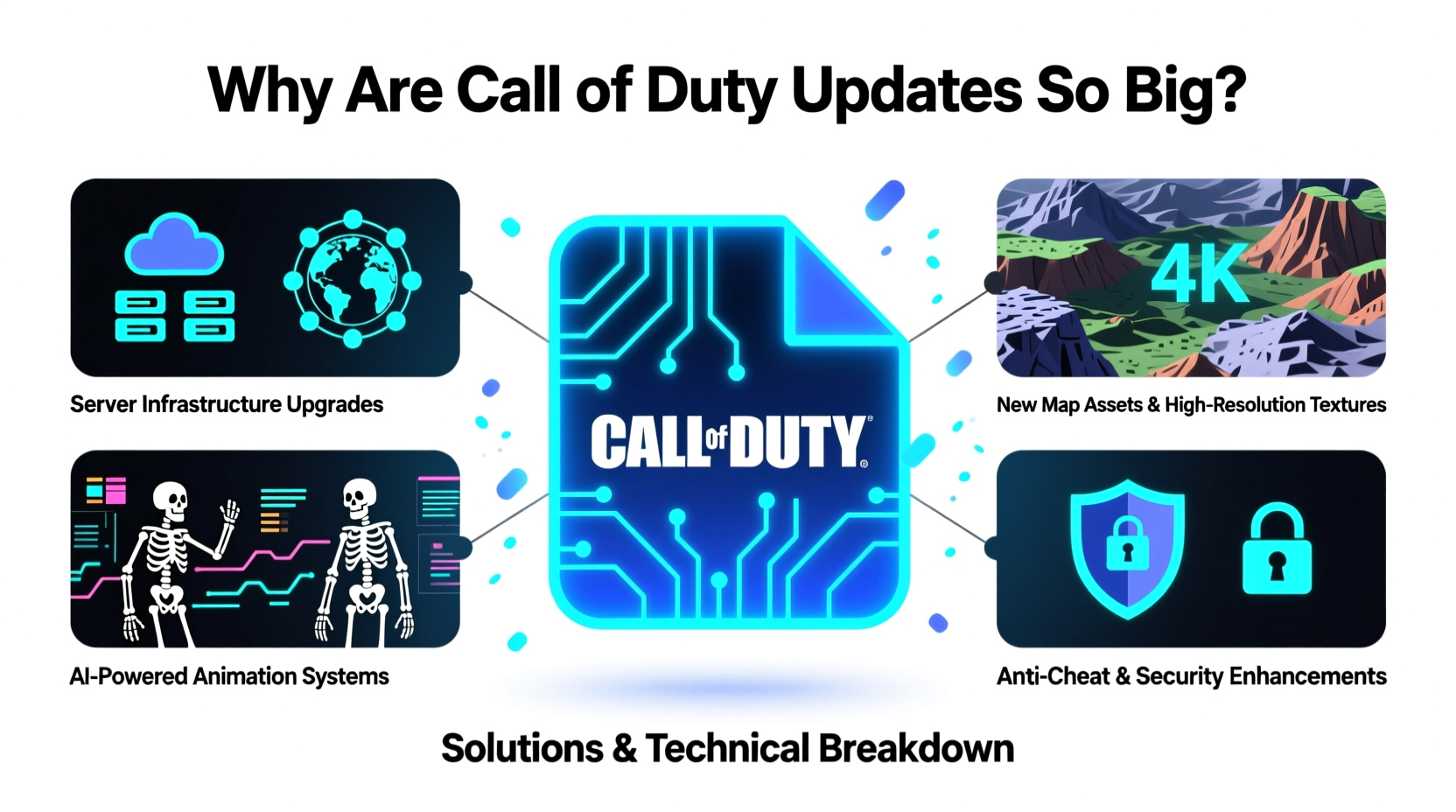
Modern Call of Duty games, particularly those built on the IW engine like *Modern Warfare II*, *Warzone*, and *Black Ops Cold War*, are designed for continuous live-service delivery. This means frequent content drops, balance changes, bug fixes, and new modes—all delivered through patches. But several underlying factors amplify the size of these updates far beyond simple code adjustments.
- High-resolution assets: Textures, character models, weapon skins, and environmental details are rendered in 4K or higher. Each new map or operator adds gigabytes of uncompressed data.
- Full rebuilds vs. deltas: Instead of sending only changed files (delta updates), developers sometimes deploy full asset replacements to avoid compatibility issues, inflating patch sizes.
- Cross-platform synchronization: Updates must be consistent across PC, PlayStation, and Xbox, requiring redundant packaging for each platform’s file system.
- Anti-cheat and security layers: Additional encryption, detection modules, and runtime protections are bundled into updates, increasing overhead.
- Integrated voice and social features: Voice chat systems, party lobbies, and UI overhauls require substantial client-side changes even if gameplay remains unchanged.
How Game Design Contributes to Bloat
Call of Duty has shifted from standalone annual releases to an interconnected ecosystem where one title feeds another. For example, *Modern Warfare II* shares progression and assets with *Warzone*. When a new season launches, both games receive synchronized updates—even if only one introduces major content.
This interdependence leads to redundancy. A new vehicle added to *Warzone* may require updated physics, sound effects, and collision data that must also be pushed to the main title, regardless of whether it appears there. Similarly, cosmetic bundles sold in one store often unlock items across multiple games, necessitating shared resource files.
“Live-service design prioritizes consistency over efficiency. When you're managing millions of concurrent players, a slightly larger patch today prevents thousands of support tickets tomorrow.” — Marcus Tran, Senior Game Systems Designer (former Treyarch)
Additionally, Activision employs aggressive pre-loading tactics. To ensure players can jump into new seasons immediately, entire future maps or modes may be downloaded weeks in advance. This “silent” pre-installation counts toward perceived update bloat, even though it's technically not part of a traditional patch.
Solutions to Manage Large Updates
While players cannot control how developers package updates, several smart practices can reduce friction and optimize the experience.
Optimize Your Network and Storage Setup
| Solution | Effectiveness | Difficulty |
|---|---|---|
| Use wired Ethernet instead of Wi-Fi | High – improves stability and speed | Low |
| Enable UPnP on router | Moderate – reduces NAT restrictions | Medium |
| Add external SSD for console | High – speeds up installs and load times | Medium |
| Pause other downloads during patching | High – maximizes available bandwidth | Low |
Strategic Download Management
- Check patch notes before downloading: If the update doesn’t include content you care about (e.g., new battle pass tier), delay installation until convenient.
- Use standby mode (consoles): Set your PlayStation or Xbox to stay connected in rest mode to allow background downloads.
- Leverage PC scheduling: On Steam or Battle.net, set download times for late night or early morning when network congestion is low.
- Verify integrity selectively: Only run file verification after major updates or if experiencing crashes—don’t do it routinely.
Real-World Example: The Season 02 Launch of MWIII
In November 2023, *Call of Duty: Modern Warfare III* rolled out its Season 02 update. Players reported download sizes ranging from 48GB to 62GB depending on platform. Community forums lit up with complaints about slow progress bars and failed installations.
Analysis revealed that the update included:
- A complete overhaul of the Gulag map in *Warzone*
- New operator models with 8K texture streaming
- An updated anti-cheat module replacing the previous version
- Localization files for six new languages
- Patch-wide rebalancing of 17 weapons via embedded configuration files
Despite only two new multiplayer maps being advertised, the actual changes required deep engine-level modifications. One player on Reddit shared that their 100 Mbps connection took over four hours to complete the download, followed by another 45 minutes of installation. By adjusting DNS settings and switching to a wired connection, they reduced total downtime by nearly 30% in subsequent patches.
Frequently Asked Questions
Why can't Call of Duty use smaller, incremental updates?
While delta updates are ideal, they introduce risks. If a player missed a prior patch, applying a small delta could result in broken files or instability. Full-package updates ensure uniformity across all users, reducing technical support load and preventing desync issues in multiplayer.
Can I delete old update files to save space?
No. Modern consoles and PC launchers integrate updates directly into the base game. There’s no separate “old version” to remove. However, you can uninstall and reinstall the game to clean corrupted files—but this won’t save long-term space.
Does reinstalling the game reduce future update sizes?
Not significantly. Reinstallation doesn’t change how updates are delivered. However, a fresh install can resolve corruption that might otherwise cause failed downloads or repeated patch attempts.
Step-by-Step: Minimizing Update Impact Over Time
- Monitor official channels: Follow @CallofDuty on X or check the Activision support site for scheduled maintenance windows.
- Free up storage weekly: Delete unused screenshots, replays, or other games you’re not currently playing.
- Adjust power settings: Enable automatic background downloads on console during sleep mode.
- Upgrade hardware: Invest in a high-speed internet plan (300+ Mbps) and a fast SSD, especially for PC and next-gen consoles.
- Track bandwidth usage: Use your router’s QoS settings to prioritize your gaming device during critical updates.
Conclusion: Taking Control in a Data-Heavy Era
The era of multi-gigabyte game updates isn’t ending—it’s accelerating. As Call of Duty continues to evolve into a persistent, content-rich platform, players must adapt their habits to keep pace. Understanding the reasons behind massive patches empowers you to make informed decisions about when and how to download them.
Small changes—like switching to wired connections, scheduling downloads, or upgrading storage—can dramatically improve your experience. You don’t need to accept endless waiting as inevitable. With proactive management, you can stay current without letting updates dominate your gaming life.




 浙公网安备
33010002000092号
浙公网安备
33010002000092号 浙B2-20120091-4
Comments
No comments yet. Why don't you start the discussion?