
In today’s hyper-connected world, computers sit at the heart of personal, corporate, and governmental operations. From storing sensitive financial records to managing critical infrastructure, they process and safeguard vast amounts of valuable data. This centrality makes them prime targets for malicious actors. Cybercriminals, state-sponsored hackers, and insider threats all recognize that compromising a single computer can yield disproportionate rewards. Understanding why computers are such high-value targets is essential for individuals and organizations aiming to protect their digital assets.
1. Centralized Access to Sensitive Data
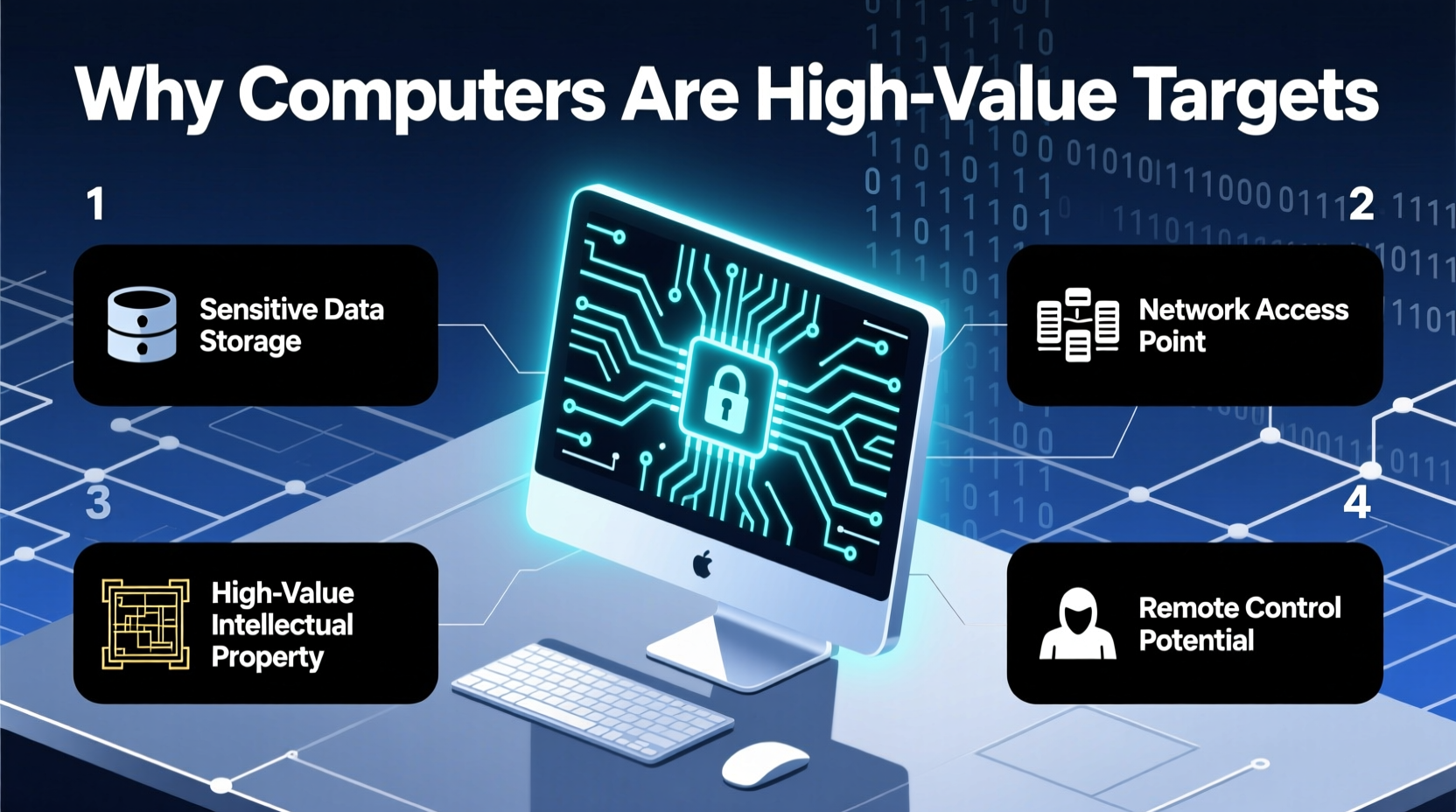
One of the primary reasons computers are targeted is their role as repositories for sensitive information. Whether it's personal identification details, banking credentials, medical histories, or corporate intellectual property, computers often serve as centralized access points to data that can be exploited for financial gain, espionage, or sabotage.
For example, a laptop used by a financial analyst may contain unencrypted spreadsheets with client investment portfolios, transaction histories, and login credentials. If stolen or compromised, this single device could enable identity theft, fraudulent trades, or large-scale data leaks. Similarly, hospital workstations connected to patient databases represent a goldmine for attackers looking to sell health records on the dark web.
The Value of Data in Cybercrime Markets
Stolen data has real monetary value. According to cybersecurity researchers, a single Social Security number can fetch $1–$5 on underground forums, while complete medical records can sell for up to $1,000. Credit card details, though less valuable individually due to fraud detection systems, are still sold in bulk. Computers that provide access to such datasets—either through local storage or networked systems—are therefore highly prized.
“Data is the new oil, and computers are the refineries. Whoever controls the machine controls the flow.” — Dr. Lena Torres, Cybersecurity Researcher at MIT Lincoln Laboratory
2. Gateway to Networked Systems
A single compromised computer can act as a foothold into an entire network. Attackers often use a technique known as lateral movement, where they infiltrate one endpoint and then pivot to others within the same environment. This makes even seemingly low-level machines—like a receptionist’s desktop—highly strategic targets.
Once inside, attackers can escalate privileges, access shared drives, intercept internal communications, or deploy ransomware across multiple systems. The 2017 WannaCry attack, which affected over 200,000 computers in 150 countries, began with phishing emails targeting individual users. Once one machine was infected, the malware spread rapidly through unpatched Windows systems.
Common Entry Points via Endpoints
- Phishing emails with malicious attachments
- Outdated software with known vulnerabilities
- Weak or reused passwords
- Unsecured Wi-Fi connections
- Removable USB devices carrying malware
3. Computational Power and Resource Exploitation
Beyond data theft, computers are also targeted for their processing power. Cryptocurrency mining, distributed denial-of-service (DDoS) attacks, and password-cracking operations require significant computational resources. Rather than invest in expensive hardware, attackers hijack personal and enterprise computers to build botnets—networks of infected devices under remote control.
In many cases, victims remain unaware their machines are being used for illicit purposes. A home computer might run slower or overheat due to hidden mining scripts, but without proper monitoring tools, the compromise goes unnoticed for months.
| Attack Type | Purpose | Impact on Target Computer |
|---|---|---|
| Cryptojacking | Mine cryptocurrency using victim’s CPU/GPU | Sluggish performance, high energy use |
| Botnet Enrollment | Use device in coordinated DDoS attacks | Network congestion, bandwidth overuse |
| Ransomware Deployment | Encrypt files and demand payment | Data loss, system downtime |
4. Role in Supply Chain and Third-Party Attacks
Computers used by vendors, contractors, or partners can become indirect entry points into larger organizations. Attackers increasingly focus on third-party weaknesses to bypass stronger perimeter defenses. The infamous SolarWinds breach in 2020 exemplifies this strategy: hackers compromised the software development environment of a trusted IT management provider, embedding malware into legitimate updates. When customers installed these updates, their own networks were silently infiltrated.
This supply chain model amplifies the value of individual computers involved in software development, system administration, or cloud configuration. A developer’s workstation, if poorly secured, can become the launchpad for nationwide breaches affecting government agencies and Fortune 500 companies.
Mini Case Study: The Target Breach (2013)
In one of the most costly retail breaches in history, hackers gained access to Target’s internal network not through the retailer’s own systems, but via an HVAC contractor. The contractor’s employee used a computer that had remote access to Target’s vendor portal. After stealing login credentials from that machine through phishing, attackers moved laterally into Target’s point-of-sale systems, ultimately exposing 40 million credit and debit card records.
This incident underscores how a single compromised computer outside the primary organization can trigger catastrophic consequences. It also highlights the importance of strict access controls and continuous monitoring—even for third-party endpoints.
5. Persistent Access and Long-Term Espionage
Unlike physical break-ins, digital intrusions can persist undetected for extended periods. Advanced persistent threats (APTs), often orchestrated by nation-states, aim to maintain long-term access to target computers for surveillance and intelligence gathering. These operations prioritize stealth over immediate impact.
For instance, a diplomatic office’s computer might be infected with spyware that logs keystrokes, captures screenshots, and exfiltrates documents over weeks or months. Because the machine appears to function normally, the breach remains invisible until discovered during a forensic audit—or never at all.
Step-by-Step Guide: Securing Your Computer Against High-Risk Threats
- Update Regularly: Apply operating system and software patches promptly to close known vulnerabilities.
- Use Strong Authentication: Implement multi-factor authentication (MFA) wherever possible.
- Install Reputable Security Software: Use antivirus and anti-malware solutions with real-time protection.
- Limit User Privileges: Avoid using administrator accounts for daily tasks to reduce attack surface.
- Back Up Data: Maintain regular, encrypted backups stored offline or in secure cloud environments.
- Monitor Network Traffic: Use firewalls and intrusion detection systems to spot suspicious connections.
- Educate Users: Train employees and family members to recognize phishing attempts and social engineering tactics.
Frequently Asked Questions
Why would anyone target my personal computer?
Even personal computers hold valuable data—email accounts, banking logins, personal photos, and more. They can also be used as part of botnets for larger attacks. No device is too small to be exploited when aggregated at scale.
Are Macs safer than PCs?
While macOS has built-in security features and historically fewer malware variants, no platform is immune. As Mac usage grows, so does its attractiveness to attackers. Recent years have seen a rise in Mac-specific malware like Silver Sparrow and Fruitfly.
Can a computer be hacked if it’s turned off?
Generally, a powered-off computer cannot be remotely accessed. However, some advanced threats exploit firmware or wake-on-LAN features. For maximum security, disconnect from power and network when not in use for extended periods.
Conclusion
Computers are high-value targets because they combine access to sensitive data, connectivity to broader networks, computational power, and potential for long-term exploitation. Their role in both personal and institutional life makes them irresistible to cyber adversaries seeking profit, influence, or disruption. Recognizing this reality is the first step toward stronger digital hygiene.
Security isn’t just about installing software—it’s about cultivating awareness, maintaining vigilance, and taking proactive steps to minimize risk. Every user, from students to CEOs, plays a role in defending the digital ecosystem. By treating your computer not just as a tool, but as a potential target, you empower yourself to protect what matters most.




 浙公网安备
33010002000092号
浙公网安备
33010002000092号 浙B2-20120091-4
Comments
No comments yet. Why don't you start the discussion?