
As the holiday season approaches, nothing sets the mood quite like a string of twinkling Christmas lights. But when your controller fails to respond—ignoring button presses, skipping patterns, or not turning on at all—the magic fades fast. Unresponsive controllers are a common frustration for homeowners, decorators, and even professional installers. The good news: most issues have straightforward explanations and fixes. Understanding why these failures occur—and how to methodically address them—can save time, money, and seasonal stress.
Christmas light controllers manage everything from brightness and color changes to dynamic effects like fading, chasing, or strobing. Whether you're using simple plug-in remotes or advanced Wi-Fi-enabled smart systems, malfunctions can stem from power problems, environmental damage, compatibility errors, or internal hardware failure. This guide breaks down the root causes and offers practical solutions backed by electricians and lighting technicians who work with holiday displays year after year.
Common Causes of Unresponsive Christmas Light Controllers
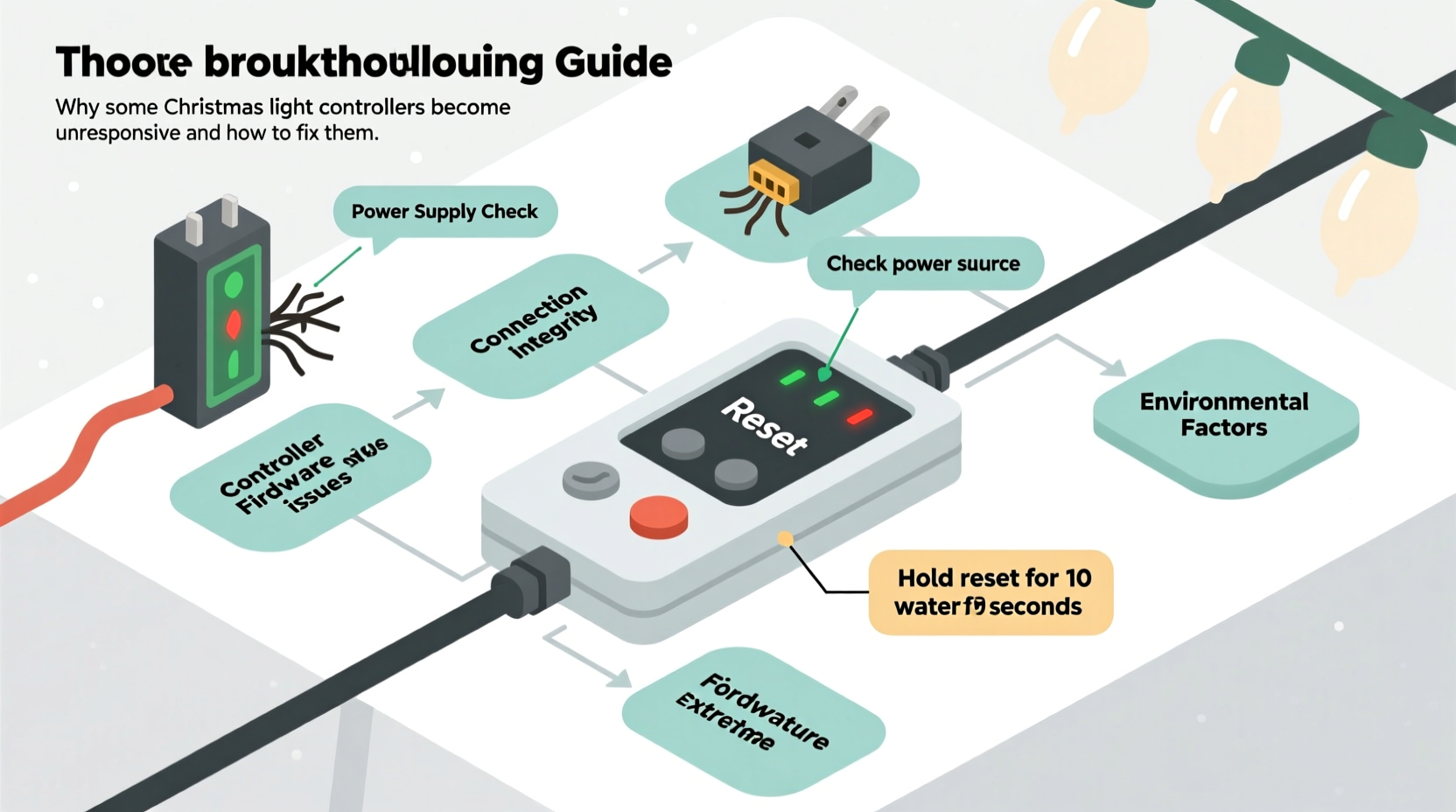
Before jumping into repairs, it's essential to understand what might be causing the issue. Many people assume their controller is \"dead,\" but in reality, the problem often lies elsewhere in the system. Here are the most frequent culprits:
- Power supply issues – Insufficient voltage, tripped breakers, or overloaded circuits can prevent the controller from operating correctly.
- Battery failure (in remote controls) – Even if the main string lights up, a weak or corroded battery in the remote can make it seem like the controller isn’t working.
- Signal interference – Wireless controllers, especially RF and IR types, can suffer from signal blockage due to walls, metal objects, or nearby electronics.
- Damaged wiring or connections – Moisture, physical stress, or poor storage can degrade connectors between the controller and lights.
- Incompatible light strings – Mixing LED types (e.g., warm white with RGB) or exceeding maximum load limits may cause erratic behavior.
- Firmware glitches (smart controllers) – Devices connected via Wi-Fi or Bluetooth can freeze or disconnect due to software bugs or network instability.
- Environmental exposure – Outdoor use without proper weatherproofing leads to corrosion, short circuits, or component failure.
“Over 60% of ‘broken’ controllers we see during repair season aren’t faulty at all—they’re just starved of stable power or mispaired with incompatible lights.” — Daniel Reyes, Holiday Lighting Technician, Northern Lights Displays
Troubleshooting Step-by-Step: A Practical Guide
Follow this logical sequence to isolate and resolve the issue efficiently. Start simple and move toward more complex diagnostics.
- Check the power source
Ensure the outlet is live by plugging in another device. Test with a circuit tester if possible. If using an extension cord, verify it’s rated for outdoor use and not overloaded. - Inspect the controller and cord
Look for visible signs of damage: frayed wires, melted sections, or water inside the housing. Smell for burning odors, which indicate internal shorts. - Verify battery status (if applicable)
Replace batteries in remotes—even if they appear functional. Use fresh alkaline cells; avoid rechargeables, which often don’t provide consistent voltage. - Test line-of-sight (for IR remotes)
Infrared requires direct visibility. Stand within six feet, point the remote directly at the receiver, and press buttons slowly. Obstacles like glass or paint can block signals. - Reset the controller
Unplug the entire setup for two minutes. This clears temporary memory glitches, especially in programmable or smart models. Plug back in and re-pair if necessary. - Try a different light string
Connect the controller to a known-working set of compatible lights. If it functions normally, the original string may be damaged or overloaded. - Reduce the load
Disconnect additional light strands beyond the manufacturer’s recommended limit. Overloading stresses the controller’s output circuitry. - Update firmware (smart systems only)
For Wi-Fi or app-based controllers, check the manufacturer’s app for updates. Reconnect to your network and ensure the device appears online.
Do’s and Don’ts: Best Practices for Controller Longevity
Maintaining your controllers isn’t just about fixing problems—it’s about preventing them. Follow these guidelines to extend lifespan and reduce downtime.
| Do’s | Don’ts |
|---|---|
| Use surge protectors for all outdoor electrical setups | Plug high-wattage lights into standard indoor outlets unprotected |
| Store controllers in sealed plastic bins with desiccant packs | Leave equipment in damp garages or basements over summer |
| Keep spare batteries on hand and replace them annually | Use expired or mixed battery types in remotes |
| Clean connection points with isopropyl alcohol before use | Force-fit connectors that don’t align properly |
| Follow manufacturer specifications for max light length per channel | Daisy-chain more than three non-amplified RGB strings |
Real-World Example: A Frozen Porch Display
Mark T., a homeowner in Vermont, installed a new set of RGB Christmas lights with a smartphone-controlled hub. Midway through December, the lights stopped responding to commands. The app showed them as “online,” but no colors changed. He checked his Wi-Fi, restarted his phone, and even reset the router—all to no avail.
After reading online forums, he realized cold temperatures could affect both battery performance and wireless signals. He brought the outdoor controller box inside overnight, warmed it gradually, and replaced the backup battery. Upon reinstalling it, the system responded immediately. Further investigation revealed condensation had formed inside the enclosure during temperature swings, interfering with the circuit board.
The solution? He added a small silica gel pack inside the housing and upgraded to a fully IP68-rated controller the following year. His display has worked flawlessly since.
When Hardware Is Truly Faulty: Replacement vs. Repair
Sometimes, despite best efforts, the controller itself is defective. Signs include persistent error codes, complete lack of response after power cycling, or visible burn marks. Before replacing, consider:
- Warranty status – Most reputable brands offer 1–2 year warranties. Register your product and keep receipts.
- Repair feasibility – Some modular controllers allow replacement of individual channels or receiver boards. Others are sealed units with no serviceable parts.
- Cost comparison – A $40 smart controller may not be worth repairing if a new one costs $50 and includes updated features.
For DIY enthusiasts, basic soldering skills can revive broken connections or replace failed capacitors. However, unless you have experience with low-voltage DC electronics, attempting internal repairs risks further damage or safety hazards.
“We’ve seen people try to ‘fix’ water-damaged controllers with hair dryers—only to blow the microcontroller chips from overheating. Let it air-dry for 48 hours first.” — Lena Choi, Electronics Repair Specialist, HolidayTech Labs
Troubleshooting Checklist
Use this quick-reference checklist when your Christmas light controller stops responding:
- ✅ Confirm the outlet has power
- ✅ Check fuse in plug (if present)
- ✅ Replace remote batteries with new ones
- ✅ Ensure line-of-sight for infrared remotes
- ✅ Inspect all wire connections for tightness and corrosion
- ✅ Disconnect excess light strings to reduce load
- ✅ Power cycle the system (unplug for 2+ minutes)
- ✅ Test controller with a different, compatible light string
- ✅ Verify Wi-Fi/BT connectivity for smart devices
- ✅ Update firmware via app or manufacturer website
- ✅ Examine for physical damage or moisture ingress
- ✅ Consult manual for error code meanings (if any)
Frequently Asked Questions
Can I use any remote with my Christmas lights?
No. Remotes are typically paired to specific receiver protocols—such as 2.4GHz RF, IR, or proprietary frequencies. Using an incompatible remote will not work, even if it looks identical. Always match model numbers or consult the manufacturer.
Why do my lights turn on but not change colors?
This usually indicates a partial signal or data line failure. The power circuit is intact, but the control signal isn’t reaching the LEDs. Causes include loose data wires, incompatible dimmer switches on the same circuit, or a failing controller chip. Try resetting the unit and checking all connections.
How can I prevent my controller from failing next year?
Proper off-season storage is key. Clean all components, ensure they’re completely dry, and store in a climate-controlled space. Use anti-static bags for electronic parts and label cables clearly. Consider investing in higher IP-rated (Ingress Protection) controllers for outdoor use.
Final Thoughts: Keep the Holidays Bright
An unresponsive Christmas light controller doesn’t have to mean the end of your display. With systematic troubleshooting, many issues can be resolved in under an hour. The key is patience and process: start with power, eliminate variables, and test incrementally. Modern lighting systems are robust, but they demand respect for electrical fundamentals and environmental conditions.
Whether you're illuminating a single tree or designing a synchronized neighborhood spectacle, reliable control is essential. By understanding the technology behind your setup and maintaining it proactively, you ensure years of joyful, glitch-free holiday lighting.




 浙公网安备
33010002000092号
浙公网安备
33010002000092号 浙B2-20120091-4
Comments
No comments yet. Why don't you start the discussion?