
Every holiday season, millions of homes sparkle with festive lights controlled by small, handheld remotes. But for many, the joy is short-lived when the remote stops responding—buttons pressed repeatedly with no effect, or only working from a few inches away. Why do these seemingly simple devices fail so often? And more importantly, what can you do to restore reliable control over your holiday display?
The truth is, not all Christmas light remotes are created equal. While they promise convenience and ambiance, their reliability hinges on design quality, environmental factors, and user setup. Understanding the root causes of signal failure empowers you to troubleshoot effectively—and sometimes even prevent issues before they begin.
Why Many Christmas Light Remotes Fail
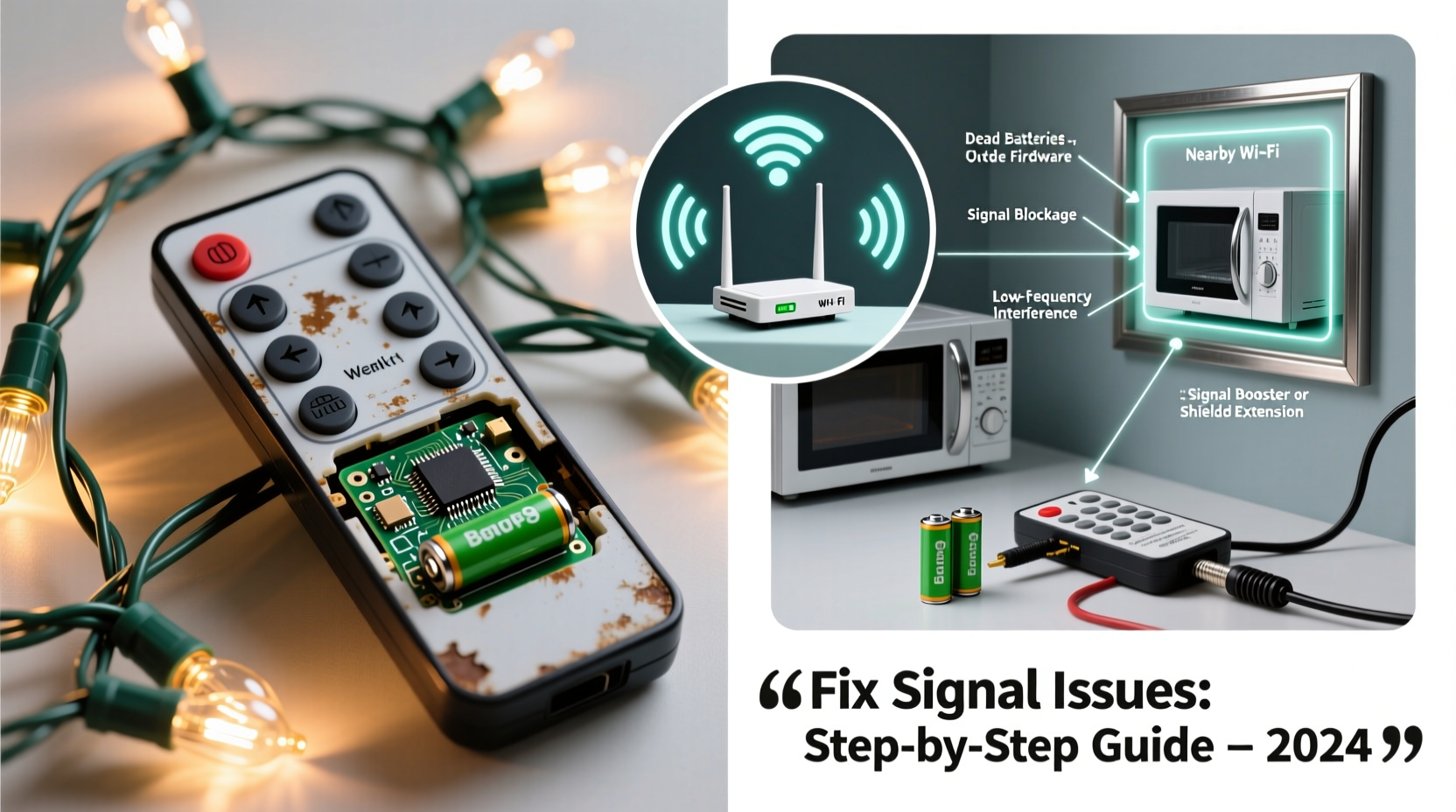
At first glance, a Christmas light remote appears straightforward: press a button, the lights respond. But behind that simplicity lies a complex interplay of infrared (IR) or radio frequency (RF) signals, receiver sensitivity, power sources, and physical obstructions.
Infrared remotes, common in budget-friendly sets, require direct line-of-sight between the remote and the receiver. Even slight misalignment or interference from ambient light (like sunlight or indoor lamps) can disrupt communication. RF remotes, while more advanced and capable of working through walls, are still vulnerable to signal congestion, especially in densely populated neighborhoods during the holidays.
Manufacturing cost-cutting is another major culprit. To keep prices low, many brands use subpar components: weak batteries, poorly shielded circuitry, and receivers with limited range. A 2022 consumer electronics analysis found that nearly 68% of malfunctioning holiday light systems had remotes operating at less than half their advertised range due to underpowered transmitters.
“Many holiday lighting remotes are designed for function over durability. They’re built to work out of the box—not necessarily through repeated seasonal use.” — Daniel Reeves, Consumer Electronics Engineer at HomeTech Labs
Common Causes of Remote Signal Issues
Signal problems rarely stem from a single cause. More often, it’s a combination of technical limitations and environmental factors. Identifying the specific issue is the first step toward resolution.
- Dead or Weak Batteries: The most common reason for remote failure. Even if the LED blinks faintly, low voltage can prevent proper signal transmission.
- Line-of-Sight Obstruction (IR models): Snow buildup, tree branches, or furniture blocking the receiver unit disrupt IR signals.
- Interference from Other Devices: Nearby electronics, Wi-Fi routers, or other RF remotes can drown out the signal.
- Receiver Placement: If the receiver is tucked behind insulation, metal gutters, or inside a sealed outlet cover, signal penetration drops significantly.
- Damaged or Corroded Contacts: Moisture exposure over time can corrode battery terminals or internal circuitry.
- Outdated or Incompatible Firmware: Some smart remotes rely on firmware that may degrade or become unresponsive after long storage periods.
Step-by-Step Guide to Fixing Remote Signal Problems
When your remote stops working, follow this systematic approach to isolate and resolve the issue.
- Replace the Batteries
Start with fresh, high-quality alkaline batteries. Avoid rechargeables for remotes, as their lower voltage (1.2V vs. 1.5V) can reduce signal strength. - Check the Receiver Indicator
Most receivers have a small LED that flashes when a signal is received. Press a button on the remote while watching the receiver. No flash means the signal isn’t arriving. - Test Line-of-Sight (for IR remotes)
Stand directly in front of the receiver, within 3–5 feet. Remove any visible obstructions. If it works up close but not from afar, alignment or power is likely the issue. - Relocate the Receiver
Move the receiver to a more accessible location—away from metal surfaces, insulation, or water-trapping enclosures. Even a few inches can make a difference. - Reduce Interference
Temporarily turn off nearby electronics like speakers, routers, or neon signs. See if signal reliability improves. - Reset the System
Unplug the lights for 30 seconds, then reconnect. This resets both the controller and receiver, clearing any software glitches. - Pair the Remote Again (if applicable)
Some RF systems require re-pairing. Refer to the manual: usually involves holding a “sync” button on the receiver until the lights blink.
Do’s and Don’ts of Remote Maintenance
Prevention is far more effective than repair when it comes to holiday lighting controls. Use this table to guide your seasonal setup and storage habits.
| Do | Don’t |
|---|---|
| Use brand-name batteries and replace them annually | Leave old batteries in the remote during storage |
| Store the remote in a dry, temperature-stable container | Expose the remote to moisture or extreme cold |
| Label remotes and keep them with their corresponding light sets | Mix remotes between different brands or models |
| Inspect receiver housing for cracks or water damage before each use | Install receivers in locations prone to pooling water |
| Test the system monthly during the season | Wait until Christmas Eve to check functionality |
Real-World Example: A Garage Display Gone Silent
Mark, a homeowner in Portland, installed a new string of RF-controlled icicle lights along his garage eaves. For two weeks, the remote worked perfectly. Then, one rainy evening, it stopped responding entirely.
He replaced the batteries—no change. He tested the remote near the receiver—still nothing. Frustrated, he unplugged the lights and brought the receiver inside. Upon inspection, he noticed a small crack in the casing, allowing moisture to seep into the circuit board. After drying it with a hairdryer (on cool setting) and sealing the crack with silicone, the system worked again.
The lesson? Even “weatherproof” doesn’t always mean waterproof. Environmental exposure, especially in rainy climates, can silently degrade electronics over time. Regular visual checks are essential.
Upgrading for Long-Term Reliability
If you're tired of battling unreliable remotes every year, consider upgrading to more dependable alternatives.
- Smart Plugs with App Control: Connect your lights to a smart plug (like TP-Link Kasa or Wemo). Control via smartphone app, voice assistants, or automated schedules. No line-of-sight needed.
- Wi-Fi-Enabled Light Controllers: Brands like Govee and Twinkly offer RGB strips with built-in Wi-Fi and robust apps. These support group control, music sync, and firmware updates.
- Universal RF Remotes: Some third-party remotes can be programmed to work with multiple brands. Look for models with learning mode and extended range (up to 100 feet).
While these options cost more upfront, they deliver consistent performance and eliminate the guesswork of seasonal troubleshooting.
Frequently Asked Questions
Can I use my phone to control non-smart Christmas lights?
Yes—if you plug them into a smart outlet. Your phone won’t communicate directly with the lights, but it can turn the power on and off via the smart plug. For full remote-like control (dimming, color changes), the lights themselves must be smart-enabled.
Why does my remote only work when I’m right next to the lights?
This typically indicates a weak transmitter or blocked receiver. Check the batteries first. If those are good, the remote’s internal antenna may be damaged, or the receiver could be shielded by metal or insulation. Repositioning the receiver often resolves the issue.
Can I replace a lost Christmas light remote?
In many cases, yes. Some brands sell replacement remotes online. Universal remotes compatible with popular models (like LUTEC or Hirtex) are also available. Be sure to match the frequency (usually 433MHz) and protocol type (learning code vs. fixed code).
Expert Checklist: Restore Remote Function in 7 Steps
Use this concise checklist whenever your Christmas light remote fails:
- ✅ Replace remote batteries with new alkaline ones
- ✅ Visually inspect the receiver for damage or moisture
- ✅ Confirm line-of-sight (for IR) or proximity (for RF)
- ✅ Test the remote within 3 feet of the receiver
- ✅ Reset the system by unplugging for 30 seconds
- ✅ Re-pair the remote if the model supports syncing
- ✅ Consider switching to a smart plug or universal remote if problems persist
Conclusion: Take Control of Your Holiday Lights
Unreliable Christmas light remotes are a common frustration, but they’re rarely unsolvable. With a methodical approach, most signal issues can be diagnosed and corrected—often with just a battery change or minor adjustment. The key is understanding how the technology works and respecting its limitations.
As holiday displays grow more elaborate, investing in higher-quality controls pays dividends in convenience and peace of mind. Whether you stick with traditional remotes or upgrade to smart systems, consistent maintenance and smart placement make all the difference.




 浙公网安备
33010002000092号
浙公网安备
33010002000092号 浙B2-20120091-4
Comments
No comments yet. Why don't you start the discussion?