
As holiday seasons roll around, many households rely on remote-controlled Christmas lights to create festive atmospheres with minimal effort. These smart lighting systems offer convenience, allowing users to adjust brightness, color, timing, and effects from across the room. But nothing disrupts the cheer faster than a remote that suddenly stops responding. While it’s easy to blame dead batteries or faulty hardware, the real culprit is often more subtle: signal interference. Understanding the sources of interference—and how to mitigate them—can restore seamless control over your holiday display.
How Remote-Controlled Christmas Lights Work
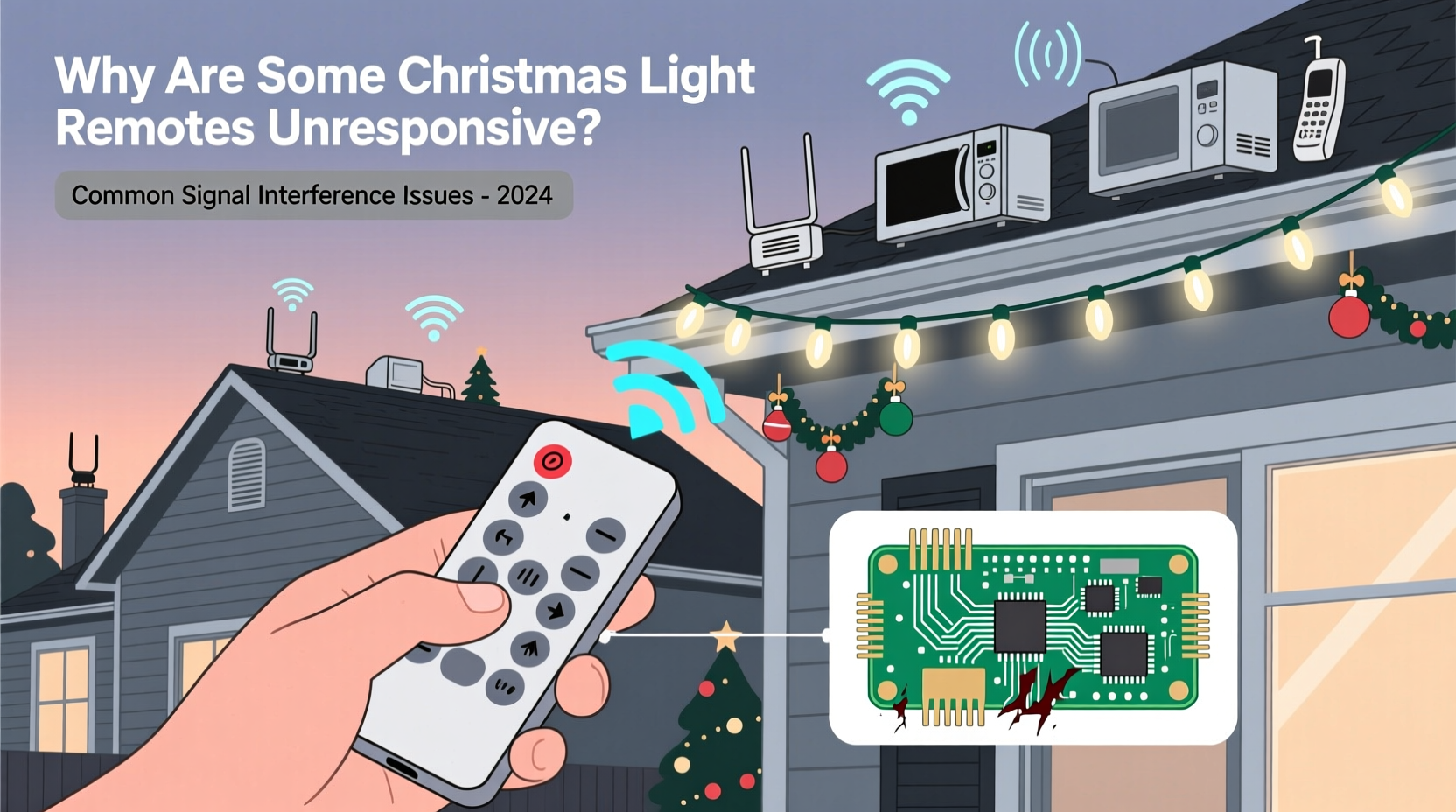
Most modern remote-controlled Christmas lights operate using radio frequency (RF) or infrared (IR) signals. Infrared remotes require line-of-sight communication between the remote and receiver, much like a TV remote. RF remotes, typically operating at 433 MHz or 2.4 GHz frequencies, do not need direct visibility and can function through walls and obstacles, making them more versatile for outdoor setups.
The remote sends a coded signal to a built-in receiver in the light string or power adapter. This receiver decodes the command and adjusts the lights accordingly. However, if external signals interfere with this transmission—or if physical and environmental barriers block it—the system may fail to respond.
While IR remotes are more prone to obstruction, RF systems face greater risks from electromagnetic noise. Both technologies have strengths and vulnerabilities, but understanding their limitations helps diagnose unresponsiveness accurately.
Common Sources of Signal Interference
Signal interference occurs when another electronic device emits energy on or near the same frequency as your Christmas light remote. This \"noise\" can drown out or distort the intended signal, causing delays, partial responses, or complete failure.
Electromagnetic Devices
Household electronics are among the most frequent disruptors. Devices such as Wi-Fi routers, cordless phones, baby monitors, microwaves, and Bluetooth speakers emit RF signals that can clash with those used by Christmas light controllers. For example, a microwave oven operating at 2.45 GHz can severely disrupt nearby 2.4 GHz RF remotes during use.
Dense Wireless Networks
In urban homes or apartment complexes, dozens of overlapping Wi-Fi networks occupy the same airwaves. This congestion increases packet loss and reduces signal clarity, especially for low-power consumer devices like holiday light remotes. The result? Commands get lost before reaching the receiver.
Physical Obstacles
Even non-electronic materials can weaken signals. Concrete walls, metal siding, large appliances, and even thick holiday decorations can absorb or reflect RF waves. Outdoor installations mounted behind trees or under eaves may experience reduced range due to foliage moisture and structural shielding.
Power Line Noise
Poor-quality extension cords, surge protectors with filtering circuits, or aging electrical wiring can introduce electrical noise into the system. Since the receiver unit draws power from the same circuit, this noise may destabilize its operation—even if the signal reaches it successfully.
“Interference isn’t always about competing frequencies. Sometimes, poor grounding or dirty power causes receivers to misinterpret valid signals.” — David Lin, Electrical Systems Engineer
Troubleshooting Unresponsive Remotes Step-by-Step
When your Christmas light remote fails, follow a systematic approach to isolate the issue before replacing components unnecessarily.
- Check Battery Levels: Weak batteries reduce transmission strength. Replace with fresh ones, ensuring correct polarity.
- Verify Line-of-Sight (for IR): Point the remote directly at the receiver. Remove any obstructions like garlands or furniture.
- Test Distance: Move closer to the lights. If the remote works within three feet but not farther, signal degradation is likely.
- Eliminate Nearby Electronics: Temporarily turn off Wi-Fi routers, microwaves, or Bluetooth devices. Test the remote again.
- Relocate the Receiver: If possible, move the light string’s controller away from power strips or large metal objects.
- Use a Different Outlet: Plug the lights into a separate circuit to rule out power line interference.
- Reset the System: Unplug the lights for 30 seconds, then reconnect. Some models reset their pairing upon reboot.
- Re-Pair the Remote: Consult the manual to re-sync the remote with the receiver—especially after battery replacement.
Do’s and Don’ts: Managing Signal Performance
| Do | Don’t |
|---|---|
| Place receivers away from major appliances and routers | Install lights directly behind refrigerators or HVAC units |
| Use high-quality, shielded extension cords rated for outdoor use | Run power cables parallel to network or speaker wires |
| Group remotes by frequency band to avoid cross-talk | Mix multiple 433 MHz devices without checking compatibility |
| Label remotes clearly to prevent accidental pairing errors | Assume all “universal” remotes work interchangeably |
| Store remotes and receivers together off-season | Leave remotes exposed to moisture or extreme temperatures |
Real-World Example: Apartment Balcony Display Failure
Jamie installed a set of RGB LED Christmas lights on her seventh-floor balcony, controlled via a 2.4 GHz RF remote. Despite initial success, the remote became increasingly unreliable after neighbors returned from vacation. She could only activate the lights when standing inches from the receiver.
After testing batteries and outlets, she noticed her remote worked perfectly when her neighbor's Wi-Fi was turned off. Using a Wi-Fi analyzer app, she discovered four strong 2.4 GHz networks overlapping on Channel 6—the same frequency her lights used. Jamie switched her router to 5 GHz for daily use and placed a small RF repeater near the balcony railing. The signal stabilized immediately, restoring full remote functionality.
This case illustrates how dense wireless environments impact low-power holiday devices—even when they aren’t directly connected to the internet.
Preventing Future Interference: Long-Term Solutions
Instead of reacting to failures each season, proactive measures ensure consistent performance year after year.
Frequency Management
If you own multiple remote-controlled light sets, check their operating frequencies. Opt for models that use different bands (e.g., one 433 MHz, one IR). Alternatively, choose smart lights compatible with centralized platforms like Wi-Fi or Zigbee, which manage channel selection automatically.
Shielding and Placement
Mount receivers in open areas, elevated slightly above ground level and away from metal surfaces. Use plastic enclosures instead of metal boxes, which can act as Faraday cages. Avoid routing power cords near audio/video cables to minimize inductive coupling.
Upgrade to Smart Lighting Systems
Consider transitioning to app-based smart Christmas lights. These connect to your home Wi-Fi and are controlled via smartphone, voice assistants, or automation schedules. Though initially more expensive, they eliminate handheld remote dependency and often include interference-handling protocols.
Seasonal Maintenance Checklist
- Test all remotes and receivers before installation
- Clean remote contacts and battery terminals with isopropyl alcohol
- Inspect wiring for frays or corrosion, especially on outdoor sets
- Confirm firmware updates for smart light models
- Document frequencies and pairing codes for future reference
- Store remotes in anti-static bags with silica gel packets
“Treat your holiday lighting system like any other tech setup. Proper maintenance and awareness of your environment make the difference between frustration and flawless operation.” — Maria Tran, Home Automation Consultant
Frequently Asked Questions
Can Wi-Fi really interfere with my Christmas light remote?
Yes. Many remotes operate at 2.4 GHz—the same frequency used by most Wi-Fi networks. When multiple devices transmit simultaneously, signal collisions occur. This is especially common in apartments or densely populated neighborhoods.
Why does my remote work sometimes but not others?
Intermittent response usually indicates partial signal blockage or fluctuating interference. A microwave turning on, a phone connecting to Wi-Fi, or even weather changes (like increased humidity) can affect signal propagation. It may also suggest weakening batteries or a failing transmitter diode.
Is there a way to boost the signal from my remote?
Direct amplification isn’t practical for consumers, but you can improve reliability by relocating the receiver, reducing local interference, or using a signal repeater designed for RF devices. For IR systems, placing a reflective surface behind the receiver can help bounce signals into range.
Conclusion: Take Control of Your Holiday Lighting Experience
A non-responsive Christmas light remote doesn’t mean the season is ruined—it’s often a solvable technical issue rooted in signal interference. By identifying common disruptors like Wi-Fi congestion, physical barriers, and electromagnetic noise, you can restore reliable control and enjoy hassle-free holiday displays.
Simple actions—like repositioning receivers, upgrading extension cords, or switching to smart lighting platforms—can dramatically improve performance. With thoughtful planning and seasonal maintenance, your lights will shine brightly, exactly when and how you want them to.




 浙公网安备
33010002000092号
浙公网安备
33010002000092号 浙B2-20120091-4
Comments
No comments yet. Why don't you start the discussion?