
There’s nothing quite like the warm glow of Christmas lights adorning a home during the holiday season. But when that soft twinkle turns into an erratic, unpredictable flicker—some bulbs flashing wildly while others dim or go dark—it can ruin the ambiance and raise concerns about safety and longevity. Erratic blinking isn’t just annoying; it can signal underlying electrical issues, component failure, or improper setup. The good news is that most causes are diagnosable and fixable with basic tools and a bit of patience.
Whether you're dealing with traditional incandescent strands, modern LED sets, or programmable smart lights, understanding what drives unstable lighting behavior is key to restoring harmony to your display. From loose bulbs to faulty controllers, this guide breaks down the most common culprits and provides clear, actionable solutions.
Understanding How Christmas Lights Work
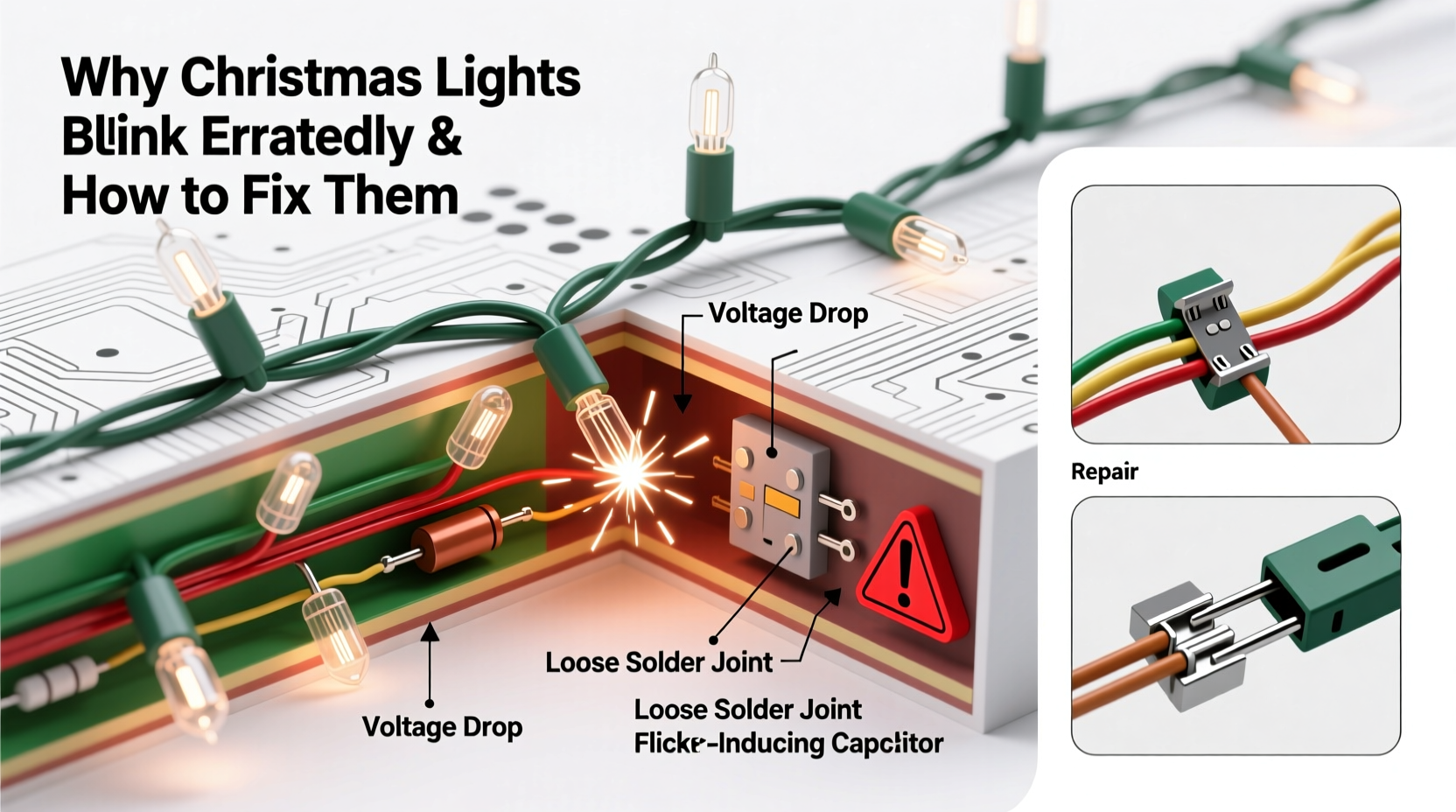
To troubleshoot effectively, it helps to know how different types of Christmas lights operate. Most holiday light strings fall into three categories:
- Incandescent Mini Lights: These use small tungsten filament bulbs powered in series or parallel circuits. A single dead bulb can break the circuit in older series-wired strands, causing sections to go dark or blink unpredictably.
- LED Christmas Lights: More energy-efficient and longer-lasting, LEDs often use shunt wires that bypass failed bulbs. However, voltage fluctuations or driver failures can still cause erratic behavior.
- Smart or Programmable Lights: Wi-Fi or app-controlled strings may have built-in microcontrollers that manage patterns. Glitches in firmware or signal interference can lead to irregular blinking.
In series-wired setups, electricity flows through each bulb in sequence. If one bulb has a poor connection, the entire string may flicker. Parallel-wired or newer \"mini-light\" designs isolate bulbs so one failure doesn’t affect others—but controller malfunctions can still create chaotic blinking.
Common Causes of Erratic Blinking and How to Diagnose Them
Erratic blinking rarely stems from a single issue. It's often the result of multiple interacting factors. Below are the most frequent causes, ranked by likelihood and severity.
1. Loose or Improperly Seated Bulbs
A bulb that isn't fully screwed in or has corroded contacts can interrupt current flow. This creates intermittent connections, leading to flickering or pulsing in part or all of the strand.
2. Faulty or Failing Shunt (in Incandescent Strings)
In older mini-lights, each bulb contains a shunt—a tiny wire designed to carry current if the filament burns out. If the shunt fails or doesn’t activate properly, the circuit breaks, causing downstream bulbs to blink or go dark.
3. Damaged or Frayed Wiring
Outdoor lights exposed to weather, animals, or foot traffic can suffer wire damage. Exposed conductors or pinched insulation alter resistance and cause inconsistent power delivery.
4. Overloaded Circuits or Voltage Fluctuations
Plugging too many light strings into a single outlet or using undersized extension cords can cause voltage drops. LEDs are especially sensitive to low voltage, which may trigger strobing or partial illumination.
5. Controller or Timer Malfunction
Many light sets come with built-in blink controllers or external timers. If the internal electronics fail—or are exposed to moisture—the programmed pattern can become erratic or default to random flashing.
6. Incompatible Light Mixing
Connecting non-identical strands (e.g., mixing LED with incandescent, or different voltages) disrupts load balance. This mismatch stresses drivers and leads to unstable performance.
“Most blinking issues stem from simple physical faults—loose bulbs, worn sockets, or degraded wiring. A methodical inspection catches 90% of problems.” — Daniel Reeves, Electrical Safety Inspector, NFPA Certified
Step-by-Step Guide to Fixing Erratic Christmas Lights
Follow this systematic approach to identify and resolve the root cause of erratic blinking. This process works for both indoor and outdoor displays.
- Unplug the lights completely. Safety first—never work on energized circuits.
- Inspect the entire strand visually. Look for cracked bulbs, frayed wires, water damage, or bent sockets. Pay special attention to areas near plugs and connectors.
- Check each bulb. Remove and reseat every bulb firmly. Use a bulb tester or multimeter to verify continuity. Replace any that are dark, blackened, or rattling (indicating broken filaments).
- Test the shunts (for incandescent strings). In older strands, a failed shunt may not be obvious. Replace suspect bulbs even if they appear intact.
- Examine the controller or flasher unit. If your lights have a built-in blink module, try bypassing it temporarily with a steady-burn replacement bulb or connector. If the flickering stops, the controller is likely faulty.
- Verify power sources and connections. Ensure you’re not daisy-chaining more than the manufacturer recommends (typically 3–5 strands for LEDs, fewer for incandescent). Use heavy-gauge extension cords rated for outdoor use if needed.
- Try a different outlet. Plug the lights into a known-working circuit to rule out household voltage issues.
- Separate mixed light types. Avoid combining different brands, technologies, or ages of light strings on the same run.
- For smart lights: Reset the system. Power cycle the controller, re-pair with the app, and check for firmware updates. Interference from other wireless devices can also cause glitches.
- Reassemble and test. Once repairs are made, plug in the lights and observe for at least five minutes to confirm stable operation.
Troubleshooting Table: Symptoms vs. Likely Causes
| Symptom | Possible Cause | Solution |
|---|---|---|
| Bulbs blink randomly in short bursts | Faulty controller or timer | Replace controller or switch to steady mode |
| One section flickers while others stay lit | Loose bulb or damaged socket | Reseat or replace bulbs in affected section |
| Lights pulse slowly like a heartbeat | Voltage drop from overloaded circuit | Reduce number of connected strands; use shorter cords |
| Entire string flashes rapidly | Short circuit or incompatible power source | Inspect wiring; avoid mixing LED/incandescent |
| Intermittent blinking after rain | Moisture in connectors or housing | Dry thoroughly; seal connections with waterproof tape |
| Smart lights behave unpredictably | Wi-Fi interference or software bug | Reset device; update firmware; relocate router |
Real Example: A Homeowner’s Holiday Rescue
Mark T., a homeowner in Ohio, noticed his front porch lights—three connected LED strands—were blinking in a jagged, unsynchronized pattern every evening. At first, he assumed it was a feature, but when half the string went dark entirely, he decided to investigate.
After unplugging the set, he inspected each bulb and found one with a cracked base. He replaced it, but the flickering persisted. Next, he checked the extension cord and discovered it was rated for indoor use only and had slight swelling near the outlet—likely due to snowmelt exposure.
He swapped in a heavy-duty outdoor-rated cord and separated the third light strand onto its own circuit. The blinking stopped immediately. Later, he learned from an electrician that the undersized cord had caused a voltage sag, confusing the LED drivers and triggering erratic behavior.
This case illustrates how environmental factors and overlooked details—like cord specifications—can dramatically impact performance.
Prevention Checklist: Keep Your Lights Steady Year After Year
To minimize future issues, follow this seasonal checklist:
- ✅ Inspect all strands before installation each year
- ✅ Replace any cracked, cloudy, or discolored bulbs preemptively
- ✅ Use only UL-listed extension cords rated for outdoor loads
- ✅ Avoid daisy-chaining more than the manufacturer allows
- ✅ Store lights on reels or cardboard spools to prevent tangles and wire stress
- ✅ Keep connectors elevated and sealed when used outdoors
- ✅ Label light types and lengths for easier setup next season
- ✅ Consider upgrading to commercial-grade or permanent low-voltage landscape lighting for reliability
Frequently Asked Questions
Can LED Christmas lights burn out?
Yes, although LEDs last significantly longer than incandescent bulbs (often 25,000–50,000 hours), they can fail prematurely due to overheating, poor manufacturing, or voltage spikes. Drivers and resistors within the string are more likely to fail than the diodes themselves.
Why do my new Christmas lights blink even when set to “steady”?
This usually indicates a defective controller or a design flaw in lower-cost sets. Some budget strings use unstable timing circuits that mimic blinking even in “on” mode. Try replacing the controller module or switching to a higher-quality brand.
Is it safe to leave blinking Christmas lights on overnight?
Modern, certified light sets (especially LEDs) are generally safe for extended use if installed correctly. However, erratic blinking can indicate electrical instability, which increases fire risk. Never leave malfunctioning lights unattended. Always turn them off when sleeping or leaving the house.
Final Thoughts: Restore the Magic with Smart Maintenance
Erratic Christmas lights don’t have to derail your holiday spirit. With a clear understanding of how these systems work—and a logical troubleshooting process—you can diagnose and repair most issues in under an hour. The key is to move beyond quick fixes and address the real source: whether it’s a loose bulb, worn wiring, or incompatible components.
Regular maintenance not only ensures a consistent, beautiful display but also enhances safety and extends the life of your investment. As lighting technology advances, so should our care routines. Take the time now to inspect, repair, and optimize your setup. Your future self—standing under a perfectly glowing canopy of lights—will thank you.




 浙公网安备
33010002000092号
浙公网安备
33010002000092号 浙B2-20120091-4
Comments
No comments yet. Why don't you start the discussion?