
Blocking an unwanted contact should be a simple task—yet many users find themselves unable to do so despite following the correct steps. Whether it’s persistent spam messages, repeated calls from unknown numbers, or harassment through messaging platforms, the inability to block someone can be frustrating and even distressing. The good news is that most issues preventing contact blocking are fixable with the right approach. This guide explores the most common causes behind failed blocking attempts and provides actionable, platform-specific solutions.
Why Blocking Fails: Common Technical and Systemic Causes
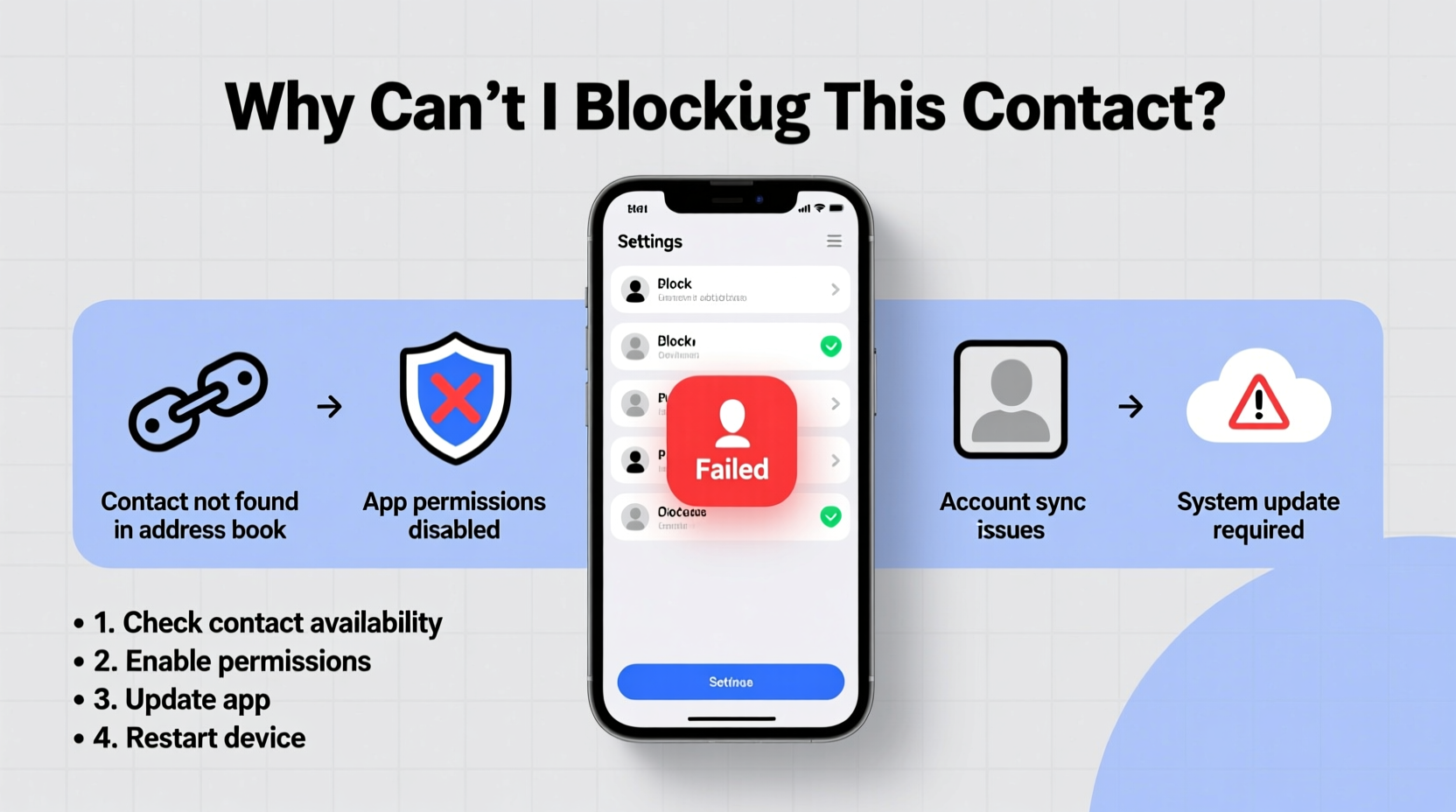
The inability to block a contact rarely stems from user error alone. Instead, it often results from deeper system-level restrictions, outdated software, or app-specific limitations. Below are the primary technical reasons why your block request might not go through:
- Outdated Operating System: Older versions of iOS or Android may lack updated security features required for effective blocking.
- App-Specific Restrictions: Third-party apps like WhatsApp, Telegram, or Facebook Messenger have their own blocking mechanisms that don’t always sync with device-level settings.
- Contact Sync Conflicts: If your phone syncs contacts across multiple accounts (Google, iCloud, work email), conflicting permissions may interfere with blocking actions.
- Carrier-Level Limitations: Some carriers do not support advanced call filtering, especially on older plans or prepaid lines.
- Blocked Number Format Issues: International numbers or VoIP-based callers may bypass standard filters due to formatting inconsistencies.
Step-by-Step Guide to Successfully Block a Contact
Follow this universal process to maximize your chances of successfully blocking a contact across major platforms.
- Verify the Contact Information: Double-check the number or username you're trying to block. Typos or alternate identifiers (e.g., +1 vs. 011) can lead to failed blocks.
- Update Your Device: Go to Settings > General > Software Update (iOS) or Settings > System > System Update (Android) and install any pending updates.
- Check App Permissions: Ensure your messaging and phone apps have permission to access contacts and use call-blocking services.
- Use Built-in Blocking Tools: Navigate to the contact’s profile in your Phone or Messages app and select “Block this contact.”
- Enable Spam Protection: Activate built-in spam filters such as iOS’s “Silence Unknown Callers” or Android’s “Caller ID & Spam” feature.
- Manually Add to Blocked List: In some cases, manually entering the number into your device’s blocked contacts list works when direct blocking fails.
For iPhone Users
iOS offers robust native blocking via the Phone, FaceTime, and Messages apps. To block a number:
- Open the Phone app and tap the \"Recents\" tab.
- Find the number, tap the info (i) icon next to it.
- Select “Block this Caller,” then confirm.
If this fails, go to Settings > Phone > Blocked Contacts and manually add the number.
For Android Users
On most Android devices:
- Open the Phone app and go to Recent calls.
- Tap and hold the number, then choose “Block number” or “Add to block list.”
- Alternatively, go to Settings > Apps > Phone app > Blocked numbers to manage entries manually.
Note: On Samsung devices, use the “Call settings” menu under the Phone app for additional filtering options.
Platform Comparison: Blocking Capabilities Across Devices and Apps
| Platform | Native Block Support | Message Filtering | VoIP/Third-Party Integration | User Control Level |
|---|---|---|---|---|
| iOS (iPhone) | Yes – full integration | Strong (with iMessage filtering) | Limited (requires app-specific blocks) | High |
| Android (Stock) | Yes – varies by manufacturer | Moderate (depends on carrier) | Medium (Google Messages supports RCS filtering) | Medium-High |
| Yes – within app only | Blocks messages and calls | Full (end-to-end encrypted blocking) | High | |
| Facebook Messenger | Yes – but limited visibility | Messages go to “Message Requests” | Partial (no call blocking) | Medium |
| SMS (Standard Text) | Depends on OS/carrier | Weak without third-party tools | No | Low-Medium |
Real-World Example: When Blocking Didn’t Work—and How It Was Fixed
Samantha, a small business owner in Austin, began receiving daily spam texts from a spoofed number claiming her “package delivery failed.” She tried blocking the number through her iPhone’s Messages app, but new messages kept appearing. Frustrated, she assumed the system was broken.
After contacting Apple Support, she learned two things: First, the number was being masked using a technique called “neighbor spoofing,” making it appear local. Second, her iOS version was outdated (iOS 15.3), missing critical spam detection updates.
She updated to iOS 16.5, enabled “Filter Unknown Senders” in Settings > Messages, and installed Apple’s recommended carrier settings update. Within hours, the messages stopped. The key wasn’t just blocking—it was combining native tools with updated software intelligence.
“Modern spam often bypasses basic blocking. Effective protection requires layered defenses: updated software, filtering, and awareness.” — Dr. Alan Reyes, Cybersecurity Analyst at MobileTrust Labs
Troubleshooting Checklist: What to Do When You Can’t Block a Contact
Use this checklist to systematically resolve blocking failures:
- ✅ Confirm the contact number or username is correctly spelled and formatted.
- ✅ Update your phone’s operating system to the latest version.
- ✅ Check if the app you’re using (e.g., WhatsApp, SMS) has its own blocking feature.
- ✅ Disable and re-enable contact syncing across Google, iCloud, or Microsoft accounts.
- ✅ Clear the cache of your messaging app (Android: Settings > Apps > [App Name] > Storage > Clear Cache).
- ✅ Restart your phone after applying a block—some systems require a reboot to register changes.
- ✅ Contact your carrier to inquire about call and message filtering services.
- ✅ Install a trusted third-party spam filter (e.g., Hiya, Truecaller) if native tools fail.
Frequently Asked Questions
Will the person know I’ve blocked them?
Most platforms do not notify the blocked party. However, subtle clues exist—on iPhone, a blocked caller hears one ring before going to voicemail; on WhatsApp, they may notice your last seen or profile photo no longer updates. Complete stealth isn’t guaranteed.
Can a blocked contact still leave voicemails?
Yes, on both iPhone and Android, blocked callers can often leave voicemails, though they won’t trigger a ring. These are stored separately and must be checked manually in the “Blocked Messages” or “Voicemail” section.
Why does a blocked number keep showing up in my notifications?
This usually happens when the sender uses multiple numbers, changes identifiers, or sends messages through linked services (like email-to-SMS gateways). It may also indicate a syncing issue between your device and cloud accounts.
Take Control of Your Digital Peace
The inability to block a contact doesn’t mean you’re powerless. With the right combination of updated software, proper configuration, and awareness of platform-specific behaviors, you can regain control over your communication space. Don’t rely on a single method—layer your defenses with OS-level blocks, app-specific filters, and carrier tools where available. Technology evolves, and so should your approach to digital safety.




 浙公网安备
33010002000092号
浙公网安备
33010002000092号 浙B2-20120091-4
Comments
No comments yet. Why don't you start the discussion?