
If you've ever tried to transfer money from your Cash App balance to your bank account only to be met with an error or restriction, you're not alone. Many users encounter unexpected hurdles when attempting to cash out. While Cash App is designed for speed and convenience, several factors—ranging from verification status to security protocols—can temporarily block withdrawals. Understanding the root causes and knowing how to resolve them quickly can save time, reduce stress, and keep your finances moving smoothly.
Common Reasons You Can’t Cash Out on Cash App
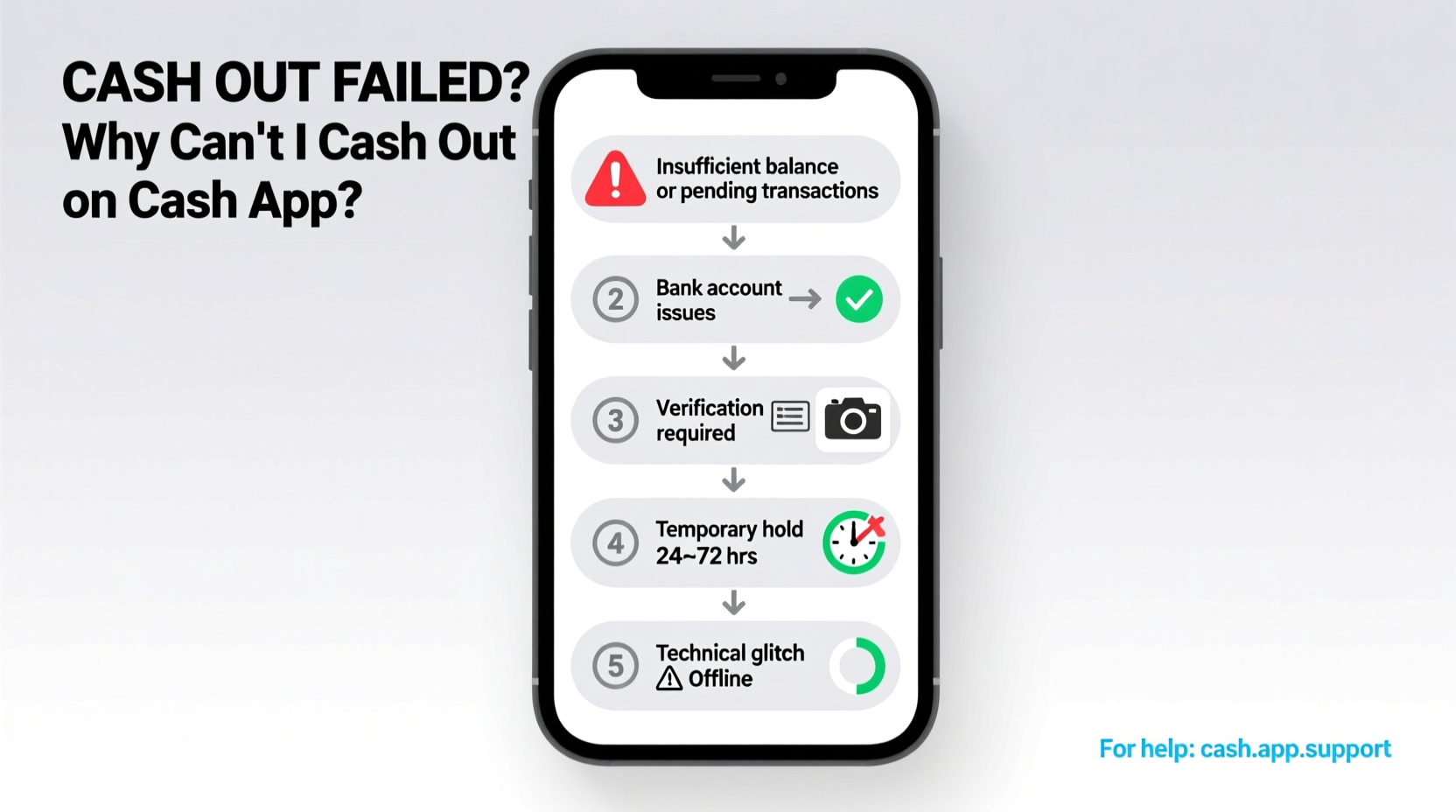
Cash App may restrict cashouts for a variety of legitimate reasons, most of which are in place to protect both users and the platform. The most frequent causes include:
- Unverified Account: Without completing identity verification (Know Your Customer or KYC), withdrawal limits are capped at $250 per month.
- Pending Transactions: If recent payments are still processing, those funds aren’t immediately available for transfer.
- Bank Linking Issues: Incorrect or unconfirmed bank details can prevent successful transfers.
- Suspicious Activity Detected: Unusual login attempts or transactions may trigger temporary holds.
- Account Limits Reached: Daily, weekly, or monthly withdrawal caps may have been exceeded.
- Technical Glitches: App bugs, outdated versions, or server-side issues can interrupt service.
Before assuming the worst, it's important to assess which factor might be affecting your account. Most issues are resolvable with the right steps.
Step-by-Step Guide to Fix Cash Out Problems
Follow this structured approach to identify and resolve your Cash App cashout issue efficiently:
- Check Your Internet Connection: A weak or unstable network can cause failed transactions. Switch to Wi-Fi or a stronger cellular signal.
- Update the Cash App: Open your device’s app store and ensure you’re using the latest version. Outdated apps often malfunction.
- Verify Your Identity: Go to Settings > Personal > Verify Identity. Submit your full name, date of birth, SSN, and address if prompted.
- Confirm Bank Account Status: Navigate to Banking > Linked Banks and verify that your bank is active and confirmed. Try re-linking if necessary.
- Review Transaction History: Look for any pending deposits or reversals. Funds from peer-to-peer payments may take 1–3 business days to clear.
- Check Withdrawal Limits: Tap the Balance tab and review your current limits under “Limits.” Upgrading your account may increase these.
- Contact Support: If no solution works, use the in-app support form via Settings > Help to report the issue with screenshots.
This sequence addresses over 90% of common cashout failures. Most users regain access within minutes to hours once the underlying cause is corrected.
Tips to Avoid Future Cashout Issues
Prevention is more effective than troubleshooting. Adopting proactive habits ensures consistent access to your funds:
- Complete identity verification as soon as possible to unlock higher limits and faster transfers.
- Avoid rapid, large transactions that may trigger fraud alerts.
- Regularly update the app and your phone’s operating system.
- Use only trusted devices and networks when accessing your account.
- Monitor your email and SMS for notifications from Cash App about account changes or holds.
Do’s and Don’ts When Troubleshooting Cash App Withdrawals
| Do’s | Don’ts |
|---|---|
| ✅ Verify your identity early | ❌ Ignore verification prompts |
| ✅ Double-check bank details | ❌ Attempt multiple transfers during an error |
| ✅ Wait 24–48 hours for pending funds | ❌ Share login info with third-party services |
| ✅ Contact official support through the app | ❌ Use unofficial “fix” tools or websites |
Real Example: Resolving a Verification Hold
Consider Maria, a freelance graphic designer who uses Cash App to receive client payments. After landing a new project, she received $800 but couldn’t withdraw it. The app displayed: “Withdrawal unavailable due to account restrictions.”
Maria checked her verification status and realized she hadn’t completed the ID upload process. She navigated to her profile, submitted her driver’s license and Social Security number, and waited 12 hours. Cash App reviewed her information, lifted the restriction, and she successfully transferred the funds the next day.
This case illustrates how a simple oversight—delayed verification—can create major disruptions. Completing verification proactively would have prevented the delay entirely.
“Many users don’t realize that even small initial transactions can trigger verification requirements. Staying ahead of compliance avoids last-minute surprises.” — James Reed, FinTech Support Analyst
FAQ: Common Questions About Cash App Cashouts
Why does Cash App say ‘Cash Out Unavailable’?
This message usually appears due to unverified identity, temporary security locks, or technical errors. First, confirm your personal details are up to date in the app. If the problem persists, contact support with a description and screenshot of the error.
How long do Cash App withdrawal holds last?
Holds vary by cause. Pending transaction holds typically last 1–3 business days. Security-related freezes may last 24–72 hours while Cash App reviews activity. In rare cases involving fraud investigations, holds can extend beyond a week.
Can I cash out without verifying my identity?
You can make limited withdrawals—up to $250 per month—without full verification. However, larger amounts and features like direct deposit require identity confirmation. For full functionality, verification is mandatory.
Final Checklist Before Contacting Support
Before reaching out to Cash App’s customer team, ensure you’ve completed these essential steps:
- ✔️ Restart your phone and relaunch the app
- ✔️ Confirm your internet connection is stable
- ✔️ Update Cash App to the latest version
- ✔️ Check your account verification status
- ✔️ Review linked bank accounts for accuracy
- ✔️ Wait 24 hours if a transaction is pending
- ✔️ Take a screenshot of the error for reference
Completing this checklist often resolves the issue before needing external help. If not, having this information ready speeds up support resolution.
Conclusion
Being unable to cash out on Cash App can feel frustrating, especially when you rely on timely access to your money. However, most issues stem from straightforward causes like incomplete verification, technical glitches, or temporary holds—all of which are fixable. By understanding the system’s safeguards and taking proactive steps, you can minimize disruptions and maintain smooth financial operations.




 浙公网安备
33010002000092号
浙公网安备
33010002000092号 浙B2-20120091-4
Comments
No comments yet. Why don't you start the discussion?