
It’s a familiar routine: you’re lying in bed, scrolling through social media, checking emails, or watching one more video. Hours pass, and suddenly you realize you’re still wide awake. You’ve done nothing strenuous, yet your mind refuses to shut down. The culprit? Your phone. What feels like harmless late-night screen time is actively sabotaging your ability to fall asleep—thanks to the biological effects of light, mental stimulation, and disrupted circadian rhythms. Understanding the science behind this phenomenon is the first step toward reclaiming restful nights.
The Science Behind Sleep Disruption from Phone Use
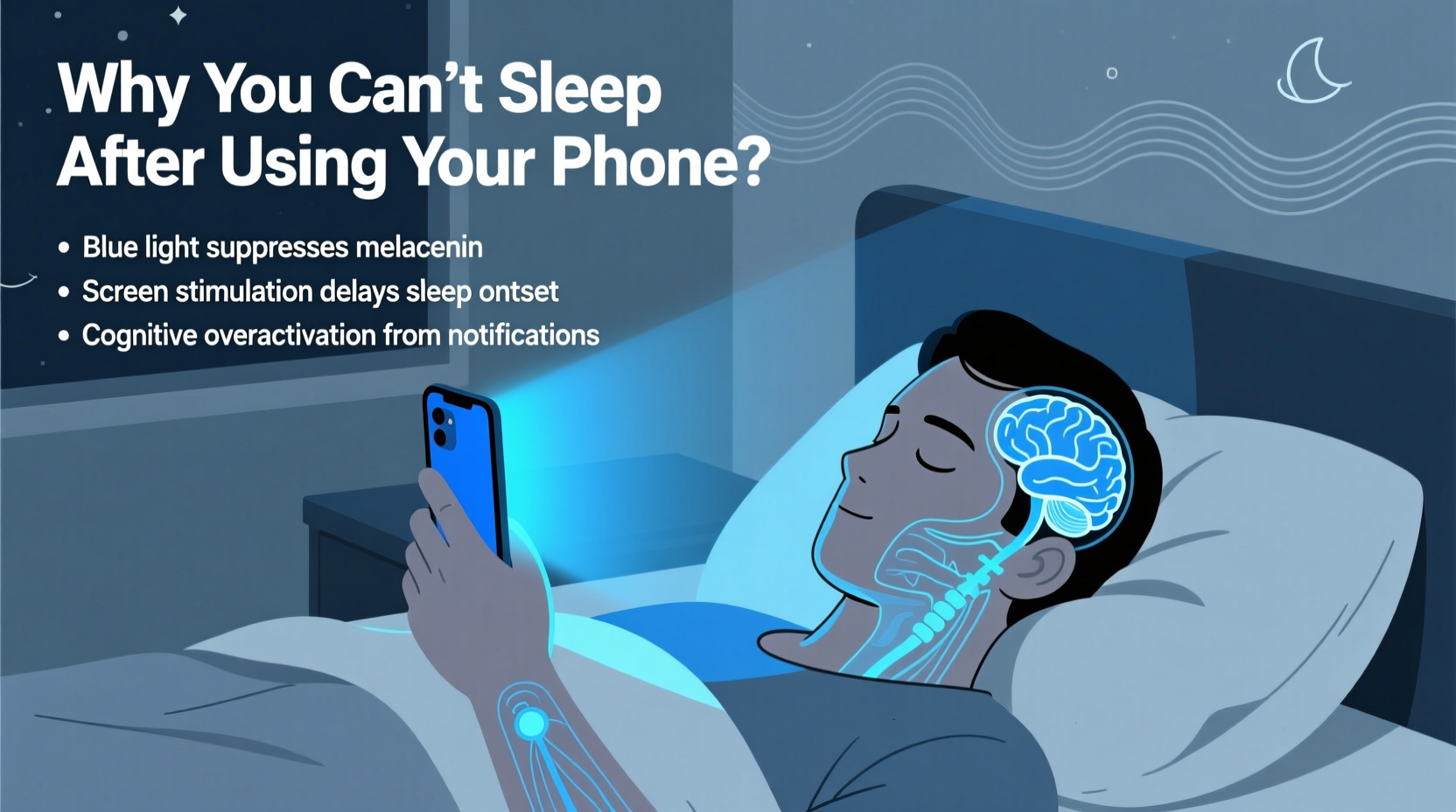
When you use your phone at night, especially in the hour before bed, multiple physiological systems are thrown off balance. The primary offender is blue light—a high-energy visible light emitted by LED screens on smartphones, tablets, and computers. Blue light suppresses the production of melatonin, the hormone responsible for signaling to your body that it’s time to sleep.
Research from Harvard Medical School shows that exposure to blue light can delay melatonin release by up to three hours, effectively shifting your internal clock later. This phase delay makes it harder to fall asleep at your usual time and reduces overall sleep quality. A 2015 study published in Proceedings of the National Academy of Sciences found that participants who read on light-emitting devices took longer to fall asleep, felt less alert in the morning, and had reduced REM sleep compared to those reading printed books.
Beyond light, the content you consume plays a role. Scrolling through stressful news, engaging in heated social media debates, or responding to work emails activates the brain’s arousal systems. This cognitive stimulation increases cortisol levels, a stress hormone that counteracts relaxation. The combination of suppressed melatonin and elevated cortisol creates a perfect storm for insomnia.
How Your Circadian Rhythm Gets Hijacked
Your circadian rhythm is your body’s natural 24-hour internal clock, regulating everything from sleep-wake cycles to hormone release and body temperature. It’s primarily influenced by environmental cues, especially light. When your eyes detect light—particularly blue wavelengths—it signals your suprachiasmatic nucleus (SCN), the brain’s master clock, to stay alert.
Using your phone after sunset sends a false signal to your SCN: “It’s still daytime.” This confuses your biological timing, delaying the onset of sleepiness. Over time, chronic nighttime screen exposure can lead to a condition known as “social jet lag,” where your internal clock is out of sync with your desired sleep schedule.
Teenagers and young adults are especially vulnerable. Their circadian rhythms naturally run later, and excessive phone use amplifies this tendency. A 2020 meta-analysis in Sleep Medicine Reviews concluded that evening screen time was significantly associated with delayed sleep onset, shorter sleep duration, and increased daytime fatigue across all age groups.
“Light at night is one of the most pervasive yet overlooked disruptors of human sleep. Our biology hasn’t evolved to handle artificial light after dark.” — Dr. Charles Czeisler, Chief of Sleep & Circadian Disorders, Brigham and Women’s Hospital
Practical, Science-Backed Tips to Fix the Problem
Changing your phone habits isn’t about willpower alone—it’s about designing an environment and routine that support natural sleep. Here are actionable, research-supported strategies to help you fall asleep faster and wake up refreshed.
1. Establish a Digital Sunset
Set a firm cutoff time—ideally 60 to 90 minutes before bed—when all screens are turned off. This allows your body to begin producing melatonin naturally. Use a smart speaker or traditional alarm clock to avoid needing your phone as an alarm.
2. Replace Screen Time with Wind-Down Activities
Fill the pre-sleep window with low-stimulation activities such as reading a physical book, journaling, gentle stretching, or listening to calming music. These behaviors signal safety and relaxation to your nervous system.
3. Use Night Mode Wisely—but Don’t Rely on It
While features like Night Shift (iOS) or Blue Light Filter (Android) reduce blue light intensity, they don’t eliminate it. They also don’t address mental stimulation. Use them as a supplement—not a solution—to reduced screen time.
4. Dim Room Lighting in the Evening
Complement phone avoidance by lowering ambient light. Use warm-colored bulbs (below 2700K) in lamps. Avoid overhead fluorescent or LED lighting, which mimics daylight and further delays melatonin release.
5. Charge Your Phone Outside the Bedroom
This removes temptation and eliminates sleep disruptions from notifications. If you use your phone as an alarm, invest in a standalone device. The psychological separation between bedroom and digital world strengthens sleep associations.
Step-by-Step Guide to Reboot Your Night Routine
Transitioning away from nighttime phone use requires structure. Follow this seven-day plan to build sustainable habits:
- Day 1–2: Audit Your Current Habits
Track when and how long you use your phone after 8 PM. Note what apps you use and how you feel afterward. - Day 3: Set a Digital Curfew
Pick a consistent time (e.g., 9:00 PM) to stop using all screens. Program a reminder or use app timers. - Day 4: Prepare Alternatives
Buy a book, download a podcast playlist, or set up a cozy corner with soft lighting for reading. - Day 5: Remove Devices from Bedroom
Charge phones and tablets elsewhere. Use a real alarm clock. - Day 6: Optimize Your Environment
Lower lights, play white noise or calming sounds, and adjust room temperature (ideal: 60–67°F / 15–19°C). - Day 7: Reflect and Adjust
Evaluate your sleep quality. Did you fall asleep faster? Feel more rested? Tweak your routine based on results.
Do’s and Don’ts of Nighttime Phone Use
| Do | Don’t |
|---|---|
| Use apps with built-in grayscale modes to reduce visual stimulation | Scroll through social media or news feeds right before bed |
| Enable “Do Not Disturb” during wind-down hours | Respond to non-urgent messages after 9 PM |
| Practice mindfulness or breathing exercises instead of screen time | Watch intense or emotionally charged content (e.g., thrillers, arguments) |
| Keep a notepad by your bed to jot down thoughts instead of reaching for your phone | Check the time repeatedly during the night—this increases anxiety |
Real-Life Example: How Sarah Regained Her Sleep
Sarah, a 32-year-old marketing consultant, struggled with insomnia for months. She routinely used her phone in bed until midnight, often responding to client emails or browsing Instagram. Despite feeling exhausted, she couldn’t quiet her mind. After learning about blue light’s effects, she decided to experiment.
She set a strict 9:00 PM digital curfew, moved her phone charging station to the living room, and replaced scrolling with reading fiction under a warm lamp. Within five days, she noticed she was falling asleep within 20 minutes instead of over an hour. After two weeks, her average sleep duration increased from 5.5 to 7 hours. “I didn’t realize how much mental clutter my phone was adding,” she said. “Now, I feel more in control—and actually look forward to bedtime.”
Frequently Asked Questions
Does reading on a tablet with a blue light filter help?
Partially. Filters reduce but don’t eliminate blue light. E-ink devices like Kindle Paperwhite (without front lighting or with warm light) are better alternatives. However, the act of scrolling or tapping still engages the brain more than turning physical pages.
What if I need my phone for emergencies?
If you must keep your phone nearby, enable “Do Not Disturb” and allow calls only from specific contacts (e.g., family). Place it face-down and across the room to reduce temptation. Consider using a landline or secondary device for emergency alerts.
Can I use my phone earlier in the evening without issues?
Yes. Using your phone before dinner or during early evening is generally fine. The critical window is the last 60–90 minutes before sleep. Earlier use, especially with breaks and distance from the screen, poses minimal risk to sleep onset.
Final Checklist: Your Nightly Sleep Optimization Plan
- ✅ Set a daily digital curfew (e.g., 9:00 PM)
- ✅ Charge phones outside the bedroom
- ✅ Enable “Do Not Disturb” mode during sleep hours
- ✅ Replace screen time with reading, journaling, or meditation
- ✅ Use warm, dim lighting in the evening
- ✅ Avoid stimulating content (news, social media, intense shows) before bed
- ✅ Track sleep improvements over 7–14 days
Take Back Control of Your Nights
Sleep isn’t a luxury—it’s a biological necessity. Every time you pick up your phone in bed, you’re overriding millions of years of evolution designed to align sleep with darkness. The good news is that change doesn’t require perfection. Start with one small step: move your phone out of reach at night. Then build from there. Within days, you’ll likely notice a difference. Within weeks, you may rediscover what truly restful sleep feels like. Your brain, body, and mood will thank you.




 浙公网安备
33010002000092号
浙公网安备
33010002000092号 浙B2-20120091-4
Comments
No comments yet. Why don't you start the discussion?