
When designing dynamic lighting setups—whether for holiday displays, stage effects, or smart home ambiance—many users rely on multiple hubs to control extensive networks of LED strips, pixels, and fixtures. While this approach expands coverage and control capacity, it often introduces a frustrating issue: animated light sequences fall out of sync. What begins as a perfectly choreographed wave or chase effect can quickly degrade into a jumbled, staggered mess. The root causes are rarely obvious, but they stem from technical limitations in communication, timing, and system design. Understanding these factors is essential for achieving seamless synchronization across distributed lighting systems.
How Multi-Hub Lighting Systems Work
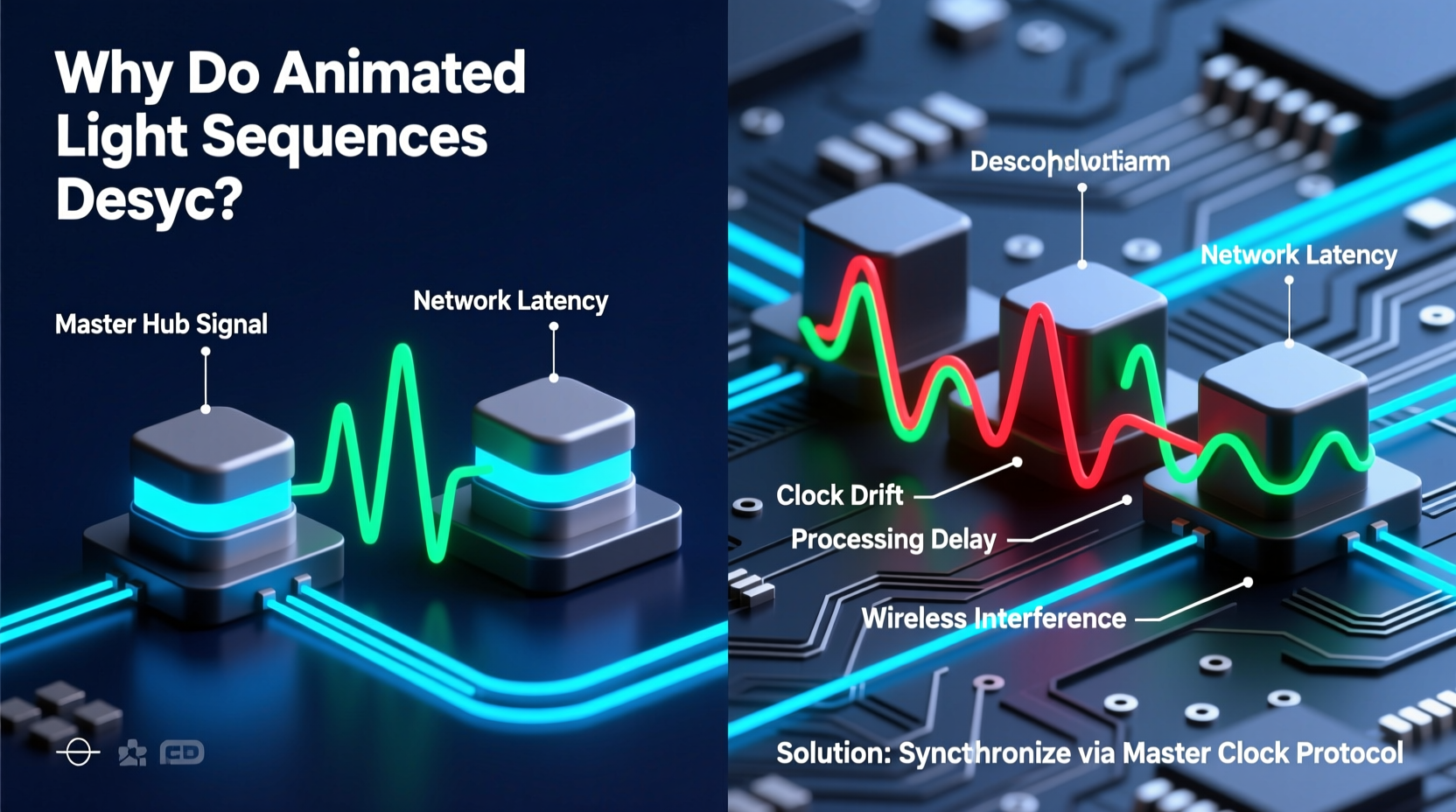
In modern smart lighting ecosystems, a \"hub\" acts as the central controller that sends commands to connected devices. Whether using proprietary platforms like Philips Hue, LIFX, or open protocols such as DMX, Art-Net, or MQTT, each hub manages a subset of lights based on its processing power, network bandwidth, and protocol support. When a single installation exceeds the capacity of one hub—due to device limits, physical distance, or signal degradation—additional hubs are deployed to segment the network.
These hubs may operate independently or be coordinated by a master controller (such as a Raspberry Pi running xLights or Falcon Player). However, even with centralized orchestration, timing discrepancies emerge because each hub interprets and executes commands with slight variations in latency. This divergence becomes visible during animations requiring frame-perfect precision, such as music-synced chases or color waves sweeping across large installations.
The Role of Communication Protocols
Different lighting systems use different communication standards, and each has implications for synchronization:
- Wi-Fi-based systems (e.g., WLED, LIFX): Prone to variable latency due to network congestion, interference, and TCP/IP overhead.
- Zigbee and Bluetooth: Use mesh networking which introduces hop delays; timing consistency depends on routing paths and signal strength.
- DMX512: A professional standard offering deterministic timing, but requires dedicated cabling and careful termination to avoid jitter.
- Art-Net / sACN: Network-based protocols designed for precise timing over Ethernet, but require proper configuration and clock synchronization.
The choice of protocol directly affects whether multiple hubs can maintain alignment. Consumer-grade wireless systems often lack real-time guarantees, making them inherently less reliable for tight synchronization than hardwired solutions used in commercial productions.
Timing Inconsistencies Between Hubs
Even when all hubs receive the same command simultaneously, execution may not occur at the same instant. This delay arises from several sources:
- Processing latency: Each hub runs firmware that must parse incoming data, apply transformations (e.g., gamma correction), and push signals to output pins. Variations in CPU speed, load, and code efficiency create microsecond-level differences that accumulate over time.
- Network jitter: Packets traveling over IP networks don’t arrive at consistent intervals. Routers, switches, and wireless access points introduce unpredictable delays, especially under heavy traffic.
- Clock drift: Most consumer hubs use independent internal clocks without synchronization mechanisms. Over minutes or hours, these clocks gradually diverge, causing animation frames to shift out of phase.
A discrepancy of just 20 milliseconds might go unnoticed in static scenes but becomes glaringly obvious in fast-moving animations. For example, a rainbow chase effect moving at 60 frames per second will appear visibly staggered if one hub lags behind another by only three frames.
“Synchronization isn’t about sending the same data—it’s about ensuring it’s executed at the exact same moment.” — Marcus Tran, Lighting Systems Engineer, StageLight Dynamics
Common Causes of Desynchronization
Desync doesn't happen randomly. It follows predictable patterns tied to system architecture and environmental conditions. Below are the most frequent culprits:
| Cause | Description | Solution |
|---|---|---|
| Independent Hub Clocks | Hubs without shared time references drift apart over extended operation. | Use NTP or PTP to synchronize hub clocks. |
| Uneven Network Load | One hub receives more data or experiences congestion, delaying updates. | Balance load distribution; use QoS settings on routers. |
| Firmware Version Mismatch | Different firmware versions process commands differently. | Keep all hubs updated to the same version. |
| Wireless Interference | Signal dropouts cause packet loss and retransmissions. | Switch to 5GHz band or use wired backhaul. |
| Asymmetric Wiring | Different cable lengths or signal degradation affect response times. | Use equal-length cables and signal repeaters where needed. |
Mini Case Study: Holiday Display Gone Awry
A homeowner in Portland set up a synchronized Christmas display using four separate WLED controllers managing roofline, tree, driveway, and yard lights. All were programmed via a central xLights instance on a laptop. Initially, the sequence ran smoothly during testing. But during nightly shows lasting over an hour, the tree lights began lagging behind the rest by several seconds.
After investigation, the issue was traced to one WLED node connected via a weak 2.4GHz Wi-Fi signal through a window. Packet loss caused occasional missed frames, and since WLED does not automatically resynchronize mid-sequence, the delay compounded over time. The solution? Relocating the node closer to the router and switching to a 5GHz connection eliminated the dropout, restoring perfect sync.
Strategies to Maintain Synchronization
Preventing desync requires proactive design and ongoing maintenance. Here's a step-by-step guide to keep your multi-hub setup aligned:
- Use a Master Time Source: Configure all hubs to sync their internal clocks using Network Time Protocol (NTP) or Precision Time Protocol (PTP) if supported. This ensures all devices share a common timeline.
- Minimize Wireless Reliance: Where feasible, connect hubs via Ethernet. Use Wi-Fi only for final endpoints, and ensure strong signal strength (above -65dBm).
- Enable Frame Resynchronization: Some software (like xLights) supports periodic timecode resets or “heartbeat” signals that realign slave nodes during long sequences.
- Standardize Firmware and Settings: Ensure every hub runs identical firmware and configuration profiles. Differences in brightness curves or color correction can indirectly affect perceived timing.
- Test Under Real Conditions: Run full-length sequences during off-peak network hours and again during high-traffic periods to identify instability.
Checklist: Pre-Show Sync Verification
- ✅ Confirm all hubs are online and responding.
- ✅ Verify firmware versions match across devices.
- ✅ Check network signal strength (for wireless nodes).
- ✅ Run a short test sequence to observe alignment.
- ✅ Enable logging to detect dropped packets or timeouts.
- ✅ Set up automatic reboot schedules to prevent memory leaks.
Advanced Solutions for Professional Installations
For high-stakes environments—concerts, theme parks, architectural lighting—engineers employ advanced techniques to eliminate desync:
- sACN (Streaming ACN): A professional lighting protocol that embeds timing information in UDP packets and supports source identification and priority merging.
- Universe Mapping: Distributing channels across DMX universes so that related fixtures stay within the same data stream reduces inter-hub dependency.
- Hardware Timestamping: Using FPGA-based controllers that schedule outputs down to the microsecond level.
- Redundant Clock Sources: Dual NTP servers or GPS-disciplined oscillators provide fail-safe timing accuracy.
These methods are overkill for residential use but illustrate the depth of engineering required for bulletproof synchronization. Even hobbyists can borrow principles—like using sACN instead of raw UDP broadcasts—to improve reliability.
FAQ
Can I fix desync by manually adjusting delays in software?
Yes, many lighting programs allow you to apply offset values (in milliseconds) to individual hubs or universes. This can compensate for known delays, but it’s a temporary fix. If network conditions change, the offsets become inaccurate.
Why do my lights sync fine at first but drift later?
This typically indicates clock drift or memory buildup in firmware. Devices may start together but slowly fall out of phase due to minor timing differences in loop cycles or network polling intervals. Regular restarts or periodic resync signals can mitigate this.
Does using a more powerful router help with sync?
It can. A high-quality router with Quality of Service (QoS) settings prioritizes lighting traffic over background data, reducing jitter. Pair it with a managed switch for VLAN segmentation to further isolate control traffic.
Conclusion
Desynchronized animated light sequences aren’t inevitable—they’re symptoms of underlying timing, network, or configuration issues that can be diagnosed and corrected. By understanding how hubs communicate, recognizing common failure points, and applying disciplined setup practices, you can achieve smooth, professional-grade lighting effects across multiple controllers. Whether you're illuminating a backyard display or orchestrating a venue-wide show, precision matters. The difference between amateur and expert results often lies not in hardware, but in attention to timing detail.




 浙公网安备
33010002000092号
浙公网安备
33010002000092号 浙B2-20120091-4
Comments
No comments yet. Why don't you start the discussion?