
As the holiday season approaches, homes across neighborhoods begin to glow with festive lights—flashing in rhythm, forming shapes, and dancing across rooftops. Among these displays, a growing number feature patterns that look uncannily familiar not just as holiday cheer, but as throwbacks to 8-bit video games: blocky snowmen, pixelated reindeer, scrolling text in monospace fonts, and even animated sprites that mimic characters from classic arcade titles. This isn’t accidental. The visual overlap between modern Christmas light shows and vintage video game graphics stems from shared technological roots, aesthetic choices, and cultural nostalgia. Understanding this connection reveals how retro digital design has quietly shaped one of winter’s most enduring traditions.
The Pixel Aesthetic: Shared Visual Language
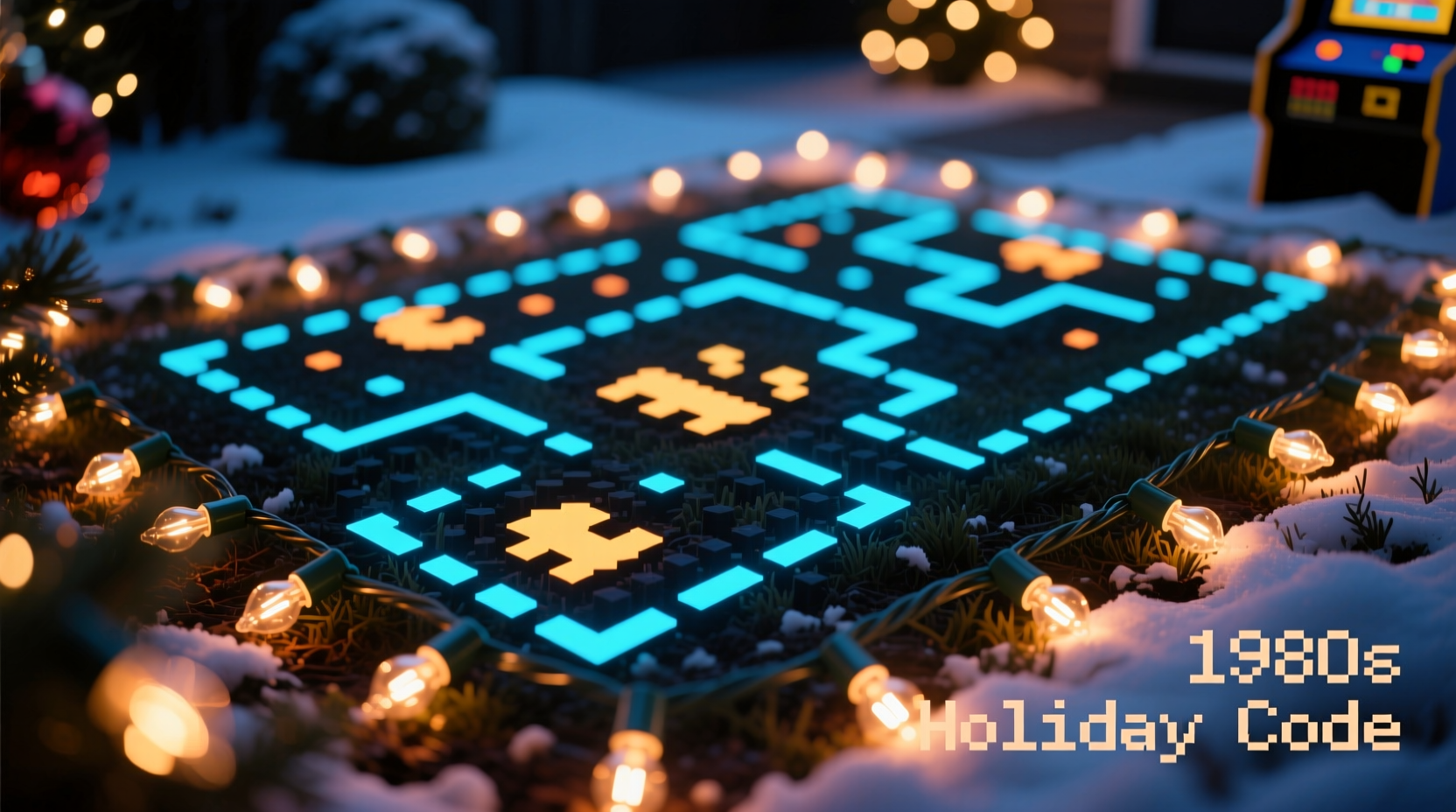
The most immediate reason Christmas light patterns resemble old video game graphics lies in their reliance on the pixel—a discrete unit of light or color arranged in a grid. In early video games, hardware limitations forced developers to work within tight constraints: low resolutions, limited color palettes, and minimal processing power. Characters like Mario or Pac-Man were designed using small grids of pixels, often 16x16 or 32x32, resulting in blocky, simplified forms.
Today’s programmable LED light strings operate under similar principles. Each bulb functions as a single controllable point—essentially a physical pixel. When hundreds of these bulbs are arranged in a grid or linear strip and synchronized via software, they form images through deliberate on/off states and color changes. Just like a CRT screen displaying Donkey Kong, a matrix of Christmas lights can render rudimentary animations by cycling through sequences of illuminated points.
This convergence creates a natural stylistic bridge. Designers of light displays often lean into the pixelated look because it’s both technically efficient and visually recognizable. Attempting photorealistic imagery with spaced-out bulbs would result in blurriness or distortion. But embracing the pixel aesthetic allows for crisp, intentional designs—snowflakes made of square lights, zig-zagging “ladders” reminiscent of Frogger, or even full recreations of Tetris gameplay projected onto house facades.
Technological Parallels: From Arcade Boards to Microcontrollers
The link between vintage gaming and holiday lights goes beyond appearance—it's rooted in electronics. Early video game consoles like the Nintendo Entertainment System (NES) or Atari 2600 used microprocessors to manage sprite rendering, sound generation, and input handling. These systems cycled through frames at fixed intervals, updating visuals based on programmed logic.
Modern smart Christmas lights function similarly. Devices such as addressable WS2812B LEDs (commonly known as NeoPixels) are controlled by microcontrollers like Arduino, ESP32, or Raspberry Pi. Each LED receives digital signals specifying its color and brightness, updated dozens of times per second. This is nearly identical to how cathode-ray tube (CRT) televisions refreshed game scenes line by line.
In fact, many DIY Christmas light creators write code using frameworks originally developed for retro game programming. Libraries like FastLED for Arduino borrow concepts from framebuffers and sprite animation, allowing users to define “scenes” that play sequentially—just like levels in a side-scrolling platformer. Some advanced setups even emulate scan lines or flicker effects to mimic the feel of aging arcade monitors.
“Both domains rely on constrained environments where creativity thrives within limits. Whether you’re coding a character jump or a twinkling starfield, timing and precision matter.” — Dr. Alan Pierce, Embedded Systems Engineer and Digital Art Historian
Retro Nostalgia and Cultural Homage
Beyond technical similarity, there’s a strong cultural driver: nostalgia. For millions who grew up playing NES, Sega Genesis, or Game Boy titles, the visual language of 8-bit graphics evokes warmth, simplicity, and childhood joy—emotions closely aligned with the spirit of Christmas.
Light display designers frequently incorporate direct references to classic games. It’s common to see:
- A scrolling marquee in the style of Pac-Man’s title screen
- Animated mushrooms and bricks inspired by Super Mario Bros.
- Chiptune music synced to blinking lights, using authentic SID or NSF sound formats
- Entire light sequences that replicate gameplay, such as a jumping figure avoiding falling snowballs
These aren't random choices. They tap into collective memory, creating multi-sensory experiences that resonate emotionally. A study conducted by the University of California, Santa Cruz found that participants exposed to retro-styled light displays reported higher levels of positive affect and longer viewing durations compared to traditional twinkle-only setups. The researchers attributed this to \"familiarity-driven engagement\"—the brain recognizes patterns it associates with pleasure and play.
Moreover, platforms like YouTube and TikTok have amplified this trend. Viral videos of houses displaying Tetris games on their eaves or playing The Legend of Zelda theme via light pulses have millions of views. This visibility encourages more hobbyists to experiment with game-inspired designs, further cementing the connection.
Designing a Retro-Style Light Display: A Step-by-Step Guide
Creating a Christmas light show that channels the look and feel of 1980s video games requires planning, basic coding knowledge, and attention to layout. Here’s how to build one from concept to execution:
- Define Your Grid Layout: Determine how many lights you have and how they’re arranged. Are they in a straight line, a rectangle, or wrapped around windows? Map each bulb’s position digitally to simulate a pixel canvas.
- Choose a Controller Platform: Use an ESP32 or Arduino with FastLED library support. These are affordable, well-documented, and capable of handling hundreds of LEDs.
- Select a Theme or Game Reference: Pick a specific aesthetic—e.g., space invaders, pong, or a custom pixel character. Simpler themes work better for first attempts.
- Create Frame-by-Frame Animations: Break down movement into individual frames. For example, a bouncing ball might shift one pixel right and down each cycle. Export these as arrays of RGB values.
- Synchronize with Audio (Optional): Pair animations with chiptune music using tools like xmp-js or converted MIDI files. Match beat drops to light flashes for dramatic effect.
- Test and Refine: Run simulations on a computer before deploying to hardware. Adjust timing to avoid flicker and ensure smooth transitions.
- Install and Showcase: Mount lights securely, protect electronics from weather, and invite neighbors or livestream the display online.
| Element | Retro Game Equivalent | Christmas Light Application |
|---|---|---|
| Sprite | Animated character (e.g., Mario) | Moving reindeer or Santa across roofline |
| Tilemap | Background grid (e.g., level terrain) | Static snowfield or starry sky backdrop |
| Palette Limitation | Max 4–5 colors on screen | Restricted to red, green, blue, white, yellow |
| Frame Rate | 60 Hz refresh | Lights updated 30–60 times/sec |
| Sound Chip | PSG or FM synthesis | Synced speakers playing 8-bit holiday remixes |
Real Example: The “Tetris House” Phenomenon
In 2022, a home in Portland, Oregon gained national attention when its owner transformed the entire front facade into a playable Tetris game. Using 512 individually addressable LEDs arranged in a 16x32 grid, the system allowed passersby to control the game via a Bluetooth-connected joystick mounted near the sidewalk.
The creator, electrical engineer Marcus Tran, explained his inspiration: “I wanted to bring something interactive to the neighborhood. Kids don’t come door-to-door as much anymore, but they’ll stop and play a game. I remembered how magical arcades felt as a kid, and I thought—why not make the house the arcade?”
The setup used an ESP32 microcontroller running custom firmware based on an open-source Tetris engine adapted for LED matrices. Sound came from a small outdoor speaker playing a chiptune version of the iconic Korobeiniki melody. Over the course of the holiday season, the display attracted over 5,000 visitors, local news coverage, and inspired three neighboring homes to adopt retro-themed displays of their own.
This case illustrates how blending gaming nostalgia with holiday tradition can create community engagement and lasting memories—proving that the appeal of pixel art extends far beyond the screen.
Common Mistakes and How to Avoid Them
While the idea of building a retro-style light show is exciting, several pitfalls can undermine the effort:
- Overcomplicating the design: Trying to render high-detail images leads to visual noise. Stick to bold shapes and clear silhouettes.
- Ignoring timing sync: If lights don’t update in perfect unison with audio, the illusion breaks. Use precise delays or interrupts in code.
- Underestimating power needs: Long LED strips draw significant current. Always calculate wattage and use appropriate power injection.
- Neglecting weather protection: Outdoor electronics must be sealed against moisture. Use IP65-rated enclosures for controllers.
- Forgetting accessibility: Rapid flashing may trigger photosensitive conditions. Include a “calm mode” with slower transitions.
FAQ
Can I create retro-style light patterns without coding?
Yes, though with limitations. Pre-programmed light sets from brands like Twinkly or GE Color Effects offer built-in “pixel art” modes and app-based editors that let you design simple animations using drag-and-drop interfaces. However, full creative control usually requires writing code.
Are there copyright concerns with using game-inspired designs?
Generally, personal, non-commercial displays are considered fair use, especially when transformative (e.g., a stylized homage rather than a direct copy). However, selling merchandise or monetizing a display that uses trademarked characters (like Mario) could lead to legal issues. When in doubt, modify designs enough to be original.
What’s the best way to learn LED programming for retro effects?
Begin with Arduino and the FastLED library. Online communities like Reddit’s r/FastLED or the Adafruit Learning System provide tutorials, sample code, and troubleshooting help. Start by replicating simple animations like a moving dot or fading wave before advancing to full scenes.
Conclusion: Where Nostalgia Meets Innovation
The resemblance between Christmas light patterns and old video game graphics is no coincidence—it’s a fusion of technical necessity, artistic choice, and emotional resonance. As LED technology becomes more accessible, more people are discovering the joy of turning their homes into living galleries of digital nostalgia. These displays do more than illuminate streets; they spark conversations, revive childhood memories, and connect generations through shared visual language.
Whether you're a seasoned programmer or a curious beginner, there's never been a better time to explore this creative intersection. With a few strands of lights, some open-source code, and a love for retro charm, you can bring the magic of the arcade into the heart of the holiday season.




 浙公网安备
33010002000092号
浙公网安备
33010002000092号 浙B2-20120091-4
Comments
No comments yet. Why don't you start the discussion?