
As holiday seasons roll around, millions of homes light up with festive displays powered by remote-controlled Christmas lights. While convenient, many users quickly discover a frustrating limitation: the remote only works within a few feet of the lights. This inconsistency can ruin the experience—especially when you're trying to switch off strands from across the yard or through walls. Understanding why this happens—and more importantly, how to fix it—is essential for anyone relying on wireless control for their holiday lighting.
The issue isn’t always faulty equipment. Instead, it stems from technical constraints in design, environmental interference, and user setup. By examining the root causes and applying targeted solutions, you can dramatically improve your remote’s performance and enjoy seamless control throughout the season.
How Infrared and RF Remotes Work Differently
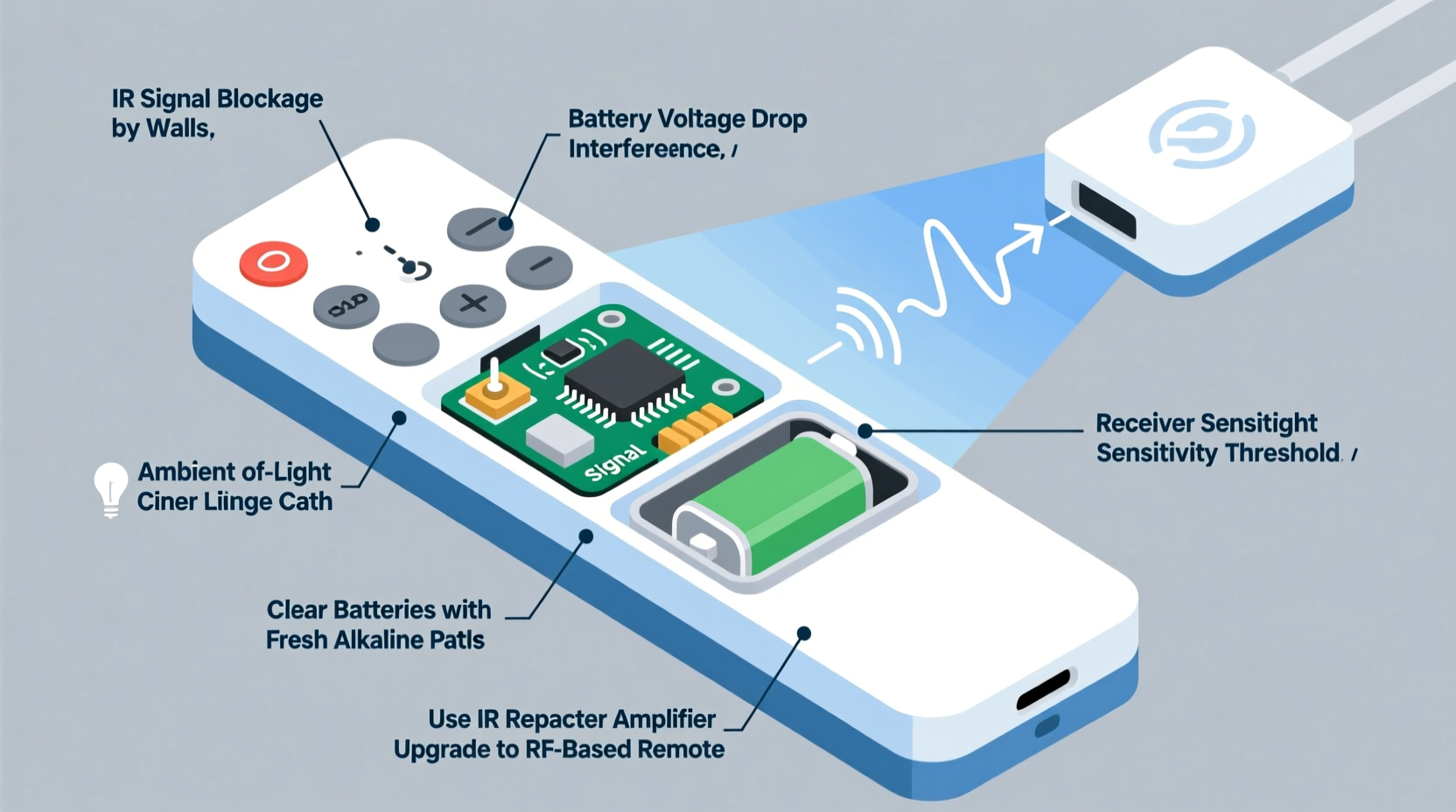
Not all Christmas light remotes operate the same way. The two most common technologies are infrared (IR) and radio frequency (RF). Knowing which type you have is the first step toward diagnosing range issues.
Infrared remotes function like traditional TV remotes. They emit pulses of invisible light that must travel in a straight line to the receiver. If something blocks the path—like a tree branch, wall, or even snow buildup—the signal fails. These remotes typically work within 10 to 15 feet under ideal conditions but degrade rapidly with obstructions or bright ambient light.
RF remotes, on the other hand, use radio waves—similar to Wi-Fi or Bluetooth—to communicate. They don't require line-of-sight and can penetrate walls, glass, and light foliage. Most modern smart Christmas light systems use RF technology, often operating at 433 MHz or 2.4 GHz frequencies. Their effective range varies widely, from 30 feet for basic models to over 100 feet for higher-end versions.
Unfortunately, many budget-friendly Christmas light kits still rely on IR because it's cheaper to manufacture. Consumers may not realize they’ve purchased an IR system until they attempt to use it beyond arm’s length.
Common Causes of Limited Remote Range
Even with RF technology, poor performance is common. Several factors contribute to weak or inconsistent signals:
- Low battery power: Weak batteries reduce transmission strength, shortening effective range.
- Poor antenna design: Many compact remotes lack proper antennas or use internal traces instead of external ones, limiting broadcast efficiency.
- Electromagnetic interference (EMI): Nearby devices such as routers, microwaves, or power lines can disrupt RF signals, especially at 2.4 GHz.
- Physical obstructions: Metal gutters, brick walls, dense trees, and large appliances absorb or reflect signals.
- Receiver placement: If the receiver unit is buried inside a junction box, wrapped in tape, or mounted near metal, its ability to receive signals drops significantly.
- Cheap components: Mass-produced controllers often use low-gain chips and substandard circuitry, sacrificing performance for cost savings.
A real-world example illustrates this well: A homeowner in Portland installed new LED icicle lights along their eaves, controlled via RF remote. Despite being only 20 feet away, the remote failed unless used directly beneath the house. Investigation revealed that aluminum siding was reflecting the signal upward, while the receiver was tucked behind a downspout. Simply repositioning the controller improved reliability instantly.
“Many decorative lighting systems are engineered for aesthetics and price point—not signal integrity.” — Mark Linwood, Electrical Engineer & Smart Home Consultant
Practical Ways to Boost Remote Signal Strength
Improving remote performance doesn’t require expensive upgrades. With thoughtful adjustments, most range issues can be resolved using simple, accessible methods.
1. Replace Batteries Regularly
Fresh alkaline batteries ensure maximum voltage output. Even if a remote seems to work intermittently, degraded batteries may prevent full signal transmission. Use high-quality brands and replace them at the start of each season.
2. Reposition the Receiver Unit
The receiver should be mounted where it has minimal obstruction and is not enclosed in metal or moisture-trapped enclosures. Ideally, place it slightly exposed but protected from rain, away from large metal objects. Avoid coiling excess wire tightly around it, as this can create electromagnetic noise.
3. Reduce Interference Sources
If your system operates on 2.4 GHz, consider turning off nearby devices temporarily to test for interference. You might also relocate Wi-Fi routers or cordless phones if possible. For persistent issues, switching to 433 MHz-based systems (which face less congestion) can yield better results.
4. Upgrade to a Repeater or Hub System
Some advanced Christmas lighting ecosystems support signal repeaters—small devices that receive and retransmit commands. While not common in entry-level kits, third-party RF relays compatible with 433 MHz protocols can extend coverage effectively.
5. Use a Signal Amplifier Case (DIY)
A foil-lined cardboard sleeve placed behind the remote can act as a parabolic reflector, focusing the signal forward. While unconventional, this trick has been validated in informal tests with up to 40% range improvement for directional control. Ensure no contact between foil and electronics.
| Solution | Effectiveness | Cost | Difficulty |
|---|---|---|---|
| Battery replacement | High | $ | Easy |
| Receiver repositioning | High | Free | Easy |
| Reduce EMI sources | Moderate | Varies | Moderate |
| Add RF repeater | Very High | $$ | Moderate |
| Detect IR vs RF type | Essential first step | Free | Easy |
Step-by-Step Guide to Diagnose and Improve Remote Performance
Follow this structured approach to identify and resolve range limitations:
- Identify your remote type: Shine a phone camera at the front of the remote while pressing a button. If you see a flashing purple/white light, it’s infrared. No visible glow suggests RF.
- Test in open space: Move both remote and lights to an unobstructed outdoor area. Test operation at increasing distances. Note the maximum reliable range.
- Check battery voltage: Use a multimeter to confirm batteries deliver at least 1.5V (for AA/AAA). Below 1.3V indicates depletion.
- Inspect receiver location: Ensure it's not covered, enclosed, or near conductive materials. Mount vertically if possible.
- Eliminate interference: Turn off nearby electronics one by one to check for conflicts.
- Re-test in original setup: Return lights to intended position and verify improvements.
- Consider upgrade paths: If range remains insufficient, explore RF-to-Wi-Fi bridges or smart hubs that allow app control via smartphone or voice assistants.
When to Upgrade: Smart Lighting Alternatives
If boosting range proves ineffective, upgrading to a smarter system may be worthwhile. Modern Wi-Fi or Bluetooth-enabled Christmas lights connect directly to home networks, allowing control from anywhere via smartphone apps. Brands like Philips Hue, Govee, and Twinkly offer weather-resistant, color-tunable options with ranges limited only by your router’s coverage.
These systems eliminate handheld remotes altogether, replacing them with intuitive interfaces, scheduling, music synchronization, and geofencing features. Though pricier upfront, they provide greater flexibility and long-term reliability.
For larger displays, consider modular setups using Zigbee or Z-Wave smart plugs paired with standard lights. These protocols are designed for home automation and offer excellent penetration and mesh networking capabilities, ensuring consistent command delivery even across multi-story homes.
FAQ: Common Questions About Christmas Light Remote Range
Can I use my phone to control non-smart Christmas lights?
Yes, indirectly. Use a universal IR blaster app if your phone has one (common on older Android devices), or install a smart plug between the outlet and the lights. Then schedule or toggle power via your phone’s app ecosystem.
Why does my remote work sometimes but not others?
Intermittent performance usually points to weak batteries, marginal signal strength, or transient interference (e.g., microwave oven cycling on). It can also indicate water ingress in the receiver or loose wiring connections.
Do walls block Christmas light remote signals?
It depends on the material. Drywall and wood have minor impact on RF signals, but brick, concrete, and metal significantly attenuate them. Infrared signals are blocked entirely by solid barriers. Always assume IR needs direct visibility.
Conclusion: Take Control of Your Holiday Display
Limited remote range shouldn’t dim the joy of your holiday lighting. Most issues stem from easily correctable causes—battery health, physical placement, and signal environment. By identifying whether your system uses infrared or radio frequency, diagnosing interference sources, and applying practical fixes, you can restore reliable control and enhance convenience.
For those planning future purchases, prioritize RF-based or Wi-Fi-connected systems with proven range and app integration. The small investment pays off in ease of use and fewer seasonal frustrations.
Whether you're maintaining a simple string of porch lights or orchestrating a synchronized neighborhood spectacle, understanding the technology behind your remote empowers smarter decisions. Apply these insights this season and enjoy a brighter, smoother holiday lighting experience.




 浙公网安备
33010002000092号
浙公网安备
33010002000092号 浙B2-20120091-4
Comments
No comments yet. Why don't you start the discussion?