
Every holiday season, people decorate their homes with dazzling strings of Christmas lights—twinkling whites, warm ambers, vibrant multicolored strands that transform ordinary spaces into magical winter scenes. But when you pull out your phone or camera to capture the moment, something feels off. The photo doesn’t match what your eyes see. The colors are washed out, the sparkle is gone, or the entire image looks cluttered and dull. You’re not imagining it: there’s a real scientific and technical reason why Christmas lights look different in photos than they do in real life.
The human eye and digital cameras process light in fundamentally different ways. While our brains adjust dynamically to brightness, color temperature, and contrast, cameras rely on fixed settings that can struggle in mixed-light environments—especially those dominated by small, intense points of light like LEDs. Understanding this gap allows photographers and casual shooters alike to bridge it with better technique, smarter gear use, and intentional composition.
How Human Vision Differs from Camera Sensors
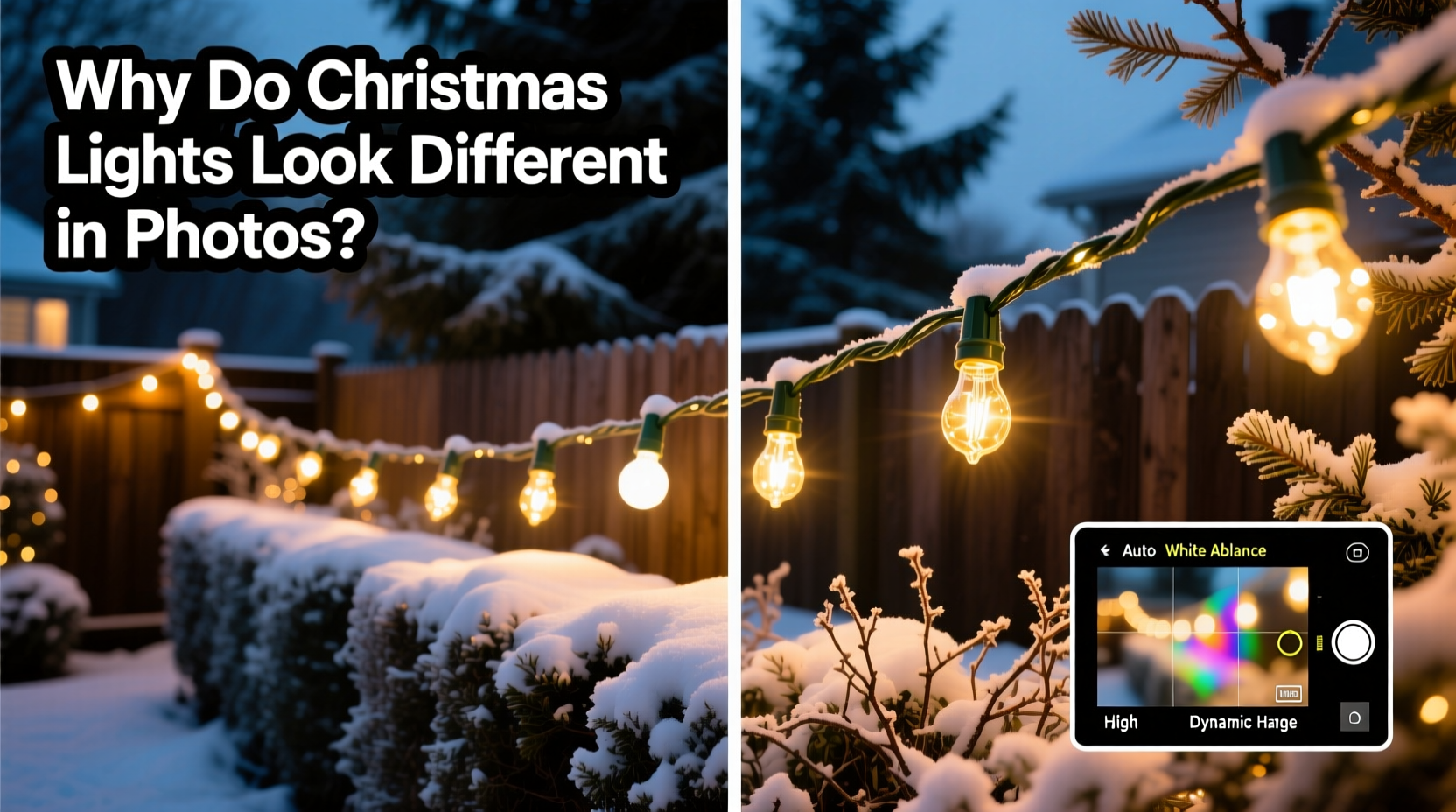
The first step in solving the mismatch between perception and photograph is understanding how we see versus how cameras “see.” Our eyes have an extraordinary dynamic range—the ability to perceive detail in both bright highlights and deep shadows simultaneously. In a dimly lit room lit only by Christmas lights, your eyes naturally adapt: pupils dilate, retinal sensitivity increases, and the brain stitches together micro-adjustments in real time.
A camera sensor, however, has limited dynamic range compared to the human visual system. When pointed at twinkling lights against a dark background, the sensor either underexposes the scene (making lights appear faint) or overexposes it (turning bulbs into blooming white blobs). Additionally, while our brains interpret colored lights in context—adjusting for ambient warmth or coolness—cameras must guess white balance based on algorithms, often misreading the dominant hue.
“Cameras don’t experience light the way humans do. They record data; we perceive meaning. Bridging that gap requires both technical control and artistic intention.” — Lena Torres, Professional Lighting Photographer
Common Reasons Christmas Lights Look Different in Photos
Several factors contribute to the disconnect between real-life sparkle and flat-looking images:
- Dynamic Range Limitations: Cameras can't capture extreme contrasts as effectively as the human eye. Bright LED bulbs easily blow out in photos while surrounding areas remain too dark.
- White Balance Errors: Indoor lighting often mixes warm incandescent or candlelight with cooler LED strips, confusing the camera’s auto white balance and resulting in unnatural color casts.
- Lens Flare and Glare: Small, bright light sources cause internal reflections within lenses, creating haze, starbursts, or loss of contrast.
- Auto Exposure Misjudgment: Cameras meter the overall scene and may darken the image because most of it is shadowy, causing lights to appear dimmer than they are.
- Motion Blur: Long exposures needed in low light make handheld shots blurry unless stabilized properly.
Camera Settings That Make a Difference
To get photos that reflect the true magic of Christmas lights, manual control is essential. Relying on automatic modes rarely produces satisfying results in these challenging lighting conditions. Here’s how to adjust your settings for optimal performance:
Use Manual or Aperture Priority Mode
Switch your camera (or smartphone Pro mode) to Manual (M) or Aperture Priority (A/Av). This gives you direct control over exposure variables.
Adjust Shutter Speed for Light Trails or Sharpness
In darker environments, slower shutter speeds allow more light to reach the sensor. For static subjects and sharp lights, use 1/30s to 1 second. If you want creative effects like light trails from moving decorations or people, go longer—5 to 15 seconds—with a tripod.
Choose a Narrow Aperture for Depth and Starbursts
Using a smaller aperture (higher f-number like f/8 to f/16) increases depth of field and creates attractive starburst effects around each bulb. This mimics the natural “sparkle” our eyes enjoy when looking at festive displays.
Keep ISO Low to Reduce Noise
High ISO amplifies sensor signal but also introduces grain or noise, especially noticeable in dark areas between lights. Aim for ISO 100–400 when using a tripod, and no higher than 800 if shooting handheld.
Set White Balance Manually
Instead of relying on Auto White Balance (AWB), set it manually based on your primary light source. For warm white lights, try 3200K; for daylight-white LEDs, use 5500K. Alternatively, shoot in RAW and adjust later.
| Setting | Recommended Value | Purpose |
|---|---|---|
| Shutter Speed | 1/15s – 10s | Capture enough light without motion blur (use tripod for long exposures) |
| Aperture | f/8 – f/16 | Create starbursts and keep entire display in focus |
| ISO | 100 – 400 | Minimize digital noise in shadows |
| Focus | Manual or AF-S on lights | Ensure sharpness on small light sources |
| File Format | RAW + JPEG | Maximize editing flexibility |
Smartphone Photography Tips for Better Holiday Shots
Most people use smartphones to document holiday moments. While convenient, phone cameras face even greater challenges due to tiny sensors and aggressive software processing. However, modern phones offer tools that, when used correctly, can yield impressive results.
Use Night Mode Intentionally
Night Mode automatically extends exposure time, which helps brighten dark scenes. But it can also over-smooth twinkling effects. Hold steady or use a mini-tripod. Avoid zooming during Night Mode capture, as it reduces effectiveness.
Tap to Focus and Expose on the Lights
Tap directly on a cluster of lights in your screen preview. This tells the phone to prioritize those pixels when calculating exposure and focus, preventing the whole image from being darkened by surrounding shadows.
Disable Flash
The built-in flash illuminates foreground objects (like faces) but does nothing for distant lights—and often ruins the ambiance. Turn it off entirely when photographing decorated trees or outdoor displays.
Try Third-Party Apps for More Control
Apps like ProCamera (iOS) or Open Camera (Android) let you manually adjust ISO, shutter speed, and white balance—capabilities missing from default camera apps.
Composition and Timing Strategies
Beyond technical settings, thoughtful composition enhances how Christmas lights appear in photos. Consider these approaches:
- Shoot During Twilight (“Blue Hour”): The period just after sunset offers a deep blue sky that contrasts beautifully with warm lights, adding dimension and drama.
- Incorporate Reflections: Capture lights reflected in windows, puddles, or ornaments to double the visual impact.
- Frame with Foreground Elements: Use bare branches, snow-covered railings, or window frames to add depth and context.
- Zoom With Your Feet: Get closer to eliminate distracting backgrounds. A tight shot of tangled string lights can become an abstract pattern of glowing dots.
- Include People (Carefully): Silhouettes or softly lit figures add scale and emotion—but ensure they don’t block key lighting features.
Mini Case Study: Capturing a Neighborhood Light Display
Sarah, a hobby photographer in Denver, wanted to document her neighborhood’s annual Christmas lights tour. Her early attempts resulted in yellow-tinted, blurry photos where individual bulbs merged into streaks. After researching techniques, she returned one evening with a small tripod and her mirrorless camera.
She set up at twilight, using manual mode: f/11, 4-second exposure, ISO 200, white balance at 3500K. She focused on a central wreath lit with warm LEDs and used the rule of thirds to include part of a snow-dusted roofline. The resulting image showed crisp starbursts around each bulb, rich blue skies, and accurate color—mirroring what she saw. Neighbors later asked to use her photo for next year’s event flyer.
Checklist: How to Photograph Christmas Lights Like a Pro
- ✅ Use a tripod or stabilize your camera/phone
- ✅ Switch to manual or semi-manual mode (M, Av, or Pro)
- ✅ Set slow shutter speed (1/15s or longer)
- ✅ Choose narrow aperture (f/8–f/16) for starbursts
- ✅ Keep ISO low (100–400)
- ✅ Manually set white balance or shoot in RAW
- ✅ Focus carefully on the lights themselves
- ✅ Shoot during blue hour for best contrast
- ✅ Tap to expose on lights when using a smartphone
- ✅ Review histogram to avoid blown-out highlights
Frequently Asked Questions
Why do my Christmas light photos look orange or blue?
This is caused by incorrect white balance. Mixed lighting (e.g., warm indoor bulbs with cool LED strands) confuses the camera. Set white balance manually or edit in post-production if shooting RAW.
Can I fix overexposed lights in editing software?
Sometimes. If you shot in RAW, recovery tools in Lightroom or Adobe Camera Raw can retrieve some highlight detail. However, once pixels are completely white (\"clipped\"), information is lost and cannot be restored.
Why don’t my phone’s portrait mode work well with Christmas lights?
Portrait mode uses depth mapping to blur the background. Tiny, bright lights confuse the algorithm, leading to uneven bokeh or sharpness errors. For pure light photography, disable Portrait Mode and use standard photo mode instead.
Conclusion: Capture the Magic as You See It
Christmas lights evoke joy, nostalgia, and wonder—emotions that deserve to be preserved accurately in photographs. While cameras can’t replicate human vision perfectly, they can come remarkably close with the right approach. By understanding exposure, mastering manual settings, and applying thoughtful composition, you can create images that truly reflect the enchantment you experience firsthand.
Don’t settle for flat, inaccurate snapshots. Experiment with timing, settings, and perspective. Try one new technique this weekend—whether it’s shooting at twilight, adjusting your white balance, or using a tripod. The difference will be visible immediately.




 浙公网安备
33010002000092号
浙公网安备
33010002000092号 浙B2-20120091-4
Comments
No comments yet. Why don't you start the discussion?